🎤 Voice Recorder Storage Calculator
Estimate recording time, file size, and storage needs by format, quality & duration
⚡ Quick Presets
🎵 Recording Settings
📋 Your Recording Estimate
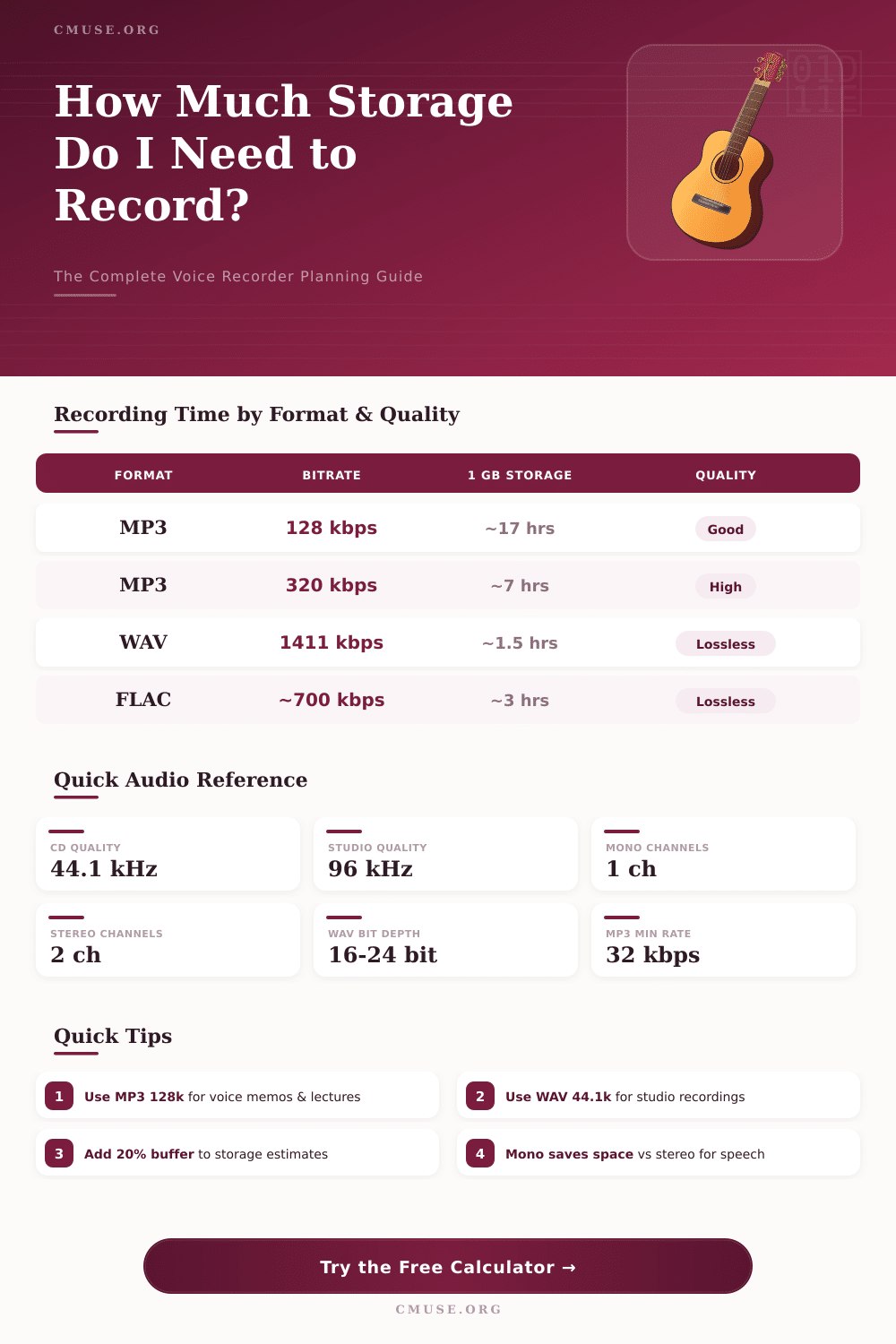
💿 Format Reference: File Size per Hour
⏱ Recording Time by Storage Capacity
| Storage | MP3 128k Stereo | WAV 44.1k Stereo | FLAC Stereo |
|---|---|---|---|
| 1 GB | ~8.7 hrs | ~1.6 hrs | ~3.3 hrs |
| 2 GB | ~17.4 hrs | ~3.1 hrs | ~6.7 hrs |
| 4 GB | ~34.8 hrs | ~6.3 hrs | ~13.3 hrs |
| 8 GB | ~69.6 hrs | ~12.6 hrs | ~26.7 hrs |
| 16 GB | ~139 hrs | ~25.2 hrs | ~53.3 hrs |
| 32 GB | ~278 hrs | ~50.4 hrs | ~106.7 hrs |
| 64 GB | ~556 hrs | ~100.8 hrs | ~213 hrs |
📦 Format Specifications Reference
| Format | Bitrate | Sample Rate | Best Use |
|---|---|---|---|
| MP3 64 kbps | 64 kbps | 22.05 kHz | Voice memos, low storage |
| MP3 128 kbps | 128 kbps | 44.1 kHz | General voice recording |
| MP3 192 kbps | 192 kbps | 44.1 kHz | Podcasts, interviews |
| MP3 320 kbps | 320 kbps | 44.1 kHz | Music, high fidelity |
| AAC 128 kbps | 128 kbps | 44.1 kHz | Apple devices, meetings |
| WAV 44.1 kHz | 1,411 kbps | 44.1 kHz | CD quality, studio |
| WAV 48 kHz | 1,536 kbps | 48 kHz | Video production |
| WAV 96 kHz/24-bit | 4,608 kbps | 96 kHz | Professional studio |
| FLAC 44.1 kHz | ~700 kbps | 44.1 kHz | Lossless archiving |
🎚 Common Project Storage Estimates
| Project | Duration | Format | Est. Size |
|---|---|---|---|
| Voice Memo | 5 min | MP3 128k Mono | ~2.4 MB |
| University Lecture | 90 min | MP3 128k Stereo | ~173 MB |
| Podcast Episode | 60 min | MP3 320k Stereo | ~230 MB |
| Interview Session | 120 min | WAV 44.1k Stereo | ~1.27 GB |
| Studio Recording | 60 min | WAV 96k/24b Stereo | ~3.81 GB |
| Field Recording Day | 480 min | MP3 128k Mono | ~1.65 GB |
| Music Archive | 30 min | FLAC 44.1k Stereo | ~150 MB |
| Conference Full Day | 480 min | MP3 64k Mono | ~830 MB |
A voice recorder is device that stores sound by means of a microphone and saves it as a file. Some tiny recorders get the name voice recorders because their sound is of lower quality, so one does not expect them to produce sound of high accuracy. The saved files can be in forms like Mp3, OGG or WAV, depending on the used app or device.
Apps for voice recorder use work well for recording of business meetings, lessons and interviews. Many of them offer an easy interface, that simplifies the usage. Main features store recording in high quality, together with the ability to play, pause and stop audio files.
Simple Guide to Voice Recorders and Apps
Some apps are free and rich in features, so one can save conversations, lessons or even songs.
Also online voice recorders are available. They allow to record sound directly in the browser by means of a microphone. After the recording, one can edit the audio track by means of cleanup of noise, change of equalizer and tuning of sound reverb.
Free tools like Canva offer also voice recording from computer or phone, what suits for recording of instructions locally or adding of voice comments from home.
Phones work surprisingly well for recording. Almost all phones and tablets store sound that much long, as far as memory and battery last. Hours of audio already were recorded on devices Android and iOS from makers like Motorola, Google, Samsung and Apple.
On iPhone the app Oral Notes even saves without loss in quality, if one changes settings under Audio Quality. One simply starts the recording by means of phone, locks the screen and lays it on a table.
The app Recorder for Pixel phones adds search and artificial intelligence too sound recordings. It automatically writes talk literally and marks sounds like music or applause. But it reaches its whole power only on Pixel phones.
For other Android devices, apps like Easy voice recorder and Hold have new features and sync easily.
Some apps give extra features, that help with notes. There are programs, that record voice and make notes together with transcriptions. One of them cuts silences and works hours without attention.
Other tools start recording by means of three presses of the power button, for quiet use. Cloud sharing happens in some apps for uploading files to iCloud Drive, Dropbox, Google Drive and OneDrive. Some apps use AI-local features on the device, to keepdata safely.
Small and portable recorders from brands like Zoom are also liked. The Zoom H1n gives good sound for voice and music, while it stays very light. New models from Zoom, like the H1 Essential, offer 32-bit floating recording, what stops audio clips without need to set levels.
For best results with video work, a recorder with 48 kHz sample rate is best, because 44.1 kHz files need conversion and syncing with video. The automatic capture setting on many recorders works best for recording conversations or dialogs.