Unison Detune Beats Calculator
Model a unison stack from base pitch, voice count, cents spread, detune curve, stereo spread, and modulation to see exact voice frequencies, beat rates, beat periods, and motion risk.
🎚 Unison Detune Presets
⚙ Cents, Voices, And Beat Inputs
Calculation Breakdown
Voice Cents And Frequencies
| Voice | Cents | Frequency | Hz Offset | Pan | Role |
|---|
Adjacent Beat Rates
| Pair | Cents Apart | Beat Rate | Beat Period | Feel |
|---|
🎻 Instrument Comparison Grid
Low fundamentals create slow Hz beats, so narrow detune preserves punch and pitch center.
Small cents offsets can mimic double tracking without making the line sound out of tune.
Two or three ranks use audible beating as the musical effect rather than hidden thickening.
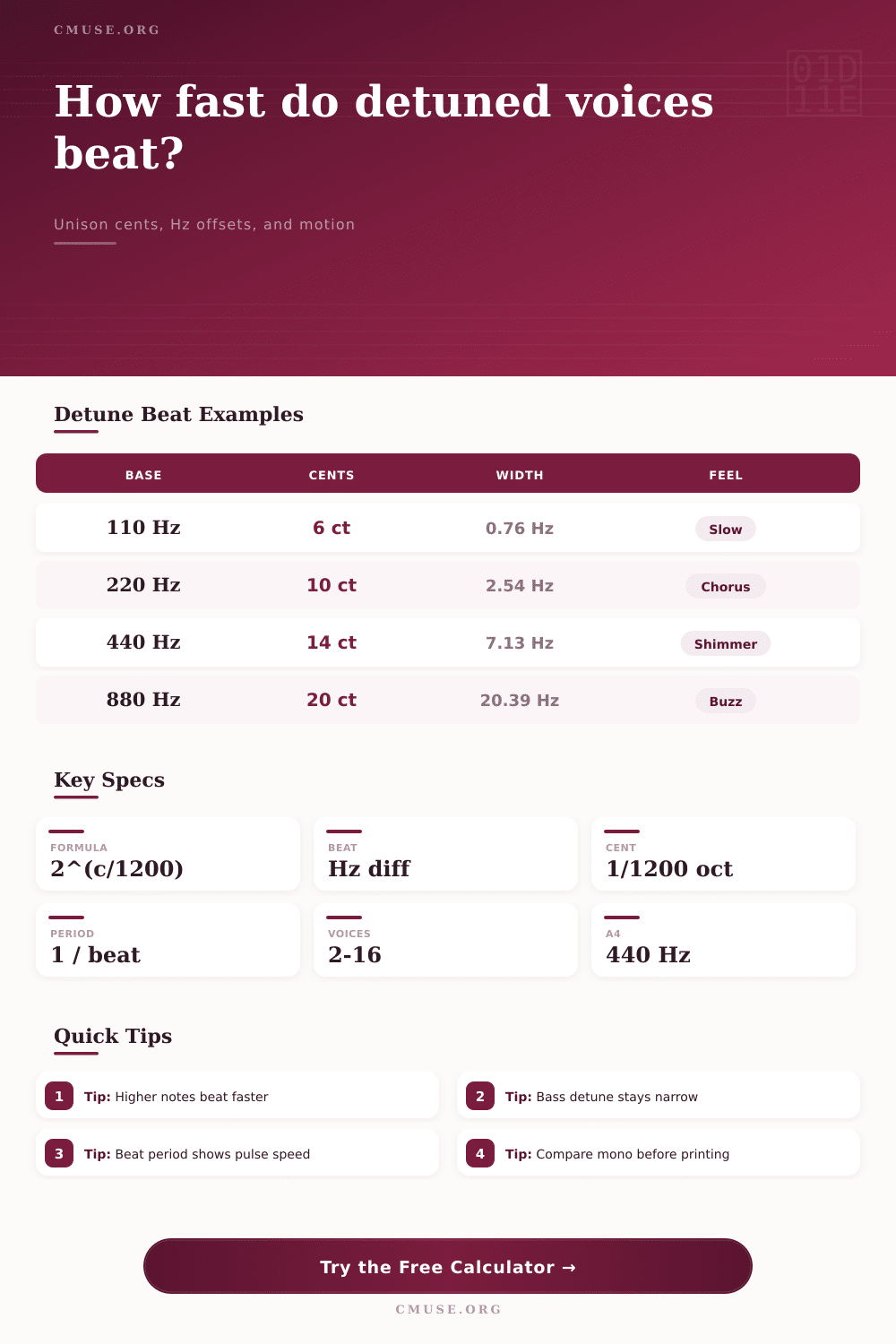
Higher notes convert the same cents to larger Hz offsets, creating faster shimmer.
📐 Unison Cents Range Table
| Sound Target | Voice Count | Outer Detune | Spread | Beat Character |
|---|---|---|---|---|
| Sub or bass support | 2 to 3 | 1 to 6 cents | 0 to 20% | Slow wobble, centered note, low mono risk |
| Double tracking | 2 to 5 | 4 to 12 cents | 25 to 70% | Natural width with recognizable single pitch |
| Organ celeste | 2 to 3 | 8 to 18 cents | 0 to 45% | Clear pulse that is part of the tone color |
| Synth lead stack | 5 to 9 | 10 to 25 cents | 50 to 100% | Animated shimmer and strong stereo energy |
| Pad or swarm | 7 to 16 | 20 to 55 cents | 70 to 100% | Wide cloud, fast edges, less defined pitch |
🔁 Cents To Beat Examples
| Base Frequency | Outer Detune | Lower Voice | Upper Voice | Outer Beat |
|---|---|---|---|---|
| 55.00 Hz | 5 cents | 54.84 Hz | 55.16 Hz | 0.32 Hz, very slow |
| 110.00 Hz | 8 cents | 109.49 Hz | 110.51 Hz | 1.02 Hz, gentle pulse |
| 220.00 Hz | 12 cents | 218.48 Hz | 221.53 Hz | 3.05 Hz, chorus speed |
| 440.00 Hz | 16 cents | 435.95 Hz | 444.09 Hz | 8.14 Hz, vivid shimmer |
| 880.00 Hz | 20 cents | 869.90 Hz | 890.22 Hz | 20.32 Hz, bright buzz |
🎛 Beats And Period Reference
| Beat Rate | Beat Period | Motion Name | Useful For | Watch Point |
|---|---|---|---|---|
| 0.10 to 0.60 Hz | 10.0 to 1.7 s | Slow drift | Bass, pads, acoustic doubling | Can disappear in dense mixes |
| 0.60 to 2.50 Hz | 1.7 to 0.4 s | Pulse | Celeste, chorus, ensemble blur | Pulse may fight tremolo or tempo |
| 2.50 to 8.00 Hz | 0.4 to 0.13 s | Shimmer | Leads, stacks, bright pads | Can feel nervous on exposed melody |
| 8.00 to 20.00 Hz | 0.13 to 0.05 s | Fast beating | Supersaw highs, effect layers | May read as roughness, not width |
| 20.00+ Hz | Under 0.05 s | Roughness | Sound design and swarms | Pitch center becomes less definite |
🎵 Instrument Use Comparison
| Instrument Or Layer | Typical Voices | Common Cents | Best Beat Range | Practical Recommendation |
|---|---|---|---|---|
| Synth bass | 2 to 3 | 1 to 6 cents | 0.1 to 1.5 Hz | Keep spread low and make the fundamental stable. |
| Supersaw lead | 7 to 9 | 12 to 28 cents | 4 to 16 Hz | Use more spread on upper voices than on low notes. |
| String ensemble | 5 to 12 | 6 to 20 cents | 0.8 to 6 Hz | Choose center-clustered spacing for smoother section blend. |
| Organ celeste | 2 to 3 | 8 to 18 cents | 1 to 7 Hz | Let the pulse be audible; avoid excessive randomization. |
| Layered guitar | 2 to 4 | 3 to 10 cents | 0.4 to 3 Hz | Small tuning differences pair well with left-right placement. |
| Vocal double | 2 to 5 | 2 to 9 cents | 0.3 to 2.5 Hz | Use more timing variation than pitch spread for natural doubles. |
Making the sound thicker by adding second oscillator to your bass patch will often result in a muddy low end that compete with the kick drum. It’s simple physics and there’s no mystery here. Adding two notes that is a little out of tune creates what you hear as a pulsating beat, it’s interference patterns created by two slightly differrent frequencies. That pulsing rate is purely based off both the pitch of each note and how close they are to each other.
Knowing this relationship can separate the amateur mix from professional. Because producers are accustomed to seeing those units (cents) on their synthesizer screen, most thinks in cents. It’s only five cents off; they’ll just hear it anywhere along the spectrum… It doesn’t work that way.
Understanding Detune Beats in Your Mix
The calculator figures out all the math behind the conversion for you, revealing exactly how those abstract cents translate into real-world hertz offsets and audible beat rates. That’s important, since when we’re talking about cents, our ears has different perceptions of both pitch distance and beat speed. A three hertz offset will register as a slow pulsing rhythm on a low C, but on a high E it’s a fast nervous shimmer. It all depends on context.
What this means is that these are inputs based off how real world instruments work in the studio. If you choose, for example, a string ensemble or an organ celeste as your source type, it will change how the system interpret what sounds stable and what doesn’t. What may be an exciting texture with wide detune on a lead super saw could make the singer sound out of tune if applied to a vocal double with the same width.
You also have control over voice counts ranging from just two simple oscillators stacked all the way to a full blown 16-voice layered stack. Adding more voices to the ends of the range either makes the beating pattern more complex or smooths it out, depending on which spacing curve you use. Center clustering puts most of the voices around true pitch to create a tight core, while linear spacing distribute them equally across the range.
The most helpful measure here is called Beat period, because it describes the time between each volume change. When your beat period matches the tempo of the track, it add a rhythmically enhancing element. But when it doesn’t, it results in phase cancellation, which not only eats up clarity but also headroom. To prevent this sort of accidental clash, the tool’s reference tables provides typical ranges for various instruments.
Because their fundamental frequencies are so low, bass synths typically need extremely tight detunes on the order of one to six cents, since even tiny changes in Hertz result in slow-wobbling, power-sapping pitch cycles. Higher instruments can handle bigger spreads, since the relative pitch difference sound small to our ears, even if the absolute hertz difference is larger.
There’s another wrinkle: modulation rate and modulation depth. When you have vibrato applied to the patch, it interact with the rate and depth of detune beats. This causes an increase (or decrease) in total modulation needed and what we hear when we listen back to the sound. The calculator factors all of this into the estimated beats and increases the modulation allowance to match so we get a better feel for how the end result will sound.
Perceived width also depends on stereo spread. Separating detuned voices left and right may not be as intense in the middle but still create impression of a wider sound area. For these reasons, certain engineers likes using wide stereo placement for their unison layers instead of just depending on the pitch variation alone.
Experiment with the presets for various types of music and see how each genre solve that issue. One patch could be a cinema swarm with lots of voices and extreme detune giving the impression of movement and unease. Another might be a guitar double track where a subtler approach is needed to capture the natural imperfections of two guitarist rather than a chorused effect.
The goal is always control. Motion should of serve the song rather than detract from it. Understanding how hertz convert to time and cents convert to hertz stops you guessing and starts you designing. That’s when the mud in your mix is nothing more than a beat frequency you didn’t hear coming. Now, you can catch it before it happens.