True Peak Calculator
Estimate dBTP, limiter trim, codec headroom, and a safer ceiling for music masters and audio deliverables.
🎧 Quick Presets
🎚 True Peak Inputs
📊 True Peak Spec Grid
📝 Delivery Target Table
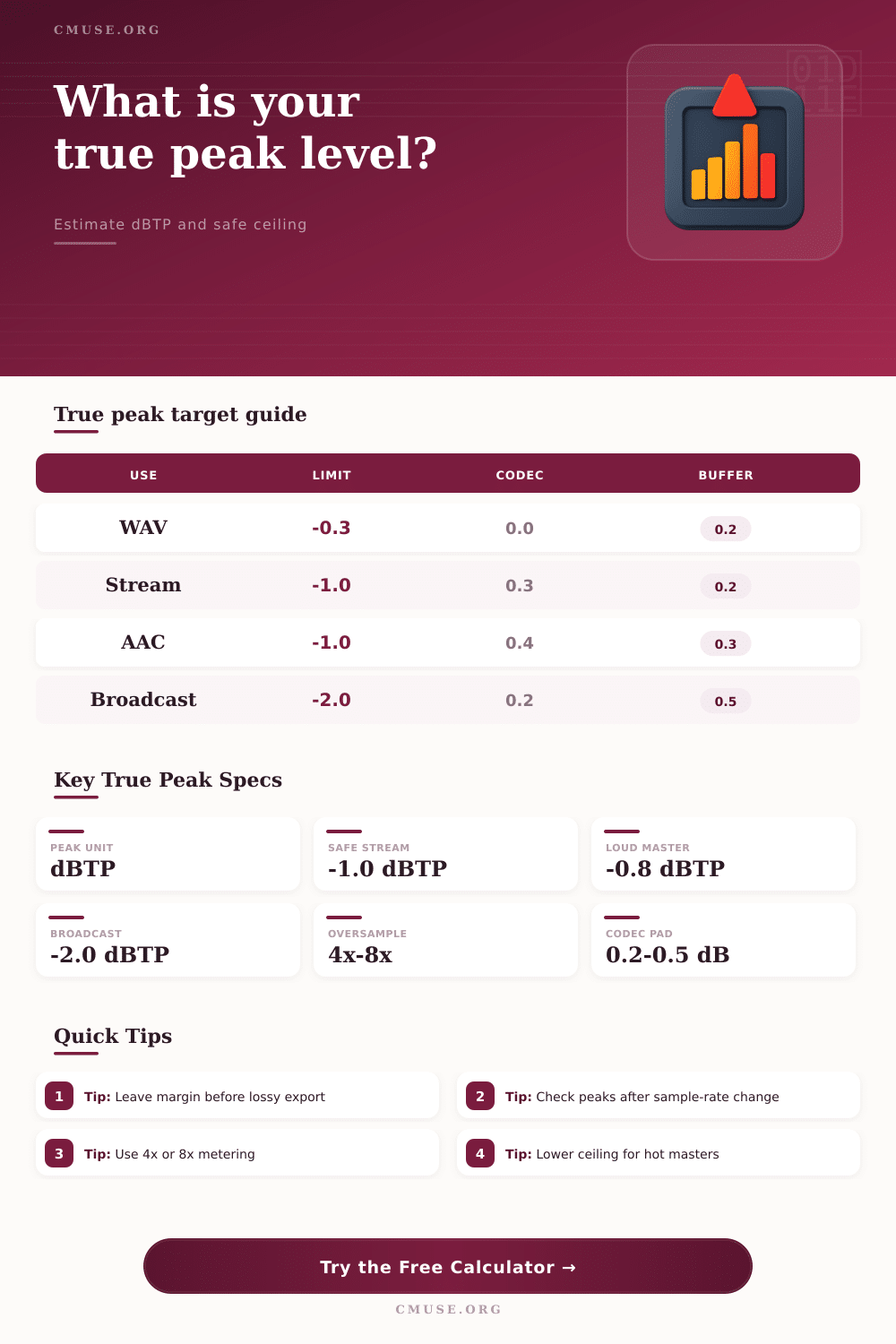
| Delivery | Target Limit | Codec Rise | Best Use |
|---|---|---|---|
| WAV Master | -0.3 dBTP | 0.00 dB | Lossless archive |
| Streaming | -1.0 dBTP | 0.25 dB | General release |
| AAC Upload | -1.0 dBTP | 0.35 dB | Lossy platforms |
| Broadcast | -2.0 dBTP | 0.15 dB | Compliance headroom |
🔍 Oversampling Comparison
| Meter Mode | Hidden Allowance | Confidence | Use Case |
|---|---|---|---|
| 1x basic | 0.35 dB | Low | Fast rough check |
| 2x check | 0.22 dB | Medium | Draft master |
| 4x recommended | 0.12 dB | Good | Final mix check |
| 8x detailed | 0.05 dB | High | Delivery master |
| 16x forensic | 0.02 dB | Very high | QC pass |
🎵 Common Mastering Scenarios
| Scenario | Sample Peak | Likely dBTP | Suggested Ceiling |
|---|---|---|---|
| Loud EDM | -0.2 dBFS | +1.1 dBTP | -1.3 dBTP |
| Pop Streaming | -1.2 dBFS | -0.4 dBTP | -1.2 dBTP |
| Acoustic Mix | -1.8 dBFS | -1.1 dBTP | -1.3 dBTP |
| Broadcast Safe | -2.3 dBFS | -1.7 dBTP | -2.5 dBTP |
🎛 Peak Component Breakdown
| Component | What It Adds | Typical Range | Calculator Field |
|---|---|---|---|
| Sample peak | Metered amplitude | -6 to 0 dBFS | Sample peak |
| Intersample rise | Reconstruction overshoot | 0.1 to 1.5 dB | Overshoot estimate |
| Codec rise | Lossy encode movement | 0.1 to 0.5 dB | Export target |
| Safety buffer | Extra headroom | 0.1 to 1.0 dB | Safety buffer |
True peak metering measure the highest voltage of a reconstructed waveform. This is necessary because ordinary sample-peak meters does not exhibit all the peak of a waveform. A sample-peak meter will measure the individual value of each digital sample of a file.
However, the true peak meter will measure the peaks of the waveform that happen in the spaces in between each digital sample. If a master recording is sent to high volume, the reconstructed waveform might exceed the digital sample. The true peak meter exhibits this invisible spike in the waveform and is measured in decibel true peak (dBTP).
Why True Peak Metering Is Important
When a file leaves the mastering engineer’s studio, it will pass through several platforms. Some platforms use lossy codec, others stream music files, and others might be a broadcast file. Regardless of the platform, the file will go through reconstruction filter.
These reconstruction filters can change the peak of a file. Files mastered to appear to have no clipping on a sample peak meter can have clipping issues once the listener’s device decode the file. To prevent this from happening, true peak metering are necessary.
The calculator allow engineers to input three parameters: the sample peak of a file, the estimated overshoot of the file, and the target format in which the engineer would like to deliver the song. Based on these three parameters, the calculator will tell the mastering engineer the amount of trim that the limiter should have and the amount of ceiling that should be use for the song to remain within the limits of the platform on which it will be streamed. Many mastering decision use the true peak measurement of a song.
This is used to determine whether or not a song will distort at the target destination. For example, some streaming platforms allows for a true peak of minus one decibel, but the song might still distort if mastered incorrect. Changing the sample rate of the master or the reconstruction filter, or the use of a steep limiter can alter the hidden allowance for peaks.
These variable are represented in the calculator for engineers to understand how these can impact the master. Another reason true peak metering is necessary is because of the behavior of codec. For example, AAC and MP3 file encoder will move the energy of a file.
This means that a peak value of a song that is acceptable for a WAV file can increase by several tenths of a decibel once the AAC or MP3 encoding process are complete. The calculator can take into account this movement of energy in the song, as it allows engineers to select the export format. This will adjust the target limit required for the master to meet the specification of that codec.
Safety buffer are used in the mastering process to account for any possible error. Even meters that use high oversampling factor can leave a little bit of error in the file. To account for this, engineers will typically add an extra tenth or two of headroom to the files that they will master.
This headroom can not be controlled once the file is distribute to the listener. The engineer can set the safety buffer in the calculator to ensure that the recommended ceiling for a master incorporates the safety buffer that the engineer chose for the song. The true peak meter can reveal issue that arise during quiet moment or loud moment in a song.
For example, a vocal track that is sitting at several decibels below the master ceiling can cause the track to reach the ceiling when in the presence of other loud sound around the vocal track. To prevent this, engineers should use the true peak meter to measure the whole master file rather than the individual track. This will allow engineers to determine if a song will cause distortion before the song ever reaches the distributor of the master file.
Some of the most common mistake that engineers make happen due to incorrect meter setting. For example, if the oversampling factor is left at 1x, teh highest meter will hide the most significant peak in the master file. To avoid this, engineers should set the oversampling factor to 4x or 8x. This will shrink the hidden allowance within the master file and reveal any issue with the ceiling for the master file.
The calculator will reflect the change to the oversampling factor of the master file instantly. Engineers will use this parameter in the calculator to determine the final setting for their master. Another issue that must be accounted for is that of sample-rate conversion.
For example, a master file that was recorded at 96 kHz can shift in peak value when it is converted to 44.1 kHz for use with CD player. Such a shift in peak value is audible to the human ear. The setting of the reconstruction filter in the true peak calculator allow engineers to set an allowance for sample-rate conversion so that they do not encounter these issue after the files have been delivered to their destination.
While true peak metering is not an alternative to using the ear to hear a master file, true peak metering does allow engineers to determine the setting for the limiter. The ear will still be used to determine if the master sounds good, but the true peak calculator will remove the guesswork for engineers as to where to set the limit on the master file. If the engineer determines that the ceiling for the master file is safe, the engineer can then focus on the decision that relate to the artistic production of the song.