Track Gap Calculator
Calculate album runtime impact from track count, average track length, gap seconds, pregap, crossfade subtraction, hidden track gap, hidden track length, and format timing limits.
Preset use: Load a release profile, then adjust the gaps, crossfades, hidden track settings, and track list to match the actual master sequence.
Timing Breakdown
| # | Track Source | Music Time | Following Gap | Timing Note |
|---|
| Gap Style | Typical Gap | Crossfade Use | Best Fit |
|---|---|---|---|
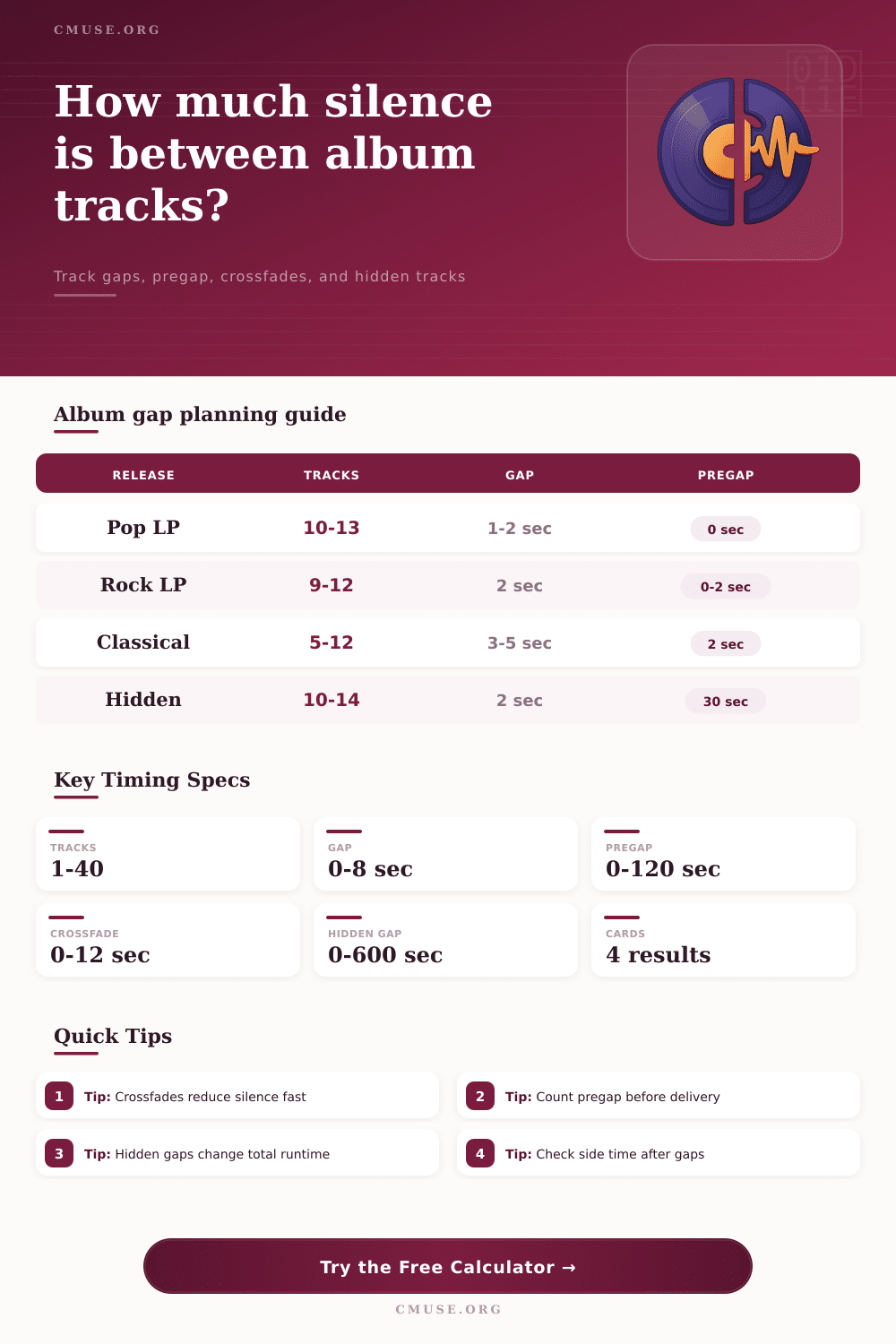
| Tight modern spacing | 0.5 to 1.5 seconds | Light overlap on linked singles | Pop, hip-hop, short streaming albums. |
| Standard album spacing | 1.5 to 3 seconds | Used only where transitions are musical | Most rock, indie, folk, and singer-songwriter albums. |
| Theatrical pacing | 3 to 6 seconds | Rare, because silence carries the drama | Concept albums, soundtrack cues, spoken interludes. |
| Continuous or DJ flow | 0 to 1 second | Frequent crossfade or beat-matched overlap | Dance, ambient, live worship, and mixtape flows. |
| Archival or classical spacing | 3 to 8 seconds | Usually avoided between movements | Classical suites, archival releases, field recordings. |
| Target Format | Practical Runtime | Gap Watchpoint | Mastering Note |
|---|---|---|---|
| Streaming album | No hard carrier limit | Spacing affects flow more than delivery | Check perceived pacing and skip risk between tracks. |
| CD or digital master | Up to about 74 to 80 minutes | Pregap and hidden-track silence count in runtime | Long hidden gaps can surprise listeners and metadata checks. |
| Single vinyl LP | About 36 to 44 minutes total | Gaps count against side time | Long silences may force lower level or a resequence. |
| Double vinyl LP | About 72 to 88 minutes total | Side breaks matter more than total album time | Check each side after adding pregap and hidden silence. |
| Cassette side plan | Usually balanced by side length | Large hidden gap can unbalance side B | Use side splits after calculating total runtime impact. |
| Preset | Track Shape | Gap Plan | Crossfade Plan | Hidden Track Use |
|---|---|---|---|---|
| Modern Pop LP | 12 short to mid-length songs | 2 second standard gaps | Three linked transitions | No hidden closer. |
| Vinyl Master Sequence | 10 tracks for two sides | 2.5 second gaps plus side pacing | One side-transition overlap | No hidden closer. |
| Streaming EP | 5 concise songs | 1 second gaps | Two short crossfades | No hidden closer. |
| Ambient Continuous | 7 long-form pieces | Zero to half-second gaps | Every transition overlaps | No hidden closer. |
| Hidden Track Closer | 11 main tracks plus bonus | 2 second gaps | Minimal crossfade | Two-minute hidden silence. |
| Metric | Formula | What It Includes | Why It Matters |
|---|---|---|---|
| Main transitions | Track count minus one | Only normal track-to-track gaps | Sets how often standard spacing is applied. |
| Raw gap time | Transitions times gap seconds | Before crossfade subtraction | Shows the planned silence if no overlaps are used. |
| Crossfade saved | Fade seconds times fade count | Capped so it cannot exceed the raw gap | Shows how much runtime overlap tightens the sequence. |
| Total silence | Pregap plus net gaps plus hidden gap | All non-music time that remains audible | Turns spacing choices into a real runtime impact. |
| Album runtime | Music plus total silence | Main songs, hidden songs, and all remaining gaps | Checks whether the final master fits the target format. |
A track gap calculator allow you to calculate the total amount of silence in an album. In the past, music album engineer did not focus on the amount of silence between the songs. They would leave a few seconds of silence between the songs before moving to the next song to be mastered.
However, silence between songs is of great importance in the current song mastering world. The silence between songs can alter the listening experience of the album for the listener. Furthermore, silence between songs can impact the physical format of the album, as well.
How to Use a Track Gap Calculator
A track gap calculator will allow you to calculate the total amount of silence for an album. Furthermore, using a track gap calculator will allow you to see the amount of silence in the album before you finish mastering the album. To use a track gap calculator, you must understand the different types of silence that can be measured with this tool.
The gap seconds will measure the amount of silence between each song. The pregap measure the amount of silence that is played before the first song on the album. The crossfade measures the amount of time that two songs overlap in sound.
This measurement will impact the total amount of silence. Hidden track gap are the silent periods between the main tracks and the bonus material. The silence in these gaps also adds to the total running time of the album.
Furthermore, a track gap calculator will add all of the silence values together to the total running time of the album. This total will display the percentage of the album that is made up of silence. This percentage is a helpful figure for understanding the pacing of the album.
The difference between raw gaps and net gaps is essential to understand. This is due to the fact that crossfades will impact the total amount of silence in the album. For instance, if there are two seconds of silence between songs with a half-second crossfade, the silence will be one and a half seconds.
If there are twelve tracks in an album, a half-second of silence on each track will save several seconds of silence between each song. Furthermore, this calculation impacts vinyl records. If there are several seconds of silence between the tracks, this can impact whether or not the records will be able to be mastered for vinyl records.
The track gap calculator also accounts for the number of transition in an album that have crossfades. This will allow the musician to determine if the crossfades will have an impact on the total running time of the album. Another reason to use a track gap calculator is due to format limitation.
Streaming platforms has no limit to the length of music that can be played. However, CDs have a limit of approximately seventy-nine minutes of music. This limit also includes any silence between tracks.
Furthermore, vinyl record have a limit of approximately forty minutes of music per side of the record. Any silence between tracks will count against this limit in the same way that the music does. A track gap calculator will allow you to compare the total length of your album to these limits.
Based off these comparisons, the track gap calculator will allow you to decide if you should trim the length of any hidden tracks or adjust the standard gap between tracks. There are a variety of mistakes that can be made when measuring the silence within an album. A long gap between tracks can work for one type of song but not another.
For instance, gaps between tracks might be appropriate for classical songs but not appropriate for a pop record. A tight gap between tracks might work well for a hip-hop album but may not be appropriate for a classical suite. While a track gap calculator will not allow you to adjust the silence within each album based on what would be most artistic, it will allow you to see the amount of silence within the album.
Furthermore, many track gap calculators also has presets for different genres of music. These different genre will have different amounts of silence between tracks. By adjusting the silence between each track to each genre, engineers can ensure that there is an appropriate amount of silence between each track.
Due to the presence of hidden tracks, another problem can occur with silence within an album. Any silence between the main tracks and the bonus tracks will impact the total length of the album. Furthermore, this silence will impact the vinyl records and cassettes for that album as well.
The track gap calculator can isolate the length of the silent gap between the main album and the bonus tracks. Based on these time value, you can determine whether the hidden track should be moved to a different index within the album or whether the silence between the main and bonus tracks should be trimmed. The tables included with the track gap calculator will allow engineers to further fine-tune the silence between tracks.
These tables will show the typical silence gaps for each genre of music. Furthermore, these tables will illustrate which formats include crossfade in their tracks. While these tables will not determine the silence between each albums tracks, they will allow engineers to have a starting point for the silence between each song.
Furthermore, the breakdown section for the album will show the split between the music and the silence. Music engineers will use this figure to ensure that they maintain the momentum and clarity of each album. The goal of music engineers using a track gap calculator is not to create silence between each album track.
Some silence between each album track is required to give each song a chance to breathe and to tell the listener that the next song is about to begin. Furthermore, the amount of silence between each song must be determined once all other silence in the album is accounted for. Using a track gap calculator remove the guesswork for engineers in determining the amount of silence between each song.
Engineers can use their ears and their watch to determine the best amount of silence between each track in an album when using a track gap calculator. You should of used one to avoid mistakes. It is actualy easier then it looks.