Tempo Change Duration Impact Calculator
Compare how a BPM change alters runtime for a song, cue, loop, tempo ramp, DJ transition, or selected passage while keeping tails, frame counts, samples, and pitch behavior visible.
Calculation Breakdown
| Timing Item | Before Change | After Change | Impact |
|---|---|---|---|
| Run the calculator to see the duration comparison. | |||
| Original to New BPM | Tempo Ratio | Duration Multiplier | 10 Second Passage |
|---|---|---|---|
| 90 → 96 | 1.0667x | 0.9375x | 9.375 s |
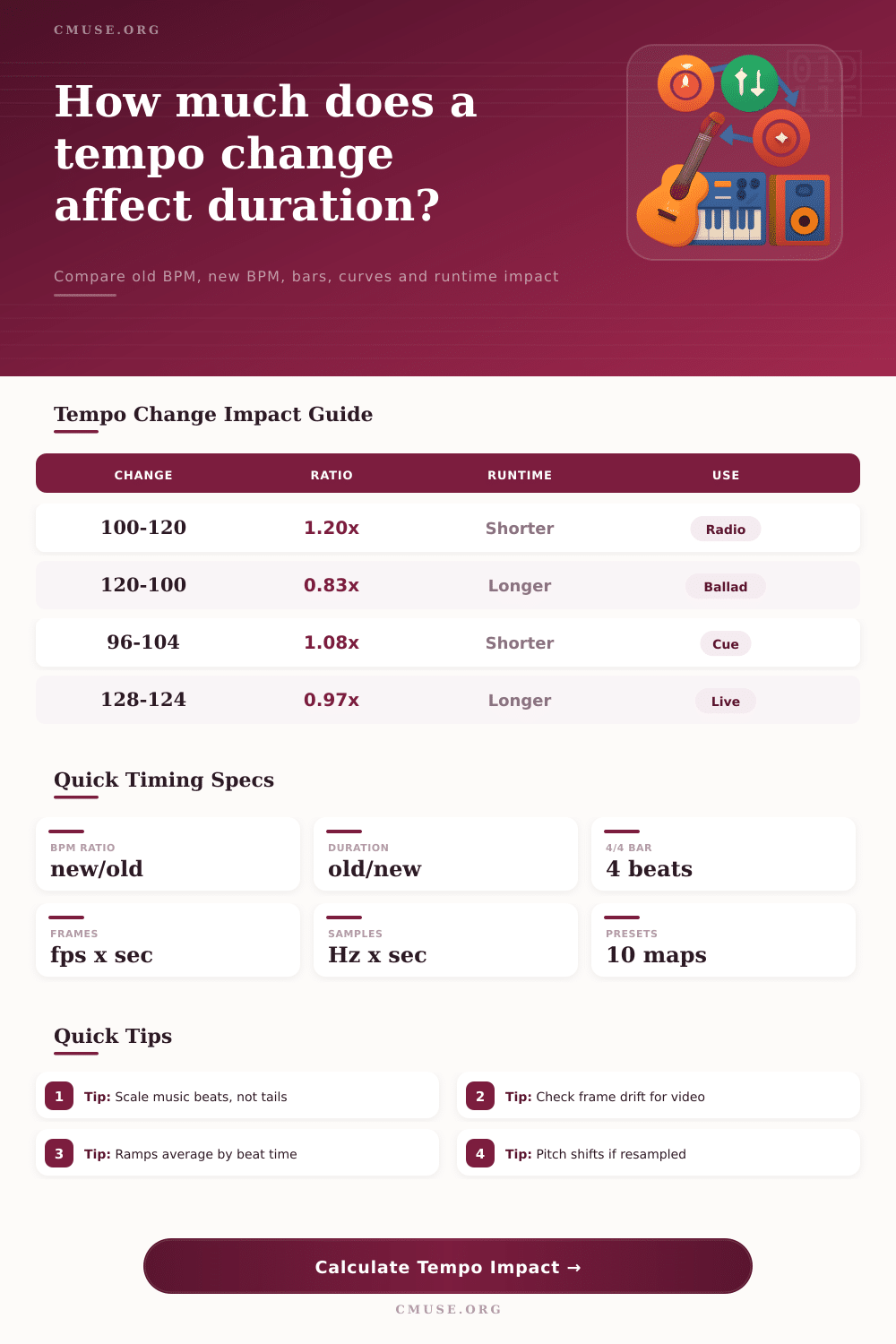
| 100 → 120 | 1.2000x | 0.8333x | 8.333 s |
| 120 → 100 | 0.8333x | 1.2000x | 12.000 s |
| 128 → 124 | 0.9688x | 1.0323x | 10.323 s |
| 72 → 60 | 0.8333x | 1.2000x | 12.000 s |
| Curve | How Duration Is Estimated | Best Fit | Planning Note |
|---|---|---|---|
| Immediate change | All affected beats use the new BPM | DAW retime, DJ grid, import fix | Fastest to predict and edit |
| Linear ramp | BPM changes by the same amount per beat | Accelerando or ritardando notation | Middle of the ramp dominates feel |
| Exponential ramp | BPM changes by the same ratio per beat | Musical builds and slowdowns | Feels smoother when tempo doubles or halves |
| Half old, half new | First half at old BPM, second half at new BPM | Section splice or mid-cue tempo jump | Useful for rough edit decisions |
| Control | Low Risk | Medium Risk | High Risk |
|---|---|---|---|
| Whole passage retime | Under 2% change | 2% to 6% change | Over 6% change |
| Intro or DJ transition | Downbeat stays aligned | Blend needs handle | Phrase length changes |
| Picture-locked cue | Under 6 frames drift | 6 to 18 frames drift | Over 18 frames drift |
| Swing or rubato groove | Clicks stay musical | Check pushed notes | Recut transients |
| Scenario | Typical Span | Tempo Move | What To Check |
|---|---|---|---|
| Radio edit tighten | Full mix | +2 to +8 BPM | Vocal phrasing and final tail |
| Film cue fit | 8 to 64 bars | Small BPM trim | Frame drift at picture lock |
| Practice slowdown | Loop or passage | -10% to -30% | Pitch-preserved stretch quality |
| DJ beatmatch | Intro or outro | Nearby club BPM | Grid, downbeat, and transition length |
| Ritard ending | Last 2 to 12 bars | Gradual decrease | Fermata and reverb remain unscaled |
The moment dawns: your song will not play on the radio because it’s eight seconds over, or you see in the movie that the drum fill come two frames late relative to the visual cue. In both cases, the math is simple: slow things down, and things stretch; speed them up, and they shrink. Yet music isn’t typically a rigid block of data that can be easly reduced in size like a JPEG image. It’s a living arrangement of human feeling, echo tails, beats and silences. Touching the tempo fader require knowing which ones move.
Most producers assume that during a tempo change, everything in the file should scale evenly down to the millisecond level. As the kick drum stretch, natural decay of room ambience stretch too, or the breath between vocal phrase gets compressed until it’s suffocated. Enter the messiness. The computer can does the math for you in this situation and separate the fixed audio tails from the retimed beats. And this is something that many pieces of software do poorly by default. Just enter your current runtime and target BPM, and it derives the exact beat count and then only applies the ratio to those audio events. Everything else, including silence padding and reverb tail are left untouched, unless you specifically instruct it otherwise. That tiny bit of separation save hours upon hours of cleanup of artifacts that sound like underwater dubbing.
The Art of Changing Music Speed
Take frame drift during post production as an example. A 1.6 percent shift isn’t much. But it adds up to several seconds over the course of a three-minute cue. That’s dozens of frames of error, which means a lot of error in video terms. And if you’ve locked your explosion to the snare hit, then a few frames of drift can mean the sound comes after the visual impact and break the illusion of being synchronized. You need to know whether to retime the entire stem or just splice in a slightly shorter transition. Should of you retime the whole stem? The chart on the page show how small changes to BPM compound over time, helping you determine when a global stretch will be safe versus when you should be editing section-by-section.
It is not just about how much you are changing the tempo; what shape that change takes is nearly as important. A straight-up jump is clear-cut, but might sound abrupt in a live performance setting. A linear ramp sounds mechanical and an exponential curve more closely mimic the way human beings really do speed up or slow down when we play something on an instrument. If you’re practicing a passage and need to slow it down you probably prefer some degree of pitch preservation so you still recognize the notes. On the other hand, if you’re after a stylistic effect such as a tape stop or a resampled breakbeat then allowing the pitch to drop at the same time as the tempo bring more character. Even though your timing may be technically accurate you could end up with a thin or dissonant-sounding mix if you’ve chosen the incorrect mode.
Adding to this complexity is groove feel. Time stretching works really well with straight quantized grids where each event sits squarely on the mathematical line. Micro-timing variations such as swing and shuffle feels adds rhythmic nuances that can stretch an algorithm’s ability to keep up. If the algorithm isn’t sophisticated enough, deep swing could flatten out into straight eighth notes, destroying the pocket you worked so hard to craft. The problem with automatic retiming in rubato sections is that the tempo are varying within the bar itself, making it almost impossible to get right without manually editing. In most cases, cutting around the rubato or leaving it be is preferable to forcing a mathematical stretch through it.
At the end of the day, there’s no such thing as perfect retiming; it’s always a matter of balance between musicality and precision. Sometimes you nail all the numbers and wind up with a robotically disjointed sounding edit. It’s about feeling the intention behind the performance while fitting the timing. You can avoid many pitfalls if you treat the sound as a mixture of fixed textures and scalable beats, whether it’s a complicated loop slowed down for practice or a pop single tightened for air play. Listen carefully to the tails and the transients. Does it feel natural and tight? Slow it down and double-check your ratios. Getting the feel right is hard but getting the timing right is easy.