Tap Tempo Calculator for Live BPM Matching
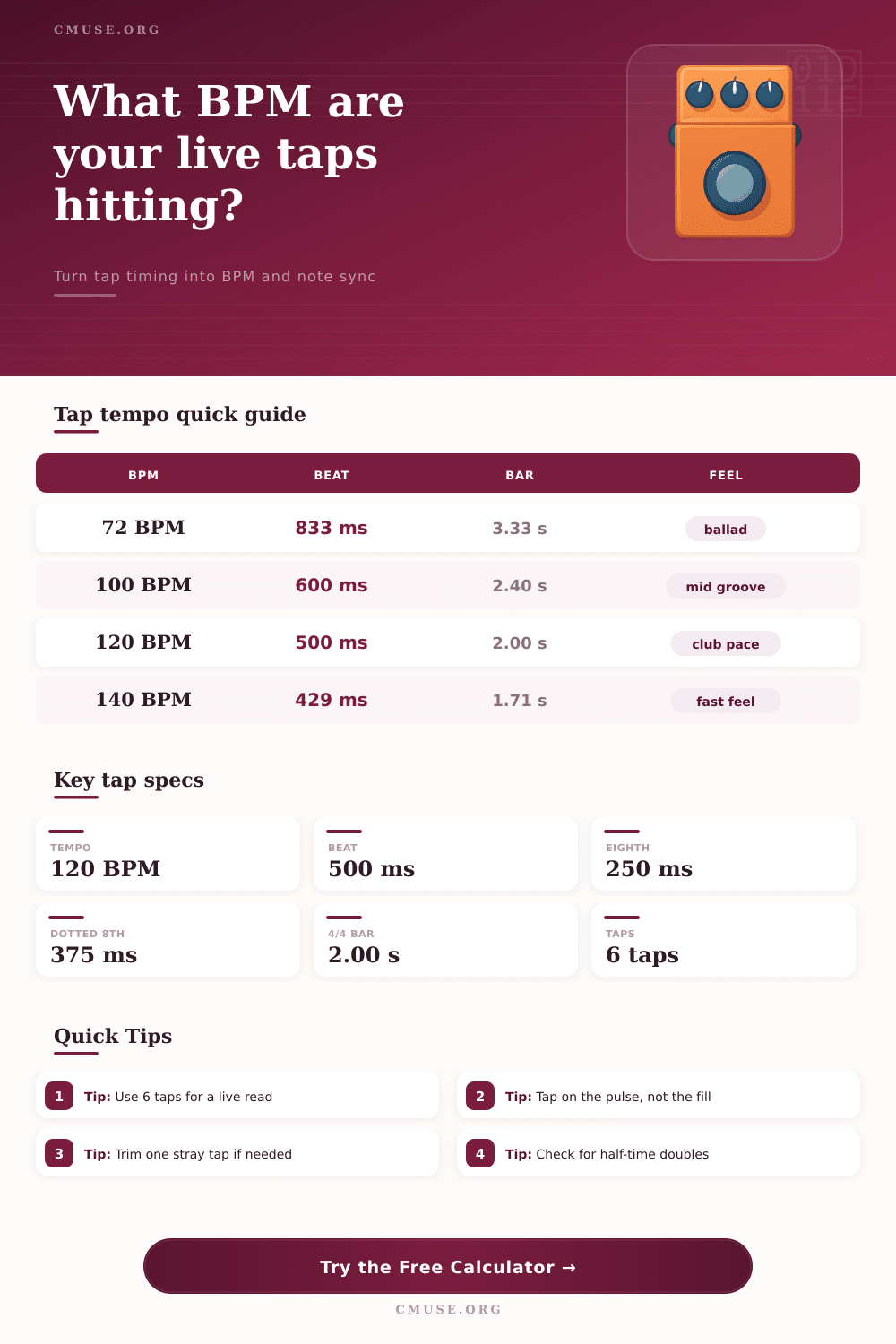
Tap a beat, load six manual intervals, and turn the rhythm into BPM, beat length, note sync, and bar timing for fast session decisions.
| Taps | Spread | Reliability | Use |
|---|---|---|---|
| 2-3 | wide | rough only | fast check |
| 4 | medium | usable | short take |
| 6 | tight | good lock | live read |
| 8+ | small | very steady | final pass |
| BPM | Feel | Beat | Bar 4/4 |
|---|---|---|---|
| 72 | slow | 833 ms | 3.33 s |
| 100 | mid | 600 ms | 2.40 s |
| 120 | club | 500 ms | 2.00 s |
| 140 | fast | 429 ms | 1.71 s |
| Note | Factor | At 120 | At 140 |
|---|---|---|---|
| Whole | 4x | 2000 ms | 1714 ms |
| Half | 2x | 1000 ms | 857 ms |
| Quarter | 1x | 500 ms | 429 ms |
| Dotted 8th | 0.75x | 375 ms | 321 ms |
| BPM | 3/4 | 4/4 | 7/8 |
|---|---|---|---|
| 72 | 2.50 s | 3.33 s | 2.92 s |
| 100 | 1.80 s | 2.40 s | 2.10 s |
| 120 | 1.50 s | 2.00 s | 1.75 s |
| 174 | 1.03 s | 1.38 s | 1.20 s |
Tap tempo are used to determine the beats per minute of a musical rhythm. Tap tempo allow a person to convert a rhythmic feeling into a number. To use tap tempo, a person must tap a button or a surface in time with the music.
This is helpful for musical rhythm that are not even because it will calculate the average of those different beat. To get the most accurate measurement of beats per minute using tap tempo, a person should tap a sequence of interval. Many recommend tapping six interval to get the most accurate measurement of beats per minute.
How to Use Tap Tempo to Measure Beats Per Minute
Using the trimmed average setting on the tap tempo tool will automatically remove any outlier tap. This ensure that if a person make a mistake when using the tool, it wont affect the measurement of the beats per minute. A person must use the correct value for the musical note when using tap tempo.
The value of the musical notes will determine how the tap tempo calculator calculate the milliseconds between the beats. If the user use the incorrect value of the musical notes, the count of the milliseconds between the beats will be incorrect. This incorrect count will affect musical effect that rely on that count, such as delay and repeats of musical song or section.
A person may encounter different feel during a song. A person must account for these different musical feel when using tap tempo to ensure the calculated beats per minute is the correct number. For example, if the music feel like it is at 80 beats per minute but is actualy playing in half-time, the actual beats per minute is 160.
In this case, testing sixteenth note will reveal if the song is actually playing at double the demonstrated speed. Time signature and the length of the bars of music impact how a person uses tap tempo. In time signatures of 4/4, the length of a bar will remain the same.
In 3/4 and 7/8 time signatures, however, the length of a bar will change. A person should define the number of beat per bar and the musical note value at the start of using tap tempo. By defining these two component of the song, the tap tempo tool can recalculate the length of bars of music and the timing of musical drop.
The accuracy of taps per minute can be measured by observing the jitter in the taps. If the jitter rate is under two percent, then the taps is stable and ready for use. If the jitter rate is high, a person should tap six more time to establish a stable reading.
Four taps are enough for a quick reading of beats per minute, but eight taps will provide a better reading for the final calculation of beats per minute. Six taps are often used in the middle of these two values because six offer a balance between the two requirements. A person should of avoid a few mistake when using tap tempo tool.
One mistake is tapping the fills instead of the beats. Tapping the musical fills will provide an incorrect measurement of beats per minute. Another mistake is confusion of the units.
For fast beats per minute, use milliseconds. For slow song like ballads, use second as the unit of time. The tap tempo tool will provide several type of output from the calculation of the beats per minute.
The output will include the beats per minute, the length of the beat, the sync note duration, the length of the bar of music, the stability score, and the accuracy of the beats per minute calculation. By using tap tempo tool, a person can ensure that all the people in a musical song are using the same pulse. By using the same musical pulse, the performer can stay in sync with one another during there musical performance.