Unison Calculator
Model synth unison voice count, detune cents, stereo spread, phase randomness, frequency offsets, beating rates, and mono stability from one playable patch setup.
🎚Synth Unison Presets
🎹Unison Inputs
Calculation Breakdown
Voice Frequency Offsets
| Voice | Cents | Frequency | Offset | Pan | Phase |
|---|
Adjacent Beating Rates
| Pair | Cents Apart | Beat Rate | Musical Feel |
|---|
📊Current Unison Specs
🔍Comparison and Spec Grid
📐Detune Range Guide
| Use Case | Voice Count | Outer Detune | Typical Spread | Resulting Character |
|---|---|---|---|---|
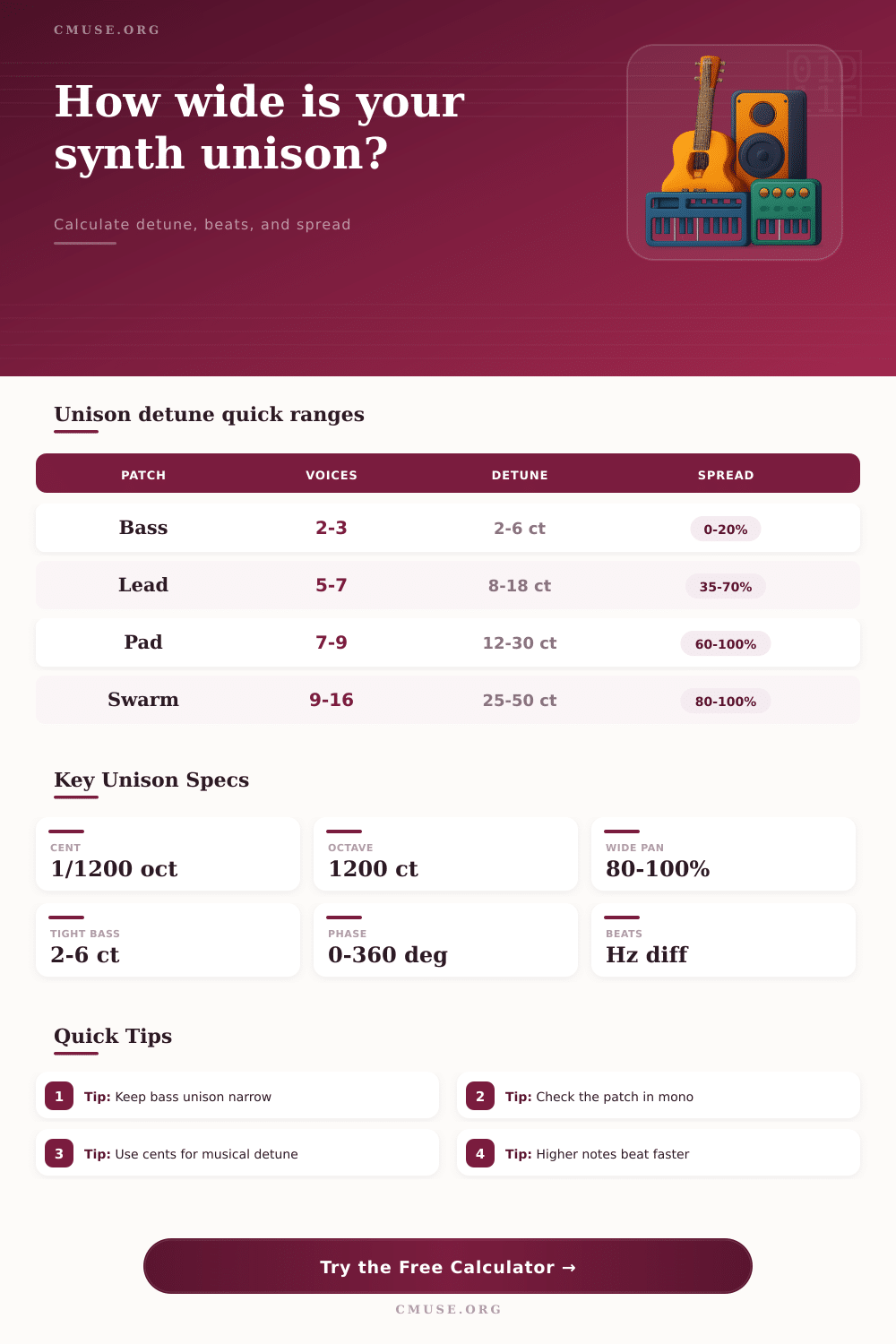
| Mono bass support | 1 to 3 | 0 to 6 cents | 0 to 20% | Strong center, minimal tuning blur |
| Lead thickening | 3 to 7 | 6 to 18 cents | 25 to 70% | Audible width without losing note focus |
| Supersaw chord layer | 7 to 9 | 12 to 28 cents | 50 to 100% | Fast shimmer, strong stereo motion |
| Pad or string wash | 7 to 12 | 18 to 40 cents | 70 to 100% | Wide ensemble blend with slow pitch clouding |
| Sound design swarm | 9 to 16 | 30 to 60 cents | 80 to 100% | Obvious detune effect and animated beating |
🎛Named Synth Unison Preset Table
| Preset Name | Base Note | Voices | Detune | Spread | Patch Goal |
|---|---|---|---|---|---|
| Classic 7 Saw | A4 440 Hz | 7 | 14 cents | 70% | Balanced analog-style stack |
| Supersaw Lead | C5 523.25 Hz | 9 | 22 cents | 92% | Bright wide lead and chord stabs |
| Mono Bass Stack | E2 82.41 Hz | 3 | 4 cents | 10% | Weight without losing center |
| Reese Bass | F1 43.65 Hz | 2 | 18 cents | 35% | Slow beating bass movement |
| Cinematic Swarm | D4 293.66 Hz | 12 | 42 cents | 100% | Large animated texture |
🔁Frequency Offset Examples
| Base Frequency | Detune | Lower Voice | Upper Voice | Approx Width |
|---|---|---|---|---|
| 110 Hz | 10 cents | 109.37 Hz | 110.64 Hz | 1.27 Hz |
| 220 Hz | 10 cents | 218.73 Hz | 221.27 Hz | 2.54 Hz |
| 440 Hz | 10 cents | 437.47 Hz | 442.55 Hz | 5.08 Hz |
| 880 Hz | 10 cents | 874.93 Hz | 885.09 Hz | 10.16 Hz |
| 1760 Hz | 10 cents | 1749.86 Hz | 1770.18 Hz | 20.32 Hz |
🎧Stereo and Phase Reference
| Setting | Low Risk | Balanced | High Risk | What to Watch |
|---|---|---|---|---|
| Stereo spread | 10 to 35% | 35 to 80% | 90 to 100% | Hard edges can feel detached on headphones |
| Phase randomness | 20 to 60% | 35 to 80% | 0 to 10% | Aligned starts can thump or comb in mono |
| Outer detune | 3 to 10 cents | 10 to 28 cents | 40+ cents | Wide detune can sound like a chord cluster |
| Unison blend | 30 to 60% | 60 to 85% | 90 to 100% | High blend exposes phase and pitch spread |
When you use a unison calculator, you are measuring the interaction between multiple oscillator voice. When you add multiple oscillator voices to a patch, you are not just adding volume to a sound source. Rather, you are adding a group of pitches that interact with each other.
This group of pitches can create a thick and clear sounding lead or it can create a muddy and smear sounding lead, depending upon how the oscillator voices are tuned and placed. If the voices are not tuned and placed correctly, the result will be a muddy and smeared sounding lead. A unison calculator will help you to avoid this problem because it will allow you to see the frequency spread of each oscillator and the rate at which each of those frequencies will beat against one another.
How to Tune Synth Voices with a Unison Calculator
The concept of detuning oscillator voices dates back to the analog synthesizers. Analog synthesizers used oscillator voices that drifted slightly in pitch from one voice to the next. Synthesizer engineer used this drifting pitch in their patches to add a sense of size to their patches.
However, the pitch drift on analog synthesizers was not consistencies. A unison calculator can help you avoid the problems that can result from inconsistent pitch drift because it provides you with frequency numbers for each patch’s voice. A unison calculator allows you to convert the cents, the number of oscillator voices, and the spread of patches to numbers that you can understand in relation to your musical context.
A unison calculator uses the concept of cents as a measurement for the spread of patches. One cent is equal to one one-hundred-twentieth of a semitone. The unison calculator finds the frequency offset of patches by using an exponential relationship between frequencies.
The offset of 14 cents at 220 Hz is not the same as an 14-cent offset at 880 Hz. The higher of the two notes will have a faster rate of beating against the fundamental note. This is both useful and problematic when you build patches with wide unison setting because a lead with a wide unison setting will have a different sound than a pad with the same unison setting.
The stereo spread setting for a synthesizer patch interacts with the detuning setting for that patch. These two settings interact in ways that you should be aware of. For instance, if the pan value for the outer oscillator voices is widened, the voices will move towards the edges of the stereo field.
However, the pitch differences between the oscillator voices will cause the actual movement of the voices. If the detuning value for a patch is set very low, the patch will be wide on headphones but the stereo image of the patch may dissapear if it is played through a mono speaker. A unison calculator can help you to avoid these problems by factoring in randomness, blend level, and monitoring environment settings in its calculations.
A good example of when to avoid a wide unison setting and spread is in the creation of bass patches. Because low notes have a wide range of frequencies, small shifts in pitch will cause beating that is noticeable at low frequencies. When many oscillator voices are added with a wide detuning between each voice, the fundamental frequency of a patch will be smeared instead of becoming more prominent.
For this reason, most synthesizer patch designers will keep the unison and stereo spread settings narrow within their bass patches. These patches should be played on a mono speaker to ensure that the fundamental frequency of the patch sounds correct. Bright leads and pads do not generally follow this same rule because beating at higher frequencies is more pleasing to the ear.
The alignment of the phase of the oscillator voices can affect the sound of a patch. If the voices are all started at the same point within the waveform, they will all reinforce each other at the start of the patch. This can create a strong transient but it can also create a comb-filtered tone if the patch is played in mono.
To avoid this problem, engineers will introduce a small amount of randomness to the start phase of each oscillator. This randomness will cancel some of the reinforcement of the voices when they are played in mono. A unison calculator will show you the degree of randomness in a synthesizer patch so you can make sure that it will sound good on different types of listening systems.
Adding more oscillator voices to a synthesizer patch will eventually result in diminishing returns. Patches with three oscillator voices will sound thicker than patches with two oscillator voices. However, patches with twelve oscillator voices will not necessarily sound twice as thick as patches with six oscillator voices.
Additionally, as the number of oscillator voices increase, the chance that some of the inner voices will begin to beat against each other will also increase. The spacing curve can be used to control how close the inner voices are to the center pitch. A gentle curve will leave most of the voices close to the fundamental pitch of the synth patch but a wide curve will move the voices further away from the fundamental pitch.
Each additional oscillator voice in a patch consumes polyphony. Polyphony is the maximum number of oscillator voices that a synthesizer can play simultaneously. An additional oscillator also reduces the headroom in a synthesizer patch.
Headroom is the space between the fundamental frequency of the patch and the highest frequency that the synthesizer organ produces. By adding many oscillator voices to a patch, the synthesizer patch may sound muddy in relation to the other patches in the mix because there are so many different frequencies being played. A unison calculator can help you to avoid this problem.
A unison calculator will tell you the total pitch width of your patch and the beat rates between each of the patch frequencies. For instance, if the strongest beat rate is near 8 Hz, you will hear a shimmer in your lead synth that will cut through the mix. However, if the strongest beat rate is at 0.4 Hz, the shimmering will be slow and may not be able to cut through the other elements in the mix.
A unison calculator can help you to create a patch by acting as a translation layer between the settings that you change on the synthesizer and the sound that you hear from the synthesizer. A unison calculator will not create a synthesizer patch for you but it will allow you to understand the effect of each cent value that you choose for your synthesizer patch. This allows you to focus on creating patches instead of trying to figure out why they sound incorrect when played on mono speakers.