Streaming Loudness Target Calculator
Estimate the gain trim, post-normalization LUFS, true peak margin, codec safety, and limiter ceiling needed to prepare a master for common streaming loudness targets.
Load a streaming or release scenario, then adjust the measured integrated loudness, true peak, dynamic range, length, ceiling, codec margin, and album mode settings.
Loudness Breakdown
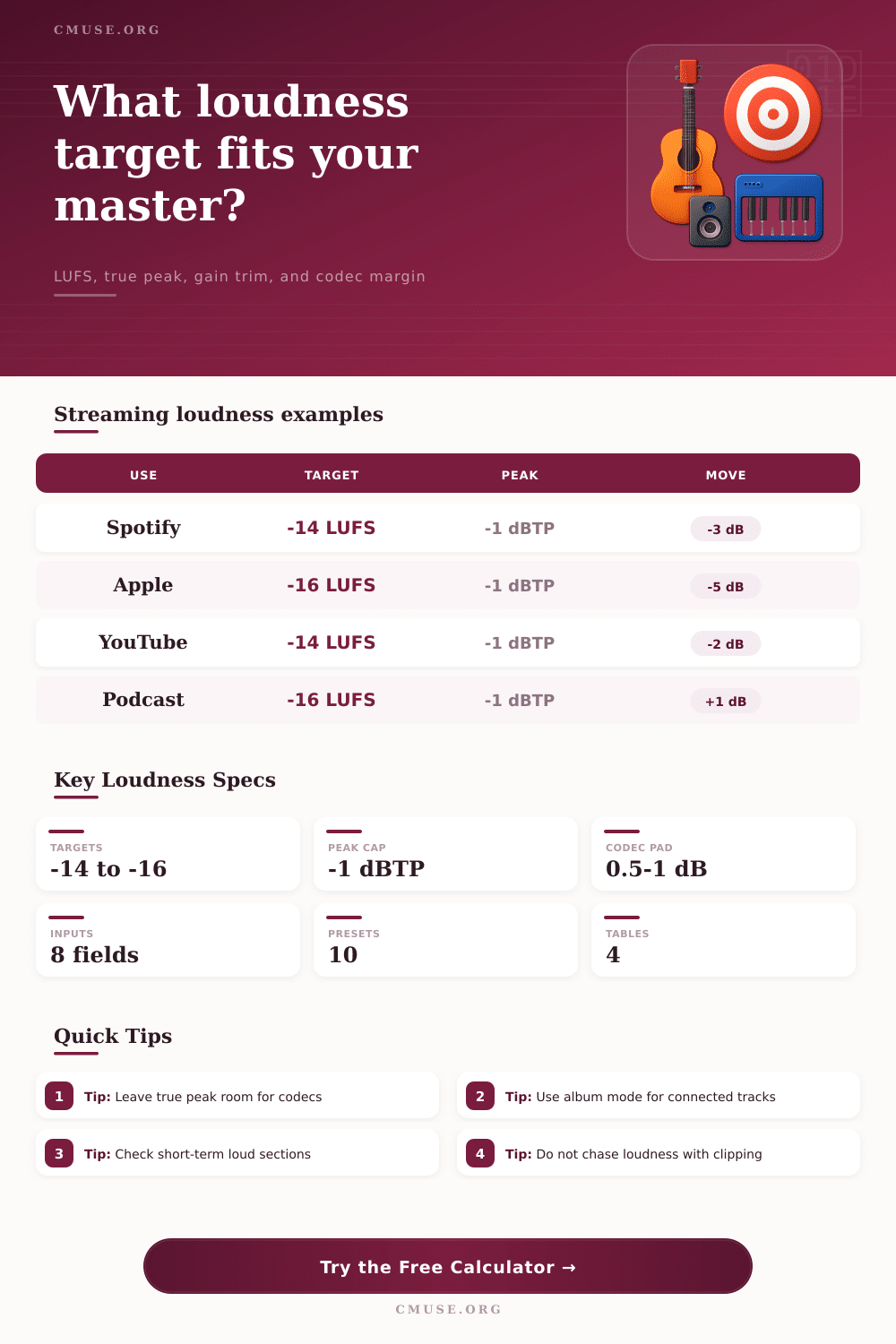
| Platform or profile | Planning target | True peak ceiling | Best use |
|---|---|---|---|
| Spotify normal | -14 LUFS integrated | -1.0 dBTP | Single and catalog releases where normalized playback is expected. |
| Apple Sound Check style | -16 LUFS integrated | -1.0 dBTP | Masters needing extra headroom or a conservative playback target. |
| YouTube music/video | -14 LUFS integrated | -1.0 dBTP | Music videos, visualizers, and mixed video deliveries. |
| Podcast streaming | -16 LUFS integrated | -1.0 dBTP | Speech-forward episodes and interview mixes. |
This table recalculates the current measurement against each common target while keeping your measured true peak, ceiling, codec margin, and dynamic range settings.
| Target profile | Gain trim | Post peak | Safe cap | Result note |
|---|
| Loudness difference | Likely move | Peak concern | Practical reading |
|---|---|---|---|
| More than +3 LU quiet | Raise level or revise dynamics | Peak ceiling may limit the move | Check whether the mix is intentionally dynamic before pushing it. |
| Within 1 LU | Leave or make tiny trim | Mostly codec margin | The master is already close enough for most normalized playback. |
| 2 to 5 LU loud | Trim down for target comparison | Peak gets safer after trim | Streaming playback will likely turn the release down. |
| More than 6 LU loud | Audit clipping and dynamics | Possible distortion before upload | Loudness may be coming from limiting rather than useful energy. |
| Release type | Typical LUFS aim | LRA guide | Target note |
|---|---|---|---|
| Dense pop single | -14 to -12 LUFS | 4 to 8 LU | Use the target view to see how much normalization will reduce playback. |
| Acoustic or jazz EP | -16 to -14 LUFS | 8 to 14 LU | Album mode may preserve intended contrast between songs. |
| Club or DJ master | -12 to -9 LUFS | 3 to 7 LU | Keep a separate streaming check so the upload does not clip codecs. |
| Spoken episode | -18 to -16 LUFS | 3 to 8 LU | Speech targets favor steady intelligibility over competitive loudness. |
Streaming loudness targets exists because streaming platforms does not allow every upload to compete on volume alone. When a track is played on a streaming platform, the platform automatic turns down the volume of that track if the track is louder than the loudness target that was chose for that platform. Thus, prior to exporting your track, you must make a decision as to how much you would like to adjust the volume of your track, and what that adjustment will do to the volume of the track after that streaming platform adjusts the volume.
The amount of adjustment that you must make to your master prior to exporting is not a single number. The amount of adjustment that you must make depend upon a variety of variables. Variables includes the current loudness of your master, the peak ceiling that you have established for your track, and any additional loudness that you want to leave for lossy encoding.
Using a Loudness Calculator for Streaming Music
Additionally, you will also have to take into consideration whether your track is meant to play in conjunction with the other tracks in an album. The loudness calculator will perform the math for you in relation to these variables, saving you the math calculations yourself. The first measurement of your track that a person should take is the integrated loudness reading.
The integrated loudness reading will tell you the average level of your track in LUFS. The higher the reading, the more louder your track is. If your integrated loudness reading is several LU above the loudness target of the streaming platform of your choice, then the streaming platform will reduce the volume of your track to that loudness target.
The loudness calculator will show you how much trim is required to reach that streaming platform target. The true peak of your master is important in relation to the codecs that streaming platforms use to deliver your music to listeners. If the peaks of your master touch the ceiling that you have established for your master, then any changes that you make to the gain of your track could result in distortion after encoding by the streaming platform’s codecs.
The true peak margin allows you to account for this possibility, ensuring that your master remains clean after encoding. Dynamic range is another consideration in creating masters that will meet the loudness target of a streaming platform. If your track has a low dynamic range, then it is possible that the track may feel flat after it is turned down to match the loudness target of a streaming platform.
Additionally, tracks with a high dynamic range may have sections that are too distant sounding after normalization to that loudness target. The loudness calculator does not make any judgment of your mixing or mastering skills, but it will alert you to the potential for your track to have any of these problems. The length of your track is another factor that will impact the loudness meter reading of your track.
A louder reading of loudness will be achieved with short clips of music, whereas long programs will have a more steady reading of loudness. The loudness calculator takes into consideration the length of your track, ensuring that its suggestions to you is applicable to tracks of any length. While many mastering engineers will try to make the loudest possible master, this is no longer necessary due to the normalization of tracks by streaming platforms.
In fact, the habit of creating the loudest possible master will often result in the streaming platform turning down your master. While your master may appear loud to listeners when you are in your mastering environment, streaming platforms will turn it down to such a level that your master may sound smaller than if you had not worked to make it as loud as possible. The loudness calculator allows you to see this outcome prior to exporting your master from your computer.
Another consideration in mixing and mastering is the concept of album mode. If your tracks is meant to play in sequence with one another, then the loudness of each track relative to the others is important. For example, if there is a quiet interlude in the middle of an album that contains many loud tracks, then the streaming platform may increase the loudness of that interlude relative to the other tracks in the album.
This may not be the effect that you desired for your album listeners. By running your same variables through several tracks in the album, you can ensure that the album will have a consistent loudness once the streaming platform normalizes it. The reference tables included in this loudness calculator allow you to view the targets of various streaming platforms in one location on the page.
These tables are not a replacement for your ears, but they do give you a general idea of the loudness targets that you may encounter from streaming platforms. They exist so that you are aware of the range of loudness that you will encounter in relation to streaming platforms. Finally, the loudness calculator is most useful in functioning as a point of check in the mastering process.
The loudness calculator is not a target that you should chase when mastering your tracks. Instead, you should measure your current master, and determine how far it is from the loudness target that you would like to achieve. This will allow you to determine whether you need to apply additional limiting to your master, or if you only need to make a trim to the gain of your master to reach the target loudness.
The loudness calculator can remove the need for arithmatic calculations from your mastering process.