Sound Reduction Index Calculator
Estimate SRI, Rw, transmission loss, transmission coefficient, and transmitted acoustic power for studio walls, booths, doors, windows, and partitions.
🎧 Room And Partition Presets
📐 Test Surface Inputs
Sound Reduction Result
📊 Current Construction Specs
🔬 Reference Formulas
| Measure | Formula | Use | Interpretation |
|---|---|---|---|
| Power TL | TL = 10 log10(Wi / Wt) | Incident and transmitted power | Higher dB means less energy passes |
| Transmission coefficient | tau = Wt / Wi = 10^(-TL/10) | Energy fraction through partition | 0.0001 equals 40 dB TL |
| Level SRI | R = L1 - L2 + 10 log10(S / A) | Two-room measurement | Corrects for receiving room absorption |
| Composite SRI | R = -10 log10(sum S*tau / sum S) | Mixed wall, door, glass areas | Weak elements dominate the total |
🎼 Octave-Band Transmission Loss Guide
| Construction | 125 Hz | 250 Hz | 500 Hz | 1 kHz | 2 kHz | Typical Rw |
|---|---|---|---|---|---|---|
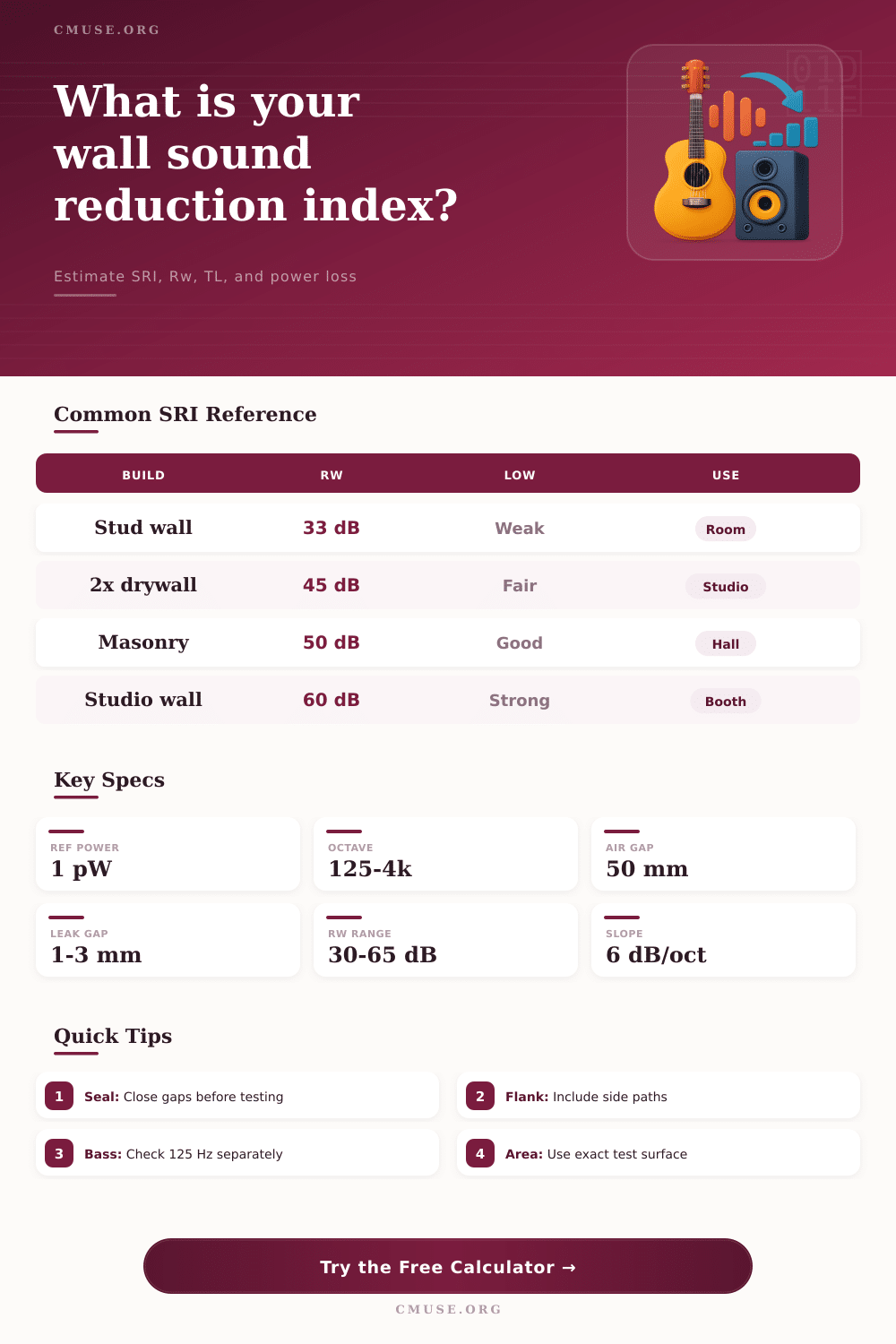
| Single stud plasterboard wall | 22 dB | 28 dB | 34 dB | 38 dB | 41 dB | 33-36 dB |
| Double plasterboard stud wall | 29 dB | 36 dB | 43 dB | 49 dB | 53 dB | 42-46 dB |
| Resilient channel studio wall | 35 dB | 43 dB | 50 dB | 56 dB | 60 dB | 49-53 dB |
| Double-leaf isolated studio wall | 44 dB | 53 dB | 61 dB | 67 dB | 70 dB | 60-64 dB |
🚪 Construction Comparison
| Element | Best Use | Weak Band | Seal Sensitivity | Calculator Preset |
|---|---|---|---|---|
| Solid studio door | Practice rooms and edit suites | 125-250 Hz | Very high | Solid sealed studio door |
| Laminated glass | Control-room sightlines | Coincidence dip | High at frame | Laminated control-room glass |
| Masonry block | Venue boundaries | Flanking junctions | Medium | Dense masonry block wall |
| Room shell | Drums, brass, loud rehearsals | Structure-borne paths | Medium to high | Room-within-room shell |
🏛 Common Project Sizes
| Project | Typical Surface | Starting Target | Key Check | Secondary Result |
|---|---|---|---|---|
| Vocal booth wall | 5 ft x 8 ft | Rw 45-50 | Door perimeter | Low transmitted pW |
| Home mix room partition | 10 ft x 8 ft | Rw 42-48 | Electrical boxes | 500 Hz TL |
| Drum rehearsal room | 12 ft x 9 ft | Rw 55-65 | Flanking floor | 125 Hz TL |
| Control-room window | 6 ft x 4 ft | Rw 40-48 | Frame seal | Transmission tau |
💡 Calculation Tips
A sound reduction index calculator is a tool that allows you to understand how much sound will travels through a partition. A partition can be a wall, a door, or a ceiling. Sound travels through the gaps in the partition, as well as through the partition itself.
For these reasons, the rating for a partition in the laboratory can differ from the sound reduction index of the same partition when it is install in a room. The sound reduction index calculator allows you to test a construction against the specific parameters of the room in which it will be built. This way, you can avoid having to guess at the sound reduction index of the partition based on a single rating.
How to Use a Sound Reduction Index Calculator
The first step in using a sound reduction index calculator is to select the type of surface that you are evaluating. You can choose a rectangular wall, a circular port plug, or you can choose a custom area. The type of surface will impact the sound reduction index of the construction, so it is important to select the correct surface.
Following the selection of the surface, you must choose a construction preset. Common construction presets include single plasterboard on studs, resilient channel, masonry, and double-leaf isolated shell. Each of these construction types includes measured values of the sound reduction index at each octave band.
Beyond these preset constructions, you can also adjust the thickness of the wall, the seal of the perimeter of the construction, and the flanking of the construction in the sound reduction index calculator. A negative number for the seal accounts for the sound that bypasses the construction around the perimeter of the construction. Flanking allow the user to select the sound that bypasses the construction through the construction itself.
Following entering all of the required parameters, the sound reduction index calculator will output a value. The sound reduction index is a weighted value that will be close to the Rw number that is published on the data sheet for the construction material. The sound reduction index calculator will also output the value of the transmission loss of the sound at the selected octave band.
In addition, the sound reduction index calculator will calculate the value of the transmitted power of the sound energy that crossed the partition. This value is calculated in picowatts. The value of the transmitted power can be used to calculate the level-method formula to account for sound absorption in the receiving room.
By inputting the value of the transmitted power, you can calculate the field sound reduction index value. The sound reduction index calculator also includes reference tables that illustrate the sound reduction index of various construction types at various frequencies. For example, a single stud wall will lose roughly six decibels in sound reduction per octave band at frequencies above the walls resonance frequency.
In comparison, a room within a room construction will maintain its sound isolation at low frequencies, such as 125 Hz. Music and speech contains sound energy at different frequencies. For example, sound from a bass amplifier will contain more energy at low frequencies than at high frequencies.
Therefore, a construction that has a high sound reduction index for 500 Hz sound may not have high sound reduction at 125 Hz. Many construction projects will differ from the ratings that are provided in the laboratory. For instance, a door that has a 45 dB sound reduction index in the laboratory may only provide 32 dB in sound isolation when you install that same door in the construction.
In this case, the sound reduction index calculator allows for adjustments to the seal of the door and for the flanking of the door to provide an adjustment for this potential difference. In addition, if you have measured the transmitted power of the door, the sound reduction index calculator allows you to enter that value. This value will override the predicted value of the transmission coefficient and provide an estimate of the actual sound energy that crossed the partition.
In order to obtain the most accurate measurement of the sound reduction index of your construction, you should run the sound reduction index calculator twice. Once with your construction as built, and again with the weakest element of your construction. For instance, a door or a window may have a lower sound reduction index than the walls surrounding it.
This weak element can have a negative impact on the sound isolation of the entire construction. This test will allow you to decide whether to increase the mass of your main construction, or whether to invest in sealing the gaps in the construction. Another important input into the sound reduction index calculator is the incident sound power level.
The reference level is one picowatt. One watt is equal to 120 dB. For instance, in a recording studio, the sound level at the construction may be 105 dB.
Should you change the incident sound power level in the sound reduction index calculator by ten decibels, the transmitted sound power will change by a factor of ten. This means that a wall may appear quiet during periods of voice-over work, but it may leak sound at high levels during periods of drumming. Therefore, the sound reduction index calculator allows you to see this relationship between the two sound power levels.
The sound reduction index calculator cannot calculate every interaction between a partition and the rooms in which it is installed. For instance, a partition may have a high sound reduction index when tested in the laboratory, but if it is installed on a lightweight floor, it will transmit impact noise. The flanking adjustment helps to account for this when using the sound reduction index calculator, but may still not provide the necessary measurement of the actual sound level that will travel through the construction.
Sound can also travel through ducts of an HVAC system, or through electrical boxes that are placed adjacent to one another in the construction walls. Therefore, the sound reduction index calculator is a helpful calculating tool that can be used in the planning of a construction project, but cannot be relied upon to determine the sound reduction index of a construction once it is built. The formulas for each of the sound reduction index calculator’s outputs are provided at the bottom of the calculator.
The sound reduction index of the construction is calculated as ten times the logarithm of the ratio of the incident sound power to the transmitted sound power. The transmission coefficient is the same ratio, but expressed as a fraction between 0 and 1. The level SRI includes a term that corrects for the sound absorption within the receiving room.
By understanding these formulas, you will be able to understand the sound reduction index calculations and avoid the mistake of treating every decibel rating as if it is the same. The goal is not to build a construction with the highest sound reduction index in the world, but to build a construction whose transmitted sound energy is less than the requirements for the work that will take place in that construction. By using the sound reduction index calculator to calculate the sound reduction index of your construction and the sound leakage of your construction, you will have a clear picture of the details of your construction that matter most.