Snake Channel Count Calculator
Build a live-sound input list, count monitor and system returns, add spare lines, and choose a practical snake or stagebox format.
🎛Live Input List Presets
🎤Stage Inputs
🎧Returns and Planning Margin
📊Current Plan Snapshot
📋Input List Planning Table
| Stage Source | Typical Count | Snake Math | Patch Note |
|---|---|---|---|
| Lead and backing vocals | 1 to 8 mics | 1 channel per microphone | Keep spare vocal lines near the downstage patch area. |
| Standard drum kit | 4 to 12 channels | Kick, snare, toms, overheads, hat, percussion | Small clubs often use 4 to 6; festivals often start at 10. |
| Stereo keyboard rig | 1 to 4 rigs | 2 channels per stereo rig | Label left and right consecutively to avoid flipped images. |
| Playback or DJ controller | 1 to 3 stereo feeds | 2 channels per stereo output | Tracks, click, cue, and DJ booth outputs may split separately. |
| Talkback and ambience | 1 to 4 inputs | Dedicated utility channels | Do not steal these from spare vocal channels during line check. |
🔁Return Line Planning Table
| Return Type | Line Count | Common Destination | Planning Detail |
|---|---|---|---|
| Mono wedge mix | 1 return per mix | Stage monitor amp or powered wedge | Four wedges need four independent snake returns. |
| Stereo IEM mix | 2 returns per mix | IEM transmitter left and right | Count every stereo pack as two physical output lines. |
| Main PA feed | 2 returns for stereo | System processor or powered speakers | Add sub, front fill, delay, or matrix feeds as separate returns. |
| Record or broadcast feed | 1 to 2 returns | Recorder, stream rack, or comms station | Keep record feeds documented so they are not mistaken for monitors. |
🔌Snake Format Fit Table
| Format | Input Capacity | Return Capacity | Best Fit |
|---|---|---|---|
| 8x4 compact analog box | 8 inputs | 4 returns | Acoustic acts, speech, tiny cafe stages. |
| 16x4 club snake | 16 inputs | 4 returns | Small bands with limited monitor mixes. |
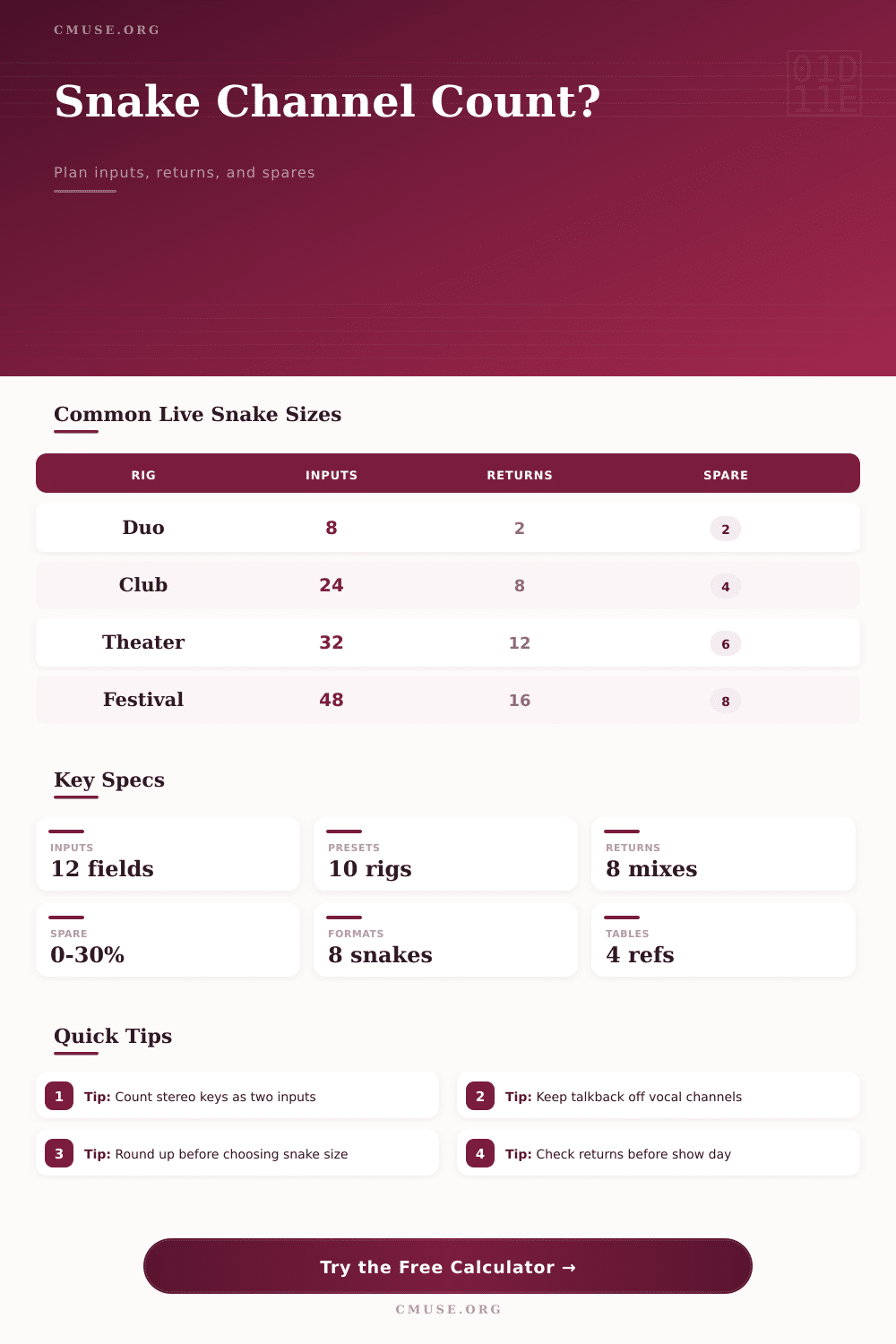
| 24x8 analog multicore | 24 inputs | 8 returns | Full club bands, DJs with MCs, compact worship rigs. |
| 32x8 stagebox | 32 inputs | 8 returns | Rock bands, theater pits, small festivals. |
| 48x16 festival split | 48 inputs | 16 returns | Multi-act days, broadcast feeds, monitor console splits. |
🏟Live Rig Comparison Grid
| Rig Type | Inputs Before Spare | Returns Before Spare | Common Snake Choice |
|---|---|---|---|
| Solo acoustic with vocal, guitar DI, and loop pedal | 3 to 6 | 2 to 4 | 8x4 or 12x4 compact stagebox |
| Club rock band with full drum mics and keys | 18 to 26 | 4 to 8 | 24x8 if tight, 32x8 if changeovers matter |
| Corporate DJ with MCs and panel microphones | 8 to 18 | 4 to 8 | 16x8 or 24x8 with utility lines |
| Worship band with stereo IEM and playback tracks | 24 to 36 | 10 to 16 | 32x16 or 48x16 digital stagebox |
| Theater pit with cast mics and playback | 28 to 48 | 8 to 16 | 48x16 with split or digital expansion |
The grid is intentionally conservative: a snake that barely fits the input list often becomes crowded after guest mics, talkback, and last-minute stereo feeds.
📐Spare Channel Reference
| Spare Buffer | When It Works | Risk Level | Practical Use |
|---|---|---|---|
| 0% | Fixed installs and rehearsed patch lists | High | Use only when the rig never changes and all lines are tested. |
| 10% | Small club shows with one band | Medium | Enough for a guest vocal or one extra DI pair. |
| 15% | Normal live sound jobs | Low | Good default for drum changes, spare vocal, and utility lines. |
| 20% to 30% | Festivals, split consoles, broadcast feeds | Lowest | Recommended when the input list may change at line check. |
Stage plots appear okay on paper, but get plugged in and… well, it’s mostly fine until it isn’t. Everything is nice and tidy: Vocal mics, the drum kit, and guitar amps. Then someone says, “My second keyboard rig is stereo,” or “the drummer needs an extra mic over his head for texture.” And the monitor engineer inform you they’re adding another pair of IEM packs for those last-minute guest musicians. Suddenly, you have way more gear then you had pins on your snake, and you’re looking at a mess of channels. At this point, channel counting are more stressful than arithmetic; you end up managing stress instead of doing the math.
The tool here take care of the math while you manage the decisions that ensure the show continue. Consider that two channels equal a stereo source. Your stereo input eats up two channels. Your keyboard rig? It is one instrument, two preamps, two snake line, and two faders on the console. Ditto with playback decks/DJ controllers. And don’t think about treating every source as a single entry. When it’s time to plug in, you’ll be coming up short. To make up for that, I’ve asked for stereo pairs individually so you can account for actual space these signals need. It is a little tweak but it can save hours of “What am I gonna do now” at line check.
How to Count Your Audio Channels
The other part of that equation is where things gets forgotten: the returns. While you’re making sure each microphone get to the main console, you forget how those lines need to come back to stage. Each monitor wedge should have its own return line. Each in-ear mix will require two channels (one for left signal, one for right). Throw in the main PA feed, any subwoofer output, and whatever recording or broadcast outputs you’ll be sending and suddenly the return side may exceeds the number of inputs. Got a snake with 24 inputs but only four returns? Good luck feeding a full band with wireless pack. Planning these lines in advance avoids you having to rush to borrow your neighbor band’s cables at soundcheck.
Empty spaces aren’t wasteful… They’re insurance. Fifteen percent is a good place to start for any live gig. That’s room for unexpected additions, like an ambient noise source you sudden think is crucial, or subtractions, like a forgotten vocal mic. For festivals or multi-act days, where each act require a different input list, add even more headroom. Going down to zero percent spare may save some bucks on rentals, but come showtime when reality deviate from the script, you’ll pay in flexibility. Renting a bigger snake is cheaper then explaining why you can’t patch the lead singer.
But numbers alone aren’t everything; it’s important to pick the correct format. For basic setups that require rugged simplicity, analog multicore snakes still has their time and place. Digital stageboxes provide a clean signal path with huge input counts. If your network stays up and your snake have power. Do you want data flexibility or do you need some brute strength? Either way, this is all about trade-offs. The reference tables in the tool will help show how many cable cores are needed for a given rig size, from a small club set to a festival main stage.
You’re not always going to have a microphone plugged into every available input. But more than anything, it’s about building a system with enough slack for error recovery. Most sound engineering is contingency management and your signal path is the main defense against such problems. You should of planned better. When you lay out your inputs, returns and spares in clear lines prior to plugging in any cables, you transform what could be chaos into a workable process. Eventually you’ll need to plug in all those mics anyway, but now you can do so knowing precisely where they go.