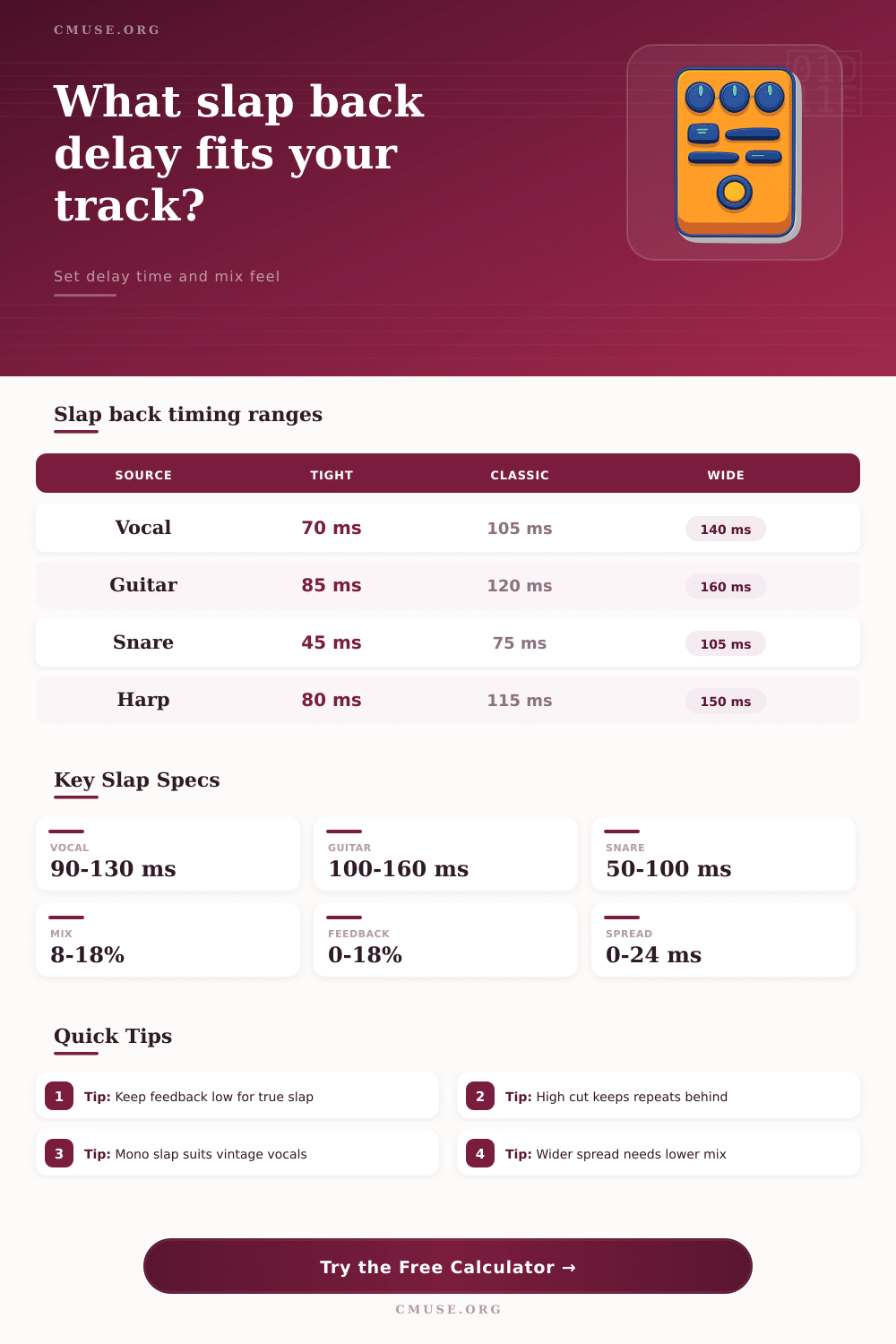
Slap Back Delay Calculator
Dial in short single-repeat delay times for vocals, guitar, snare, harmonica, keys, and vintage-style doubling.
🎵 Slap Back Presets
⏱ Delay Inputs
📊 Slap Back Spec Grid
🎙 Source Timing Reference
| Source | Tight Range | Classic Range | Wide Range |
|---|---|---|---|
| Lead vocal | 65-90 ms | 90-130 ms | 130-155 ms |
| Electric guitar | 80-105 ms | 105-145 ms | 145-175 ms |
| Snare drum | 45-65 ms | 65-95 ms | 95-115 ms |
| Harmonica | 75-95 ms | 95-130 ms | 130-155 ms |
| Acoustic guitar | 55-85 ms | 85-115 ms | 115-140 ms |
| Electric piano | 70-95 ms | 95-125 ms | 125-155 ms |
♫ Tempo-Synced Delay Table
| BPM | 1/16 Note | Dotted 1/16 | 1/8 Triplet |
|---|---|---|---|
| 80 BPM | 188 ms | 281 ms | 250 ms |
| 100 BPM | 150 ms | 225 ms | 200 ms |
| 120 BPM | 125 ms | 188 ms | 167 ms |
| 140 BPM | 107 ms | 161 ms | 143 ms |
| 160 BPM | 94 ms | 141 ms | 125 ms |
🎛 Slap Character Comparison
| Character | Delay Range | Feedback | Best Use |
|---|---|---|---|
| Tight Thickener | 45-85 ms | 0-6% | Snare, narration, subtle vocal body |
| Classic Single Slap | 90-130 ms | 0-12% | Rockabilly vocal, blues lead, country guitar |
| Tape-Style Rounded Slap | 85-145 ms | 5-18% | Ballad vocal, electric piano, warm guitar |
| Wide Stereo Slap | 120-175 ms | 0-10% | Surf guitar, fast rock vocal, chorus width |
| Subtle Doubler | 55-95 ms | 0-4% | Acoustic guitar and spoken-word presence |
📝 Common Session Starting Points
| Session Use | Delay Time | Mix Level | Filter Target |
|---|---|---|---|
| 1950s-style lead vocal | 95-125 ms | 10-16% | Low cut 120 Hz, high cut 4.5 kHz |
| Country lead guitar | 115-145 ms | 12-20% | Low cut 150 Hz, high cut 5 kHz |
| Surf guitar width | 135-170 ms | 14-22% | Low cut 120 Hz, high cut 6 kHz |
| Snare slap thickener | 55-85 ms | 6-12% | Low cut 200 Hz, high cut 7 kHz |
| Narration presence | 50-75 ms | 4-9% | Low cut 180 Hz, high cut 3.5 kHz |
A slap back delay effect produce a repeat of the sound that is created. The delay of the sound is short enough to feel like the original sound, but it is long enough to be heard as a separate sound. Many people use slap back delay on their vocal, many people use slap back delay on their guitar, and many people use slap back delay on their snare drum.
The timing for a slap back delay must be choose correctly, as the settings that are appropriate for vocals may not be appropriate for a snare drum or guitar. The calculator provided will calculate the mathematical value for a slap back delay once you enter the tempo, the source of the sound, and the type of character that you want the sound to have. The calculator will convert the beats per minute to milliseconds, it will factor in the style of the slap back delay, and it will balance the wet level against the feedback.
How to Set a Slap Back Delay
To create the proper setting, you must understand what effect each setting will have on the sound that is created. For example, the tempo will affect the rate at which the delay occur. If the source of the sound is vocals, guitars, or snare drums, then the delay will be established different than each source.
If the slap back delay is to have the same amount of filtering as old recording tape, then the delay will be allowed to be longer than a normal slap back delay. The feedback for a slap back delay effect control the number of times that the repeat of the sound occurs. This setting can be difficult for many to control proper.
A relatively small amount of feedback will thicken the sound, but if the amount of feedback is high, then the effect will become a type of rhythmic delay. If the percentage of feedback is much higher than 15%, then the repeat of the sound will begin to trail off instead of returning to land on the original sound only once. Using these mathematical calculation, the calculator will allow you to select the number of audible repeat that you would like the effect to have.
The final setting that should of been considered is the mix level. If the mix level is too high, then the repeat will interfere with the consonant in the vocal or the pick attack on the guitar. If the mix level is too low, then the slap back delay will not be audible due to the dry source of the sound.
Another consideration with slap back delay is the use of filter. The slap back delay should remain behind the main sound. Using high-frequency filter will ensure that the repeat of the sound will not interfere with the brightness of the original sound, while using low-frequency filter will help to remove any mud from the repeat of the sound.
Using the humanize control will add a slight delay to the sound to help it sound as if it was create on an old tape machine. This control should be used carefully. Using the humanize control on a vocal might sound good, but if used on a snare drum, it might blur the sound of the snare.
The breakdown section of the parameter will reveal the left and right delay time of the sound if stereo spread is applied to the sound. This function is helpful for widening the range of a guitar or keeping a vocal track centered. It is a good idea to start with a preset of a specific genre.
Once you have established that with the proper source and tempo, you can then make minor change to the settings of the slap back delay in relation to the sound that is created. For instance, a vocal for a rockabilly song might have a middle range slap back delay if the tempo of the song is moderate. However, a surf song might have a wider slap back delay.
A snare drum will have a tighter slap back delay since the snare drum has its own natural decay. These reference table will show you the range for each sound source so that you can see where your source of sound will fall into before you begin to adjust the parameter. It is common for producer to think that once the slap back delay settings are established, they should not be changed.
This is not true, however. The slap back delay may appear to be appropriate for your vocal or guitar track, but when it is mixed with the other instrument in your song, it may be too loud or too distant from the main vocal or instrument source. To combat this issue, ducking should be applied to the return for the slap back delay.
By ducking the vocal on which the slap back delay is established, the slap back delay will bloom as that vocal is not active, but will pull down when the vocal is active. Another consideration for producer is the playback system that will be used to play back the song that has the slap back delay effect. The settings that may sound good through headphone might not sound the same when played on small speaker.
To ensure the song sounds good on any system, it is important to listen through a variety of system. Finally, consider the expectation of the genre of the song. If the song is based upon the sound of the 1950s, then a more obvious slap back delay will be accepted by the listener.
However, listener who are used to moddern vocals might find the same setting dated. The goal with a slap back delay is for the repeated sound to be short, to have a single character to the vocal, guitar, or snare drum sound. By fine-tuning each parameter for the slap back delay, the effect will work to support the song and its performer.
The calculator for slap back delay effect is designed to assist in finding the correct balance between each of the parameter for the effect.