Shelf Filter Calculator
Calculate low shelf and high shelf audio EQ biquad coefficients, frequency limits, shelf gain, slope behavior, and boost headroom from practical mix or DSP settings.
🎚 Quick Presets
🎛 Filter Settings
Normalized Biquad Coefficients
📊 Shelf Filter Spec Grid
📐 Coefficient Reference
| Term | Formula Role | Typical Range | Audio Meaning |
|---|---|---|---|
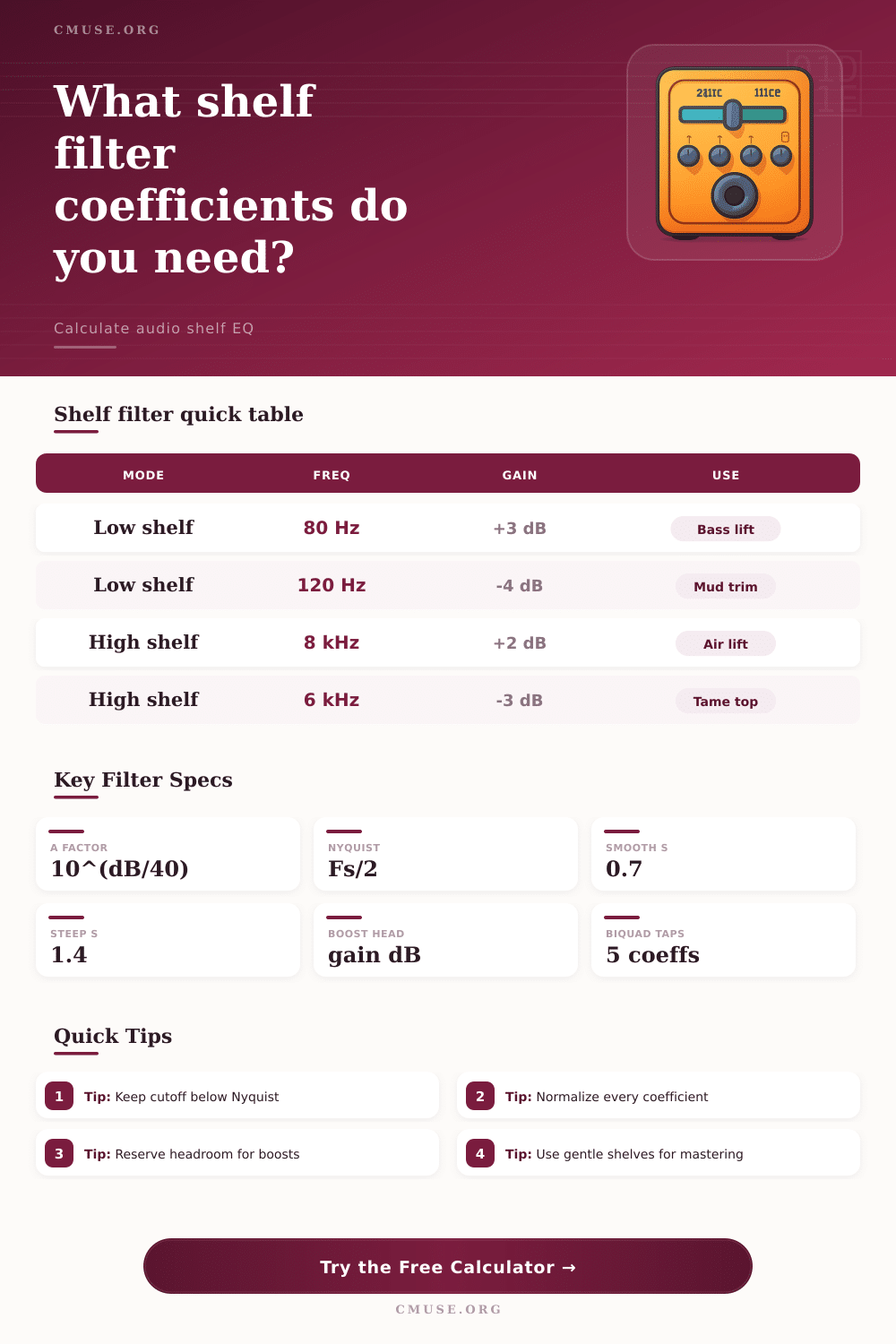
| A | 10^(gain/40) | 0.5 to 2.0 | Square-root amplitude factor used by the RBJ shelf equations. |
| w0 | 2πf0/Fs | 0 to π | Normalized angular corner frequency at the selected sample rate. |
| alpha | Slope term | positive | Controls the transition curvature around the shelf midpoint. |
| a0 | Normalizer | non-zero | All feedforward and feedback values are divided by this value. |
🎙 Practical Shelf Uses
| Use Case | Shelf Type | Starting Point | Reasonable S |
|---|---|---|---|
| Master low weight | Low shelf boost | 60 to 100 Hz, +1 to +3 dB | 0.5 to 0.8 for smooth lift. |
| Muddy mix cleanup | Low shelf cut | 120 to 250 Hz, -2 to -5 dB | 0.8 to 1.3 for firmer cleanup. |
| Presence softening | High shelf cut | 3 to 7 kHz, -2 to -6 dB | 0.8 to 1.2 for controlled brightness. |
| Air and detail | High shelf boost | 8 to 14 kHz, +1 to +4 dB | 0.4 to 0.8 for gentle mastering air. |
📈 Slope and Transition Guide
| S Value | Transition Feel | Best For | Watch For |
|---|---|---|---|
| 0.35 to 0.60 | Very broad | Mastering tone balance and subtle full-mix shelves. | Large frequency spans can affect more instruments. |
| 0.65 to 1.00 | Standard | Most mix EQ and plug-in shelf controls. | High boosts need headroom checks. |
| 1.05 to 1.50 | Steep | Corrective shelves near rumble, harshness, or cabinet limits. | Possible overshoot around f0 at larger gains. |
| 1.55 to 4.00 | Very steep | Special DSP curves and matching measured target responses. | Validate with a magnitude plot before release. |
🔊 Sample Rate Limits
| Sample Rate | Nyquist | Safe Shelf Zone | Common Use |
|---|---|---|---|
| 44.1 kHz | 22.05 kHz | Below 18 kHz | Music distribution and streaming masters. |
| 48 kHz | 24 kHz | Below 19 kHz | Video, broadcast, live recording, and DSP. |
| 96 kHz | 48 kHz | Below 38 kHz | Hi-res mixing and oversampled plug-ins. |
| 192 kHz | 96 kHz | Below 76 kHz | Measurement, restoration, and experimental DSP. |
A shelf filter are an equalizer filter that affect all of the frequencies above or below a certain frequency point. Unlike a peaking filter that target a specific frequency, a shelf filter target all of the frequencies above or below a specific frequency point. A shelf filter is used to add warmth to a signal or to add air to a signal.
A shelf filter create a transition from the unfiltered portion of the signal to the portion of the signal that have been filtered. The slope of a shelf filter are the curve that connects the flat portion of the signal to the shelf. The user must manage the slope of a shelf filter.
How Shelf Filters Work and How to Use Them
If the slope is too steep, a resonant bump or phase shift may occur. If the slope is too shallow, it may affect too much of the frequency spectrums of the signal. The math behind creating these shelf filters involve biquad coefficients.
The calculator can generate these biquad coefficients by entering the musical idea behind the desired filter. The corner frequency are the frequency at which a shelf filter begin to affect the signal. For example, if a low shelf filter is used, the corner frequency will affect the bass of the track.
If the corner frequency is set too high for a low shelf filter, the low-mid range of the signal can be boosted, which make the audio signal sound muddily. Additionally, the Nyquist safety should be check. The frequency of the filter should not come too close to half the sample rate of the audio signal.
If the frequency of the filter come too close to half the sample rate, the math may break down, leading to aliasing of the signal. Aliasing introduce grit into the digital audio signal. The gain control the amount of boost or cut that a shelf filter apply to the signal.
Applying a positive gain to a signal boost the peak level of that signal. Using a large positive gain to a signal that is near zero result in clipping. Clipping is the process of a signal exceeding the digital ceiling of its bit depth.
The output peak of the signal is estimated for user to decide if the input level of the signal should of been lowered prior to the shelf filter. While equalizing is all about tone, it is also all about voltage and the digital ceiling. The precision of digital signal processing are determined by the word length of the digital signal.
Using 16-bit fixed point digital processing can result in rounding error in the signal. Using 32-bit float or double precision digital processing eliminate the rounding errors that can occur with 16-bit fixed point digital processing. There are different slope setting for shelf filters.
A gentle slope is used in mastering to allow the listener to feel the change in the audio without recognizing the presence of the shelf filter. A steep slope is often used to perform corrective work on audio signal. Depending on the type of work to be performed on the audio signal, user can refer to the reference table included with the tool to determine the correct setting for the shelf filter.
Overall, the shelf filter is a tool that can be use to manipulate the energy of a sound signal.