Session Total Runtime Calculator
Plan a music session from exact track lengths, take count, reviews, setup, changeovers, reset time, overdubs, breaks, export mode, buffer, and clock finish time.
Runtime model: Exact track durations are summed first. If the list is shorter than the track count, the remaining tracks use the average length, then takes, reviews, overhead, export, and buffer are added.
Runtime Breakdown
Average track length
Take time vs program
Overhead share
Added buffer time
| Stage | Formula Used | Minutes | Share |
|---|
| Track | Base Length | Take Time | Review Time |
|---|
| Session Type | Typical Inputs | Planning Runtime | Best Use |
|---|---|---|---|
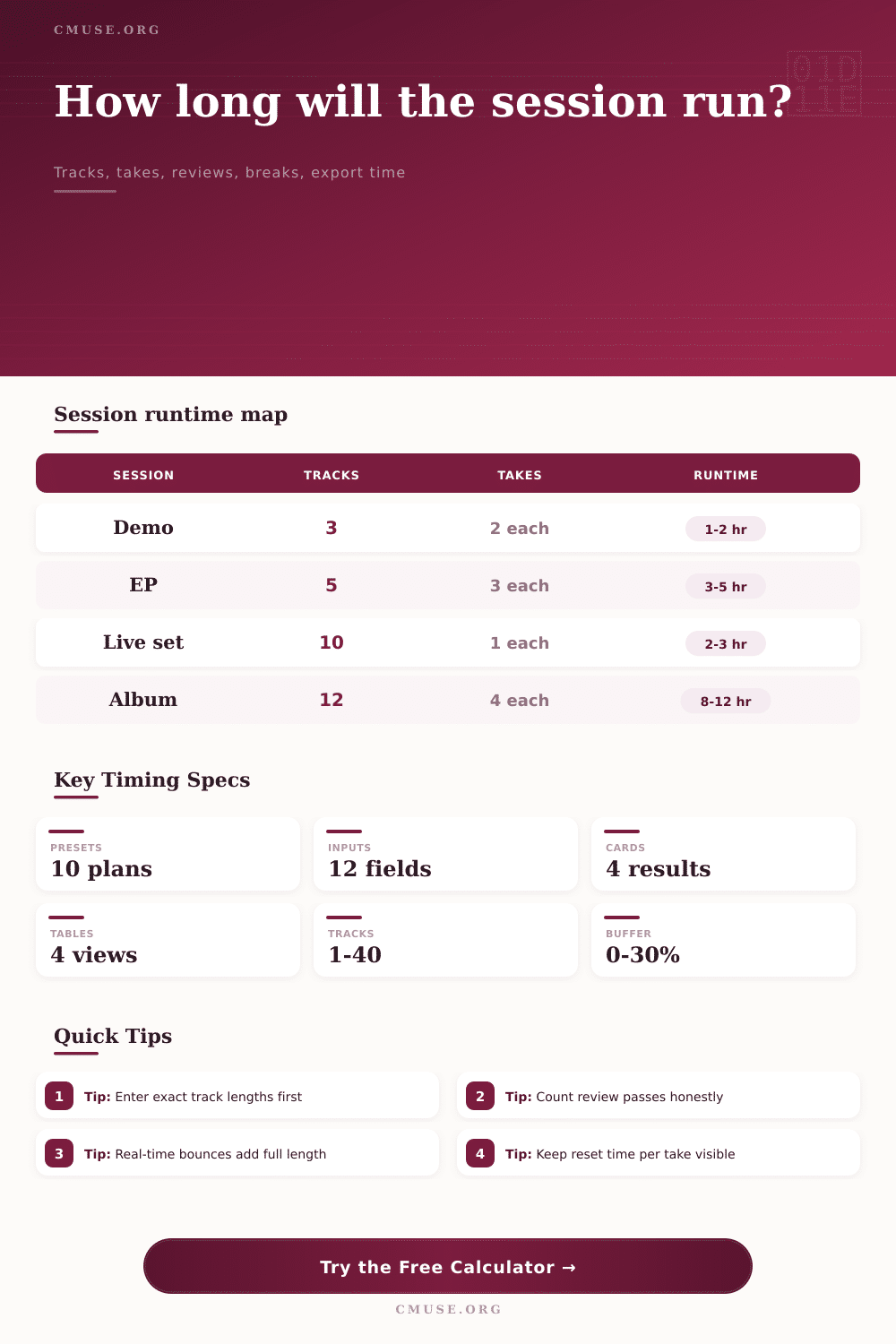
| Demo | 3 tracks, 2 takes, light review | 1 to 2 hours | Writing rooms, pre-production, quick arrangement checks. |
| Studio EP | 5 tracks, 3 takes, full review | 3 to 5 hours | Band tracking, vocal passes, and rough-mix approval. |
| Live Set | 8 to 12 tracks, 1 take, long setup | 2 to 4 hours | Concert capture, rehearsal documentation, video shoots. |
| Album Day | 10 to 14 tracks, 3 to 5 takes | 8 to 12 hours | Full-day studio booking with planned breaks and exports. |
| Time Component | Typical Range | Counts When | Scheduling Note |
|---|---|---|---|
| Setup and line check | 15 to 120 min | Before recording starts | Add more time for drums, choir, multi-room routing, or video sync. |
| Reset between takes | 30 to 180 sec | Between repeated passes | Short resets suit rehearsed bands; comp-heavy vocals need more talkback time. |
| Review pass | 25% to 100% of program | Playback, notes, comp choices | Fast demo reviews may be partial, while live capture checks often run full length. |
| Export and bounce | 5 min to full program | Rough mix, stems, archive | Real-time hardware inserts and stem passes add program-length time. |
Fast Demo
Low setup, two takes, partial review, offline export. Best when arrangement speed matters more than comp detail.
Studio Tracking
Balanced setup, three takes, full review, planned overdub time, and a modest buffer for tuning or edit notes.
Comp Session
More takes, longer reset time, extra punch work, and deeper review passes for vocals, solos, or layered parts.
Live Capture
Longer setup, fewer takes, full program review, and real-time bounce checks for sync, applause, or camera handoff.
It’s ten am, you stroll into studio to record an EP of five songs. Your time is limited. You know exactly what you want to do. Four hours seem plenty: five songs, maybe some edits. Two o’clock will leave time for lunch. One thirty rolls around, the producer glance at his watch. The singer is tired. The engineer question whoever decided there should of been no buffer time. It’s all due to recording friction.
Recording can be fun but it’s easy to overestimate how much music we can gets done in a single session. Twenty minutes? Sure. Technical issues, reviews, takes, setup time… They pile up quickly. Good runtime calculators allows us to see the hidden time that consumes our day. Plug in your number of tracks into calculator, and let it do the math. No more guesswork on conversions and coefficients. It make you think through the whole process.
How to Plan Your Studio Time
You might assume that three minutes of song times three minutes of recording equals nine minutes of work. Guess what? That’s what people get wrong. You have to set up mic. Check headphones. Allow time for a mental reset between takes and, yes, even tuning. The tool breaks this out so you can see where the time gets spent. It’s not just about making music, it’s also about the machinery behind it.
Think about this: What’s the difference between a full live capture versus a quick demo? In a demo situation, you may only need two takes per track with little to no setup. You’re not going for perfect; you’re going for ideas. Overhead is kept to a minimum. With a live set capture, there are thorough sound checks involved. They perform real-time bounce checks for video sync. They perform long line tests. The number of input changes drastically. Total runtime change as well.
Failure to plan for changeover time between tracks mean running late. You must add time for changing charts. Time for swapping guitar patches. Time for letting a performer step out for some water. By the end of the day, thirty seconds here and there equal forty-five minutes.
Another time sink that isn’t obvious is review passes. Laying down vocals doesn’t mean you’re done and moving along. You listen back. You talk about your comp choices. You punch in fix. Add this review cycle to the calculator. If you budget one complete playback review per track, that’s another half-hour (five minutes times 10 tracks). Seems small. But multiply by ten tracks, and that’s half an hour of non-recording time. Time you need to book. If you ignore it, you’ll be rushing creative decisions. Working late into the night.
Many times people forget about exporting time until its too late. When they finish recording that final take, they believe it’s finished. Then they realize they have to bounce it. Then print stems. Name files. Check levels. That process can tack on the entire length of your program time. So if you’re making a forty-five minute album, you’re spending forty-five minutes doing computer stuff. Which is true if you’re printing with big chain inserts in your hard drives. That’s why there’s an export mode selector in the tool. This prevents you from walking out of the room with an incomplete session.
That’s where the buffer percentage come in as your safety net. Things happen. They always do. Despite all your best planning, something will go wrong: a cable fails; a singer needs another cup of coffee; someone wants a third opinion about the mix. A shock-absorbing 10-15% buffer takes care of that. It won’t blow up your schedule. If you’re left with an empty hour at the end of the day, so be it. It is better than rushing around and getting stressed.
On the page are reference tables of typical runtimes. These provides you with a standard against which you can compare your own estimates. That’s not to say that you’re planning a session in order to predict the future. You’re prepping for the reality of what you know exists. When you factor all of the variables, then your potential disaster becomes a manageable workflow.
Being honest about time respects your creativity. When the schedule is honest, the music doesn’t suffer. On the contrary, it thrives. You don’t have to fight the deadline so you can focus on the performance. Most musicians underestimate how much time they need, but the calculator helps you get a real idea of how long it’ll be before you walk out. And yes, you do walk out on time, with some great music… And maybe just a little patience left over.
Now THAT’S a type of success you can realy measure.