Sample Accurate Delay Calculator
Convert delay between samples, milliseconds, tempo divisions, acoustic distance, phase angle, plugin latency, and DAW buffer compensation without losing the exact sample count.
Load a scenario: choose a common tracking, mixing, reamping, live console, or post-production delay problem, then adjust the sample rate, latency, and alignment target.
Sample-accurate breakdown
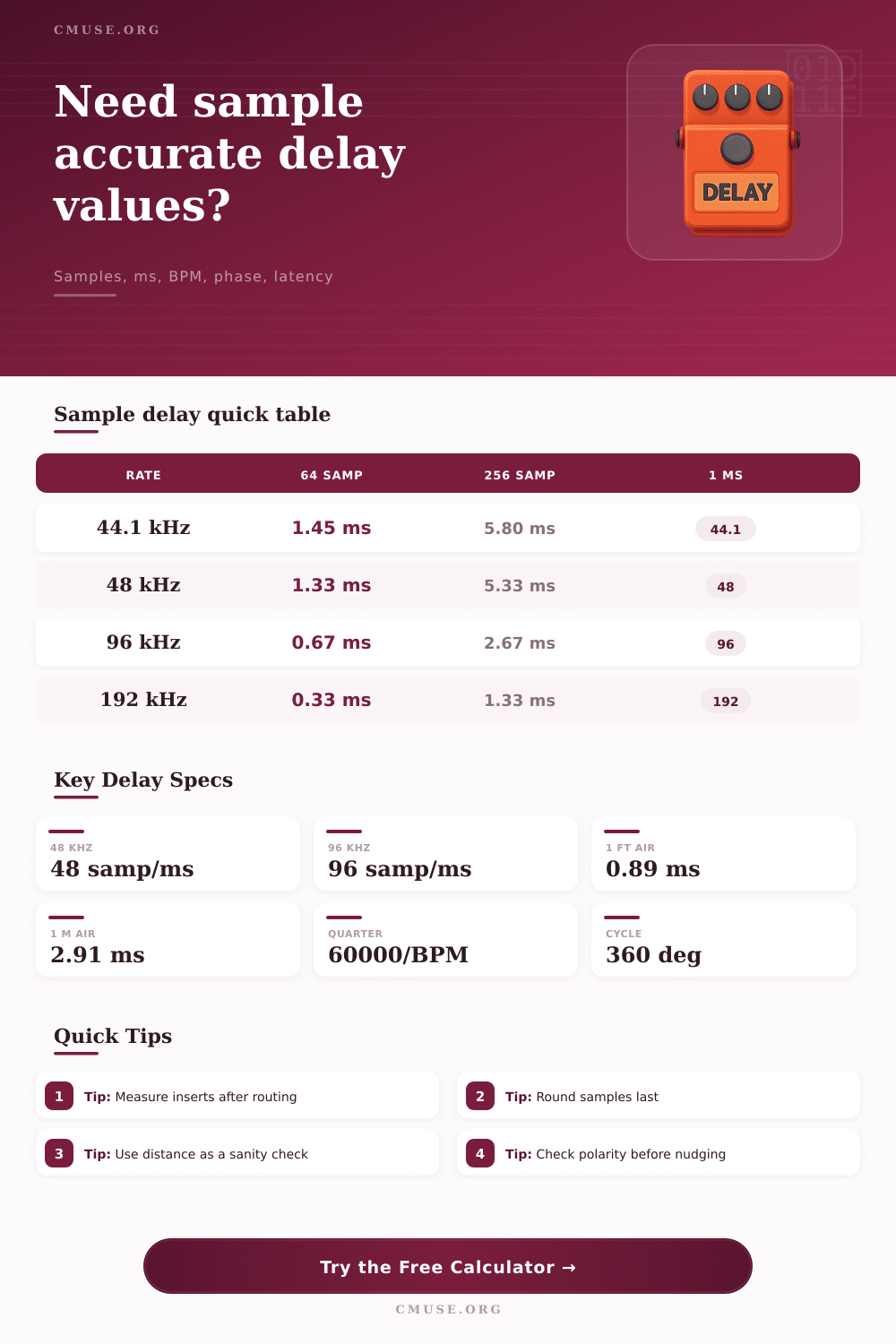
| Sample rate | 1 sample | 128 samples | 512 samples | Samples per ms |
|---|---|---|---|---|
| 44.1 kHz | 0.02268 ms | 2.902 ms | 11.610 ms | 44.1 |
| 48 kHz | 0.02083 ms | 2.667 ms | 10.667 ms | 48 |
| 96 kHz | 0.01042 ms | 1.333 ms | 5.333 ms | 96 |
| 192 kHz | 0.00521 ms | 0.667 ms | 2.667 ms | 192 |
| Division | Formula from quarter | 120 BPM | Samples at 48 kHz | Typical use |
|---|---|---|---|---|
| Quarter note | 60000 / BPM | 500 ms | 24000 | Tempo-locked delays |
| Eighth note | Quarter x 0.5 | 250 ms | 12000 | Slap and rhythmic edits |
| Sixteenth note | Quarter x 0.25 | 125 ms | 6000 | Groove nudges and repeats |
| Dotted 32nd | Quarter x 0.1875 | 93.75 ms | 4500 | Tight echo offsets |
| Path | What to add | What to subtract | Best DAW check | Result goal |
|---|---|---|---|---|
| Plugin insert | Reported plugin delay | Automatic delay compensation | Ping or null test | Tracks null or comb less |
| Hardware insert | Converter and analog loop | Hardware insert compensation | Loopback pulse | Printed return aligns |
| Live monitoring | Input plus output buffers | Console time alignment | Impulse at IEM bus | Lower performer smear |
| Mic distance | Acoustic travel time | Intentional ambience gap | Transient zoom and polarity | Cleaner phase relation |
| Reference | Approx value at 20 C | Samples at 48 kHz | Phase example | Mix note |
|---|---|---|---|---|
| 1 foot of air | 0.889 ms | 42.7 samples | 32 deg at 100 Hz | Common close mic offset |
| 1 meter of air | 2.915 ms | 139.9 samples | 105 deg at 100 Hz | Room and speaker spacing |
| 1 ms delay | 0.343 m or 1.13 ft | 48 samples | 360 deg at 1 kHz | Cycle wraps at frequency |
| Half cycle at 80 Hz | 6.25 ms | 300 samples | 180 deg at 80 Hz | Sub crossover caution |
When you align a snares top microphone with its bottom microphone, you will notice small timing difference between the two microphones. When you align a vocal double with the original vocal phrase, you will also notice small timing difference between the two vocal track. These timing difference are likely to be very small indeed.
However, such small differences can have a negative impact upon the groove of the musical track; small differences in timing can also smear the attack of the transient. Because of the potential for these small changes to impact the sound, you need to use sample-accurate calculations to determine how to adjust the relationship between the track. All audio player and digital audio workstations (DAWs) store audio in the form of samples with a fixed spacing between the samples based off the sample rate that you chose for that particular digital audio workstation.
How to Line Up Microphones and Tracks Using Samples
For example, a sample rate of 48 kHz means that each sample will last 20 microseconds. Therefore, any adjustment to the tracks will have to be in the form of sample. This ensure that the adjustment will sound the same on any computer using the same digital audio workstation.
The calculator in this article allow you to enter the sample rate of your digital audio workstation, the source of the delay that you wish to introduce, and any additional latency that should be applied. The calculator will perform the math for you. Many people find these type of calculations to be difficult.
Most people are used to measuring time in milliseconds and in beats per minute. People also tend to use feet and meters to describe the distance at which their microphone are placed from their musical source. Each of these unit of measurement will have to be converted into samples before a digital audio workstation will accept the value of the measurement.
The sampling rate of the digital audio workstation will impact how many sample are created by each unit of the measurement. For instance, 10 ms of delay at 44.1 kHz will have a different number of sample than 10 ms of delay at 96 kHz. The calculation will account for this for you, so that you do not have to memorize the sample rate of each type of unit of measurement.
Another factor that will impact the accuracy of your calculations of where to place your tracks is the latency of your plugin. Many plugins report their delay in the number of samples that they create; however, this delay isnt the same as the delay that you may desire for your musical track. The total delay that you will hear will be the sum of the intentional delay of each track, the plugin’s delay, and any compensation that the digital audio workstation or hardware interface applies to that audio workstation.
If you ignore the delay created by your plugins, you may find that your track with the plugin will not line up with track that did not use that same plugin. You can account for this in the calculator, allowing you to account for both the musical delay of your tracks and the plugin delay. The distance at which two microphone are placed from the same source of sound will impact the time at which the sound reach each microphone.
If one microphone is ten feet from the sound source and the other is ten feet farther from that source, the sound will take nine milliseconds longer to reach the farther microphone. This is the same as if you introduced a delay between the tracks; however, you cannot take away the travel of sound from the microphone after the sound has been recorded. You can, however, use the calculator to determine the number of samples that a certain distance will be, based upon the temperature of the room in which the sound was created.
This value can then be used to nudge the room microphone track to line it up with the close microphone. Another factor that impact the sound of your tracks is phase. Most people encounter the problem of phase after they have introduced the timing change between the tracks.
A timing change of half a beat will alter the phase of each frequency by 180 degrees. This altered phase can cause some frequency to cancel out of the mix. The calculator can determine how much phase change will occur to a specific frequency.
This information will help you to understand why your two tracks may sound thinly when they are summed to mono. Buffer compensation can also impact your track. Most digital audio workstations will hide the buffer compensation; however, if you are monitoring your tracks through a plugin that introduces latency to those tracks, digital audio workstations will automatically shift the sample of the recorded track earlier in time so that the track lines up with the real time of the sound.
This compensation is only accurate if all track pass through the same number of plugins with the same processing power. If you bounce separate group of tracks, for instance, the compensation of one group may not line up with the compensation of another group. You can determine the size of the buffer and the number of signal round trip that it will take to create the compensation for each track.
This information can allow you to predict whether your printed file will line up with the other track in your new project. The rounding mode for the delay can be either “round” or “floor”. Some projects may require you to use sample-accurate calculations of delay.
If you are attempting to align two track so that they null when the polarity is flipped, you must use an exact number of samples; you cannot use the rounded number of samples. The calculator allows you to enter both the rounded and raw samples of delay in order to allow you to select the correct number for your project. Finally, these calculation are not a replacement for listening to the tracks.
You will have to solo the two track that you are aligning, you will have to flip the polarity of one of the tracks, and then you must listen to the resulting mix to determine whether the tracks are correctly aligned. While these calculations will allow you to line up your tracks to the best of your ability, and while the information that they provide will allow you to explain to others in your recording studio why you have created the delay that you have, you will never replace listening test to verify that your tracks are correctly aligned. You should of listened more carefully to teh tracks to be sure.
It could of been better. You’ll see it dissapears once you get the hang of it. Its actualy quite simple once you understand the moddern way of doing things.