RF Range Calculator
Estimate wireless audio range from transmitter power, antenna gain, feed loss, receiver sensitivity, fade reserve, crowd absorption, and free-space path loss.
Load a realistic wireless microphone, IEM, IFB, talkback, or camera-hop setup. Each preset fills the RF band, power, antenna, sensitivity, loss, margin, and target distance fields.
Link Budget Breakdown
P dBm = 10 log10(mW)
EIRP = P dBm + Tx gain - Tx loss
FSPL = 32.44 + 20 log10(MHz) + 20 log10(km)
km = 10 ^ ((budget - 32.44 - 20 log10(MHz)) / 20)
| Band | Typical audio use | Range tendency | Planning note |
|---|---|---|---|
| VHF high | IFB, assistive listening, legacy wireless microphones | Lower path loss than UHF at equal distance | Longer antennas and local noise can affect practical setup. |
| UHF | Professional handhelds, lavaliers, instrument packs, IEM receive paths | Strong balance of range, antenna size, and bodypack practicality | Use a current local scan and legal frequency plan before assigning channels. |
| 900 MHz | Some IEM, guitar, and digital audio links | Slightly more path loss than UHF but compact antennas | Nearby data systems and cordless devices may raise the noise floor. |
| 1.9 GHz | DECT intercom, talkback, production communication | Shorter than UHF, usually designed for campus or venue cells | Base station placement matters more than raw beltpack power. |
| 2.4 GHz | Camera hops, digital guitar systems, compact wireless links | Higher path loss and more absorption through bodies | Keep antennas visible and avoid crowd-level placement. |
| Condition | Typical added loss | Suggested fade reserve | Audio risk |
|---|---|---|---|
| Clear line of sight between elevated antennas | 0 to 3 dB | 12 to 15 dB | Good for fixed packs, IFB, and visible camera hops. |
| Reflective stage, truss, LED wall, or metal risers | 4 to 8 dB | 18 to 22 dB | Multipath nulls can appear when performers move. |
| Dense standing crowd between pack and antenna | 8 to 16 dB | 20 to 28 dB | Body absorption can change after doors open. |
| Backstage walls, scenery, dressing rooms, or hallways | 10 to 22 dB | 24 to 30 dB | Remote antennas or a second zone may be required. |
| Item | Typical value | Where it helps | Calculator field |
|---|---|---|---|
| Bodypack whip near performer | -2 to 0 dBi | Normal lav, guitar, or IEM transmitter placement | Transmit antenna gain |
| Passive paddle receive antenna | 5 to 8 dBi | Focused pickup from stage or runway | Receive antenna gain |
| Helical receive antenna for IEM | 8 to 12 dBi | Directional IEM coverage from side stage | Receive antenna gain |
| Short low-loss coax jumper | 0.5 to 1.5 dB | Rack to nearby antenna or combiner | Tx or Rx feed loss |
| Long remote antenna coax | 3 to 8 dB | Balcony, FOH, roof, or distant receive point | Receive feed loss |
| Scenario | Typical target | Preferred reserve | Notes |
|---|---|---|---|
| Rehearsal room microphone | 30 to 60 ft / 9 to 18 m | 12 dB or more | Low power is usually fine if antennas are visible. |
| Small club vocal wireless | 80 to 150 ft / 24 to 46 m | 15 to 20 dB | Account for people standing between stage and rack. |
| Theater lavalier system | 120 to 250 ft / 37 to 76 m | 20 to 25 dB | Costumes, wigs, and scenery can add hidden loss. |
| Outdoor festival IEM | 250 to 600 ft / 76 to 183 m | 24 to 30 dB | Directional antennas and clean coordination are important. |
| Camera hop or production bag | 25 to 150 ft / 8 to 46 m | 12 to 18 dB | Body orientation can dominate the link budget. |
For those who run live audio, a drop out of their wireless mics isn’t merely inconvenient, but also a public relations disaster. No matter how much money you spend on mics and preamps, they’re useless without a good radio link. Plug in cable losses, antenna gain and power and the calculator does the rest for you; no more guessing if you’ll make it through. Abstract RF theory becomes a practical “margin” number that shows you at-a-glance if you’re okay or in trouble.
Engineers spends way too much time tweaking transmitter power and not nearly enough time thinking about path loss. Range issues is easily solved by purchasing a higher wattage body pack, right? WRONG! Physics will punish that thought. Your signal must pass through bodies, metal trussing, air and quite possibly hundreds of people between the rack and stage. Each body absorb roughly two to three decibels of energy. This is why condition setting on the venue matters so much. Clear line of sight looks good until those doors open and all those bodies change the crowd density which can shift your link budget by as much as 10 decibel or more. Build in that fade reserve prior to the first note.
How to Stop Wireless Mics from Dropping Out
Antennas are where the magic happens, but they’re often treated as an afterthought. The performance of an antenna is laid out in reference table on the page. A paddle provides 8 decibel directional gain. A random whip provides omni-directional scattering of signal. That means nothing if the recieve antenna is buried somewhere down the back of a solid wall behind the rack. The gain dissapears into the losses of coaxial cable. Cheap coax can eats up the advantage of even the finest antenna placement at the radio’s remote end. Fight physics by throwing more power and money at it instead? It is cheaper to get a better cable or just move the damn thing.
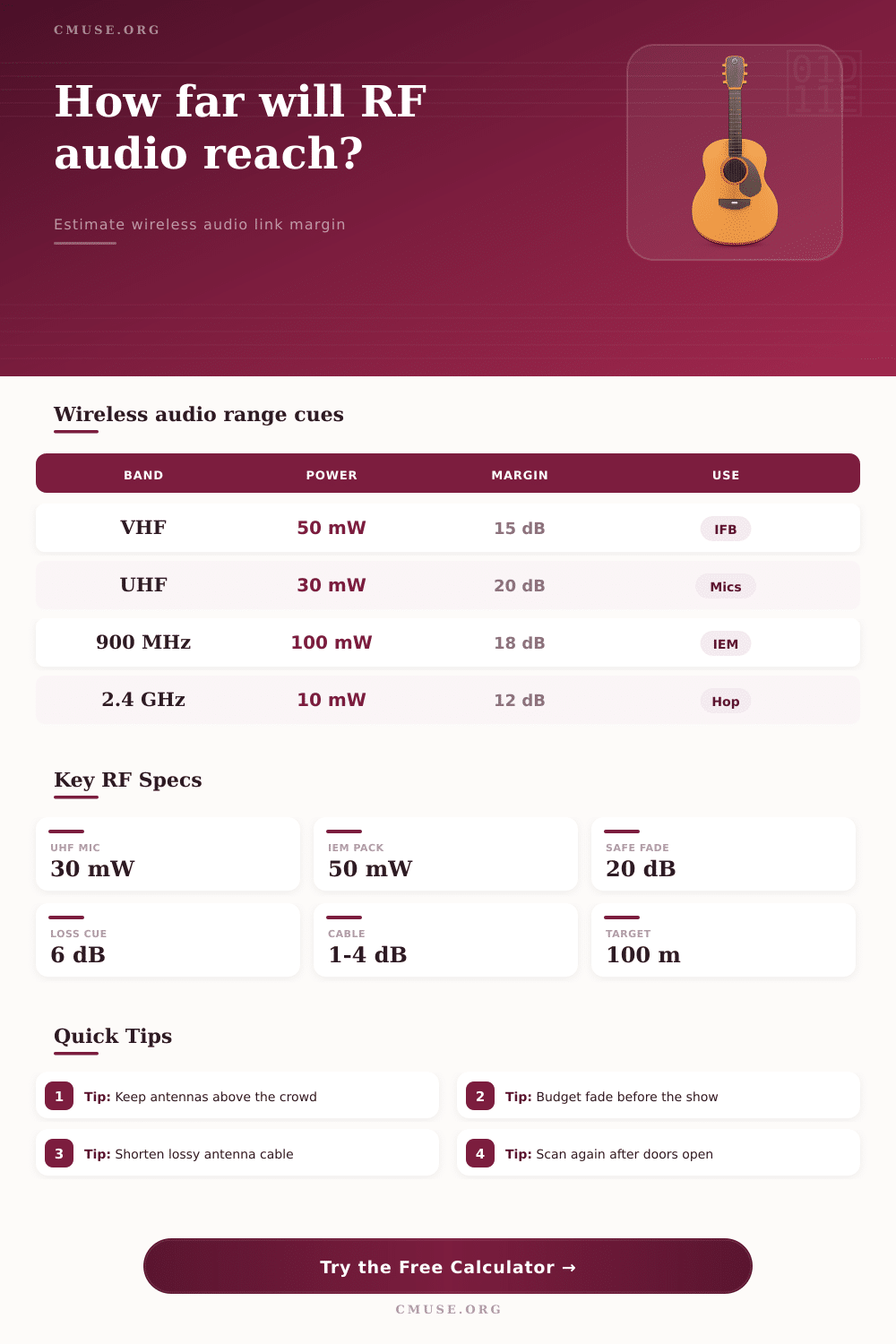
Another factor to consider is frequency choice. Lower bands can punch through walls easier than higher ones; but also experience more interference. VHF has the longest range at lowest power, but is noisy in today’s environment. UHF compromises and works well for most pro settings if you pick your channels. Frequency bands above 2.4 gigahertz act even different than before. Their signal doesn’t go as far. It gets blocked by bodies. (That’s why hops using these frequencies must be line-of-sight.) If you tuck an 2.4 gigahertz transmitter into your heavy coat, don’t count on consistent performance in a big hall.
A lot of folks don’t understand what diversity receivers do, either. Diversity does not improve signal. Diversity chooses the stronger of two signals and removes nulls created by multipath interference. Because one path will eventualy fail, a small credit is added to the calculator to show that diversity keeps you from losing everything. It’s an insurance policy, but not performance enhancement. It’s money well spent on peace of mind when it really counts.
You can’t underestimate what you can’t see, and that applies to body loss as well. Holding a big instrument, turning your back on the antenna. This can completely block the signal. And so why go by a number crunched in a spreadsheet when you can test out your own costume and gear? Theory will get you to the max… but then there’s real life where variables pop up that not even an algorithm can predict. Stage lighting rigs, metal accessories and yes, even wet hair interfere with radio waves in a way no one could predict.
Pros don’t leave themselves with a fade reserve of just ten decibels. Looks good on paper, but that doesn’t leave any wiggle room when interference increases or the sound system fires up. If things are complicated, make it twenty plus dBs. Those extra few decibel buffers absorbs a shock when signals dip unexpectedly without dropping out audibly. It is the difference between a seamless performance and a frantic scramble right in the middle of a song.
So, at the end of the day, that’s just RF engineering: setting expectations against physical limitations. How much willpower can you have? However much you have is never going to be enough to make a signal go through a brick wall. Set a baseline using the tool; test it out in the real world. Walk on stage. Get up and move around. Test from various heights. The calculator gives you the map; now it’s time to drive the car.
Because gear gets old, crowds shift, and each venue changes, treat each gig like a new experiment. Honor the link budget, and the silence will stay that way. And isn’t that what you want?