Resampling Ratio Calculator
Calculate audio resampling ratios, pitch changes, semitone and cents offsets, duration changes, anti-alias cutoff targets, and exact frame counts.
Calculation Breakdown
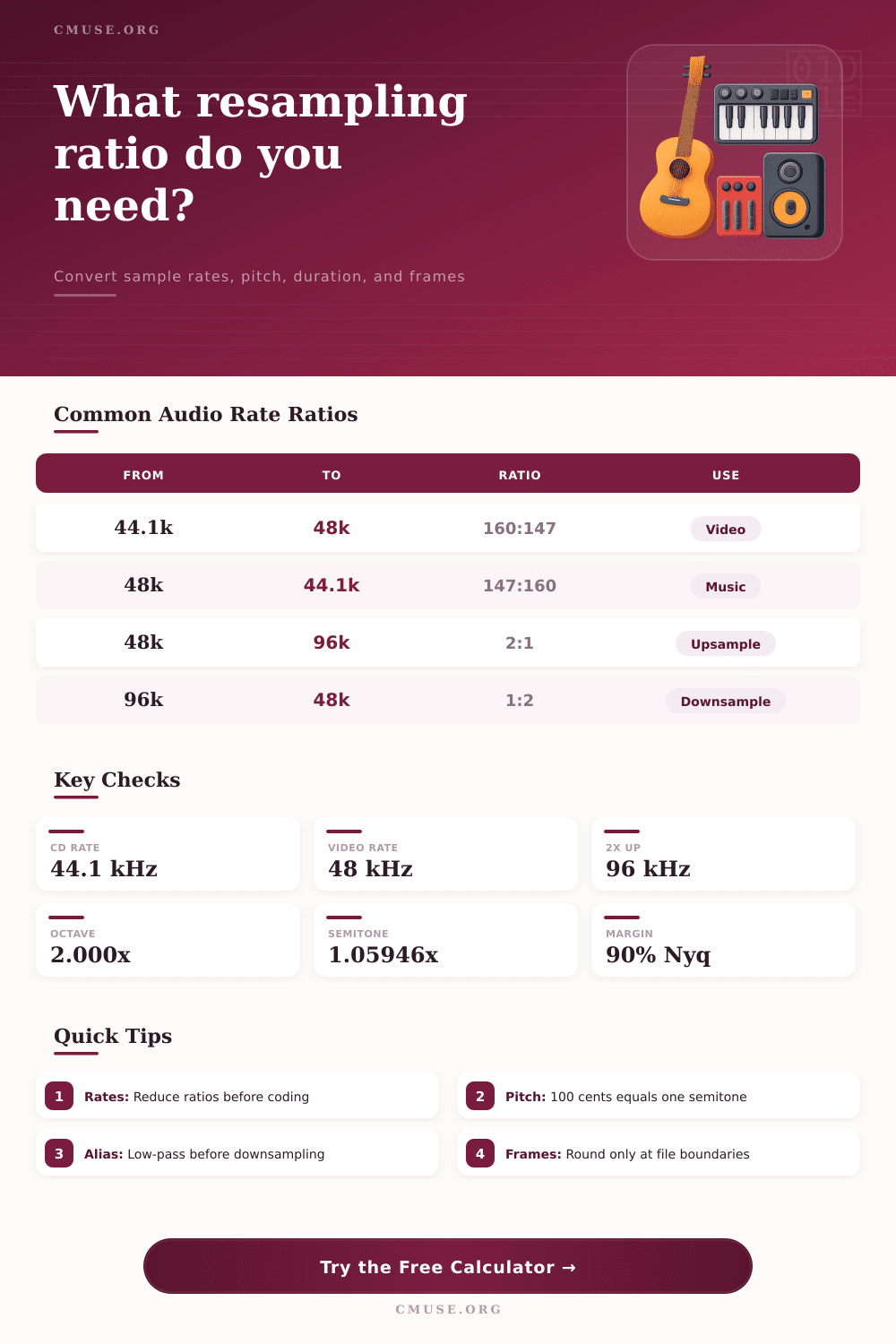
| Source Rate | Target Rate | Exact Ratio | Decimal | Typical Use |
|---|---|---|---|---|
| 44,100 Hz | 48,000 Hz | 160:147 | 1.088435 | CD music into video sessions |
| 48,000 Hz | 44,100 Hz | 147:160 | 0.918750 | Video audio to music delivery |
| 48,000 Hz | 96,000 Hz | 2:1 | 2.000000 | Integer upsampling |
| 96,000 Hz | 48,000 Hz | 1:2 | 0.500000 | Downsampling hi-res capture |
| 44,100 Hz | 176,400 Hz | 4:1 | 4.000000 | Integer CD-family upsampling |
| 192,000 Hz | 48,000 Hz | 1:4 | 0.250000 | Production archive to delivery |
| Musical Shift | Cents | Pitch Ratio | Duration Ratio | Use Case |
|---|---|---|---|---|
| Octave down | -1200 | 0.500000 | 2.000000 | Sound-design slowdown |
| Perfect fifth down | -700 | 0.667420 | 1.498307 | Varispeed harmony bed |
| Semitone down | -100 | 0.943874 | 1.059463 | Small key correction |
| Semitone up | 100 | 1.059463 | 0.943874 | Instrument retune |
| Perfect fifth up | 700 | 1.498307 | 0.667420 | Bright layer creation |
| Octave up | 1200 | 2.000000 | 0.500000 | Double-speed playback |
| Conversion Type | Lower Nyquist | Conservative Cutoff | Transition Band | Comment |
|---|
| Scenario | Source Frames | Source Time | Output Frames | Output Time |
|---|
| Workflow | Main Ratio | Pitch Result | Duration Result | Best Check |
|---|---|---|---|---|
| Sample-rate conversion | target / source | Preserved | Preserved | Frame count at target rate |
| Varispeed playback | playback / recorded | Changes by ratio | Reciprocal of ratio | Semitone and cents shift |
| Pitch retune | 2^(cents / 1200) | Requested shift | Usually preserved | Pitch ratio and formants |
| Downsampling | target / source | Preserved after SRC | Preserved after SRC | Low-pass below lower Nyquist |
| Offline bounce | session to delivery | Preserved | Preserved | Rounded output frame count |
Here’s the deal: If you’re given a project to deliver with a different sample rate than what was recorded, you have a dilemma. Your DAW opens up and you realize adjusting the header number isn’t an option. Changing it result in distortion of audio or a thinning of sound due to loss of high frequencies in resample.
Resampling appears easy but has some risky mathematics that can wreck a mix if caution isnt exercised. After all, its just math. Hence, mistakes happen. Why? Because sound is a separate thing. Changing the rate of snapshots taken every second change the relationship between the two.
How to Change Sample Rates Without Ruining Your Audio
Increasing from 44.1 kHz to 48 kHz mean creating new data points where none existed in original recording. The calculator at top does this math for you if you enter both rates along with your desired pitch target. You do not need to work it out by hand and risk aliasing artifacts in your bounced result.
For most engineers, sample rate conversion is a black box function that just works. It generaly works if you honor the Nyquist limit. Whatever your lowest rate is will determine the highest frequency that can be represented accurateley after conversion. When downsampling, for example, from 96 kHz to 48 kHz, any signal content higher than 24 kHz need to be eliminated prior to conversion. Otherwise it folds back on itself in audible range as nasty digital distortion.
That’s what most people miss. They get all concerned with file size or bit depth and ignore that sample rate conversion is a frequency issue, not just a data density issue. Then there is also pitch shifting, which further complicates things by altering not only the spectral element but also temporal aspect. Directly speeding up or slowing down the sample stream itself is what’s called varispeed playback.
If you double the play speed, you speed up by an octave, which halves the time and doubles all frequencies. The trade off is pitch versus time. Newer algorithms are capable of stretching the time while keeping the pitch intact, but again they comes with their own artifact. For transients such as drum hits, piano attack etc., this is especially pronounced.
When choosing the right tool, the first thing to consider is whether preserving duration is important or if letting it stretch will work. For example, the page has some handy reference tables listing standard conversion ratios (for example 160:147 for CD-to-video), which encode the accuracy of interpolation filter being used at conversion time.
Higher numbers such as integer-based ones such as 2:1 can be easily handled efficienty, whereas non-integer ones requires more complicated polyphase filters to preserve phase coherence. Having those precise ratios recorded in your metadata will aid a future engineer who needs to know what happened to the data when you archive material. It’s one of those little things that matter for provenance.
People forget about anti-alias margins. Anti-alias margins are often overlooked in favor of raw speed, but they’re important: setting a conservative low-pass cutoff (attenuating any energy near the Nyquist frequency before it folds back down) is key. For most professional work, 90 percent is a safe bet; it allows the filter to roll-off gradualy without impacting clarity in the upper midrange. The transition band should sits well outside the audible range so you’ll never hear the tail end of the filter curve.
The other place to run into trouble is rounding on frame counts. When projects are converted from rates that don’t divide evenly, the total number of frames will change. For example, a given rate like 44.1 kHz for 60 seconds has an exact integer frame count for its length. A 48 kHz version of the same time have a different integer frame count. So when these don’t line up precisely, there’s going to be a fractional sample remaining. Many systems rounds this off. This can cause timing errors in synch workflows or clicks at the tail end of files. Be sure to double-check your final frame count against your delivery specs.
At its heart, resampling is about dealing with loss. There’s no way to make up what isn’t there; there’s no way to throw out without penalty. It’s all about making those penalties imperceptible to the ear. Thinking of sample rate conversion as an intentional part of the edit process, not some behind-the-scenes tool, allows you to control how something sounds.
Good resampling is like good editing: it fits the thing being edited into a new container without compromising what was intended in original performance.