Quantization Noise Calculator
Enter a bit depth and full-scale voltage to compute SQNR in dB, the LSB quantization step, the noise floor in dBFS, oversampling gain and ENOB – with dither modelling and a full step-by-step breakdown
Full Calculation Breakdown
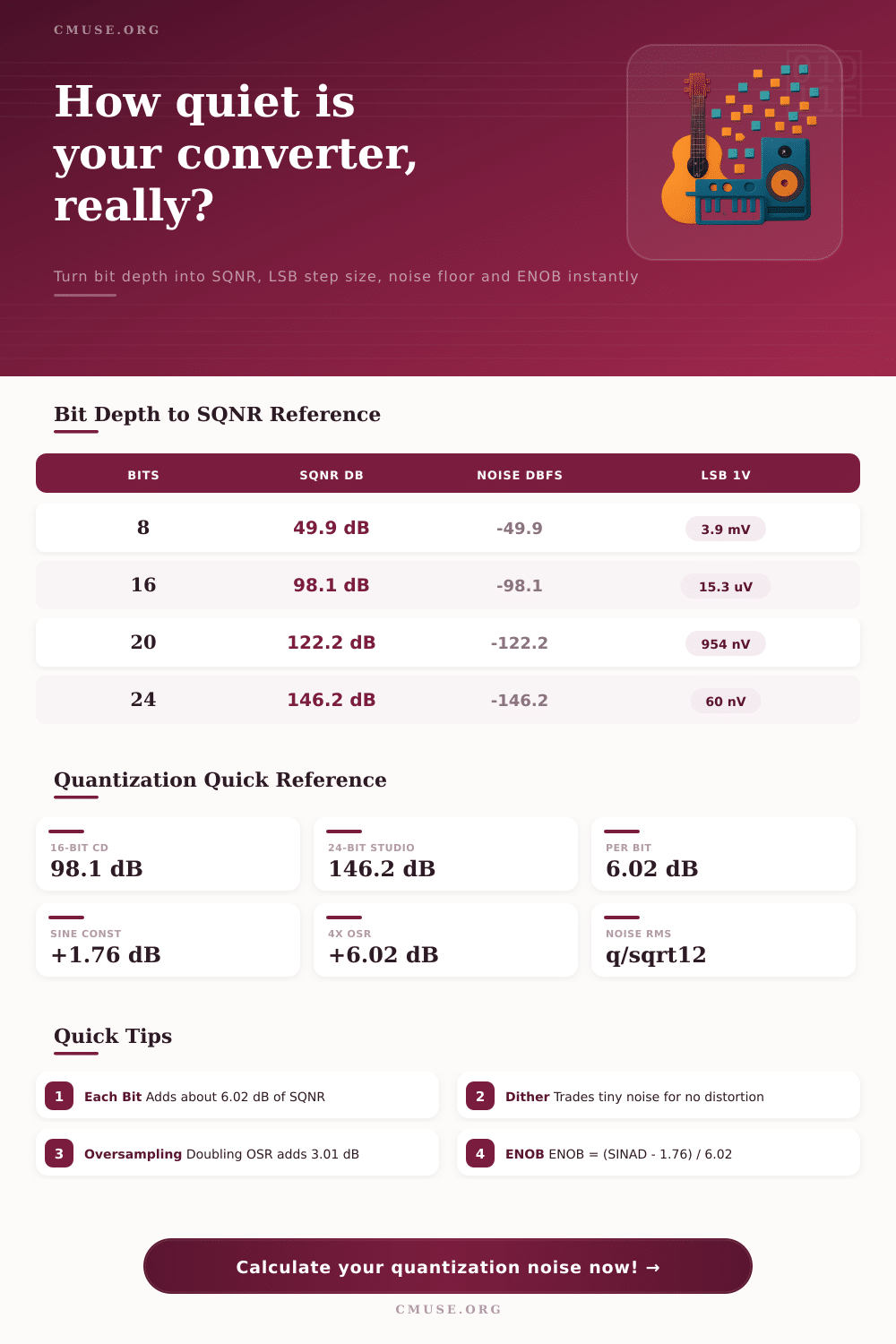
| Bit Depth | SQNR (dB) | Noise Floor (dBFS) | Dynamic Range |
|---|---|---|---|
| 8-bit | 49.9 dB | -49.9 dBFS | Lo-fi, audible hiss |
| 12-bit | 74.0 dB | -74.0 dBFS | Early samplers |
| 16-bit | 98.1 dB | -98.1 dBFS | CD quality |
| 20-bit | 122.2 dB | -122.2 dBFS | Pro mastering |
| 24-bit | 146.2 dB | -146.2 dBFS | Studio recording |
| 32-bit | 194.2 dB | -194.2 dBFS | Float headroom |
| Bit Depth | Levels (2ⁿ) | LSB Step | Noise rms (q/√12) |
|---|---|---|---|
| 8-bit | 256 | 3.906 mV | 1.128 mV |
| 12-bit | 4,096 | 244.1 uV | 70.5 uV |
| 16-bit | 65,536 | 15.26 uV | 4.41 uV |
| 20-bit | 1,048,576 | 953.7 nV | 275.3 nV |
| 24-bit | 16,777,216 | 59.60 nV | 17.21 nV |
| OSR | SQNR Gain | Extra Bits | Notes |
|---|---|---|---|
| 1x | 0 dB | 0 bits | Plain Nyquist sampling |
| 2x | +3.01 dB | +0.5 bit | Each doubling adds 3 dB |
| 4x | +6.02 dB | +1.0 bit | Equivalent to one bit |
| 8x | +9.03 dB | +1.5 bits | Spreads noise wider |
| Format | Bits | SQNR | Typical Use |
|---|---|---|---|
| Telephone | 8-bit | 49.9 dB | Speech, lo-fi sampling |
| CD Audio | 16-bit | 98.1 dB | Consumer playback |
| Mastering | 20-bit | 122.2 dB | Pro delivery masters |
| Studio | 24-bit | 146.2 dB | Recording, mixing |
By now, you’ve probably heard that 24-bit is better then 16-bit because it’s more bits, which means more resolution. And while this is technicaly correct, it won’t help you unless you knows exactly what those numbers mean in your signal chain. The truth is, it’s more than about recording cleaner sound. It’s also about how much room you have before background noise can be heard. It is also about how much your converter might distorts as levels get lower.
The quantization noise are the cost of converting an analog wave with continuous steps into a digital world with separate step, and knowing this trade off will impact the way you gain stage. So what does this mean? Just plug the appropriate full scale voltage and bit depth into calculator above, and it will do the math for you. This means you won’t need to figure out logarithmic relationships while mixing.
What Bit Depth Means for Your Music
If we use sixteen bit for example, that’s approximately ninety eight decibels of signal to noise ratio. Why is that important? Quiet listening situations usually put the threshold of human hearing near sixty decibels. This means regular old CD quality audio is already well beyond our dynamic range requirements by a considerable amount. Higher bit depth offer additional headroom.
This doesn’t mean more loud peaks; instead, it means quieter floors and a better capture of transient details that don’t get lost in the background of granular noise. Dither is often applied as an afterthought in most engineers’ work flows, at the point of export. And therein lies where folks go astray.
Dither add a tiny amount of carefully controlled noise to the signal just before quantization. This process “corrupts” the hard edges caused by harmonic distortion. White noise smooths out errors between what comes in on the analog side and what goes out on the digital side. The human ear can’t stand hearing structured distortion particularly on quiet parts of mix such as when you fade out cymbals or reverb tails. We are very good at filtering out random noise however.
With this tool, you have the option to use triangle probability density function (PDF) dither. This shifts the noise floor up about five decibels. It seems odd to make something better by making it noisier. However, if left alone, sound quality of the mix’s dynamics will suffer and those artifacts will become audible.
Oversampling is another way to move that noise around instead of completely removing it. If you sample more often than your Nyquist limit, then the quantization energy gets divided up over a greater range of frequencies. Then, a simple decimation filter can toss out all the frequencies above twenty kilohertz while retaining the audible portion with less noise than what was there before. You get about three decibel improvement per octave of oversampling so if you have eight times oversampling you are effectively getting an additional one and a half bits of resolution just in the audible part of the spectrum.
This works well on lower bit depth converters when analog front end is clean enough to use this “trick” so they sounds almost as good as the higher resolution cousins. So what’s the difference? That’s where the number of bits comes into play, also known as the effective number of bits. Sometimes a converter will be advertised at twenty four bits. However, the number actualy being used can be much less due to interference from power supplies and other components on the board, as well as heat-generated noise in the circuitry.
So if I measure my signal to noise plus distortion ratio of ninety five decibels that means I only have about fifteen and a half bits of usable resolution in practice. This lets you know what to expect out of your equipment with reasonable expectations. No amount of software processing can recover information lost to electrical noise before it hits the analog to digital converter.
At what bit depth should I record? That’s a matter of perspective. If you’re further down the chain from recording, then 24 bits offers plenty of head room for processing and mixing without shoving your quantization noise into audibility. Boost low level signals further along in production with confidence, knowing there’s still some wiggle room. If you need to go down convert to 16-bits for distribution purposes, that’s OK too. Provided you dither correctly at this last stage.
You should of not do things to achieve maximum numbers for the sake of maximum numbers. Do them because you want the silence between your notes to be realy, realy silent, making the dynamic contrast of your mix feel alive and well. As you listen closely, you’re not only listening to the signal. You’re listening to the system that preserved the space surrounding it.