Phase Offset Degrees Calculator
Convert time delay, sample offset, microphone spacing, target phase, and polarity inversion into exact phase degrees for audio alignment, crossover checks, and DAW nudging.
🎯 Phase Offset Presets
⚙ Frequency, Delay, And Alignment Inputs
📊 Current Phase Snapshot
📐 Phase, Frequency, And Time Tables
| Frequency | Period | 90 Degrees | 180 Degrees | 360 Degrees |
|---|---|---|---|---|
| 40 Hz | 25.000 ms | 6.250 ms | 12.500 ms | 25.000 ms |
| 80 Hz | 12.500 ms | 3.125 ms | 6.250 ms | 12.500 ms |
| 100 Hz | 10.000 ms | 2.500 ms | 5.000 ms | 10.000 ms |
| 250 Hz | 4.000 ms | 1.000 ms | 2.000 ms | 4.000 ms |
| 1 kHz | 1.000 ms | 0.250 ms | 0.500 ms | 1.000 ms |
| Offset | 44.1 kHz | 48 kHz | 96 kHz | Use Case |
|---|---|---|---|---|
| 1 sample | 0.0227 ms | 0.0208 ms | 0.0104 ms | Sample slip or waveform lining. |
| 10 samples | 0.2268 ms | 0.2083 ms | 0.1042 ms | Tight multimic correction. |
| 48 samples | 1.0884 ms | 1.0000 ms | 0.5000 ms | Easy DAW nudge reference. |
| 240 samples | 5.4422 ms | 5.0000 ms | 2.5000 ms | Comb filtering or close speaker delay. |
| 480 samples | 10.8844 ms | 10.0000 ms | 5.0000 ms | Sub and fill speaker timing. |
| Air Distance | Time at 343 m/s | Phase at 80 Hz | Phase at 1 kHz | Alignment Note |
|---|---|---|---|---|
| 1 cm | 0.029 ms | 0.8 deg | 10.5 deg | Tiny low-frequency change, visible at highs. |
| 10 cm | 0.292 ms | 8.4 deg | 105.0 deg | Close mic spacing becomes high-band phase shift. |
| 1 ft | 0.889 ms | 25.6 deg | 320.1 deg | Common rough estimate for stage spacing. |
| 1 m | 2.915 ms | 84.0 deg | 1049.6 deg | Large enough for speaker or room-mic delay. |
| 3 m | 8.746 ms | 251.9 deg | 3148.7 deg | Multiple cycles at mid and high frequencies. |
| Tempo | 1 Beat | 1/16 Note | 1/64 Note | 1 ms In Beats |
|---|---|---|---|---|
| 80 BPM | 750.0 ms | 187.5 ms | 46.9 ms | 0.0013 beats |
| 100 BPM | 600.0 ms | 150.0 ms | 37.5 ms | 0.0017 beats |
| 120 BPM | 500.0 ms | 125.0 ms | 31.3 ms | 0.0020 beats |
| 140 BPM | 428.6 ms | 107.1 ms | 26.8 ms | 0.0023 beats |
| 174 BPM | 344.8 ms | 86.2 ms | 21.6 ms | 0.0029 beats |
🎛 Audio Alignment Comparison Grid
| Alignment Job | Best Input Unit | Main Frequency Target | Phase Goal | Practical Check |
|---|---|---|---|---|
| Kick and sub bass | Milliseconds or samples | Fundamental or crossover, often 50 to 100 Hz | Near 0 degrees for punch, or intentional 180 for contrast | Watch low-end sum and transient shape together. |
| Snare top and bottom | Polarity plus samples | Body band around 180 to 250 Hz | Often inverted polarity, then fine time alignment | Compare shell tone, wire snap, and mono fold-down. |
| Bass DI and amp mic | Milliseconds | Low-mid band around 80 to 250 Hz | Small signed offset after amp latency and mic distance | Nudge until low notes stay even across the part. |
| Drum overhead pair | Distance or samples | Snare center and cymbal image bands | Symmetry matters more than chasing every frequency | Measure to snare and listen for image pull. |
| Subwoofer crossover | Milliseconds or meters | Crossover frequency, often 70 to 100 Hz | Choose the delay with strongest crossover summing | Verify with measurement and polarity flip comparison. |
| Layered samples | Samples | Transient plus dominant tone band | Enough alignment to avoid hollow comb filtering | Zoom to waveform, then confirm at track level. |
Usually phase problems is quiet. You don’t hear them go “BOOM” or “poof.” They usually just make everything sound thin and hollow. Suddenly your fat kick drum sounds like someone playing a drum through a paper bag. Phase issues take the body out of your mix without any obvious fingerprints.
If you put two microphones on the same thing, or combine a mic’d amp with a direct input, sometimes those waves won’t line up on top of one another. Sometimes they will offset, and when they do, they’ll cancel. That offset isn’t complicated physics as much as it’s timing.
Understanding Phase Problems in Your Mix
Once you’ve got those three settings, frequency, delay and polarity… Plugged into the calculator up top, it’ll do the math for you. No more attempting to nudge that waveform around inside your digital audio workstation by doing trigonometry in your head. You only need to know what numbers to plug in.
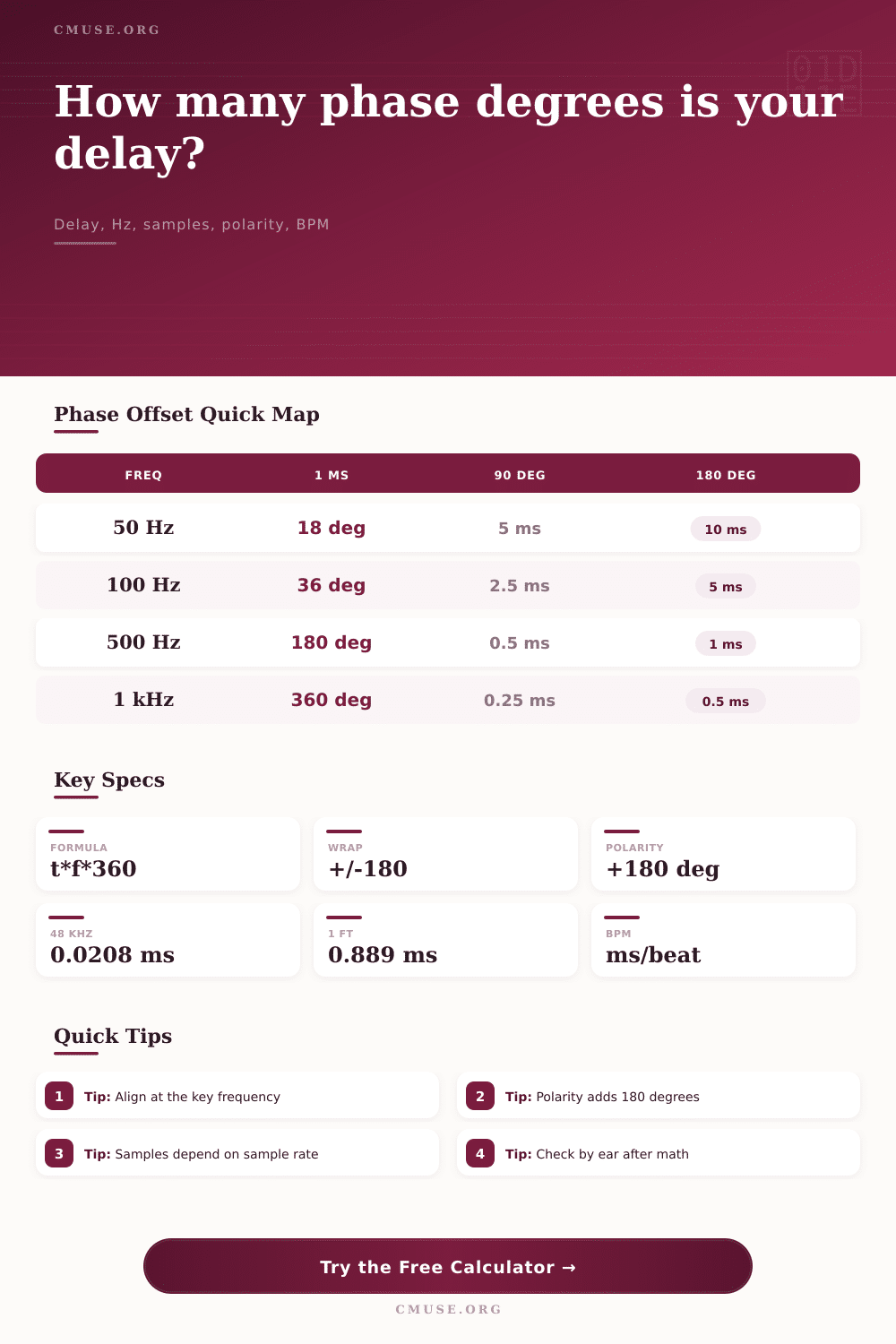
And the most important number is the reference frequency. Why? Because phase shift isn’t always a set value. It’s different than what part of spectrum you’re viewing. At 100 hertz, maybe a one millisecond delay will be a trivial amount of shift. But at 1 kilohertz, it’ll be a full 360 degree rotation. That’s because the waves has made a complete circle and returned to alignment. That’s why your mix sounds fine in the lows and thin in the highs, or vice-versa.
You must select the frequency where the issue is. Is your vocal hissy and phasey? Look at 2 or 4 kilohertz. Is your bass weak? Look at 60 hertz.
Time vs. Degrees is where most engineers gets tripped up. When they see a lot of degrees, they freak out because they think that’s bad. But maybe it’s not. This is because phase is cyclic. 360 degrees equals 0 degrees. 720 degrees equals 0 too. But the calculator wraps those into a signed range between -180 and +180 so you can read it. What realy counts is the raw rotation count.
That gives you a look into how such a small nudge could of caused such a huge change. And since wave period is shorter at higher frequencies, that means 02 milliseconds. Doesn’t sound like much until you recall that’s almost 7 degrees at 10 kilohertz. If you add enough samples, you’ll be carving notches into your frequency response. That’s called comb filtering which sounds like metallic soup.
Another source of confusion is polarity inversion. Inverting the polarity simply adds a constant 180 degree shift at every frequency. It is a hard flip. A time delay is a slope. At lower frequencies, the shift is small. As frequency go up, the shift gets bigger. A polarity flip will not correct a time delay. Rotating the phase will fix a polarity flip.
The tool allows you to split those two into separate input channels and observe their unique impact. You can invert a signal that’s been slightly delayed and bring it closer in alignment for perfect cancellation at a given frequency. That’s why you check polarity first then timing, or do both at once.
The math is simple: Distance equals time. In typical room air sound will travel approximately 343 meters per second. That’s about.9 milliseconds for every foot. So let’s say you’ve got a snare drum mic’d with a room microphone a foot away and your overhead mics are another three-feet distant. You’re now looking at a delay difference of 2.7 milliseconds.
Those numbers translate into degrees that shows how much that affects your target frequency. Think of it as a visualization of the silent space between when the sound occurred and when the mic picked it up. They’re never perfectly aligned on the whole range. In the real world, that doesn’t happen.
They work together to reinforce one another, and those frequencies defines how the instrument sounds. So you want the low end to sum, not cancel. You want the transient snap to be sharp, not smeared. Trust your ears and use the tool to find the sweet spot. The numbers are a starting point. Your mix will be the final judge. Mix it thick, start with the math, end with the sound.