Percent Delay Calculator
Convert BPM, note value, delay percentage, stereo spread, and feedback into exact echo timing for musical delay effects.
🎚 Percent Delay Presets
⏱ Delay Timing Inputs
📊 Timing Spec Grid
📝 Percent Delay Reference
| Delay Percent | Timing Formula | Musical Feel | Common Use |
|---|---|---|---|
| 50% | base note × 0.50 | Double-time echo | Fast vocal throws, percussion ticks |
| 66.7% | base note × 2/3 | Triplet-adjacent | Trap space, shuffles, rolling fills |
| 75% | base note × 0.75 | Pushed dotted pocket | Guitar bounce, synth arps |
| 100% | base note × 1.00 | Locked to grid | Clean repeats and edits |
| 125% | base note × 1.25 | Late pocket | Wide pads, relaxed vocal repeats |
| 150% | base note × 1.50 | Dotted expansion | Classic dotted eighth and half echoes |
🎶 Note Timing at 120 BPM
| Base Note | Straight | 75% Delay | 150% Delay |
|---|---|---|---|
| 1/2 Half | 1000 ms | 750 ms | 1500 ms |
| 1/4 Quarter | 500 ms | 375 ms | 750 ms |
| 1/8 Eighth | 250 ms | 187.5 ms | 375 ms |
| 1/16 Sixteenth | 125 ms | 93.8 ms | 187.5 ms |
| 1/32 Thirty-second | 62.5 ms | 46.9 ms | 93.8 ms |
🔊 Feedback Decay Comparison
| Feedback | Echoes to -60 dB | Best Fit | Mix Watchpoint |
|---|---|---|---|
| 10% | 3 repeats | Slapback and short throws | Can feel too dry |
| 25% | 5 repeats | Vocal support delays | Check consonants |
| 40% | 8 repeats | Dub and rhythmic trails | Low mids can stack |
| 55% | 12 repeats | Ambient guitar and synths | Automation helps clarity |
| 70% | 20 repeats | Special effect build-ups | May self-mask the groove |
⚙ Delay Style Comparison Grid
| Style | Typical Timing | Spread Range | Good Starting Mix |
|---|---|---|---|
| Slapback vocal | 70-120 ms | 0-8% | 8-18% wet |
| Dotted guitar | 1/8 dotted | 8-24% | 18-32% wet |
| Ping-pong synth | 1/8 or 1/4 | 20-45% | 20-40% wet |
| Dub throw | 1/4 to 1/2 | 5-25% | 25-50% wet |
| Haas width | 8-35 ms | 35-80% | 5-15% wet |
💾 Common Percent Delay Preset Values
| Preset | BPM | Base Note | Calculated Result |
|---|---|---|---|
| Vocal Slapback | 118 | 1/16 at 80% | 102 ms center |
| Dotted Guitar Lead | 124 | 1/8 dotted at 100% | 363 ms center |
| Trap Triplet Space | 140 | 1/4 triplet at 100% | 286 ms center |
| Ambient Half Note | 72 | 1/2 at 125% | 2083 ms center |
| Drum Room Haas | 105 | 1/32 at 50% | 14 ms center |
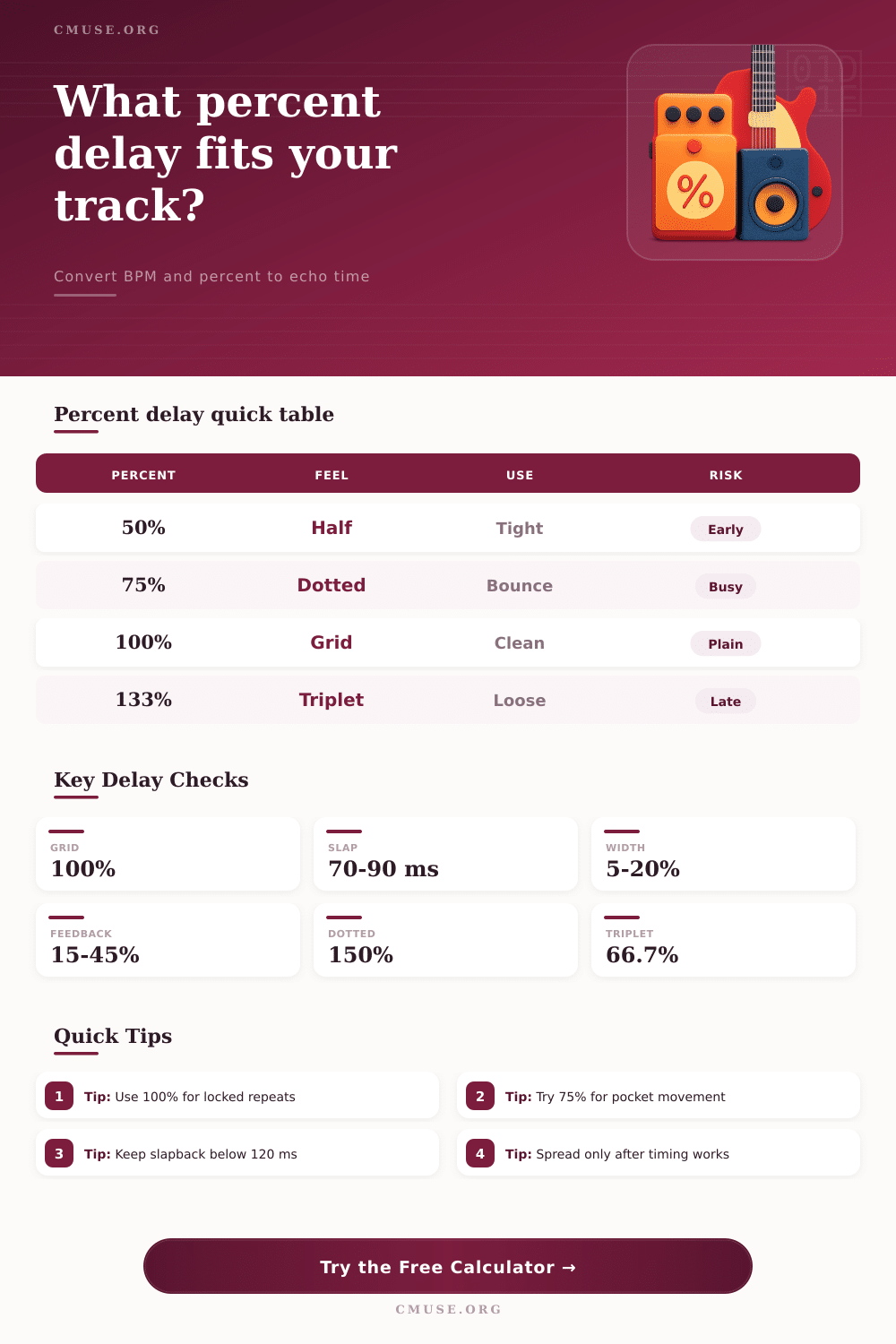
Percent delay are a method of setting delay time based on the percentage of the musical note value. Using percent delay allow music creator to maintain a musical relationship between the delay and the tempo of the song. Additionally, percent delay ensure that the delay timing remain consistent, even if the tempo of the song change.
To determine the delay time with percent delay, producer begin with a musical note value and apply a percentage to that musical note value. For example, producer can use a dotted-eighth note as their musical note value and apply a percentage to that musical note value to determine the delay time. Even if the tempo of a song changes, the percent delay setting will maintain the relationship between the song’s tempo and the delay time.
How to Use Percent Delay in Songs
The timing of the delay can impact how the delay interact with other element in the song’s mix. A delay that is slightly off from the grid can sound naturaly to listeners. However, if the delay is too far forward on the beat, it may conflict with the song’s drum.
Engineers often use percent delay to give element of a song movement without adding complexity to the mix. For example, slapback delay have a delay time between 70 and 120 milliseconds. However, the ideal delay time will change with the tempo of the song.
At fast tempo, a delay time in milliseconds will feel more natural. However, at slow tempos, that same value for delay time may result in a delay repeat that is too easy to notice. Additionally, percent delay make the musical element with the delay sound musical even when the tempo changes or when the drummer didnt play on the click.
The feedback setting for delay effect determine the number of repeats of the delayed sound. Using high value for feedback will create delay with more repeats of the delayed sound than lower feedback settings. Additionally, high feedback setting will make the delayed sound take up more space in the mix.
However, high feedback settings will make it easier for the listener to notice any error in the delays timing. For example, if the delay is slightly early, the number of repeats will sound rushed. However, if the delay is slightly late, the repeats will smear the groove of the song.
Producer can set the delay’s timing before deciding on a feedback setting. Then, they can increase the feedback setting until the delay mask the original sound. Decay time determine how long the delayed sound will remain audible to the listener before the delayed repeats fall below the level of the noise floor in the mix.
Stereo spread determine the width of the delay repeats. Small stereo spread setting will make a mono delay sound as if it is coming from a wider area in the mix without taking the delay too far from the center of the mix. High stereo spread setting will take the left and right delay sound further apart.
High stereo spread settings work well for guitar player who want to create the effect of an atmospheric guitar sound. However, high stereo spread setting can create phase problem when the mix is translated to mono mix. Additionally, the setting for groove shift and manual offset allow producer to make small adjustment to the timing of the delay.
For example, negative value for groove shift will pull the delay repeat forward to make a vocal sound tight. A positive value for groove shift will push the delay repeat back to give space to other element in the song, such as guitar part. However, there are some common mistake that may be made when using delay effect.
One of the common mistake is treating every element of a song with a delay effect as if it is to have many repeat of that element. Instead, short delay with low feedback setting may be used to simulate early reflection off of the environment in which the song was recorded. Another mistake is setting the wet mix to a high value while finding the perfect delay timing for an element.
If the wet mix is too high, the level of the delayed sound may compete with the level of the original element in the song. High level for the delay will make it hard for the producer to judge the delay’s timing. Lowering the wet mix setting will allow producer to judge whether the timing of the delay is working correct.
The purpose of adding a delay effect to an element of a song is to make the original performance of that element of the song feel more finished. If use correctly, listener wont notice the delay effect on that original element.