Parametric Filter Calculator
Calculate EQ bandwidth, edge frequencies, RBJ biquad coefficients, phase rotation, and headroom from real parametric filter settings.
🎧Presets
⚙Filter Settings
For peaking EQ, this calculator uses the common RBJ audio EQ cookbook biquad form. Shelf and notch modes use the same frequency, Q, and sample-rate checks, with appropriate coefficient equations.
📊Current Filter Spec Grid
📐Q, Bandwidth, and Use Table
| Q Range | Approx Bandwidth | Typical Use | Mixing Note |
|---|---|---|---|
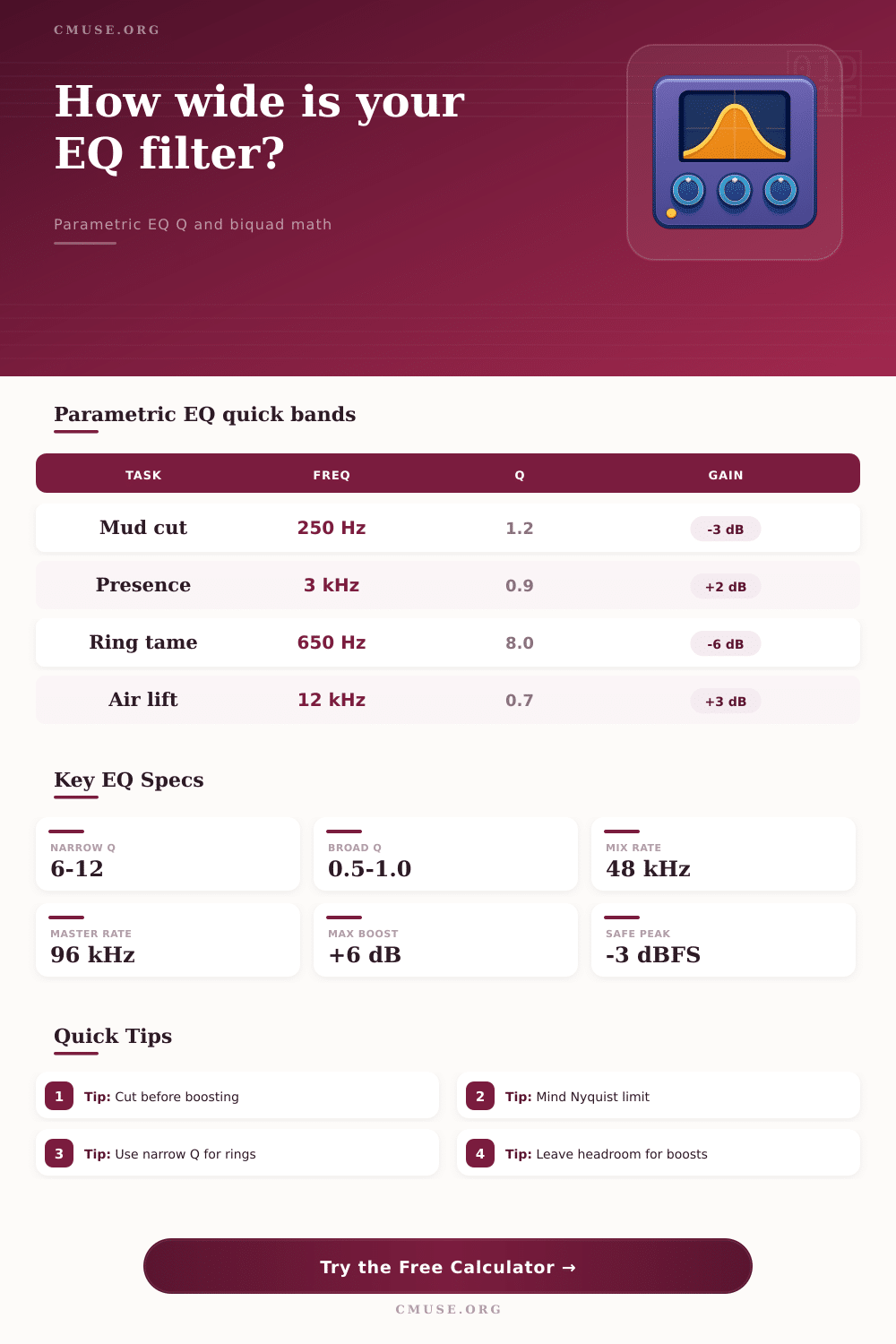
| 0.35 to 0.70 | 2.1 to 4.1 octaves | Tone shaping, shelves, broad boosts | Gentle, musical, less phase-focused |
| 0.80 to 1.40 | 1.0 to 1.6 octaves | Presence, body, air, warmth moves | Common for visible but natural EQ |
| 2.00 to 4.00 | 0.36 to 0.71 octaves | Resonance reduction and focused cuts | Good first stop for ring hunting |
| 6.00 to 12.00 | 0.12 to 0.24 octaves | Whistles, feedback, room modes | Use carefully; easy to hollow a track |
| 16.00+ | Under 0.09 octaves | Very narrow technical notches | Check automation and phase behavior |
🎹Common Parametric EQ Moves
| Source / Task | Starting Frequency | Q | Gain Range |
|---|---|---|---|
| Vocal presence | 2.5 kHz to 5 kHz | 0.7 to 1.2 | +1 dB to +4 dB |
| Vocal mud cut | 180 Hz to 350 Hz | 0.9 to 1.6 | -2 dB to -5 dB |
| Sibilance focus | 5.5 kHz to 9 kHz | 3 to 8 | -2 dB to -8 dB |
| Kick thump | 45 Hz to 80 Hz | 0.8 to 1.4 | +1 dB to +5 dB |
| Snare ring cut | 500 Hz to 1.2 kHz | 4 to 10 | -3 dB to -10 dB |
| Guitar fizz cut | 3.5 kHz to 7 kHz | 2 to 5 | -2 dB to -6 dB |
🔢Biquad Formula Reference
| Term | Formula | Meaning | Applied In |
|---|---|---|---|
| A | 10^(gain / 40) | Linear amplitude term for EQ gain | Peaking and shelf filters |
| w0 | 2 pi f0 / Fs | Digital angular center frequency | All modes |
| alpha | sin(w0) / (2Q) | Controls resonance and bandwidth | Peaking, notch, bandpass |
| BW oct | log2((r + 1) / (r - 1)) | Q converted to octave bandwidth, r = sqrt(4Q^2 + 1) | Bandwidth and edge estimates |
| Magnitude | |H(e^jw)| | Probe response from normalized coefficients | Probe result card |
🎙Preset Scenario Table
| Preset | Filter Setup | Main Result | Best Check |
|---|---|---|---|
| Vocal Presence | Peaking, 3.2 kHz, Q 0.9, +2.5 dB | Broad intelligibility lift | Watch sibilance after boost |
| Mud Cut | Peaking, 250 Hz, Q 1.2, -3.5 dB | Clears low-mid buildup | Compare vocal body in context |
| Sibilance Notch | Peaking, 7.2 kHz, Q 5.5, -4.5 dB | Narrow high cut | Do not dull consonants |
| Kick Thump | Peaking, 60 Hz, Q 1.0, +4 dB | Low-end focus | Leave master headroom |
| Room Mode | Notch, 132 Hz, Q 9.0, deep cut | Very narrow resonance control | Confirm with tone sweep |
When you mix audio, you may encounter a situation where the vocal track sound great by itself but becomes difficulty to hear when the other instrumental tracks is added to the vocal track. You may use an equalizer to try to find room for the vocal track, but you may find that you are guess at where to move the frequency knob on the equalizer. Many people treats the equalizer like a visual tool, but the equalizer is based on mathematical reality of how the audio mix will sound when created.
The Q factor of an equalizer tells you the quality or the sharpness of the equalizer filter. A low Q factor will create a wide and gentle slope on the equalizer. A low Q factor will often sound more naturaly to the listener.
How to Use an Equalizer When Mixing
A high Q factor will create a narrow spike on the equalizer. A high Q factor will act like a surgical tool to remove frequencies from the track. Many people will use a high Q factor to remove every sound that they dont like from a track.
However, using a high Q factor too much will create audio that sound hollow or phasey. To avoid this, people must be careful with the Q factor when using it. The Q factor is also related to the bandwidth of the equalizer.
The bandwidth of the equalizer tells you how many octave of frequency the equalizer will affect. A small change in the Q factor can make a large change in the bandwidth. A large change in the bandwidth can change the character of the instrument that are being mixed.
Many people will think that a narrow filter to a single note will only affect that one note. However, the bandwidth of that narrow filter can affect other notes as well. People must understand the relationship between the Q factor and the bandwidth of the equalizer to have more better control over there mix.
Headroom is important in digital audio to ensure digital audio does not get clip. Headroom relates to the peak level of the signal. If the peak level of the signal is near zero decibel, inserting an equalizer to boost the level of certain frequency can cause the audio to clip.
When this happens, digital distortion will occur in the audio. To avoid this digital distortion in audio, people can estimate the peak level of the audio after using the equalizer. Additionally, if the peak level is going to become too high, people can lower the input gain of the audio before the equalizer hit the signal.
Digital filters will cause phase rotation in the audio. Phase rotation will cause a small shift in the timing of the signal at the center frequency of the digital filter. If people use multiple digital filters on one audio track, the phase shift will accumulate.
The accumulated phase shift can cause audio to lose it’s punch in the low-end and cause the transient of the sound to sound blurred. By monitoring the phase shift at the center frequency, people can monitor any change to the timing of the audio signal caused by the digital filters. Audio engineers often make the mistake of boosting the frequencies on a sound before cutting frequencies on the sound.
People often do this without thinking about the consequence of this action. The better approach for professional engineers is to first cut the frequencies that are in the way of other important sounds in the mix. For example, if a snare drum has a ringing tone, a high-Q notch filter can be used to remove the ringing frequency without affecting the snares snap.
First, engineers should of use a broad cut to find the problem area. Once they find the perfect frequency causing the problem, they can tighten the Q factor of the filter. The audio equalizer use biquad coefficients to create the sound.
These coefficients tell the computer how to process the audio signal. There is no need for people to know the mathematics behind the biquad coefficients to use the equalizer. However, knowing that the equalizer follow a formula will help people understand how it will work when applied to different audio files.
The behavior of the filter can change at 96 kHz of sample rate relative to 44.1 kHz. This is due to the change in the normalized frequency of the sample rate. When mixing audio, people will have to make trade-off between certain settings and others.
For example, every time a frequency is boosted, the headroom for that sound is lost. Every time there is a narrow cut of frequencies, the phase of the audio is also lost. These trade-offs can be made if people stop guessing what settings to use on the audio software and start measuring the bandwidth of the sound and the peak level of the signal.
By doing so, engineers will have a better understanding of the equalizer and be able to carve out headroom for each instrument in the mix.