Pan Pot Law Calculator
Estimate stereo left/right gain, center attenuation, mono sum change, and apparent image position for common pan pot laws.
🎛 Quick Presets
🎧 Pan Law Inputs
📊 Pan Law Spec Grid
📐 Pan Law Comparison Table
| Pan Law | Center L/R Gain | Center Mono Sum | Best Use |
|---|---|---|---|
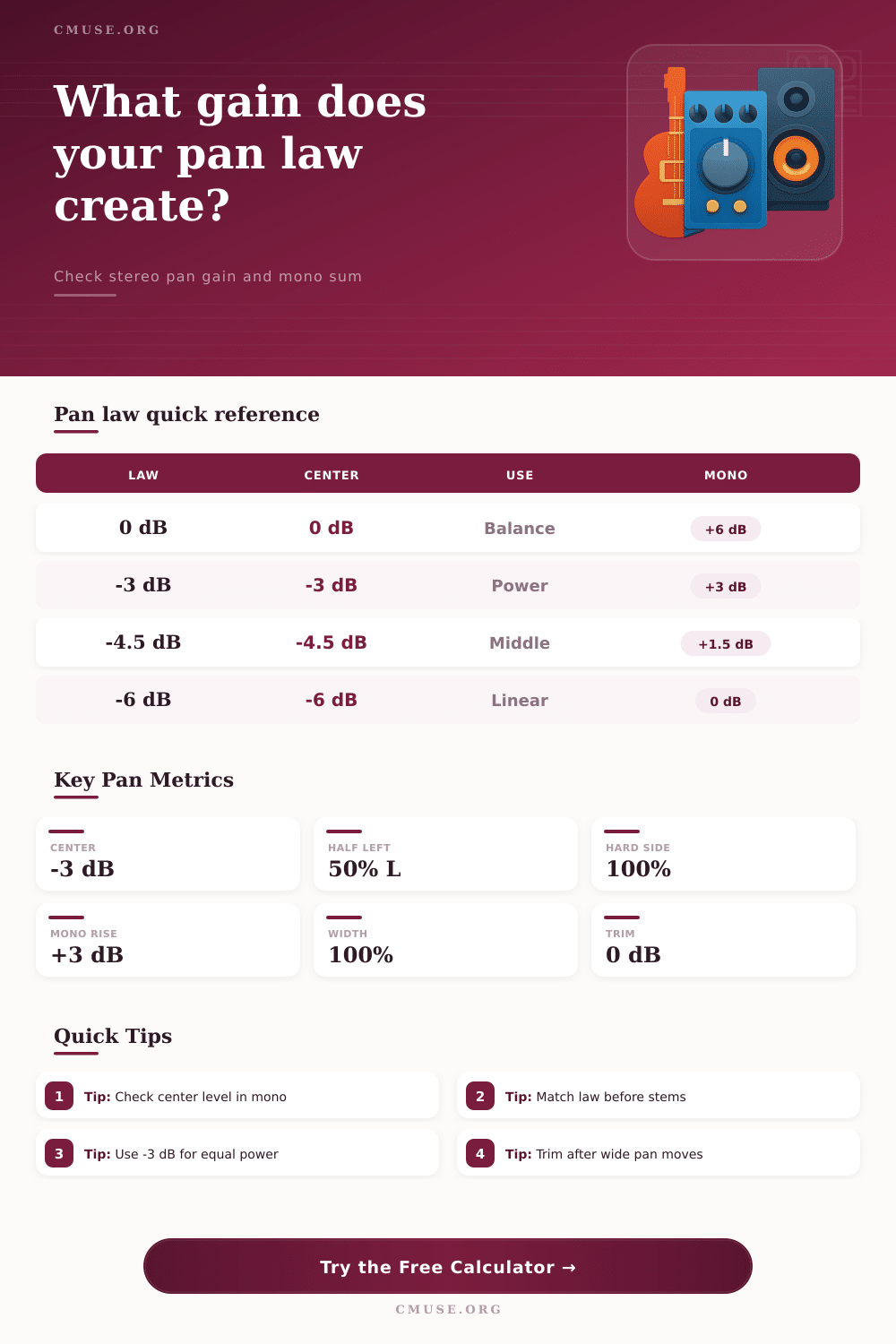
| 0 dB balance | 0.00 dB each | About +6.02 dB | Stereo balance controls, not mono pan pots |
| -2.5 dB | -2.50 dB each | About +3.52 dB | Slightly louder center image |
| -3 dB | -3.01 dB each | About +3.01 dB | Constant power panning and smooth movement |
| -4.5 dB | -4.50 dB each | About +1.52 dB | Middle ground between stereo and mono checks |
| -6 dB | -6.02 dB each | About 0.00 dB | Linear amplitude pan pots and mono consistency |
🎚 Pan Position Reference
| Position | Equal Power Left | Equal Power Right | Image Note |
|---|---|---|---|
| Hard left | 0.00 dB | Muted | All signal to left output |
| 50% left | -0.69 dB | -8.34 dB | Clearly left but still present on right |
| Center | -3.01 dB | -3.01 dB | Matched left/right image |
| 50% right | -8.34 dB | -0.69 dB | Clearly right but still present on left |
| Hard right | Muted | 0.00 dB | All signal to right output |
🔊 Mono Sum and Correlation Table
| Correlation | Meaning | Center -3 dB Sum | Check Result |
|---|---|---|---|
| +1.00 | Fully correlated mono source | +3.01 dB | Common mono pan-pot behavior |
| +0.50 | Partly related stereo material | +1.76 dB | Usually stable in mono |
| 0.00 | Uncorrelated left/right content | 0.00 dB | Power sums without amplitude boost |
| -0.50 | Partly phase-opposed content | -3.01 dB | May thin out in mono |
| -1.00 | Opposite polarity content | Muted | Can cancel at center |
📝 Common Pan Setup Table
| Scenario | Suggested Law | Typical Pan | Watch Point |
|---|---|---|---|
| Lead vocal or bass center | -3 dB or -4.5 dB | 0 | Mono center level and headroom |
| Double-tracked guitars | -3 dB | 60 to 100 L/R | Edge level after hard panning |
| Console-style mono stem | -4.5 dB or -6 dB | 0 to 50 | Compatibility when folded down |
| Automated effects throw | -3 dB | Moving | Perceived level through the center |
| Stereo balance adjustment | 0 dB balance | Small moves | One channel may remain unchanged |
Pan law is the rule that determine how much signal reaches the left and right channel at every position of a pan pot. When a mix is moved from two studio monitor to a single phone speaker, or from two studio monitors to a club PA system, it is common for the center image of the mix to feel either louder or quieter than it felt when the song was being mixed on teh mixing desk. The reason for this difference in loudness levels is that every pan pot follow a specific pan law that dictates how the pan pot controls the volume of the signal that travels through the center of the stereo image.
Many people is aware of the pan law when they pan a sound to the left or the right channel. However, there is another important aspect of the pan law that determines the loudness of a sound in the center of the stereo image when the sound channels on the left and right are added together. Using a pan law of 0 dB, the amplitude of the signal is maintained on both left and right channels when the pan pot is centered.
Pan Law: How Stereo Panning Changes Volume
Thus, using a pan law of 0 dB will cause the mono sum signal to rise by approximately 6 dB. A pan law of -6 dB will drop the signal by 6 dB on each side when the pan is centered. Thus, a pan law of -6 dB will maintain the level of the mono sum signal.
Another pan law is -3 dB, which is located in the middle between the 0 dB and the -6 dB pan laws. This pan law is the most common one used on moddern mixing consoles, as a pan law of -3 dB will maintain the loudness of the mono signal. It is important to match the pan law within a mix, as well as to ensure that the pan law match the pan law of the other songs within an album that a mastering engineer is to master.
Should one song be mixed with a pan law of -3 dB and another song has a pan law of -6 dB, then the vocals for each song will be at different volume level within the song. This inconsistency in volume within a song introduce problems for the mastering engineer, as they will have to adjust the volume of the vocals up and down to even out the loudness of each song. Avoiding this problem involves ensuring that all songs within a project have the same pan law.
The width settings and correlation settings also impact the pan law. Width settings allow for the user to adjust the distance at which a sound will travel before the pan law is applied to the signal. For instance, should the user adjust the width to 140 percent, then a pan move of 30 percent on each channel will have the same effect as a pan move of 42 percent.
This setting will allow for the creation of a wider image of the sound. The correlation settings will also impact the signal. The correlation settings allow the engineers to input how correlated the left and right channels are in terms of their phase.
For instance, a vocal signal centered in the mix is a fully correlated signal on the left and right channels. In contrast, a pad that is panneed to the extreme left on the stereo field or a reverb tail that is panned to the extreme right channels are uncorrelated signals. The use of a sound calculator allows engineers to see how loud each channel will become when panned to the center using different correlation settings.
The environment in which the engineers listen to a song can also have an effect on the perceived pan law. For instance, should a song be listened to within a small treated room, the reflections off of the treated walls may mask the signal buildup in the center of the stereo field. However, headphones do not have the same room sound that masks signal buildup within the center of the stereo field.
Thus, the signal buildup may sound exaggerated when the song is played back through headphones. To combat these different perceptions, engineers will often listen to a mix both through headphones and through small speakers to ensure that the song will translate appropriately to different listening environments. A sound calculator will allow engineers to predict the pan law that will require the least amount of trim when converted to mono, but it will never eliminate the need for engineers to listen to a song.
One of the most common mistake in mixing is the failure to consider the pan law. Engineers may become accustomed to using the default pan law settings, especially when they are focusing on their balance settings. However, should the engineer place a guitar signal to 60 percent of the left channel, and the sound becomes too loud in the center, the engineer should consider that the pan law settings may be the cause of this problem.
A test tone can be played through the center and hard pan positions to reveal whether or not there is a problem with the pan law settings. Often times, engineers will apply width or mid-side processing after setting the pan law. Any changes to the width setting will change the distance at which the sound travels before the pan law is applied.
Thus, the pan law will change, as well. Any mix that is printed in this fashion will exhibit differences between the printed stems and the original session. To avoid this problem, engineers should establish a pan law before beginning to mix the song, use modest width settings, and recheck the level of the mono signal whenever the width or correlation settings are changed.
Engineers do not need to memorize the mathematical tables associated with each pan law. Instead, engineers simply need to become aware of the fact that there signal may be too loud or too quiet when it is centered in the stereo field, and they should be aware of the pan law as the reason for such a loud or quiet signal in the center. By understanding the pan law, engineers can make informed decisions about their choice of pan law, which will allow the engineer to maintain the loudness of their mix from the initial mixing to the mastering stage.