Nyquist Frequency Calculator
Calculate Nyquist limit, usable audio bandwidth, alias foldback, guard band, oversampling headroom, and uncompressed PCM data rate.
🎧 Quick Presets
📊 Sampling Inputs
Nyquist = sample rate / 2,
minimum sample rate = 2 × highest frequency × (1 + guard),
alias = |((frequency + Nyquist) mod sample rate) - Nyquist|.
Calculation Breakdown
🎛 Format Snapshot
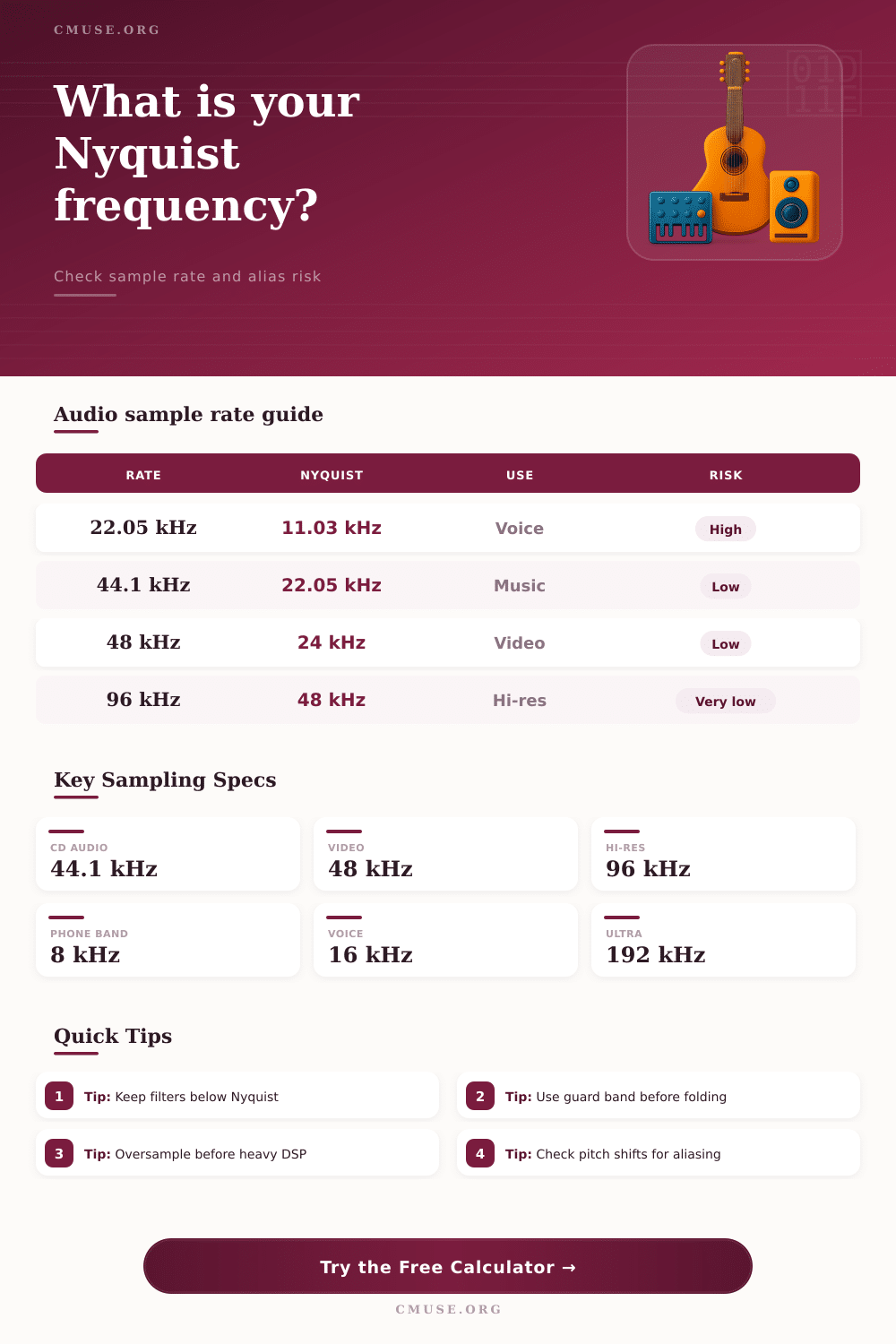
📐 Sample Rate Reference
| Sample Rate | Nyquist Frequency | Typical Audio Use | Practical Note |
|---|---|---|---|
| 8 kHz | 4 kHz | Telephone speech | Voice bandwidth only; music aliases quickly. |
| 16 kHz | 8 kHz | Speech capture and podcasts | Usable for voice, limited for cymbals and air. |
| 22.05 kHz | 11.025 kHz | Low-bandwidth assets | Useful when high frequencies are intentionally removed. |
| 32 kHz | 16 kHz | Broadcast voice and compact media | Can work for spoken content with careful filtering. |
| 44.1 kHz | 22.05 kHz | CD audio and music masters | Enough for audible-band delivery with steep filters. |
| 48 kHz | 24 kHz | Video, film, and game audio | Leaves slightly more transition band than 44.1 kHz. |
| 88.2 kHz | 44.1 kHz | High-resolution music work | Convenient integer downsample path to 44.1 kHz. |
| 96 kHz | 48 kHz | High-resolution production | Good headroom for nonlinear processing and editing. |
| 192 kHz | 96 kHz | Specialized capture or DSP | Large files; mainly useful for extreme processing margin. |
🔀 Alias Foldback Examples
| Sample Rate | Incoming Frequency | Nyquist Limit | Heard Alias |
|---|---|---|---|
| 44.1 kHz | 23 kHz | 22.05 kHz | 21.1 kHz foldback |
| 44.1 kHz | 30 kHz | 22.05 kHz | 14.1 kHz foldback |
| 48 kHz | 27 kHz | 24 kHz | 21 kHz foldback |
| 48 kHz | 36 kHz | 24 kHz | 12 kHz foldback |
| 96 kHz | 52 kHz | 48 kHz | 44 kHz foldback |
| 96 kHz | 75 kHz | 48 kHz | 21 kHz foldback |
🎼 Common Audio Scenarios
| Scenario | Suggested Rate | Bandwidth Target | Reason |
|---|---|---|---|
| Final music delivery | 44.1 kHz | 20 kHz | Matches CD-style audio with enough audible bandwidth. |
| Video production | 48 kHz | 20 kHz | Standard for video timelines and post-production. |
| Podcast speech | 16 to 48 kHz | 7 to 20 kHz | Depends on distribution quality and editing workflow. |
| Virtual instruments | 48 to 96 kHz | 20 to 40 kHz | Extra headroom helps oscillators and modulation. |
| Saturation or distortion | 2x to 8x oversampling | 20 kHz output | Nonlinear processors create harmonics above Nyquist. |
| Archival capture | 96 kHz | 40 kHz | Leaves generous transition room for later processing. |
💾 Data Rate Comparison
| Format | PCM Data Rate | 1 Minute Size | Nyquist |
|---|---|---|---|
| 44.1 kHz, 16-bit, stereo | 1.41 Mbps | 10.58 MB | 22.05 kHz |
| 48 kHz, 24-bit, stereo | 2.30 Mbps | 17.28 MB | 24 kHz |
| 96 kHz, 24-bit, stereo | 4.61 Mbps | 34.56 MB | 48 kHz |
| 192 kHz, 24-bit, stereo | 9.22 Mbps | 69.12 MB | 96 kHz |
When you record a guitar through an audio interface, you may hear a harsh metallic sound coming from the recording even though that metallic sound was not present in the room in which the guitar was recorded. This metallic sound is created due to the folding of a frequency back onto itself during the sampling process. Folding occurs when the sound wave is traveling at a rate more fast than the audio interface’s ability to sample the incoming sound wave.
While many people consider sample rate to be a quality setting for the audio interface, the sample rate is actualy a physical limit on the sound wave as it relates to the frequencies that the system can capture. The physical limit of the audio interface is referred to as the Nyquist frequency which exists at half the sample rate. Any frequencies that is present in the sound wave that exceed the Nyquist frequency of the audio interface will be represented inaccurately by the interface.
Why Guitar Recordings Can Sound Metallic
As a result, those frequencies will fold back into the audible range. For instance, any sound that has a sample rate of 48 kHz will have a Nyquist frequency of 24 kHz. Because 24 kHz is generally considered to be insufficient for musical instruments and distortion effects, a Nyquist frequency of 24 kHz will often not be sufficient to adequately sample the instruments that are to be played.
Any energy in the sound wave that move past the Nyquist frequency does not simply vanish from that sampling. Instead, that energy folds back into the audible range as an unrelated tone. To avoid folding back into audible frequencies, you can calculate the sample rate of the audio interface in relation to the highest frequency you wish to sample, and establish a guard band between that frequency and the Nyquist frequency.
This guard band is implemented into the audio signal in order to allow for an anti-alias filter that cuts off frequencies higher than the guard band to perform more smoothly; very steep filters can introduce phase distortion into audible frequencies, and using a guard band allows the anti-alias filter to be gentler on the audible range of the audio interface. The sound file size calculator located on this page can calculate Nyquist frequency, guard band, and anti-alias filter settings if you enter the highest frequency you wish to sample, the cutoff frequency for your anti-alias filter, and the percentage of the Nyquist frequency that you would like to allow as a guard band. When pitching up a sample, every frequency in the sample is multiplied by the pitch value.
This can create problems if one of the frequencies in the sample is such that when that frequency is multiplied by the pitch value, that frequency exceed the Nyquist frequency of the audio interface; it will fold into audible frequencies. The calculator will show the Nyquist frequency of the audio interface and also whether aliasing will occur in the pitched sample. You should use this sound file size calculator to determine if you are aware of the risk of aliasing, as pitching musical samples up can easily result in crossing the boundary of the sampling rate.
Oversampling works in the opposite manner to pitching up a sample. By sampling at rates like four or eight times the sample rate at which the audio file will be played back, the Nyquist frequency move into the higher range. This higher range allows for non-linear processing stages to create new harmonics without those harmonics folding back into audible frequencies.
Although the audio signal is passed through a filter to remove data from frequencies other than those that were sampled at the initial rate, the discarded data ensures that the audible data will not contain the metallic artifacts that folding can introduce when sampling at base rates. This calculator reveals both the Nyquist frequency of the audio interface and the oversampled Nyquist frequency. The file size of an audio file is directly related to its sample rate, bit depth, and the number of channels.
A file that has a sample rate of 96 kHz and is 24-bit stereo will contain twice the amount of data as the same length file that is sampled at 48 kHz and is 24-bit stereo. As such, this data is important for those who is interested in the data transfer of these files over slow data connections. The same factors that avoid aliasing also impact the cost of storing these sound files.
This sound file size calculator can calculate the amount of data to be stored based on the sample rate, bit depth, and the length of the sound file. Not all audio projects require the same amount of risk regarding aliasing. Spoken word podcasts, for instance, typically do not require any frequencies above 8 kHz; a sample rate of 16 kHz will be sufficient.
However, music that will be released on vinyl records often is sampled at 96 kHz during mixing so that when it is sampled at a lower rate for mastering, there is still a sufficient margin for the highest frequencies of the music to remain in the audible range. These various settings is represented in the reference tables located on this calculator. In addition to the sample rate setting for your audio interface, there are additional factors to consider regarding the Nyquist frequency.
If you intend to use any plugins that add saturation to your audio files, or if any virtual instruments use frequency modulation, your safe sample rate will increase. If you intend to transpose any audio files upward, your safe sample rate will need to be increased as well. By calculating these variables at the start of your audio project, you can avoid accumulating problems that will become apparent once you have mixed your master audio file.
Each of these factors will help you to ensure that every frequency you wish to include in your song remains on the correct side of the Nyquist frequency.