Note Value to Milliseconds Calculator
Convert a written note value into exact delay milliseconds from BPM, beat unit, dots, tuplets, ties, sample rate, stereo offset, and repeat count.
🎛 Delay presets
⚙️ Note value inputs
Calculation breakdown
📊 Live timing cards
🎼 Note value multiplier table
| Written value | Quarter-note units | Dotted units | At 120 BPM |
|---|---|---|---|
| Whole note | 4.000 | 6.000 | 2000 ms straight / 3000 ms dotted |
| Half note | 2.000 | 3.000 | 1000 ms straight / 1500 ms dotted |
| Quarter note | 1.000 | 1.500 | 500 ms straight / 750 ms dotted |
| Eighth note | 0.500 | 0.750 | 250 ms straight / 375 ms dotted |
| Sixteenth note | 0.250 | 0.375 | 125 ms straight / 187.5 ms dotted |
| Thirty-second note | 0.125 | 0.1875 | 62.5 ms straight / 93.75 ms dotted |
⏱ Straight note BPM table
| BPM | Quarter | Eighth | Sixteenth | Whole note |
|---|---|---|---|---|
| 80 BPM | 750 ms | 375 ms | 187.5 ms | 3000 ms |
| 100 BPM | 600 ms | 300 ms | 150 ms | 2400 ms |
| 120 BPM | 500 ms | 250 ms | 125 ms | 2000 ms |
| 128 BPM | 468.75 ms | 234.38 ms | 117.19 ms | 1875 ms |
| 140 BPM | 428.57 ms | 214.29 ms | 107.14 ms | 1714.29 ms |
| 174 BPM | 344.83 ms | 172.41 ms | 86.21 ms | 1379.31 ms |
🔀 Dotted and triplet BPM table
| BPM | Dotted 1/8 | 1/8 triplet | Dotted 1/4 | 1/4 triplet |
|---|---|---|---|---|
| 72 BPM | 625 ms | 277.78 ms | 1250 ms | 555.56 ms |
| 90 BPM | 500 ms | 222.22 ms | 1000 ms | 444.44 ms |
| 110 BPM | 409.09 ms | 181.82 ms | 818.18 ms | 363.64 ms |
| 120 BPM | 375 ms | 166.67 ms | 750 ms | 333.33 ms |
| 150 BPM | 300 ms | 133.33 ms | 600 ms | 266.67 ms |
| 174 BPM | 258.62 ms | 114.94 ms | 517.24 ms | 229.89 ms |
🎚 Delay comparison grid
| Delay choice | Current BPM | Compare BPM | Difference | Typical use |
|---|---|---|---|---|
| Calculate to fill the comparison grid. | ||||
📝 BPM beat-unit reference
| BPM marking | Beat unit | Quarter ms rule | Use case |
|---|---|---|---|
| Quarter = 120 | 1 quarter | 60000 / 120 = 500 ms | Most DAW tempo grids and simple meters |
| Dotted quarter = 80 | 1.5 quarters | 60000 / 80 / 1.5 = 500 ms | Compound meter counted in dotted beats |
| Eighth = 180 | 0.5 quarter | 60000 / 180 / 0.5 = 666.67 ms | Fast click tracks counted as eighths |
| Half = 60 | 2 quarters | 60000 / 60 / 2 = 500 ms | Cut-time or broad conducting feel |
Most people’s first attempt at synchronizing a drum loop with a tape delay will be a rhythmic mess. It is a mud puddle of echo battling against the beat, mathematically it makes no sense.
Intuitively, it seems like you just have to guess at the millisecond number until you gets the right feel. Well, digital audio doesn’t give a flying fig about your feelings. It wants exact divisions of time. Off by a few milliseconds and the rhythm feel loose or rushed. That’s where folks screw up. They think timing is optional…a suggestion, when in fact it are structurally required.
Why You Need to Calculate Delay Time Exactly
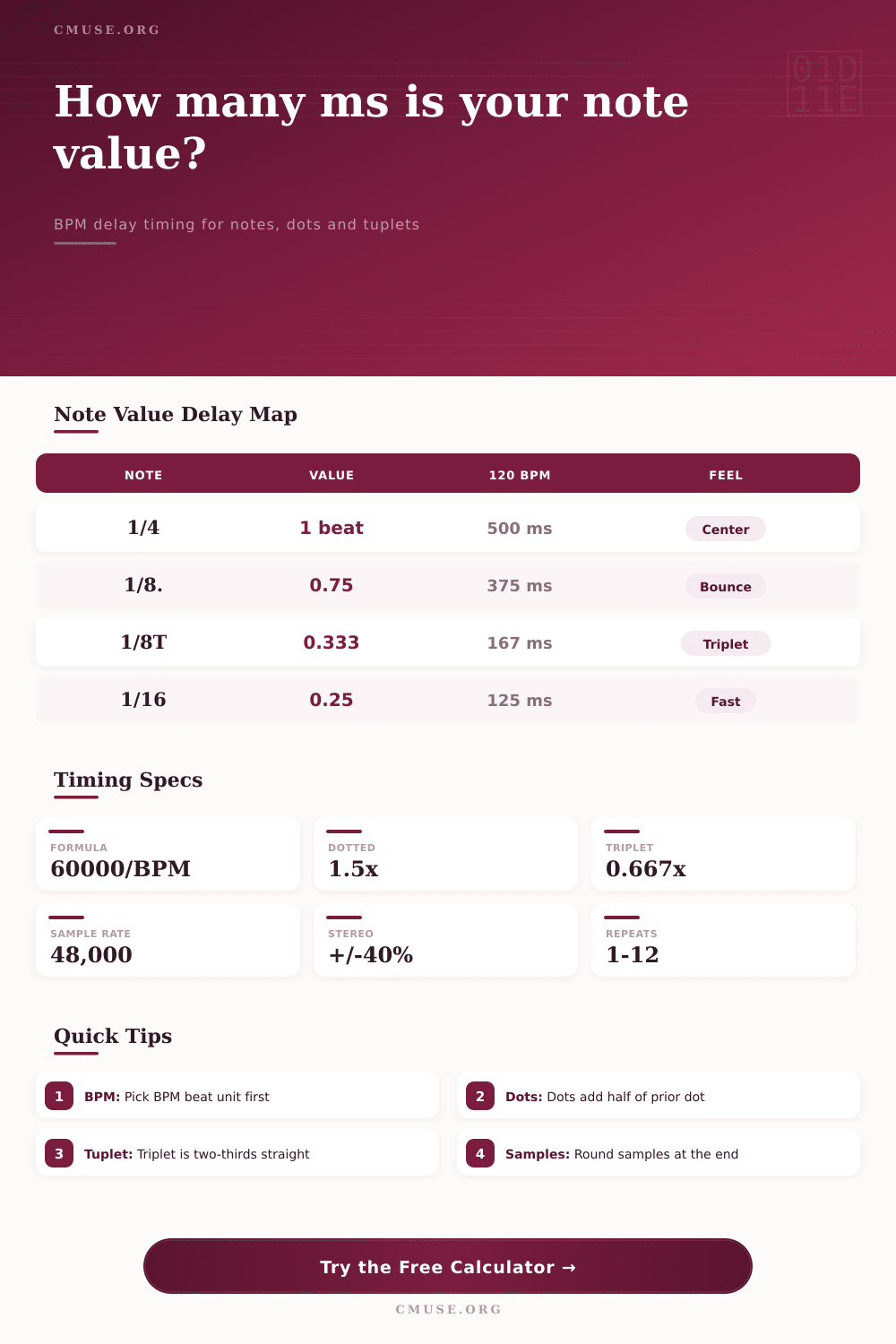
The solution? Convert written music into concrete measurements. A quarter note at one hundred twenty beats per minute is exactly five hundred milliseconds. Two hundred and fifty is an eighth note. Three hundred seventy-five is a dotted eighth. Not close enough. Exact values in a grid. That’s how the calculator does it (above).
It calculates 60,000 divided by your tempo. It knows how many multipliers is required based off the length of the tied notes, the dot on top of a note, or even a tuplet inside it. All you have to do is specify what note value you’re aiming for.
And what’s the actual beat unit in your project? This leads us to one of its pitfalls. This is what we mean by beat. For many current productions, the given tempo are notated in quarter notes. Often the beat is a dotted quarter note in compound meters such as twelve-eight or six-eight. Using an ordinary calculator and plugging in a tempo of eighty BPM without changing the beat unit will give half the delay time required.
This is where the tool come into play. It enables you to choose the beat unit. You can pick the quarter note, the eighth note, the sixteenth note, or even a dotted-quarter note. This make all the difference when maintaining the delay locked to the groove. If you don’t take this into account, your echoes will fall between the beats and create chaos instead of harmony.
Another wrinkle comes in with tuplets. A triplet eighth note is not just a shorter eighth note. Instead, it takes up the same amount of time as two straight eighth note but covers only two-thirds of the space. When you’re calculating this on the fly it’s simple to miscalculate. Multiply by two and divide by three. And if you’re in the midst of mixing that’s an easy mistake to make. The calculator will do those ratios for you automatically.
And there’s an option to add your own offsets. For example, you could of had one channel trailing the other by a certain percentage, which is great for stereo delays. Add a small offset, like ten percent; and suddenly the sound have a wide shimmer. It does not separate the center image.
Keep in mind that sample rate is also important. This is especially true when you’re using something sample accurate, like sample-accurate editing or even hardware delay. One millisecond is forty-eight samples at forty-eight kilohertz. And digital time is quantized to samples. So if you calculate a delay of three hundred seventy-five point five milliseconds, you got yourself a problem because you don’t get half a sample. But you can see how it counts out in samples on the tool, and then you know where to round things off. It is a little detail, but it prevents timing drift and phase issues in high-resolution mixes.
Clarity is the main point. Do you want the echo to obscure the rhythm or help enforce it? Knowing how many milliseconds correspond with each value of note give you a handle on the textural aspect of your mix. Don’t use presets at random anymore. Now you’re designing a delay that complements the songs’ particular feel and tempo.
It’s basic math. And it makes all the difference. Now your echoes will land on the beat, the noise becomes the music.