Nashville Number System Calculator
Convert Nashville numbers into chord names for any key, check capo shapes, estimate section timing, and build a clean chart for rehearsal or session notes.
Preset use: Load a familiar progression style, then change the key, mode, tempo, repeats, or capo fret. Numbers support flats, sharps, minor marks, sevenths, sus chords, add chords, and split bars.
Calculation Breakdown
| Number | Major Default | Natural Minor Default | Common Session Meaning |
|---|---|---|---|
| 1 | Major tonic | Minor tonic | Home chord or tonal center |
| 2 | Minor pre-dominant | Diminished color | Often written 2m, 2m7, or 2dim by style |
| 3 | Minor or secondary color | Flat major mediant | Can lead to 6, 4, or borrowed movement |
| 4 | Major subdominant | Minor subdominant | Lift, pre-chorus, bridge, or plagal motion |
| 5 | Major dominant | Minor or dominant V | Cadence chord, often 5, 5sus, or 57 |
| 6 | Relative minor | Flat major sixth | Common pop loop and deceptive cadence sound |
| 7 | Diminished leading tone | Flat major seventh | Passing, lift, or modal color depending on spelling |
| Progression | Number Form | Example In C | Typical Use |
|---|---|---|---|
| Country three-chord | 1 - 4 - 5 - 1 | C - F - G - C | Verse, chorus, turnaround, simple bridge |
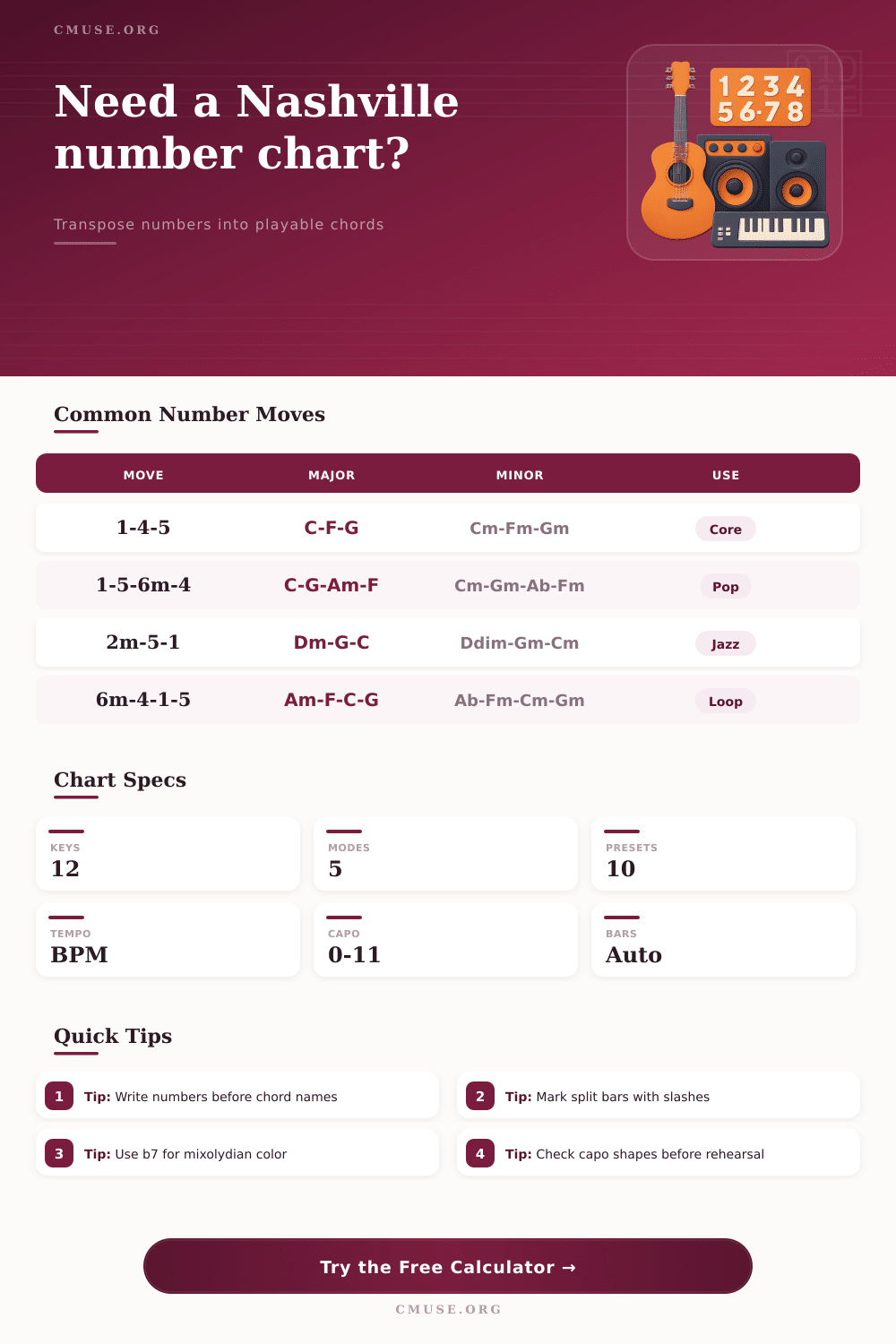
| Pop axis loop | 1 - 5 - 6m - 4 | C - G - Am - F | Modern pop, worship, country crossover |
| Minor loop | 6m - 4 - 1 - 5 | Am - F - C - G | Minor-leaning chorus or dramatic verse |
| Gospel turnaround | 6m7 - 2m7 - 57 - 1 | Am7 - Dm7 - G7 - C | Tag, intro, vamp, church cadence |
| Jazz cadence | 2m7 - 57 - 1maj7 | Dm7 - G7 - Cmaj7 | Standard tune, ending, reharm section |
| Mixolydian rock | 1 - b7 - 4 - 1 | C - Bb - F - C | Rock, roots, blues-based modal color |
| Symbol | Meaning | Example | How Calculator Reads It |
|---|---|---|---|
| m or min | Minor quality | 6m, 2min7 | Adds minor chord quality to the mapped root |
| maj7 | Major seventh | 1maj7, 4maj7 | Keeps the major seventh suffix after the chord name |
| 7 | Dominant seventh or plain seventh mark | 57, b77 | Renders as chord root plus 7 unless maj7 is specified |
| sus | Suspended chord | 5sus, 1sus4 | Preserves the suspension suffix on the chord root |
| b or # | Chromatic alteration | b7, #4dim | Moves the scale-degree root by one semitone |
| / | Split bar or bass movement | 1/3, 5/7 | Maps both sides, preserving the slash relationship |
| Sounding Key | Capo 1 Shape | Capo 2 Shape | Capo 4 Shape |
|---|---|---|---|
| C | B shape | Bb shape | Ab shape |
| D | Db shape | C shape | Bb shape |
| E | Eb shape | D shape | C shape |
| F | E shape | Eb shape | Db shape |
| G | Gb shape | F shape | Eb shape |
| A | Ab shape | G shape | F shape |
| Bb | A shape | Ab shape | Gb shape |
| B | Bb shape | A shape | G shape |
The Nashville number system is used by musical groups because musical groups often has to move quick and change keys on the songs that they play. Each time a singer shows up with an new song, the bandleader can select the key that the singer will use. Each musician must play the chords in this new key; however, there is no need to write new names for each chord.
Instead, each musician can use scale degrees to indicate the chords that should be played. The scale degrees will be the same regardless of the key that is used to play the song; therefore, each musician can save time and remain on the same map to play the song. The calculator find the proper chords for each key by performing mathematical operations when the musical group selects both the key for which they will perform (performance key) as well as the key that they would like to perform the song in (chart key).
How the Nashville Number System Works
The calculator can provide the proper chord for each instrument by translating the scale degrees to chord names; the other keys remains the same in this process. The difference between these two keys is the most importently in musical settings. For instance, if the singer requires the performance of the song in a whole step higher than the chart key, the calculator will show the proper chords for the musicians to play.
While musicians will still have to select the proper key for the singer, the calculator has performed the work of translating each scale degree to chord names. Musicians use the estimated tempo and the number of beats per bar to calculate the length of each section of the song; each section of the song is played repeatedly. For instance, if a section of the song is four beats long and the tempo is ninety-six beats per minute, the length of the section is approximately ten seconds when played once.
If that section is played twice, the length will be approximately twenty second. This calculation will help musicians to determine if a section of the song will seem short or too long if played repeatedly. Musicians can adjust the number of times that the section is to be played, or they can adjust the tempo.
Each of these adjustments will change the total number of seconds that the section will take to play. By adjusting the number of seconds, musicians can decide if a bridge or chorus should of been given more space to play. A third component of the calculator is the capo settings.
Guitar players often play their song using open chords while the rest of the band is playing in a different key. The capo calculator indicates the chord that will produce the desired sounding key when it is placed on the fret indicated. This tool is helpful for musicians who are learning the song for the first time; they can examine the capo that will be placed on the guitar and understand which chord shapes will produce the proper pitches for the band.
Each song has a particular mode; however, the mode will not change the number of each chord within the Nashville number system. For instance, the second chord within a major mode will be a minor chord, but the same second chord within a mixolydian mode will also be a minor chord, but the mixolydian mode uses a flattened seventh note. The mode selector can be used to apply the mode to each scale degree in the song.
While musicians will still have to select the proper mode for the song with which they are playing, the default chord notes will be displayed for each scale degree. There are reference tables included in the article that provide information about song symbols that are not often used. For instance, split bars, such as a bar that measures 1/3, indicate that the bass player will move while the chord stays the same.
A b7 symbol indicates a chromatic approach to the chord that is used within the mode, but which is not often played. These symbols is used as a form of shorthand notation for musicians who are experienced in playing the song. These reference tables allow musicians who are just beginning to play the song to understand these symbols.
Musical groups rarely play a song exactly as it is written in the written chart. For instance, musicians often add chords to certain songs, or the drummer may change the beat that they use to play a turnaround. The Nashville number system is helpful in these cases because each number represents a function of each chord rather than the name of the chord.
Thus, musicians will understand each function of the chord, and will be able to make changes to the song. The calculator will establish the chords needed to play the number system; however, it is up to the musicians and the room to decide what will happen during the performance of the music. The main advantage of using the Nashville number system is that it is quick and easy to employ when all members of the musical group enter the room.
Each musician can enter the room, the singer can select the key for the song, and each musician will have the correct chord names within the span of a few seconds. Furthermore, each musician can avoid using arithmetic to find these chords. Therefore, the main advantage of the system is that the musicians use numbers rather than chord names.