MP3 Bitrate Quality Calculator
Estimate MP3 file size, compression ratio, quality score, bits per sample, upload time, and streaming fit from real audio settings.
Load a named starting point for podcasts, music demos, DJ edits, rehearsal files, streaming previews, or archival MP3 exports. Each preset updates duration, bitrate mode, channels, source material, encoder assumptions, and target file-size limits.
Core formulas: file size MB = bitrate kbps x duration seconds / 8 / 1000; PCM bitrate = sample rate x channels x 16 bits; compression ratio = PCM bitrate / MP3 bitrate; bits per sample per coded channel = bitrate / sample rate / channel factor.
File Size
Converts bitrate and duration into megabytes, then applies the metadata allowance.
MB = kbps x sec / 8000Compression Ratio
Compares 16-bit PCM source data against the final MP3 data rate.
Ratio = PCM kbps / MP3 kbpsBits Per Sample
Shows how many coded bits are available per sample after channel mode.
bps = kbps x 1000 / Fs / chQuality Score
Rates bitrate against source complexity, channel mode, VBR efficiency, and encoder quality.
Score = bitrate / target x factorsFull Calculation Breakdown
| Bitrate | Size per minute | Size per hour | Stereo music quality | Speech use | Typical listening note |
|---|---|---|---|---|---|
| 48 kbps | 0.36 MB | 21.6 MB | Low for stereo | Fair mono | Usable for voice, weak for cymbals and ambience |
| 64 kbps | 0.48 MB | 28.8 MB | Low | Good mono | Common for voice when file size is tight |
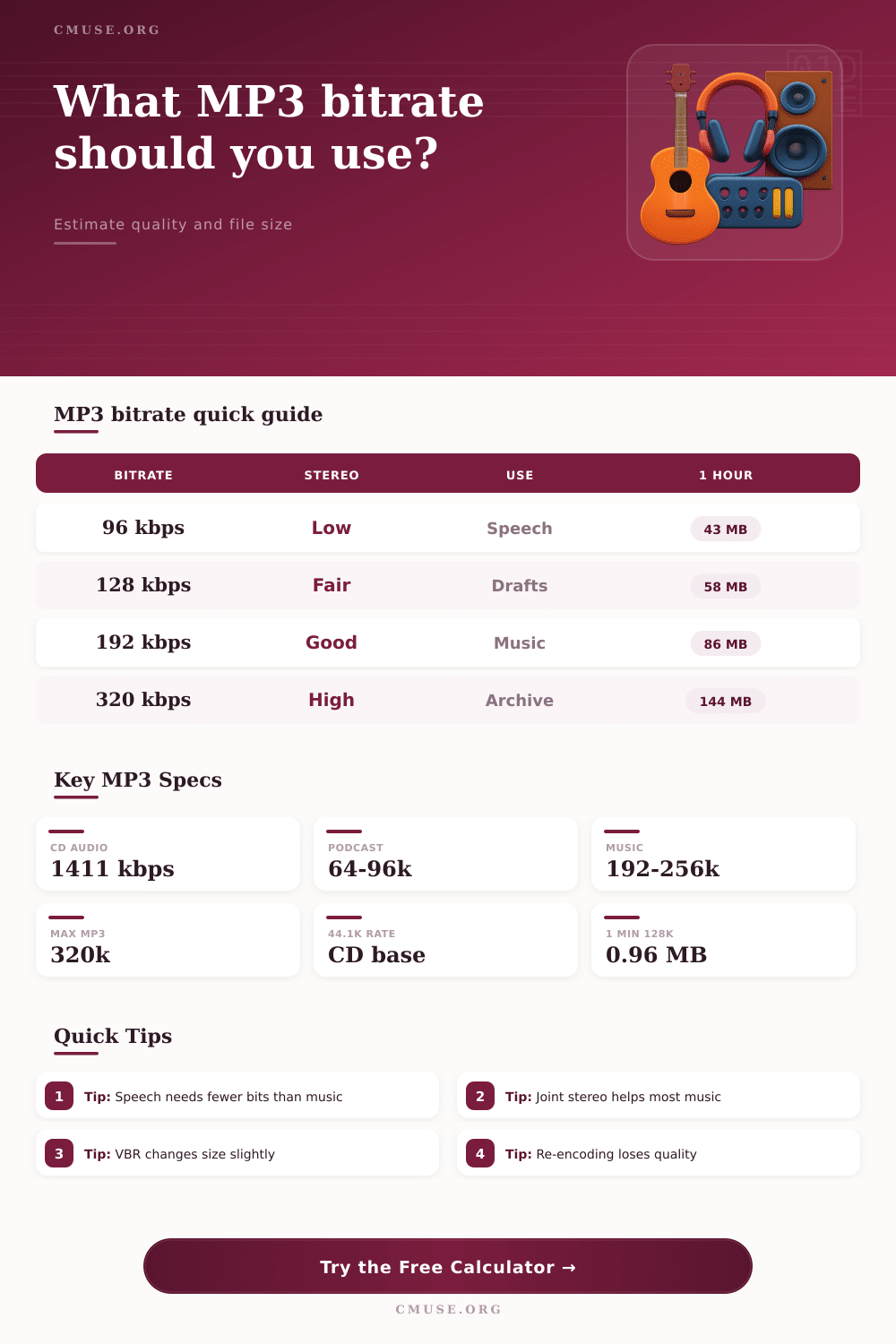
| 96 kbps | 0.72 MB | 43.2 MB | Fair | Strong | Good podcast stereo floor, music artifacts remain audible |
| 128 kbps | 0.96 MB | 57.6 MB | Fair to good | High | Useful for drafts, background playback, and simple mixes |
| 160 kbps | 1.20 MB | 72.0 MB | Good | High | Reasonable balance for many pop and acoustic exports |
| 192 kbps | 1.44 MB | 86.4 MB | Good | Overkill | Solid general-purpose music sharing setting |
| 256 kbps | 1.92 MB | 115.2 MB | Very good | Overkill | Better for dense arrangements, reverb tails, and bright material |
| 320 kbps | 2.40 MB | 144.0 MB | Highest MP3 CBR | Overkill | Largest common MP3 setting for compatibility copies |
| Source material | Minimum practical | Good target | High target | Complexity factor | Why it matters |
|---|---|---|---|---|---|
| Speech, audiobook, interview | 48 kbps mono | 64-96 kbps | 128 kbps | 0.62 | Voice has narrower bandwidth and fewer masked layers |
| Acoustic music or piano | 128 kbps | 192 kbps | 256 kbps | 0.95 | Attacks, room tone, and decays reveal low bitrates quickly |
| Full band or pop mix | 160 kbps | 192-256 kbps | 320 kbps | 1.00 | Dense midrange and drums need a steady bit reservoir |
| Electronic music or dense synths | 192 kbps | 256 kbps | 320 kbps | 1.08 | Bright transients and stereo effects can stress the encoder |
| Live room or rehearsal recording | 128 kbps | 160-192 kbps | 256 kbps | 0.90 | Noise and ambience mask some artifacts but reduce clarity |
| Very bright or complex audio | 192 kbps | 256-320 kbps | 320 kbps | 1.18 | Cymbals, distortion, and wide stereo images need more data |
| Mode | Size behavior | Quality behavior | Best use | Calculator handling | Caution |
|---|---|---|---|---|---|
| CBR | Most predictable | Same bits every second | Broadcast systems, strict upload specs | Uses selected bitrate exactly | Can waste bits on simple passages |
| ABR | Close to target | Moves bits while holding an average | Long mixes and files with size expectations | Adds a small efficiency bonus | Final size can still drift slightly |
| VBR | Less predictable | Gives hard passages more bits | Music listening files and previews | Blends selected bitrate with VBR profile | Some old systems prefer CBR |
| Project | Duration | Suggested setting | Estimated size | Compression ratio | Use note |
|---|---|---|---|---|---|
| Podcast segment | 20:00 | 64 kbps mono | 9.6 MB | 11:1 vs mono PCM | Small, speech-focused delivery |
| Audiobook chapter | 45:00 | 80 kbps mono | 27.0 MB | 8.8:1 vs mono PCM | Clear narration with modest size |
| Song demo share | 3:30 | 192 kbps joint stereo | 5.0 MB | 7.4:1 vs stereo PCM | Good default for review links |
| DJ mix upload | 60:00 | 256 kbps joint stereo | 115.2 MB | 5.5:1 vs stereo PCM | Better top-end preservation over long mixes |
| Voice memo rehearsal | 8:00 | 96 kbps mono | 5.8 MB | 7.4:1 vs mono PCM | Easy to share while keeping lyrics readable |
| Archive compatibility copy | 4:00 | 320 kbps stereo | 9.6 MB | 4.4:1 vs stereo PCM | Highest common MP3 setting, still lossy |
| Source format | PCM bitrate | 1 minute PCM | 128 kbps ratio | 192 kbps ratio | 320 kbps ratio |
|---|---|---|---|---|---|
| 22.05 kHz mono, 16-bit | 352.8 kbps | 2.65 MB | 2.8:1 | 1.8:1 | 1.1:1 |
| 44.1 kHz mono, 16-bit | 705.6 kbps | 5.29 MB | 5.5:1 | 3.7:1 | 2.2:1 |
| 44.1 kHz stereo, 16-bit | 1,411.2 kbps | 10.58 MB | 11.0:1 | 7.4:1 | 4.4:1 |
| 48 kHz stereo, 16-bit | 1,536.0 kbps | 11.52 MB | 12.0:1 | 8.0:1 | 4.8:1 |
When you download a song, do you ever notice that tin-can sound? No, it’s not your headphones; that’s the limitation of the bitrate. Using aggressive compression in the MP3 format cause those artifacts that hide better at higher data rates. In order to maintain the quality of the audio you desire, you need to know where it leaves off and where the audio starts.
You can use this page’s calculator to figure out exactly how long a file will take to upload, and what size it’ll be. But that isn’t as important than understanding what these numbers is telling us in the first place. Bitrate refers to amount of data that flows into your ears every second. As number goes up, so does the detail (particularly on complex layers of instrument and higher frequencies). When the number go down, then we’re talking about the encoder throwing out certain sounds, typically ones beyond human hearing range or overpowered by other louder sound. The question becomes: Are those thrown-out sounds part of the mix you want?
How to Choose the Right Bitrate for Audio Files
Music also doesn’t tolerate compression as well as speech does. Because the human voice use a narrow range of frequencies and isn’t very complex with its transients (those thing that trip up the algorithm in a compression), it can be easily compressed down to 96 kbps mono with clarity. However, when you get into world of music, you’re dealing with elements that is more chaotic like distorted guitars and crashing cymbals. Compressing a dense pop song to 128 kbps stereo is probably going to reveal muddy low ends and pre-echo on the drums. To compensate for this, you can choose how complex your source material is which affects quality score. For example, an acoustic piano track will perform better at lower bit rates than a wall of distorted electric guitars.
Finally, don’t neglect to pay attention to channel mode. Discrete stereo treats each ear independently, it wastes data if the tracks are largely the same. If the material in both ears is nearly identical, this waste data. For example, if you’re encoding dialogue with ambient sound effects, there’s no need to give each side completely different information, it will just waste space. Joint stereo allow the encoder to encode as one full channel and one mid-side representation (which keeps the left-right spacing) unless there’s some difference audible in both ears. This make better use of bits for passages of silence/mono, but keeps useful spatial information on those sections where it does make a difference. In most cases, this result in a cleaner-sounding file at a given bit rate.
Variable bitrate encoding saves on space because it will give less bits to an easy section of music and more to a complex chorus. VBR usually deliver better average sound quality at the same file size. However, not all older equipment can handles VBR files. Constant bitrate is safe and reliable. That’s why it’s still used by broadcast systems. So should you make your file sound best where it matters? Or do you care if it plays on everything? Make up your mind: Do you want a file that sounds best everywhere, or one that will play everywhere?
Silently, re-encoding will destroy your audio. New compression artifacts gets added to existing ones with each new conversion to another format. This happen even when converting an MP3 again, even if it was a high-quality original. Loss compounds fast. For the regular audio editor, this means having lossless master file is vital. Export a smaller version when needed, but once the bits are gone they’re gone.
To plan bandwidth or storage, there’s a handy reference table on the page so you don’t have to guess. For instance, an hour long DJ mix in 320 kbps will be more than a hundred megabytes, while a three-minute song will be around seven megabytes. That is small enough to fit comfortabley onto just about any device. The warning here: If you’re streaming this over your mobile data connection, that will make a difference.
All things considered, deciding on a bitrate is a matter of striking a balance between the nature of the material being recorded and the practicalities involved in recording it. Some music is complex; some speech isn’t that fussy about fidelity. Record to match needs, avoiding wasting space by using too much precision while ensuring you don’t lose clarity where it matters most. Whether you’re saving decades worth of recordings to an archive or sending a friend a demo, the math is the same, though it’s up to you. If it sounds right in your ears, start there and tweak away.
You should of known that.