MIDI CC Value Calculator
Convert any control change value into percent, 14-bit MSB/LSB bytes, a scaled physical range and a dB volume level – for 7-bit and 14-bit high-resolution CC
Full Calculation Breakdown
| CC Value | Percent | Scaled | dB |
|---|---|---|---|
| — | — | — | — |
| CC # | Controller | Typical Use | Default |
|---|---|---|---|
| CC1 | Modulation Wheel | Vibrato / depth | 0 |
| CC7 | Channel Volume | Track loudness (dB) | 100 |
| CC10 | Pan | Left / right position | 64 |
| CC11 | Expression | Dynamic swell (dB) | 127 |
| CC64 | Sustain Pedal | 0–63 off, 64–127 on | 0 |
| CC71 | Resonance | Filter emphasis | 64 |
| CC74 | Filter Cutoff | Brightness | 64 |
| CC91 | Reverb Send | Reverb amount | 0 |
| CC93 | Chorus Send | Chorus amount | 0 |
| 7-bit Value | Percent | dB = 40×log10(v/127) | Sound |
|---|---|---|---|
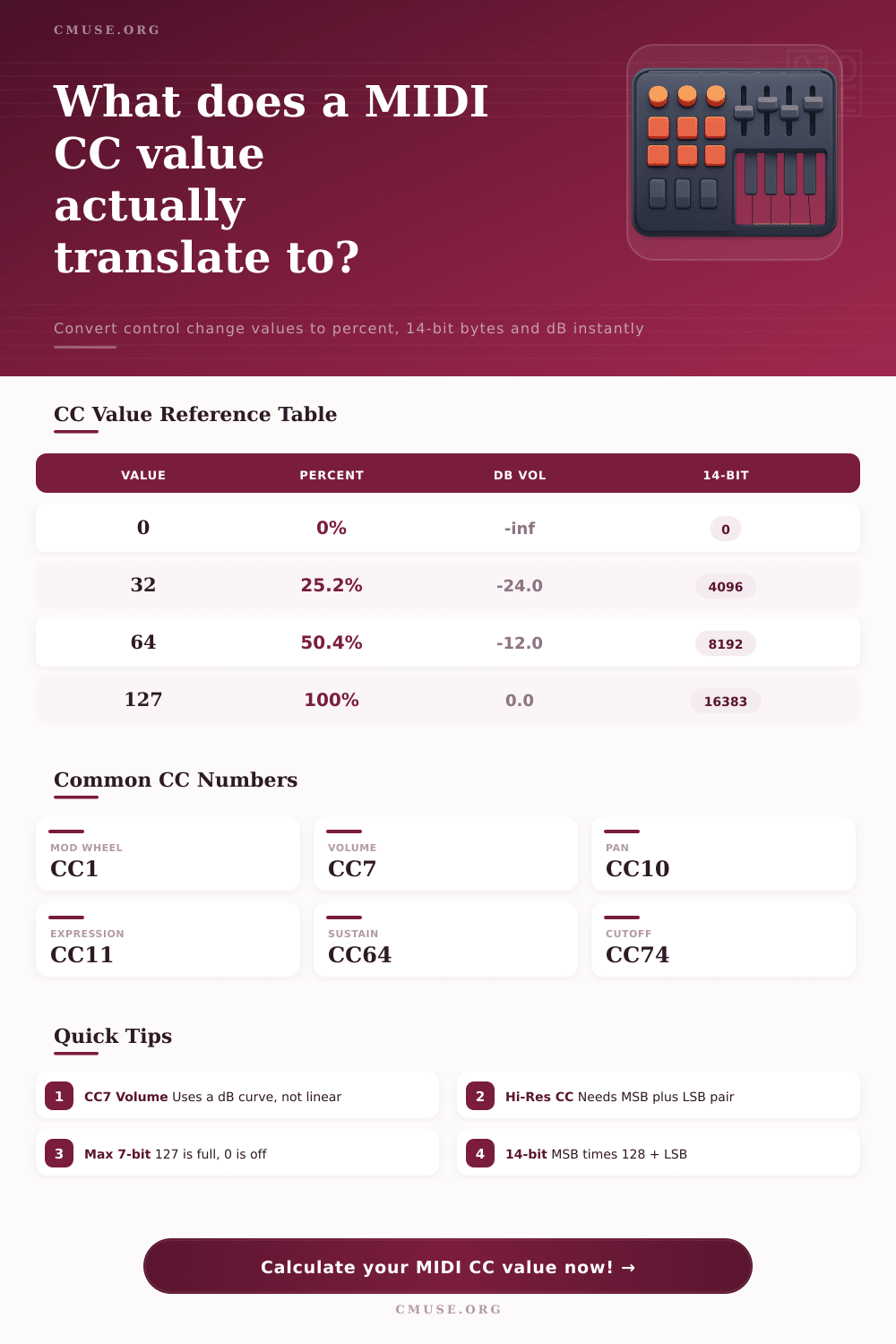
| 0 | 0% | −∞ dB (silence) | Muted |
| 32 | 25.2% | −24.0 dB | Quiet |
| 64 | 50.4% | −12.0 dB | Medium |
| 96 | 75.6% | −4.9 dB | Loud |
| 127 | 100% | 0.0 dB (unity) | Full |
| Property | 7-bit (Standard) | 14-bit (Hi-Res) | Notes |
|---|---|---|---|
| Value range | 0–127 | 0–16383 | 128× finer |
| Controllers | One CC (0–31+) | MSB + LSB pair | LSB = MSB + 32 |
| Combine math | value | MSB × 128 + LSB | e.g. 64×128+0 |
| Center point | 64 | 8192 | Pan / balance |
| Total steps | 128 | 16384 | Smoother sweeps |
This is about modulation depth. How much depth do you put into your modulation? You probably spend quite a bit of time tweaking this around.
You turn knob on your controller and it changes something. Then, when you try to do that in software, you can’t seem to replicate it as well. Why? Because the way you feel things with your hand is not necessarily translate by the computer. Is the technology faulty? No, it’s simply a common frustration with music production.
Understanding MIDI Numbers and Settings
The control change values within MIDI don’t always translate as you’d expect them to. Not because they’re bad technology but because many folks use them without realy knowing how it all works. After entering your controller settings into the calculator on this page it will do the math for you so you won’t have to guess when a number like ninety-five on an expression pedal equates to three quarters volume or whatever.
Many users mistakenly believe that a MIDI value relate directly to a physical setting in a straight line. However, this misconception can cause mixes to lack clarity. Human ears don’t hear loudness as numbers do. For example, channel volume follow a logarithmic curve. So just because a control value is sixty four doesn’t mean the loudness is half way through at fifty percent. It’s actualy closer to minus twelve decibels, sounding far quieter then the number would indicate.
Consequently, using raw numbers to set levels results in tracks sounding far too quiet. The conversions are necessary so you’ll be able to trust what you’re hearing rather than the display.
Another place that your intuitive sense doesn’t work is with how much resolution there is between seven bits and fourteen bits. Standard controllers outputs their data in steps from zero up to one hundred twenty-seven. There are then one hundred twenty-eight unique position available. On the surface of it, that sounds like plenty, until you attempt to make a slow change of a filter cutoff across several bars. Then you hear each change as a slight jump or click instead of a gradual transition.
By using high-resolution MIDI you’re transmitting two messages at once, greatly improving its accuracy. For each parameter you have sixteen thousand three hundred eighty-four possible settings. What was previously stepping through positions now become a gradual slope.
Mapping hardware to software mean knowing these values and being able to make a decision about where to focus your efforts. For example, if you’re automating volume then you need to know how to calculate decibels. If you’re changing something like pitch or modulation, a linear percentage will typically is better.
The reference table on the page show that sixty-four is the middle pan value. However, it sounds quite quiet compared to what you would expect for a volume level. It is not just theory, either. It will affect your choice of default preset settings. For example, if you have a synth whose resonance can go up to one hundred percent and you choose sixty-four with a belief that you’ve made it neutral, you may well have set it too high and risked clipping as soon as you lift the filter cutoff.
Many producers often see MIDI as an abstract set of code instead of a physical control signal. It’s not, every single number represent either a resistance change (in older gear) or voltage level. Knowing this translation will enable you to anticipate how something will respond before using it. For instance, you’d know that moving a fourteenth bit encoder slightly would result in a slight adjustment. In contrast, the same motion on a regular seven-bit fader could leap to the next value.
It makes your workflow different: you no longer battle the interface but work with maths behind it. In the end these conversions make it easy to get familiar with and remove the guesswork from your signal chain. Once you input a value of one hundred twenty-seven, you know you’ve added X amount of gain. And if the value is zero, you’ll be able to intuitively understand why that doesn’t necessarily equal silence, depending on the curve used.
It makes what was a bunch of random numbers translate into clear sound changes. The next time you open an intimidating patch, you can see the numbers. They are nothing more than coordinates within a system you can now navigate.