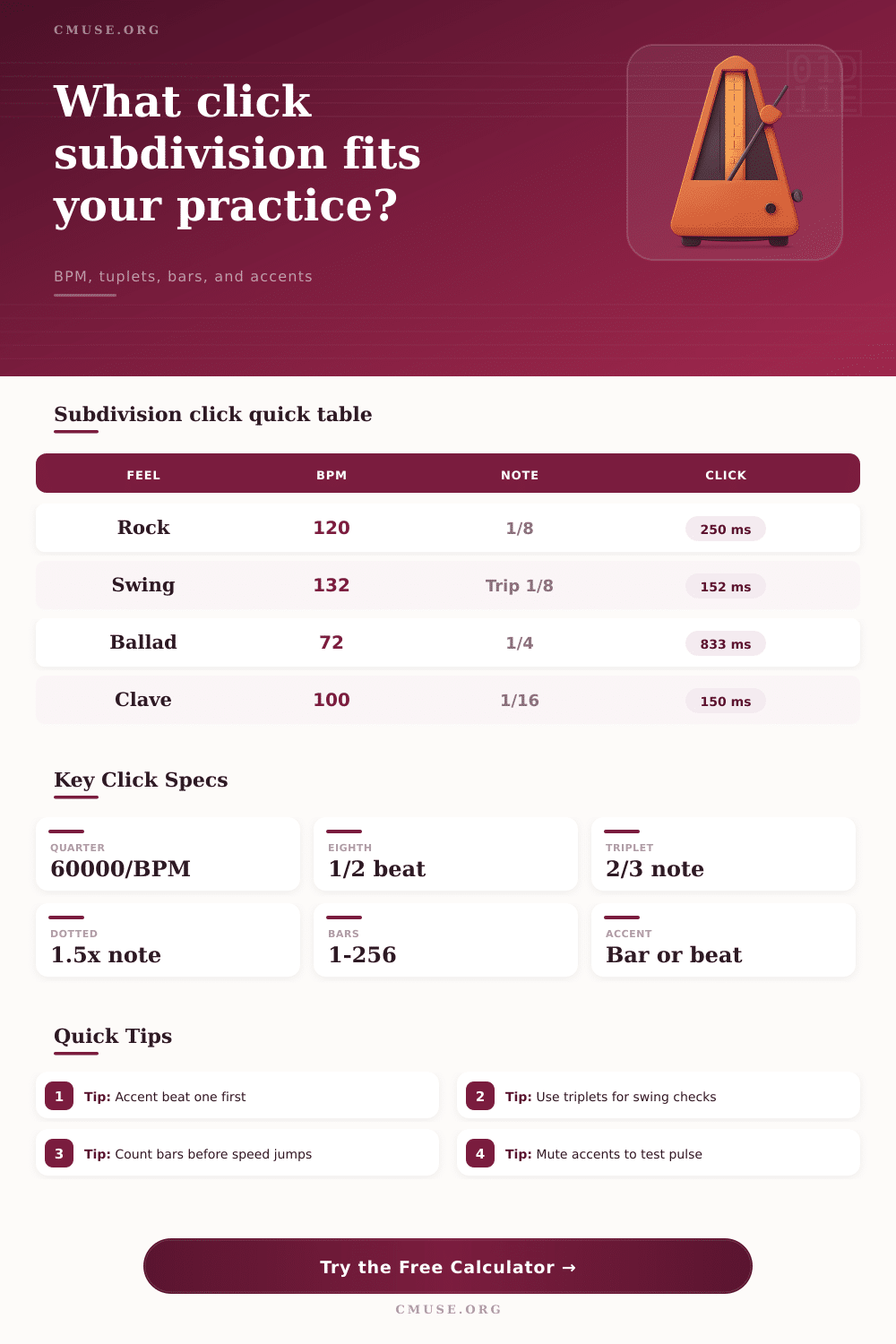
Metronome Subdivision Calculator
Convert BPM, meter, note value, tuplets, dotted feel, bars, and accent behavior into exact click intervals, click frequency, and practice-length counts.
🎵 Practice And Groove Presets
Each preset loads a full metronome scenario: tempo, time signature, subdivision, tuplet feel, dotted or swing shaping, bars, count-in, and accent placement.
⚙ Click Timing Inputs
📊 Current Click Spec Grid
⏱ Note Value Timing Reference
| Note Value | Quarter Multiplier | 90 BPM | 120 BPM | 160 BPM |
|---|---|---|---|---|
| Whole note | 4.00x | 2666.7 ms | 2000.0 ms | 1500.0 ms |
| Half note | 2.00x | 1333.3 ms | 1000.0 ms | 750.0 ms |
| Quarter note | 1.00x | 666.7 ms | 500.0 ms | 375.0 ms |
| Eighth note | 0.50x | 333.3 ms | 250.0 ms | 187.5 ms |
| Sixteenth note | 0.25x | 166.7 ms | 125.0 ms | 93.8 ms |
🔀 Tuplet And Dotted Multipliers
| Timing Modifier | Multiplier | Use Case | Example From 1/8 at 120 |
|---|---|---|---|
| Straight | 1.000x | Even pulse grids | 250.0 ms |
| Dotted feel | 1.500x | Dotted eighth pulse | 375.0 ms |
| Triplet | 0.667x | Swing and 12/8 checks | 166.7 ms |
| Quintuplet | 0.800x | Five-note bursts | 200.0 ms |
| Septuplet | 0.571x | Advanced odd groups | 142.9 ms |
🥁 Groove Preset Reference
| Preset | Meter | Subdivision | Accent Idea | Typical Goal |
|---|---|---|---|---|
| Rock Eighths | 4/4 | 1/8 straight | Every beat | Lock down steady downbeats |
| Swing Triplets | 4/4 | 1/8 triplet | Backbeats | Place long-short swing evenly |
| Funk Sixteenths | 4/4 | 1/16 straight | Beat accents | Control ghost-note grids |
| Odd 7/8 Drill | 7/8 | 1/8 straight | Bar starts | Feel odd-meter bar length |
| Latin 6/8 Bell | 6/8 | 1/8 straight | Clave-style | Separate compound pulse layers |
📝 Bar Count And Accent Examples
| Practice Pass | Settings | Clicks Per Bar | Total Clicks | Accent Count |
|---|---|---|---|---|
| 8-bar pop phrase | 120 BPM, 4/4, 1/8 | 8 | 64 | 8 to 32 |
| 12-bar shuffle | 132 BPM, 4/4, triplet 1/8 | 12 | 144 | 24 backbeats |
| 16-bar funk loop | 104 BPM, 4/4, 1/16 | 16 | 256 | 64 beat accents |
| 7/8 odd cycle | 138 BPM, 7/8, 1/8 | 7 | 56 | 8 bar accents |
| 6/8 bell study | 96 BPM, 6/8, 1/8 | 6 | 96 | 48 beat accents |
💡 Practice Timing Tips
A subdivision calculator determine the timing of metronome clicks. Many musicians struggle with the timing of metronome clicks because they may feel that the click speed of the metronome are different than the time signature they require for playing. Using the subdivision calculator, musicians can easily determine the number of click that should fall within a musical bar.
The subdivision calculator requires the musician to enter the tempo, the meter, and the value of the note that they wish to use as a subdivision value. Based on these entry, the subdivision calculator will output the interval between metronome clicks and the length of the exercises. The inputs that users enters into the subdivision calculator will impact the output of the calculator.
How to Use a Subdivision Calculator for Metronome Clicks
The tempo will determine the speed of the quarter note. The denominator of the meter will show whether the quarter notes is the beat or eighth notes are the beat. The subdivision note value can be used to make the beat include more or lesser clicks.
Adding a tuplet will allow the time between clicks to be shortened further. Feel can be changed to dotted or swing note, which will make the longer portion of the notes be stretched out and the shorter portion of the notes be shorten. Each of these parameters has a mathematical ratio to the original quarter note that can be applied to create the new value.
The subdivision calculator will provide two values to the musician. The first is the interval between each metronome click in milliseconds so that the musician can determine if the metronome is slow enough for their playing hands or feet. The interval can also be expressed in hertz if the interval is less than one hundred millisecond.
The other value provided by the calculator is the total length of the exercise and the total number of audible click that will be played. These two values allow the musician to calculate the total length of the exercise including any count-in bars and silent bars that may be played before the exercise begin. The reference table included within the subdivision calculator allow musicians to view the relationship between different subdivisions of musical time.
Tables list the length of different notes at three different tempos. Additional tables shows the effect of tuplets and dotted or swung notes on a single eighth note. These tables are not rules that will be applied to all exercises.
Instead, they are helpful in demonstrating the relationship between subdivisions and allow the musician to decide on the subdivision that will create the desired feel for the music. Many issues in playing metronome exercises are caused by the musician’s incorrect expectation rather than faulty mathematics. For example, a drummer might try to practice with sixteenth notes at 104 BPMs.
This will cause the drummer’s metronome to have four click per beat. The drummer may feel bad about the four clicks per beat, so they will change the tempo until the sixteenth notes feel good for the drummer. Eventually, the drummer may have trouble going back to a straight eighth note because the tempo will feel too slow.
Using a subdivision calculator will allow the musician to pre-visualize the outcome of altering the subdivisions without having to re-learn the muscle memory for playing those note. Silent bars can be programmed into exercises so that the subdivisions calculator can show the musician the total length of the exercise in audible click. This will allow the musician to program silent bars into their exercise.
Accent patterns do not change the length of each click in relation to other. Instead, accent patterns change how many of the subdivisions will be accented. Knowing the number of accented clicks in advance will allow the musician to anticipate any potential conflict between the accent pattern and the musical phrase.
Odd time signature will change the length of a musical bar. For instance, a drill in 7/8 time at 138 BPMs may feel short because a bar take less than two second to play. The length of each bar will be displayed for the musician to evaluate the length of silent bars to be programmed in or how many more bars should be played.
Without the length of the bar displayed in the subdivision calculator, musicians may unconsciously add silent bars to practice exercises that are of a different length than the exercises that will be performed with the metronome. One of the main use of the subdivision calculator is to treat the number as questions. If the length of the metronome clicks is too fast for the musician’s playing hands or feet, the musician can use the calculator to determine how many subdivisions to increase before attempting to play at the desired tempo.
If the total length of the exercise is too short, the musician can use the calculator to determine how many bar to lengthen to allow for a specific length of exercise. By focusing on the subdivision calculator, musicians can focus on their musical choice rather than the math behind the metronome clicks. It is also important for musicians to understand the relationship between different feels that will be played within the same session.
For instance, if a musician is playing a ballad with dotted quarters and a swing section with triplets, the quarter notes will have the same tempo for both song. The subdivisions will, however, change. Each of these need to be entered into the subdivision calculator in advance so that the musician does not struggle with tempo change within the same session.
The math that must be calculated for each song is simple and easy to understand. Additionally, the musician will have better control over the musical phrase because the metronome click will land in the correct place for the musical phrase.