Maqam Interval Calculator
Map maqam interval patterns in cents, quarter-tone steps, note names, tonic frequency, jins structure, and octave range for common Arabic and Turkish-style study references.
Preset use: Load a real maqam interval pattern, then adjust tonic, octave, tuning reference, display range, notation style, and instrument view.
Calculation Breakdown
| Degree | Note Label | Interval | Frequency |
|---|---|---|---|
| 1 | D4 | 0 cents / 0 quarter-steps | 293.66 Hz |
| 2 | E half-flat4 | 150 cents / 3 quarter-steps | 320.24 Hz |
| 3 | F4 | 300 cents / 6 quarter-steps | 349.23 Hz |
| 4 | G4 | 500 cents / 10 quarter-steps | 392.00 Hz |
| Maqam | Cent Pattern | Main Jins | Calculation Note |
|---|---|---|---|
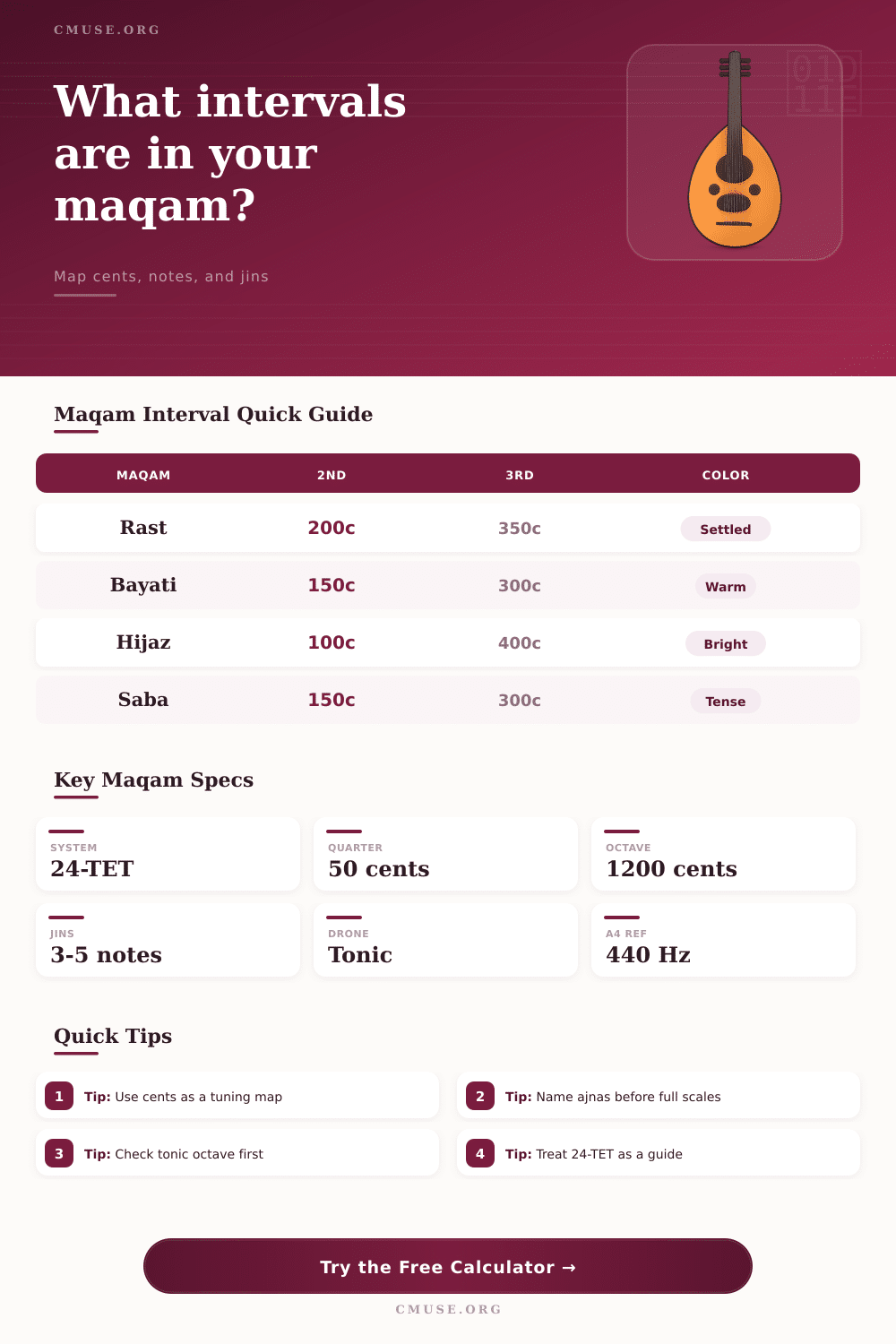
| Rast | 0, 200, 350, 500, 700, 900, 1050, 1200 | Jins Rast on tonic | Neutral third and neutral seventh guide the color |
| Bayati | 0, 150, 300, 500, 700, 800, 1000, 1200 | Jins Bayati on tonic | Second degree sits below equal-tempered major second |
| Hijaz | 0, 100, 400, 500, 700, 800, 1100, 1200 | Jins Hijaz on tonic | Augmented second from b2 to 3 is the signature span |
| Saba | 0, 150, 300, 500, 600, 800, 1000, 1200 | Jins Saba on tonic | Compressed fifth area gives the maqam its pull |
| Nahawand | 0, 200, 300, 500, 700, 800, 1100, 1200 | Jins Nahawand | Minor third and harmonic-minor style leading tone |
| Ajam | 0, 200, 400, 500, 700, 900, 1100, 1200 | Jins Ajam | Closest to a 12-TET major scale map |
| Quarter Steps | Cents | Approx Name | Common Maqam Use |
|---|---|---|---|
| 1 | 50 cents | Quarter-tone | Ornamental inflection or flexible target |
| 2 | 100 cents | Semitone | Hijaz b2, Kurd b2, leading motion |
| 3 | 150 cents | Neutral second | Bayati and Saba second degree |
| 4 | 200 cents | Whole tone | Ajam, Rast second, Nahawand second |
| 7 | 350 cents | Neutral third | Rast third and Sikah tonic color |
| 8 | 400 cents | Major third | Ajam third and Hijaz upper note |
| Jins | Typical Span | Step Pattern | Useful Check |
|---|---|---|---|
| Rast | 0 to 500 cents | 200, 150, 150 | Listen for the neutral third against the tonic |
| Bayati | 0 to 500 cents | 150, 150, 200 | Second and third are both below major scale positions |
| Hijaz | 0 to 500 cents | 100, 300, 100 | The 300-cent gap is the exposed marker |
| Saba | 0 to 600 cents | 150, 150, 200, 100 | Fifth-area compression changes melodic gravity |
| Nahawand | 0 to 500 cents | 200, 100, 200 | Matches a minor tetrachord in 12-TET terms |
| Scenario | Root | Primary Intervals | Instrument Note |
|---|---|---|---|
| C Rast ensemble sketch | C4 | 200, 350, 500, 700 | Good neutral-third reference for oud and voice |
| D Bayati vocal line | D4 | 150, 300, 500, 700 | Watch the low second against the drone |
| D Hijaz phrase | D4 | 100, 400, 500, 700 | Keep the augmented second clear and deliberate |
| D Saba study | D4 | 150, 300, 500, 600 | Compressed fifth area needs slow tuning |
| Bb Ajam keyboard sketch | Bb3 | 200, 400, 500, 700 | Closest fit for fixed-pitch major-scale mapping |
The maqam interval calculator allow a musician to see the distance of each step of the scale. The distance between the tonic and an octave is displayed in cents. The musician use the maqam interval calculator to map each note name to the tonic that is chosen.
Once the musician has decided on the tonic, the maqam interval calculator can display the frequency of each note in the scale. Using the maqam interval calculator allows the musician to easily compare the sound of the same maqam played on an oud, violin, or even voice. The musician doesnt have to remember each scale for each maqam if they have this calculator at there disposal.
How to Use the Maqam Interval Calculator
Maqams use intervals that are outside of the 12-tone grid used by most instruments in the Western world. For example, the second note in the Bayati scale are lower than a major 2nd, and the third note in the Rast scale is in between a natural 3rd and added 3rd. These specific intervals give each scale its distinct sound.
The numbers that the calculator output represent the distance in cents of each note from the tonic. These numbers indicate to the musician how much to bend the string or how to adjust breath pressure to achieve the desired sound from the instrument. Each scale within the maqam system contains jins that are smaller scales themselves.
Each jins scale contain three to five notes. For each maqam, the maqam interval calculator displays the lower jins and the upper jins for that specific scale. These two jins share the same notes, but each sound different in each of the two positions in the scale.
A musical phrase that sounds good within the upper portion of the maqam might sound unpleasantly within the same notes for the lower jins. The tuning reference and the range of the octave for which the musician intends to play will impact the sound of the maqam. For instance, if the musician set the tuning reference to 440 for the A4 note, the calculator will give one set of frequencies.
However, if the musician selects 442 for that same note, each frequency will shift upward on the scale. The calculator will automatically recalculate each note when the musician change the tuning reference. This is especially helpful for musicians playing alongside other musicians who play on instruments with a fixed pitch but for whom the other musicians use fretless instruments.
Additionally, the musician can adjust the range for the octave so that the musician can see whether the notes will sound playable on the instrument or whether they are outside of the physical limit for that instrument. The performance of a maqam can differ slightly from the calculations of the 24-TET grid that the calculator display for each scale. The singer might slightly raise the pitch of the leading tone.
Or, the oud player might lower the third degree. The calculator cannot calculate these slight alteration in frequency. However, it does provide a starting point for the musician to develop the scale with their instrument.
Once the musician has established the reference frequencies for each note, they can use their discretion to determine which note to shade and to what extent to shade those notes. This calculator provide value to the musician when reviewing a maqam from multiple different perspective. For instance, the musician can change the tonic that will be used for the maqam.
By doing so, the scale will change octaves but will have the same internal structure for its jins. Additionally, the temperament can be changed from 24-TET to the nearest 12-TET. By observing the differences in the frequencies for each note between these two options, the musician can determine the loss of information that are lost between fixed pitch instruments versus fretless instruments.
These different views of the same maqam will help the musician to decide on the best maqam for the song and for the other instruments in that ensemble. To use the calculator, the musician must first select the tonic for the scale. Next, they will select the maqam that they wish to play.
The calculator will display the information. Finally, the musician must use their ear to confirm the information that was displayed on the calculator to ensure it sounds correct in the musician’s performance in the room.