Lossless File Size Calculator
Estimate exact uncompressed PCM size and likely FLAC, ALAC, WAV, or AIFF storage from duration, channels, sample rate, bit depth, and compression behavior.
Pick a real production or archive scenario to load sensible starting values. The calculator keeps PCM math exact, then estimates lossless compression from the selected content profile or custom ratio.
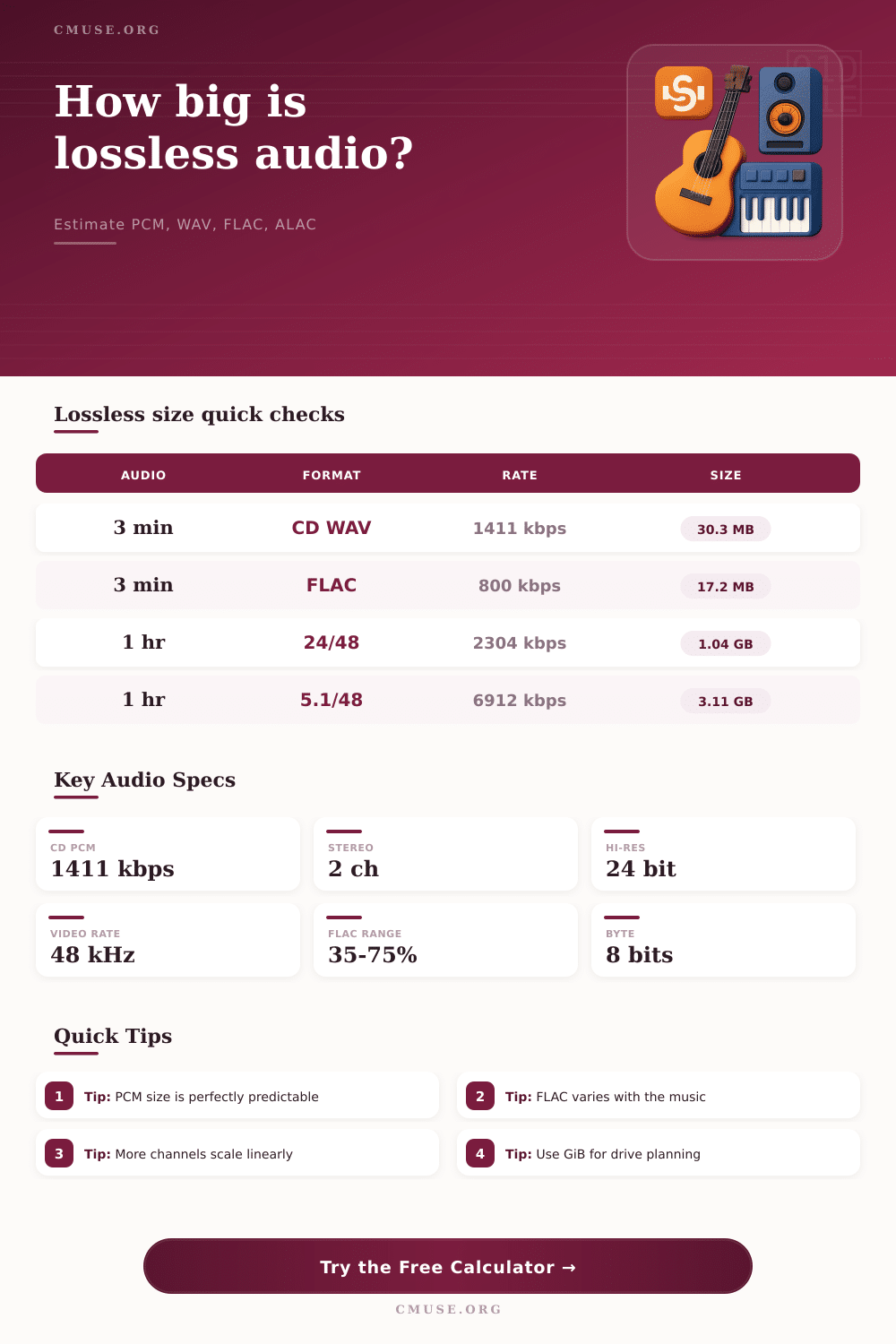
Formulas used: PCM bitrate = sample rate x bit depth x channels; PCM bytes = bitrate x seconds / 8; estimated lossless bytes = PCM bytes x compression percent + metadata; archive total = estimated bytes x safety margin.
Full Calculation Breakdown
PCM Bitrate
Uncompressed audio bitrate rises directly with sample rate, bit depth, and channel count.
sample rate x bits x channelsPCM File Size
PCM size is deterministic before container headers, so WAV and AIFF can be estimated precisely.
bitrate x seconds / 8FLAC Or ALAC Size
Lossless codecs store the exact samples, but remove predictable waveform redundancy.
PCM bytes x ratio + tagsArchive Total
Storage planning benefits from a margin for artwork, alternate renders, and future tags.
encoded size x buffer| PCM format | Sample rate | Bit depth | Channels | Bitrate | Size per minute |
|---|---|---|---|---|---|
| CD audio stereo | 44.1 kHz | 16 bit | 2 | 1,411 kbps | 10.09 MB |
| Video production stereo | 48 kHz | 24 bit | 2 | 2,304 kbps | 16.48 MB |
| High-resolution stereo | 96 kHz | 24 bit | 2 | 4,608 kbps | 32.96 MB |
| DXD-style stereo | 192 kHz | 24 bit | 2 | 9,216 kbps | 65.92 MB |
| 5.1 surround master | 48 kHz | 24 bit | 6 | 6,912 kbps | 49.44 MB |
| 24-track session stem | 48 kHz | 24 bit | 24 | 27,648 kbps | 197.75 MB |
| Audio content | Typical FLAC size | Why it compresses this way | Best estimate setting | Planning note |
|---|---|---|---|---|
| Dense mastered pop, rock, or EDM | 55% to 70% of PCM | Constant level and complex high end reduce prediction gains | Dense mastered music | Use a larger buffer for loud modern masters |
| Acoustic jazz, folk, or small ensemble | 45% to 60% of PCM | Cleaner transients and lower noise often code efficiently | Acoustic music | Stereo albums commonly land near the middle |
| Classical or wide dynamic recordings | 35% to 55% of PCM | Quiet passages and predictable tonality help compression | Classical or wide dynamics | Large movements can still vary by section |
| Voice, lectures, and interviews | 25% to 45% of PCM | Mono content and pauses create strong redundancy | Voice or spoken word | Mono settings matter more than codec brand |
| Field ambience, crowd, surf, or rain | 60% to 85% of PCM | Noise-like material has fewer predictable samples | Field ambience | Wind and water can compress poorly |
| Vinyl with crackle or tape hiss | 65% to 90% of PCM | Broadband noise weakens lossless prediction | Noise, applause, or vinyl crackle | Restoration can change the ratio significantly |
| Format | Audio data | Typical size behavior | Metadata overhead | Common audio use |
|---|---|---|---|---|
| WAV or BWF | Uncompressed PCM | 100% of PCM plus small header | Low to medium | DAW interchange, broadcast, and recording |
| AIFF | Uncompressed PCM | 100% of PCM plus small header | Low to medium | Mac-centered production and archival exchange |
| FLAC | Lossless compressed PCM | About 35% to 75% for many music files | Low, plus tags and artwork | Open music archive and playback libraries |
| ALAC | Lossless compressed PCM | Often similar to FLAC for the same source | Low, plus MP4 atoms and artwork | Apple Music libraries and device sync |
| WavPack | Lossless compressed PCM | Often similar to FLAC, strong on unusual PCM | Low | Archiving high bit depth or floating-point sources |
| Monkey's Audio | Lossless compressed PCM | Can be compact, with heavier decoding needs | Low | Personal archives where compatibility is controlled |
| Project | Settings | Duration | PCM size | Likely FLAC or ALAC | Storage note |
|---|---|---|---|---|---|
| Single CD-length album | 16-bit / 44.1 kHz / stereo | 45 min | 454 MB | 230 to 320 MB | Artwork and tags are usually minor |
| Hi-res stereo EP | 24-bit / 96 kHz / stereo | 25 min | 824 MB | 390 to 560 MB | Sample rate doubles size versus 48 kHz |
| Podcast season archive | 24-bit / 48 kHz / mono | 10 hr | 10.37 GB | 2.6 to 4.7 GB | Voice content compresses efficiently |
| 5.1 concert master | 24-bit / 48 kHz / 6 ch | 90 min | 9.33 GB | 4.8 to 7.0 GB | Channel count dominates total size |
| Piano sample library | 24-bit / 96 kHz / stereo | 3 hr | 5.93 GB | 2.4 to 3.7 GB | Many short files increase overhead |
| Field recorder day | 24-bit / 48 kHz / stereo | 8 hr | 7.91 GB | 4.8 to 6.7 GB | Ambience and noise compress less |
| Unit | Bytes | Where it appears | Audio planning use | Important difference |
|---|---|---|---|---|
| MB | 1,000,000 | Drive labels and many download pages | Fast sharing and delivery estimates | About 4.86% larger than MiB |
| MiB | 1,048,576 | Many operating system file properties | Checking actual folder size on a computer | Smaller count for the same byte total |
| GB | 1,000,000,000 | External drive and SSD capacity labels | Archive drive planning | Decimal storage marketing unit |
| GiB | 1,073,741,824 | System utilities and technical reports | Low-level disk or server planning | About 7.37% larger than GB |
The same goes for audio: Depending on what’s being recorded, a sound file will be larger or smaller. A lossless format contain everything, though how predictable the audio is determine how well it compresses. The less predictable (i.e., the denser), the more waveform changes from bar to bar; there are fewer opportunities for compression algorithms to do there tricks. Result? Big file.
Sparse sounds, like acoustic recordings with lots of silence and gaps between tones, give a codec such as FLAC plenty of space to reduce the file size without losing any quality. Knowing these distinctions will help you optimize your digital storage naturaly.
How Audio Files Use Space
Physical constants determine uncompressed PCM size. Simply multiply the number of channels times the bit depth times the sample rate and there you have it: your size! From this you can calculate the exact bitrate and know with certainty that it won’t fluctuate based off the nature of the audio. Whether a loud or silent CD quality stereo file, it’s going to take up roughly ten megabytes per minute.
Easy to guess at, yes. Inefficient in terms of space usage? Yes, you’re paying for every single sample no matter how complex.
With compressed formats such as FLAC, however, it’s not that simple; the file sizes depends upon what’s in the file. The calculators’ ratios is based on profiles of genres. Tonal music compresses nicely, whereas noisy stuff doesn’t. For example: If you’re archiving some vinyl transfer that has surface noise, be prepared for bigger files then if you’re dealing with digital stem sources from a pristine master.
When packing lots of recordings into one drive, this become significant. As the chart shows below, channel count scales linearly and compression ratios vary according to your source material. The amount of space your samples will take up depends heavily on two factors: bit depth and sample rate. For example, switching from sixteen- to twenty-four-bit audio double a sample’s data. Increasing a sample rate from forty-four thousand hertz to eighty-eight thousand does the same thing.
Producers often record at higher resolution without much need; they simply do it because they have always done it. This results in servers overflowing with information that doesn’t realy serve any purpose if you’re just casually listening. You can use the calculator to switch between these options so you get an idea of what happens to your files’ size as you sacrifice practicality for technical skill.
The overall file size can be increased by metadata and overhead. If there is lots of little files created when making multiple tracks, items like cue sheets, container headers, and embedded album art will all add size without being noticed. Having some sort of buffer on your estimate keeps those hidden costs at bay so that if your transfer gets close it won’t exceed capacity. Better safe than sorry!
So what’s behind lossless audio file management? It starts by realizing there are trade-offs between efficient storage and fidelity. Should an archive be managed to keep it as small as possible, or should the high-quality detail being kept? Knowing your technical specs will reveal how uncompressed files grow. Content density also determine how efficiently they can be compressed. With this insight, you can confidently plan for storage. The math makes sense and your storage decisions are deliberate.