Loop Bar Length Calculator
Convert BPM, time signature and bar count into loop duration, sample count, video frames and tempo-stretched timing for DAW clips, samplers and live loops.
Full Calculation Breakdown
| Tempo | 1 Bar 4/4 | 4 Bars 4/4 | 8 Bars 4/4 |
|---|---|---|---|
| 60 BPM | 4.000 s | 16.000 s | 32.000 s |
| 90 BPM | 2.667 s | 10.667 s | 21.333 s |
| 100 BPM | 2.400 s | 9.600 s | 19.200 s |
| 120 BPM | 2.000 s | 8.000 s | 16.000 s |
| 128 BPM | 1.875 s | 7.500 s | 15.000 s |
| 140 BPM | 1.714 s | 6.857 s | 13.714 s |
| 174 BPM | 1.379 s | 5.517 s | 11.034 s |
| Meter | Quarter Notes / Bar | Bar at 120 BPM | 4-Bar Loop |
|---|---|---|---|
| 2/4 March | 2.00 | 1.000 s | 4.000 s |
| 3/4 Waltz | 3.00 | 1.500 s | 6.000 s |
| 4/4 Common | 4.00 | 2.000 s | 8.000 s |
| 5/4 Odd Meter | 5.00 | 2.500 s | 10.000 s |
| 6/8 Compound | 3.00 | 1.500 s | 6.000 s |
| 7/8 Odd Meter | 3.50 | 1.750 s | 7.000 s |
| Loop Destination | Typical Rate | Useful Export | Timing Note |
|---|---|---|---|
| DAW Clip | 44.1 or 48 kHz | 24-bit stereo WAV | Exact bar grid |
| Sampler Pad | 44.1 kHz | 16 or 24-bit WAV | Trim to samples |
| Live Looper | 44.1 or 48 kHz | 24-bit stereo WAV | Add fade tail |
| Video Cue | 48 kHz | 24-bit WAV | Check frame edge |
| Stem Export | 48 or 96 kHz | 24-bit WAV | Same start point |
| Game Loop | 48 kHz | 16 or 24-bit WAV | Seamless cycle |
| BPM | 1 Bar Samples | 4 Bar Samples | 8 Bar Samples |
|---|---|---|---|
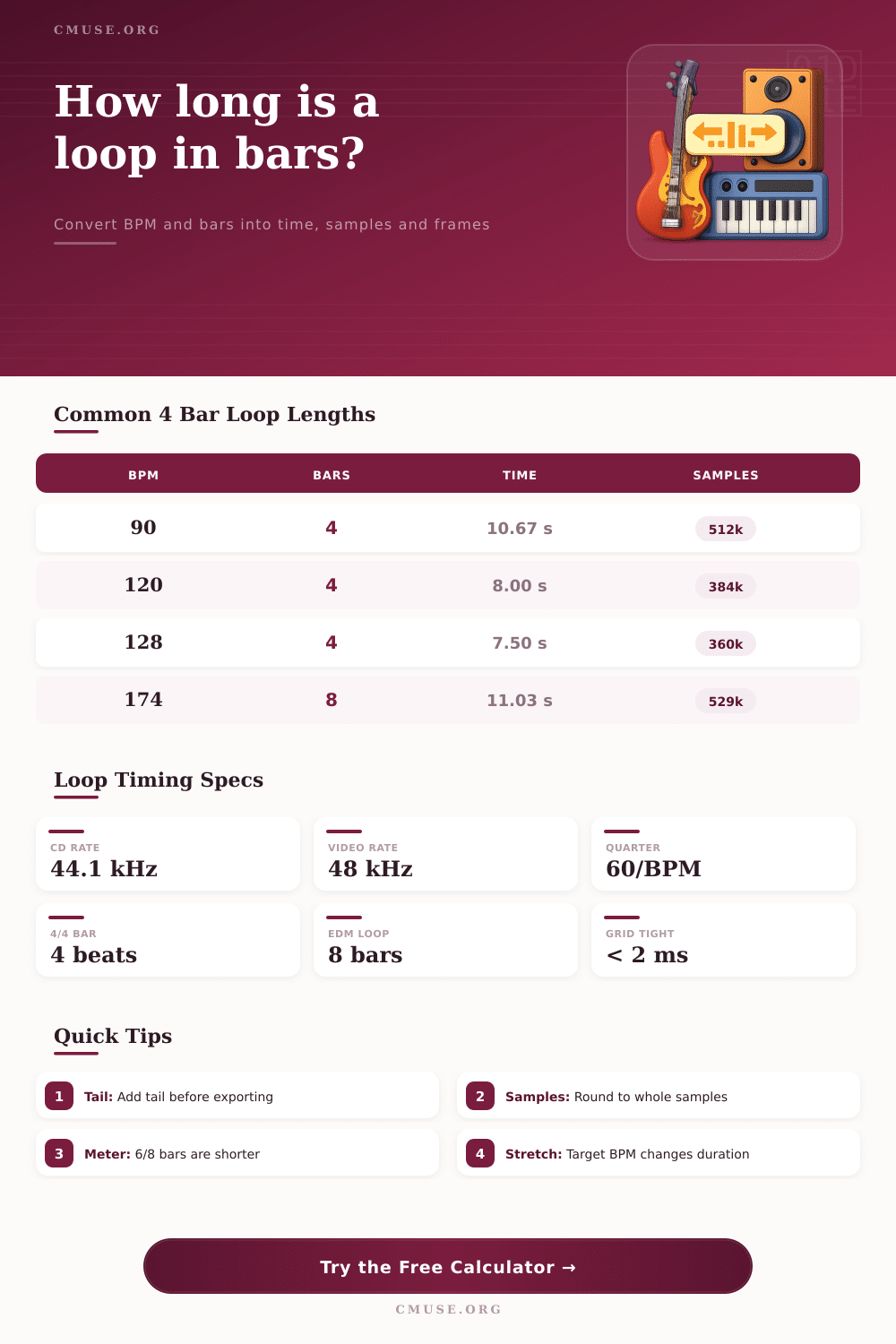
| 90 | 128,000 | 512,000 | 1,024,000 |
| 100 | 115,200 | 460,800 | 921,600 |
| 120 | 96,000 | 384,000 | 768,000 |
| 128 | 90,000 | 360,000 | 720,000 |
| 140 | 82,286 | 329,143 | 658,286 |
| 174 | 66,207 | 264,828 | 529,655 |
| Project Type | Typical Bars | Tempo Range | Timing Focus |
|---|---|---|---|
| Drum One-Shot Groove | 1 to 2 bars | 80 to 140 BPM | Transient start |
| Pop Chord Phrase | 4 bars | 90 to 130 BPM | Chord cycle |
| EDM Build Loop | 8 to 16 bars | 120 to 130 BPM | Phrase length |
| Ambient Pad Bed | 16 to 32 bars | 60 to 100 BPM | Long tail |
| DNB Break | 4 to 8 bars | 165 to 180 BPM | Slice grid |
| Video Transition Cue | 2 to 4 bars | 90 to 150 BPM | Frame match |
When you import the file, it’s off grid, even though the drum break sounded perfect in your headphone. What has happened? The timing error cause the loop to drift out of sync each time it play.
The loop bar length calculator fixes that issue. It converts your musical intuition into hard data. Four bars of audio equal four bars in your software.
Why Use a Loop Bar Length Calculator
How do computers hear time? Not like we do. They don’t think about beats; they think about taking samples. At 48 kHz, for example, the system take pictures 48,000 times per second. When you end your loop mid-sample, the software has to either round up or down. And that cause timing drift and phase issues. To clean-trim the file, you want number of samples to be exact.
Here’s what that looks like for common bar length at various tempos: These work out based off the time signature too. While many producers opt for what they are used to which is usually a 4/4, there are others. At the same tempo, a 4/4 bar doesn’t equate to a 6/8 bar.
The top number is called the numerator. This is the number of beats per measure. The bottom number is called the denominator it tells you the note value. So if you don’t alter your inputs for say a shuffle groove or a waltz then the length won’t reflect your chosen musical form. Simply input your desired meter into tool and let it do math.
There is another wrinkle: video work. For film sound designers, aligning audio to visual cuts require more than just seconds. A cue that needs to hit a cut point in a 24 fps sequence won’t do; you’ll want to know the frame count so there’s no lag or jump. If your output includes broadcast-standard, or high-frame-rate gaming content, the calculator takes your selected frame rate into account and gives you exact alignment required for perfect sync.
Pre-calculating can also benefit tempo stretching. For example, moving a loop from 120 BPM down to 90 BPM changes physical length of that file. When it’s stretched out, you’ll see precisely how many seconds the phrase is going to be. That helps your arrangement plans before applying any warping methods.
Tail management on export is sometimes an afterthought but you’ll notice artifacts when it’s not done right. There is no fade-out so it ends abruptly. Add a couple of milliseconds of tail and the transition is seamless as loop returns to the beginning. But add too much tail and it will throw off your grid so next clip doesn’t align. Too little fade creates a click but you’re lost trying to find your place in timeline.
That takes the guess work out of the technical side of things. Let the metrics be rigid so you can concentrates on the creative stuff. Loops are sample accurate and stack cleanly with no timing drift or phase cancellation. That is difference between a professional mix and a messy demo. The loop bar has a built-in loop bar length calculator. It converts bars, meter, and tempo into exact seconds, samples, frames, stretched duration, and more to help producers export loops that will remain aligned.