Half Speed Mastering Calculator
Convert source speed, cutting speed, pitch shift, duration, frequency mapping, and preview timing for half-speed mastering transfers.
Calculation Breakdown
| Transfer Ratio | Pitch Shift | Duration Change | Typical Use |
|---|---|---|---|
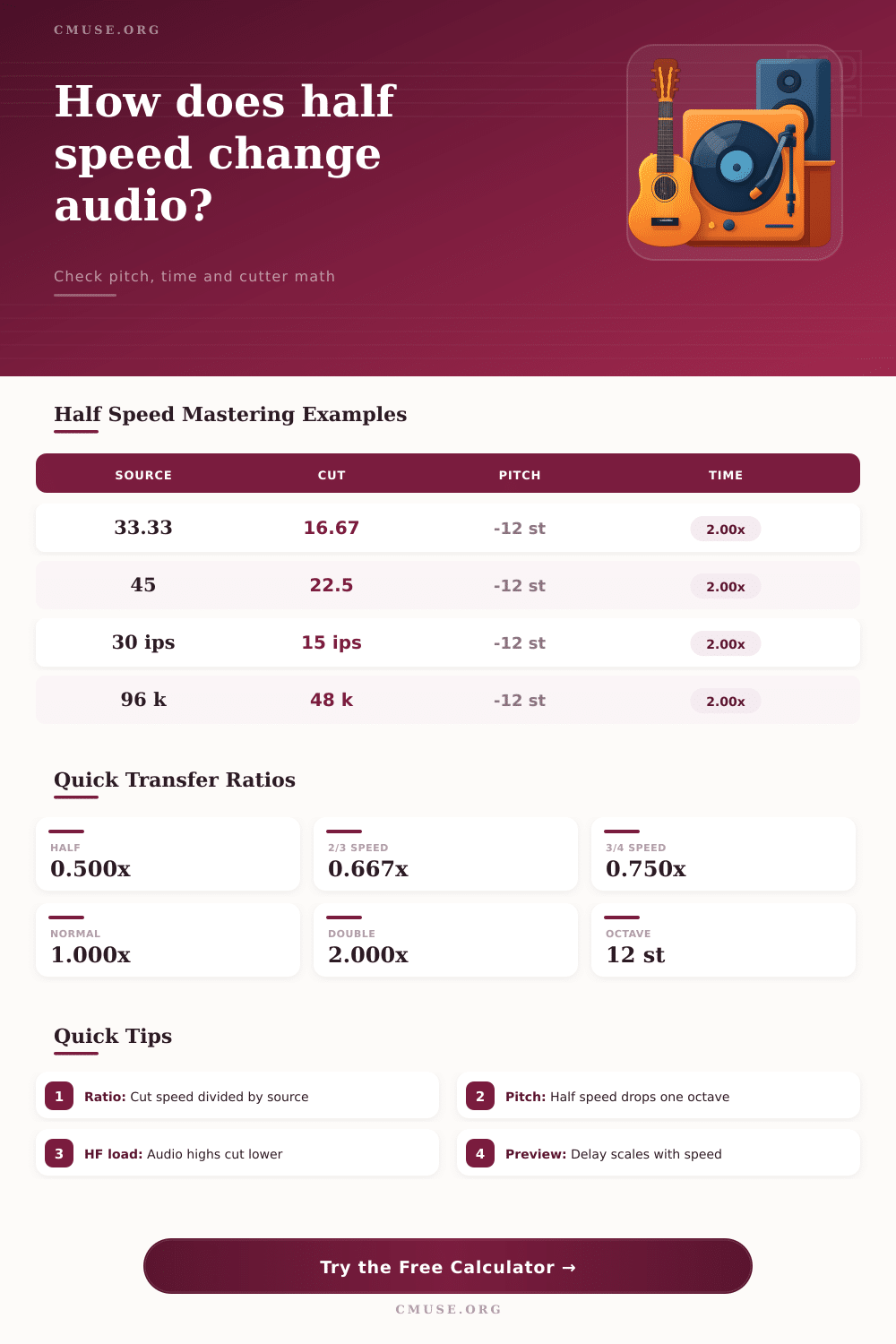
| 0.500x | -12.00 st | 2.00x longer | Half-speed mastering |
| 0.667x | -7.02 st | 1.50x longer | Test lacquer |
| 0.750x | -4.98 st | 1.33x longer | Reduced HF demand |
| 1.000x | 0.00 st | Normal time | Reference pass |
| Source Band | Half-Speed Cut | Why It Matters | Check |
|---|---|---|---|
| 20 kHz | 10 kHz | Cutter works lower | Headroom |
| 16 kHz | 8 kHz | Sibilance easier | De-ess |
| 10 kHz | 5 kHz | Presence maps down | EQ |
| 50 Hz | 25 Hz | Subsonic care | Filter |
| Format | Normal Speed | Half Speed | Playback Fix |
|---|---|---|---|
| LP | 33.333 RPM | 16.667 RPM | 2.000x |
| Single | 45 RPM | 22.5 RPM | 2.000x |
| Tape | 30 IPS | 15 IPS | 2.000x |
| Digital | 96 kHz | 48 kHz | 2.000x |
| Workflow Item | Normal-Speed Value | Half-Speed Value | Formula |
|---|---|---|---|
| Program time | 18 min | 36 min | time / ratio |
| Preview delay | 1.8 s | 3.6 s | delay / ratio |
| 20 kHz audio | 20 kHz | 10 kHz | freq * ratio |
| 96 kHz source | 96 kHz | 48 kHz | rate * ratio |
Cutting records at half speed is both an audiophile feature and a mechanical answer to physical issue. The cutter head has to jump around wildly to reproduce high frequency information if you’re cutting at normal speed. At certain very high frequencies and levels these jumps becomes physically impossible and cause distortion.
Half speed cutting feeds the audio to the lathe at half speed which means that instead of cutting a ten kilohertz tone into the record, it’s only a five kilohertz tone and stylus moves gently over the groove rather than jumping about. This results in lower surface noise and often cleaner high end.
Why Use Half Speed Cutting?
As you can imagine, there is some pretty precise math involved here. Everything change from duration to pitch depending on how fast the record rotates. All you do is plug in your source parameters and the calculator turns those into cutting room directions: Put in your original program length plus a set of reference speeds, and the tool will spew out new duration.
The result is crucial when you’re trying to schedule studio time. An eighteen minute side at half speed means thirty six minutes. Duh! But you’d be surprised how many engineer overlook this when figuring out how much block time they’ll need in the studio.
The calc also gives you a heads up about how frequency mapping changes. It tells you exactly what your highest audio frequencies will look like on the lathe feed. This lets you double check that your high frequency content stay within the best operating range of cutter head. Checking this prevents any extreme changes which lead to distortion.
Why does it matter? Let’s go back into physics of the groove. At normal playing speed, the record player stylus follows a spiral; rotational velocity is steady with respect to time but linear velocity change as needle moves inward. Tracking high-frequency grooves requires the stylus to move quickly from side to side.
If you cut at half speed, you are giving the cutter head twice as much physical space to engrave each wave. This results in less intermodulation distortion (where high and low frequencies rub against one another in the wall of the groove). However, because the grooves is twice the length, they take twice the amount of time to play back at normal speed.
A flaw of any kind during the cut will become twice as noticeable, so if your lathe has a bit of a wobble at cutting time it will be noticeably unstable pitch-wise on the finished record. It also provides support for digital-to-analog conversion settings. Perhaps part of your half speed workflow involve feeding a ninety six kilohertz source into the lathe interface at forty eight kilohertz. The calculator will check those ratios for you and make sure that your sample rate conversion matches your mechanical speed reduction.
Mixing various units is easy, how does one mix digital sample rates with tape speeds (IPS) and RPM? Fortunately, the interface include some reference tables that lay out these common scenarios clearly. How does a standard thirty three RPM LP compare to a forty five RPM single? You can see it at a glance.
The second thing I want you to notice is the preview timing. There’s always some amount of lag when watching the cut unfold in real time. What you’re hearing in your headphones doesn’t quite match what you see on the monitor screen or the eventual playback. This lag increases at same rate as speed ratio. For example, at half-speed, the amount of lag will be twice what it was than normal speed. Unless you take that into account, it’s easy to adjust the EQ by using old audio info. The calculator takes care of all these lag-adjustments for you, which makes for a more accurat mental map of the unfolding cut.
That’s not to say that half speed mastering will cure all ills; it won’t rescue an improperly edited piece nor correct any poorly considered arrangement decisions. Sometimes it can magnify timing flaws as each tiny drift or change in tempo are extended and highlighted. Instead, engineers apply it when they’re looking to stretch the limits of their available dynamic range without losing high-end clarity. It’s a tricky process, one that takes a good knowledge of mathematics, time, and some expensive furnitures.
So, what’s the bottom line on half speed mastering? Half speed mastering is a space-buying proposition. By giving waves in the groove more physical space, you’re allowing the cutter more latitude to do its job. The calculator provides the roadmap to make this safe and reasonable trade-off. It transforms abstract ratios into practical session plans so that once you spin that record on your turntable at full speed, it’ll sound every bit as wide and open as you envision in your mind.