Gate Length Calculator
Convert BPM, subdivision, swing, gate percentage, release tail, and clock resolution into exact gate-open timing for MIDI, CV, modular, drum, and DAW sequencers.
Formula Breakdown
| Destination | Typical Gate | Minimum | Timing Risk | Best Use |
|---|---|---|---|---|
| MIDI synth voice | 30-250 ms | 10 ms | Jitter and voice stealing | Basslines, arps, keys |
| Eurorack envelope | 20-500 ms | 5 ms | Envelope may not retrigger | VCA, filter, pitch gates |
| Analog drum trigger | 5-25 ms | 3 ms | Double hits if too long | Kicks, snares, percussion |
| DAW piano roll | Grid dependent | 1 ms | Overlaps change articulation | Software instruments |
| Hardware sampler | 20-180 ms | 8 ms | Choke groups and tails | One-shots, chopped loops |
| DIN sync groovebox | Clock based | 1 tick | Low PPQN rounding | Vintage sequencers |
| Subdivision | Beats | Step Duration | 50% Gate | 24 PPQN Ticks |
|---|---|---|---|---|
| 1/4 note | 1.000 | 500.0 ms | 250.0 ms | 24 |
| 1/8 note | 0.500 | 250.0 ms | 125.0 ms | 12 |
| 1/8 triplet | 0.333 | 166.7 ms | 83.3 ms | 8 |
| 1/16 note | 0.250 | 125.0 ms | 62.5 ms | 6 |
| 1/16 triplet | 0.167 | 83.3 ms | 41.7 ms | 4 |
| 1/32 note | 0.125 | 62.5 ms | 31.3 ms | 3 |
| Gate % | Feel | At 120 BPM 16th | Musical Result |
|---|---|---|---|
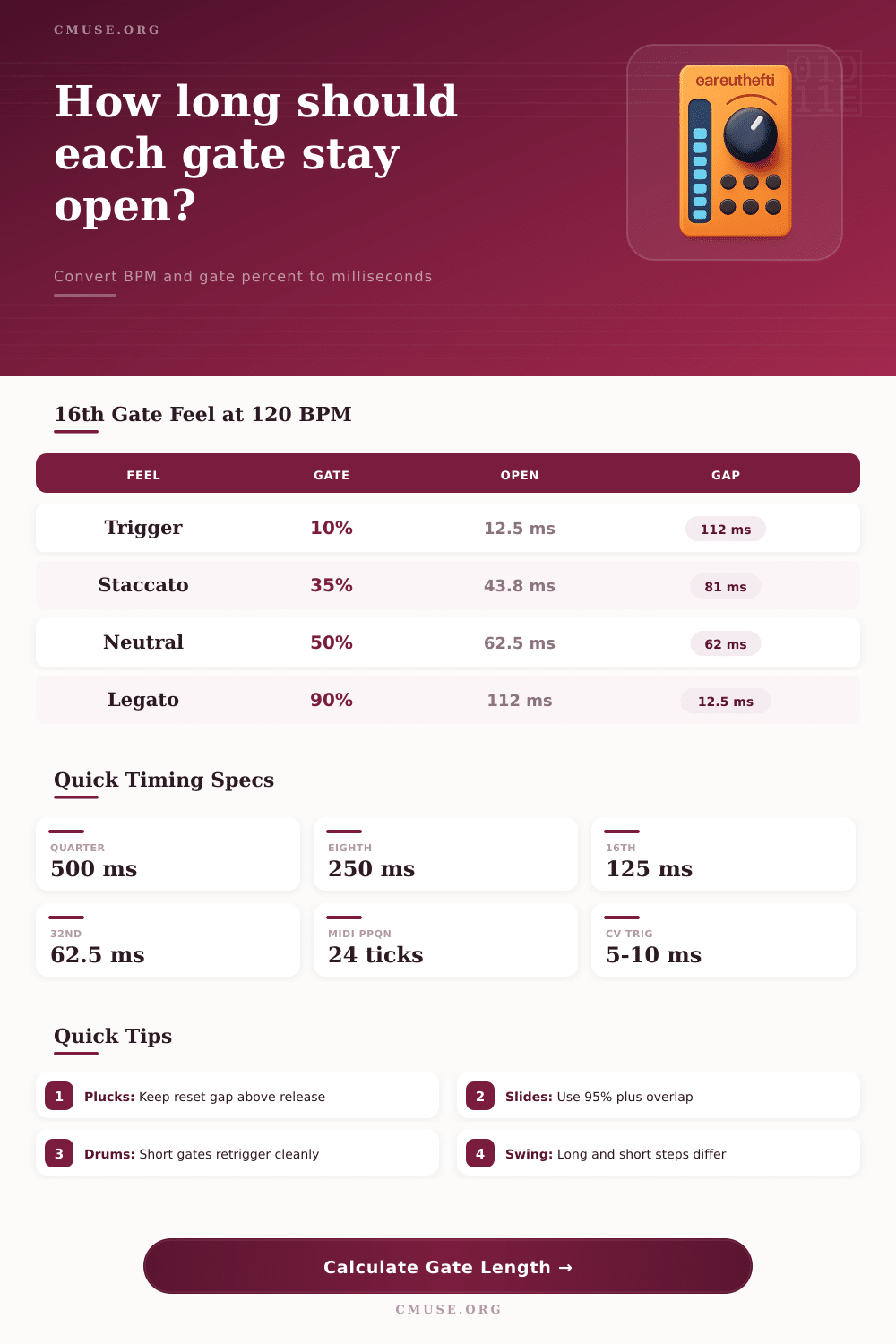
| 5-15% | Trigger | 6-19 ms | Drums, pinged filters, clock pulses |
| 20-35% | Staccato | 25-44 ms | Tight bass, plucked arps, muted keys |
| 45-60% | Neutral | 56-75 ms | Most step-sequenced synth parts |
| 70-90% | Smooth | 88-113 ms | Connected melody, pads, softer envelopes |
| 95-120% | Legato | 119-150 ms | Ties, glide, slides, mono-synth overlap |
| Swing | Long Step Share | Short Step Share | 16th Long at 120 | 16th Short at 120 |
|---|---|---|---|---|
| 50% | 50% | 50% | 125.0 ms | 125.0 ms |
| 54% | 54% | 46% | 135.0 ms | 115.0 ms |
| 58% | 58% | 42% | 145.0 ms | 105.0 ms |
| 62% | 62% | 38% | 155.0 ms | 95.0 ms |
| 66% | 66% | 34% | 165.0 ms | 85.0 ms |
| Pattern / Part | Tempo | Subdivision | Gate Target | Secondary Check |
|---|---|---|---|---|
| Acid bass slide | 128 BPM | 1/16 | 85-105% | Overlap creates glide |
| Deep house stab | 120-126 BPM | 1/8 | 25-45% | Leave space for reverb |
| Modular trigger row | 90-140 BPM | 1/16 | 5-20% | Envelope must reset |
| Trap hat roll | 130-160 BPM | 1/32 | 10-30% | Short gates avoid smear |
| Ambient pad tie | 60-95 BPM | 1/4 | 95-120% | Release may exceed step |
Once you press record and perform your bassline and it’s thin, timing have become physical. It could of been on the grid but gate length issues has caused the notes to feel unconnected from one another. If you are trying to create a plucked sound against a bleeding sound on the following note than this is about controlling the texture of what it lasts for before becoming a different note. That’s where the calculator does its thing. Providing the math of tempo and articulation without you having to guess what it means in terms of feel. But numbers alone don’t tell you what to choose. To do that you need to know something about the mechanics of an envelope and the gate.
The gate, opened by a Note On message from a MIDI controller, close when a Note Off message arrives. The time between them are your window for attack and sustain. Too short and the sound never get all the way open. Too long and it overruns into next note creating a muddied texture. The default setting on most sequencers is fifty percent gate time. This is mathematically neutral, but in real terms, fifty percent hardly ever sounds neutral at all; it is often hesitant.
How to Control Sound with Gate Length
If you’re using a tempo of 120 BPM with each step being a sixteenth note, a fifty percent gate result in sixty-two milliseconds of silence after the trigger happens. Staccato parts might be fine, but for legato pads, its disastrous. The time you have to get whatever your synth is doing done are measured in terms of how long before next thing comes along and interferes. For example, with a kick drum you want a sharp transient followed by nothing, space for the snare to come through. That means your gate setting should be tight enough to avoid phase cancellation between hits. It also need to be short enough that it doesn’t cut tail off the sample, allowing end to ring out naturaly.
On the other hand, a mono acid house bass line use glide (or portamento) to link the notes together. With a 50% gate, there’s never any chance for the glide to happen as next note comes down and closes the gate. What you need here is some overlap where the envelope continue to remain open as the pitch moves over. Gates has to be more than one-hundred percent of step length to allow for this connection.
The complication is that Swing also extend some steps and reduces others. For example, on a sixty percent swing setting, each note on every second sixteenth step is extended by twenty percent compared to next. If you applied this same fixed gate percentage to the whole sequence, the note on the long steps would sound smooth. However, the notes on short steps would sound choppy. You may not have seen this in piano roll but your ear picks up on the discrepancy. Check the reference table below to see how swing redistributes time in a pair. This will help you choose between using rhythmic variation or having all the notes played evenly.
The fact that analog envelope response times, audio interface buffer settings, and MIDI jitter all consume some portion of the milliseconds you’re trying to allocate means your gate’s timing can be significantly impacted by latency. So, if you think you’ve got a ten millisecond gap in your calculation, but your setup adds five milliseconds back on, then poof, your gap doesn’t realy exist anymore. Adding a little buffer in your calculation for response time make sense. It isn’t pessimistic; it’s realistic. You want the math you do now to match what happens when you hit play later. The tool let you add extra time in case your envelopes are slow or your converters aren’t fast enough.
Music exists not only in what we hear but also in spaces between notes. It’s just like how gate length is about sculpting air. The silence after each strike make a staccato feel energized. Continuous sound makes a legato line lush. It’s not just an on and off switch; you’re carving out air with a window for your sound to breathe. Think of the gates this way and your sequences will gain both intention and weight. Don’t rely too much on numbers; the ear is sophisticated and the math simple, trust your hearing.