Dotted Note Delay Time Calculator
Convert tempo-synced dotted notes into milliseconds, hertz, DAW ticks, sample offsets, stereo spread, feedback repeats, and rhythmic alternatives for delay plug-ins and hardware pedals.
🎛 Dotted delay presets
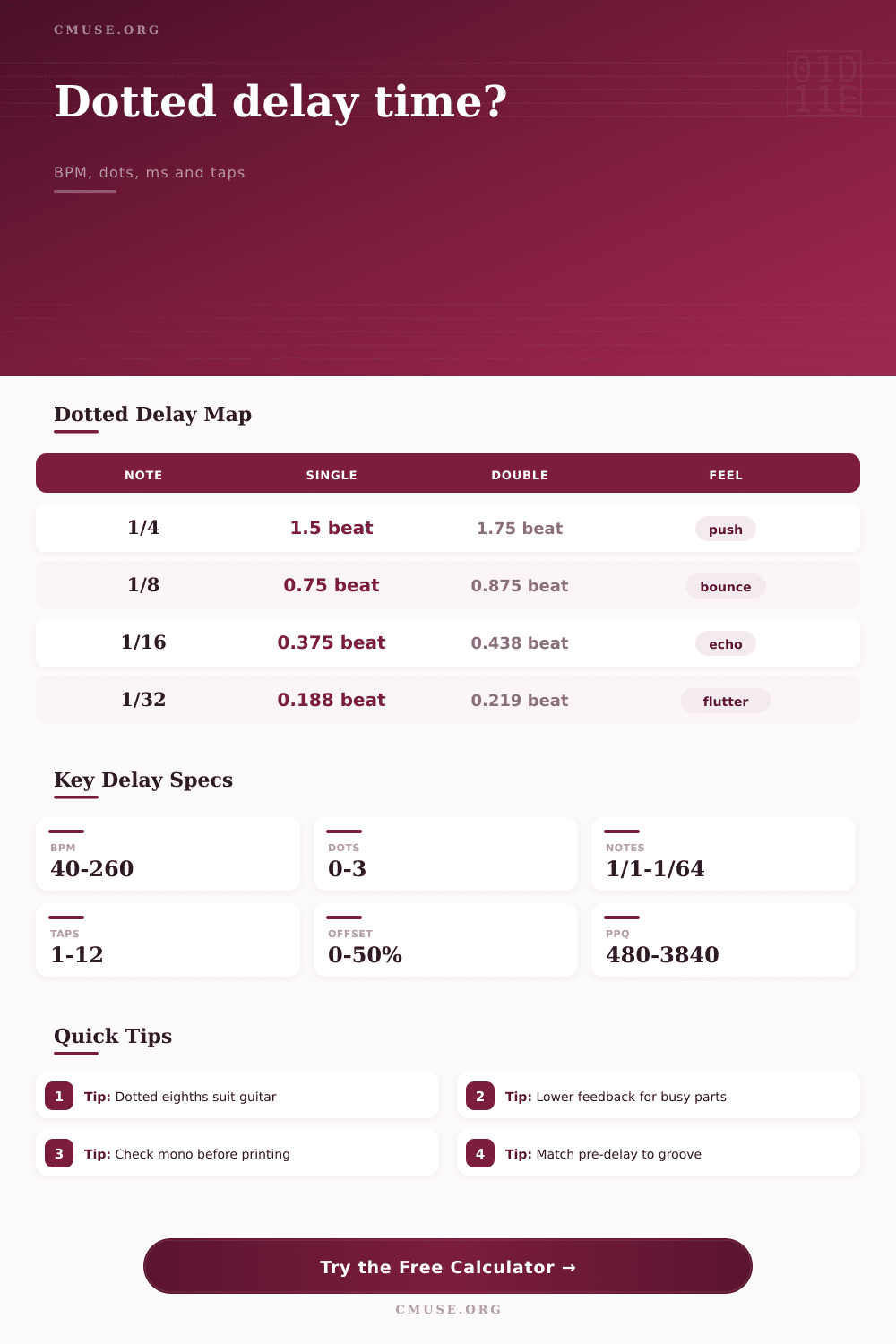
Dotted timing model: a dot adds half of the previous note value. Single dotted notes multiply by 1.5, double dotted by 1.75, and triple dotted by 1.875 before BPM is converted to milliseconds.
🎼 Delay sync inputs
Calculation breakdown
📊 Current dotted delay table
This table follows the selected BPM and compares straight, single dotted, double dotted, and triple dotted timing for common musical subdivisions.
| Base note | Straight | Single dotted | Double dotted | Triple dotted | DAW ticks |
|---|
⏱ Tempo reference dotted delay table
Use this fixed reference for quick checking dotted eighth and dotted quarter settings before opening a plug-in editor.
| BPM | Dotted 1/16 | Dotted 1/8 | Dotted 1/4 | Dotted 1/2 | Common use |
|---|
🔁 Feedback repeat dotted delay table
The repeat list combines the selected delay time with the feedback percentage so you can estimate spacing, level drop, samples, and musical landing point.
| Tap | Elapsed time | Bar position | Relative level | Samples | Editing note |
|---|
🎧 Stereo and modulation dotted delay table
A modest stereo offset can widen the echo without changing the center rhythmic value; modulation depth shows the possible time sweep around each side.
| Channel | Delay time | Samples | Min sweep | Max sweep | Phase caution |
|---|
🧮 Rhythmic delay comparison grid
Compare the selected dotted delay against nearby straight, triplet, swing, and ping-pong values when the groove needs a different pocket.
| Rhythm type | Beat factor | Delay time | Difference from selected | Groove character |
|---|
A delay that’s synced to the song’s tempo mean an echo on a guitar hits at the perfect moment your ear anticipates. It’s locked in and makes everything feel spacious, and there’s a reason for that: tempo-synced delay. But getting it dialed in tends to be a crapshoot. Dial-in a time value that seems reasonably close then tinker ’til you’ve got cramps in your hands trying to get it to line up with the grid. It’s simple math, but hard to do in your head in real time while mixing.
But first, here is a quick primer on extending note values with dots. One dot equals half the value of the base note. For example, a dotted eighth note are equal to an eighth plus a quarter, or one and a half times longer than original. A double dot adds another half of that extra value, making the note one and three-quarters times longer. It’s this multiplying factor that gives delay its characteristic rhythms. Drop the dot and the echoes land on the beat, which can get rather cluttered. Keep it and they land between the beats to provide forward momentum.
How to Set Up Tempo-Synced Delay
Once you’ve plugged in the tempo, the calculator does all the number crunching for you, saving you from doing any mental arithmetic at the critical moment. Begin with the tempo of your project. That’s your anchor. Let’s say you’re working at 120 beats per minute. A quarter note would be 500 milliseconds long. An eighth note would be 250 milliseconds. A dotted eighth would be 375 milliseconds. That’s right in the sweet spot for a lot of pop and rock guitar leads, enough to push the echo just after the off-beat. And it feels propulsive but not like it’s fighting against the snare drum.
Go for a dotted quarter, however, and the echo drop on the next downbeat. This can sound huge and widening (good for ballads, ambient pads) but could of get lost amidst a busy verse. It’s at this point that it gets interesting, feedback. The more feedback, the more repeats, the more sonic debris. Ten repeats of a dotted eighth delay in a dense mix becomes noise. Bring the feedback down to three or four repeat and there’s no muddying up the rhythm. You’ve got the groove and not the mud.
The tool on this page allow you to visualize precisely where the repeats land. It also shows the elapsed time for each tap so you can determine if the echo has faded by the start of next musical phrase. Another element is stereo width. You can split your delay time a little between the two channel for dramatic widening effects. For instance, 420 ms on the right and 330 milliseconds on the left. That’s a 12 percent offset. It gives you space but doesn’t blur the image in the middle.
Always listen to it in mono though. When you sum back down to one channel, wide stereo delays can becomes unclear or even cancel each other out. Usually a slight offset will give you width without phase problems.
If you’re a producer who uses a digital audio workstation (DAW), you’ll know about the concept of tick counts. This is how audio is quantized in your DAW, typically at 960 pulses per quarter note. When you edit samples and use automation, being able to line things up accurately requires knowing what number of ticks your delay time represent. Without ticking on your plugin display, this reference will make your effects perfectly lined up to the grid.
Some hardware pedals will round times to a multiple of five or ten milliseconds. That means they’ll have very slightly inaccurate timing and that difference will add up on successive repeats. Maybe it’s part of the charm of emulating some vintage analog pedal. Or maybe you’re doing some precise electronic music where you want accurate timing down to the decimal place. Select for rounding accordingly.
And then there’s genre. Trap or dub would work well on dotted sixteenths. Something cinematic might be better off than dotted halves. You can experiment with these subdivisions and change the feel of the track much more than swapping out reverb.
Remember this: Rhythmic first, effect second. Once you begin to think about delay not simply as an effect but as a rhythmic instrument, you’re going to notice how your mixes open up. The echo no longer fights with the mix; now it plays in it. Actualy, it sounds much more moddern too.