Count-In Length Calculator
Convert BPM, meter, count-in bars, pickup beats, click subdivision, frame rate, and sample rate into exact performer cue timing.
Calculation Breakdown
| Event | Count Position | Seconds | Frames | Samples |
|---|---|---|---|---|
| Count-in starts | 0 beats | 0.000 | 0 | 0 |
| Subdivision | Clicks Per Beat | Interval | Clicks In Count-In | Use Case |
|---|---|---|---|---|
| Quarter pulse | 1 | 500.00 ms | 4 | Clear normal count |
| Timing Point | Seconds | 24 fps | 29.97 fps | 48 kHz Samples |
|---|---|---|---|---|
| Count-in | 2.000 | 48.00 | 59.94 | 96,000 |
| Preset | Meter | Tempo | Count-In | Pickup | Typical Cue |
|---|---|---|---|---|---|
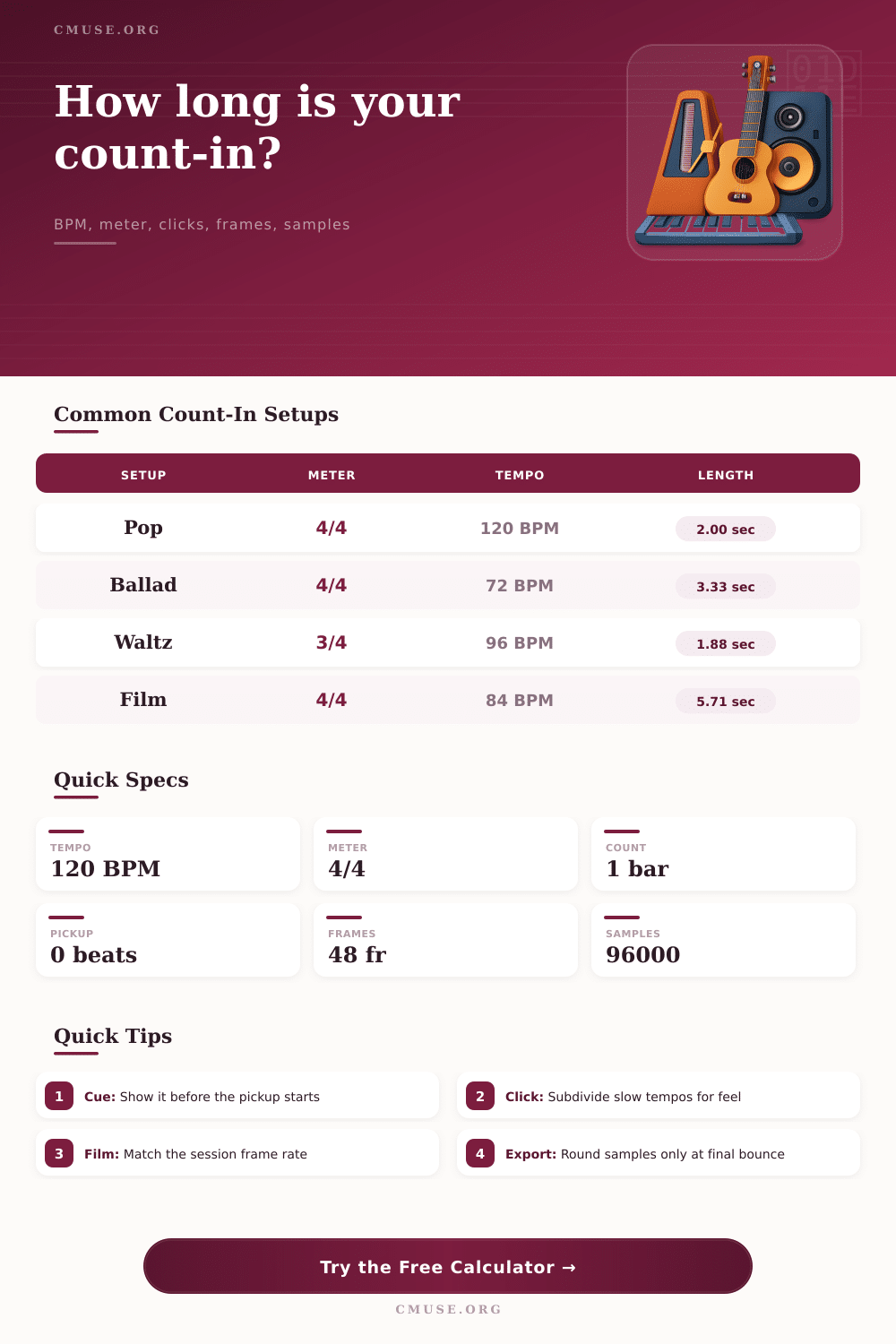
| Tight Pop 4/4 | 4/4 | 120 BPM | 1 bar | 0 beats | Short visual flash before beat 1 |
| Ballad Pickup | 4/4 | 72 BPM | 1 bar | 1 beat | Talkback cue before the sung pickup |
| Waltz Count | 3/4 | 96 BPM | 1 bar | 0 beats | Three-count gesture for ensemble starts |
| 6/8 Ballad | 6/8 | 56 BPM dotted quarter | 1 bar | 2 beats | Compound feel cue before the pickup |
| Film Cue | 4/4 | 84 BPM | 2 bars | 0 beats | Frame-accurate visual streamer cue |
| Live Band | 4/4 | 132 BPM | 2 bars | 0 beats | Longer count for in-ear monitoring |
| Orchestra Click | 5/4 | 108 BPM | 1 bar | 2 beats | Conductor cue before irregular entry |
| Voiceover Grid | 4/4 | 100 BPM | 0.5 bar | 0 beats | Short pre-roll before speech marker |
While the count in may seem like a quick breath before the click begins, it actualy sets the energy for the rest of song. For many engineers, it’s just an afterthought, a couple of bars of quarter notes. But how do you score that film cue that shifts at 3rd beat, or record a ballad with a floating intro? That’s where guess work falls short.
Enter your meter and tempo into the calculator above, and it do the math for you. Then you can keep eyes glued to the singer and avoid having to crunch any fractions. It translates abstract musical thoughts into concrete sample counts, seconds and frames that we all read the same.
Why Counting In Matters
Before you dive in, however, make sure you’re defining the beat properly. Often we assume that the BPM shown in tempo meters is based off a quarter note. However, that isn’t always true in compound meters like 9/8 or 6/8 where the dotted quarter note feel more like heartbeat. So if you set your session to sixty-eight BPM in 6/8 and count in using the eighth note, you’ll find it’s double as fast than intended. You can then change the BPM note value to reflect the actual driver of the music. It doesn’t sound like much on paper but it makes all the difference for performer locking into the rhythm. Here, the pulse is felt rather than struggled against the grid.
The other thing is that the calculation account for pickup notes separately, which are anacrusis notes that precede the first full bar. They don’t add a complete measure; they just stretch the interval up to main downbeat. When singing, this is the place to breathe in before saying words, in the gap between final click and first note. The additional pickup beats is thought of separately from the bars used for counting in. In this way you will see exactly where audio file begins relative to bar one.
That’s important if you’re lining up audio with video as a difference of only a few frames can give the impression that the drum hits before image is struck. Those unfamiliar with digital media timelines gets confused by frame rate and sample rate conversions. Film editors operate in terms of frames. Audio editors work in samples. These two don’t usually line up neatly at standard frame rates, such as twenty-four or twenty-nine point nine seven FPS. Depending on your settings, it’s easy to see from the reference tables on this page how those numbers differ. Knowing this inform the decision about rounding up or down when placing markers. Round early, and you’ll accumulate jitter over time which is why you want to have the raw decimal figures available until final bounce. That way, your edit points will be exact. Not approximate.
It’s different live as players are not machines. A drum machine’s tight count in might sound rushed to an acoustic guitarist who need time to get there hand into playing position. Situations range from the very tight pop grid to the orchestral cue requiring some breathing space for the conductor to signal strings. Presets can cover these situations. It’s more psychologically comfortabley rather than technically accurate and selecting the correct one. Buy the confidence of the musician without them playing a note.
The count sets both the time and the mood. A slow tempo will drag if the click track clicks on too long and becomes more a source of anxiety. Alternatively, an overly fast click in a brief burst could give performers the impression they are not being supported. What’s required is just enough information to allow the brain to anticipate when the next beat come without overloading the senses with redundant information. Then the music emerging from the silence sounds naturaly rather than mechanical. It feels like a pro job, not just a string of tracks.