Combined SPL Calculator
Add multiple speaker or sound-source levels with logarithmic SPL summing, distance loss, coupling behavior, room support, target margin, and practical headroom.
Choose a system profile, then adjust the source count, measured level, listener distance, source relationship, room support, and target SPL.
2
Active sources
1 m
Common SPL reference
-6 dB
Free-field distance doubling
Ready
Target margin status
| Equal Sources | Independent Addition | Coherent Addition | Typical Use |
|---|---|---|---|
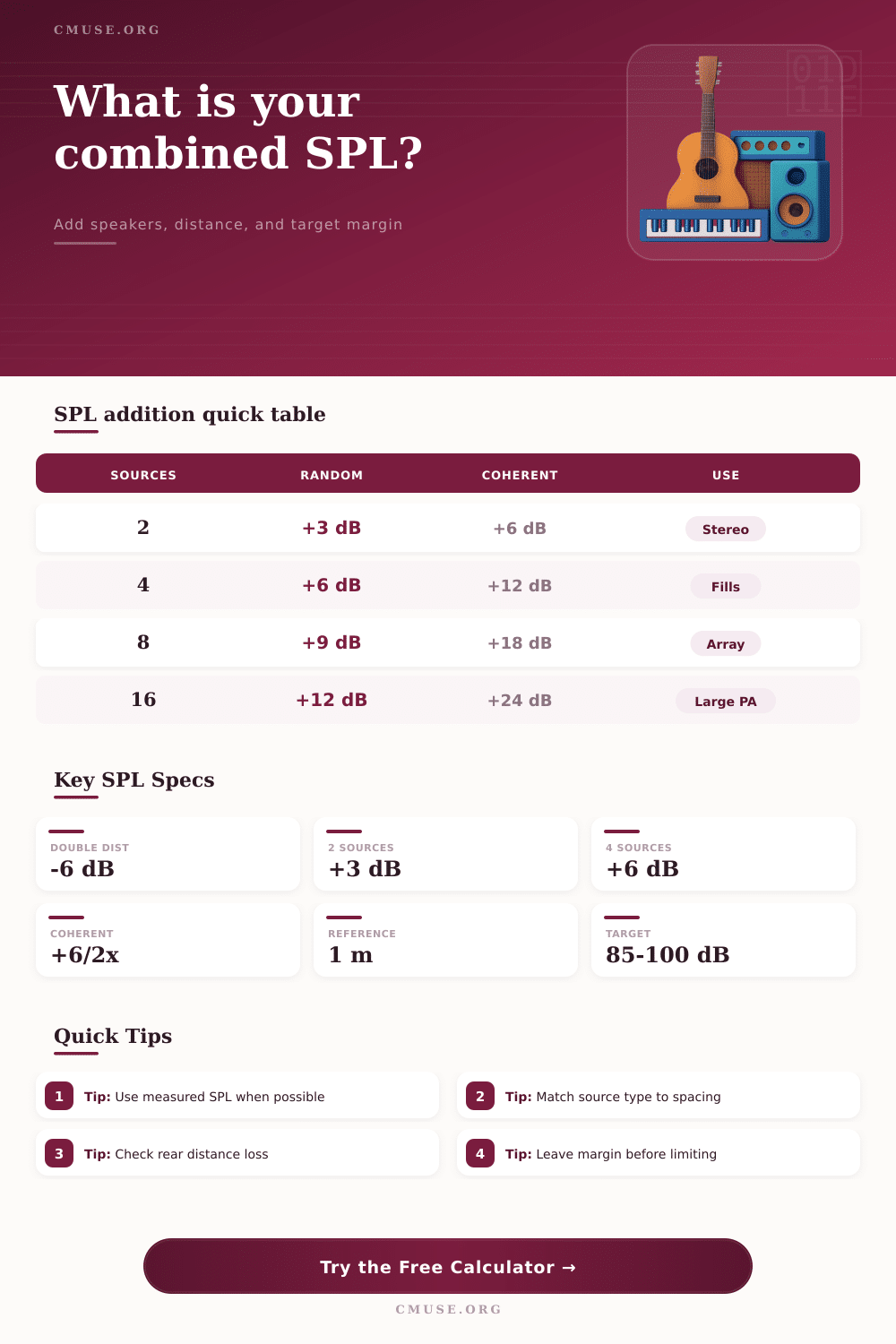
| 2 sources | +3.0 dB | +6.0 dB | Stereo mains, two fills, paired monitors |
| 3 sources | +4.8 dB | +9.5 dB | Small distributed fill group |
| 4 sources | +6.0 dB | +12.0 dB | Sub array or front-fill line |
| 8 sources | +9.0 dB | +18.1 dB | Large fill set or coupled array |
| 16 sources | +12.0 dB | +24.1 dB | Large arrays with careful alignment |
| Mode | Formula | Best Match | Planning Note |
|---|---|---|---|
| Mostly independent | Single SPL + 10 log10(N) | Separated speakers or unrelated sources | Use for many practical mixed-source estimates |
| Partially coupled | About +4.5 dB per doubling | Nearby speakers with some overlap | Middle ground for clustered boxes |
| Coherent | Single SPL + 20 log10(N) | Phase-aligned sources in the same band | Optimistic unless alignment is tight |
| Distance Change | Free-Field SPL Change | Metric Cue | Audio Meaning |
|---|---|---|---|
| 1 m to 2 m | -6.0 dB | 3.3 ft to 6.6 ft | One distance doubling |
| 1 m to 4 m | -12.0 dB | 3.3 ft to 13.1 ft | Two distance doublings |
| 1 m to 10 m | -20.0 dB | 3.3 ft to 32.8 ft | Small room rear check |
| 1 m to 20 m | -26.0 dB | 3.3 ft to 65.6 ft | Club or hall throw |
| 1 m to 40 m | -32.0 dB | 3.3 ft to 131 ft | Outdoor or long-room throw |
| Scenario | Sources | Assumption | Main Check |
|---|---|---|---|
| Stereo nearfields | 2 speakers | Mostly independent above bass | Listening-position level and headroom |
| Club main pair | 2 mains | Independent with room support | Rear target after throw loss |
| Four front fills | 4 fills | Partly overlapping coverage | Blend without overloading front rows |
| Four sub array | 4 subs | More coherent at low frequency | Coupling gain and limiter margin |
| Delay speaker ring | 6 to 8 boxes | Distributed, mostly independent | Zone level balance after delay tuning |
When using a sound level calculator, you is calculating how many sound sources are require to create the desired volume. Many people understands that if you have two speaker, the resulting volume will double. However, two speakers will not create twice the loudness of the two speakers taken together.
Instead, there will be a modest increases in volume if two speakers are used, and the increase in volume will depend upon the acoustic relationship between the sound source. The person using the calculator should calculate the combined level of the speakers rather than guess at to achieve the desired result. To calculate the total sound volume of a sound system, several specific input are required from the person using the calculator.
How to Use a Sound Level Calculator
Such inputs may include the number of sound source, the level of each sound source, the distance between each sound source and the listener, and the relationship between the sound sources. The number of sound sources will impact the increase in volume of the sound system. The distance between the sound sources and the listener will impact the sound level that is radiate into the environment; the further the listener is from the sound sources, the less volume that will be heard.
Finally, the relationship between the sound sources will impact the calculation; the closer the sound sources are in relation to each other, the more the sound system will experience an increase in volume. One factor that may surprise individual is the loss of sound with distance. Even though a speaker may produce a high volume of sound at one meter from the speaker, the volume of sound will decrease if the sound travel across a large area in the room.
A support for the room settings is include in the calculator to account for how rooms can add to or take away from the volume of sound in specific environment. The target margin will provide headroom for the sound system to avoid running out of headroom when a performer plays a loud note on a musical instrument. The person should subtract the target margin from the total calculated volume before they compare the total volume to the target volume for the sound system.
The use of a target margin allows for additional headroom to be provide to either increase the volume for a larger audience or for the performers to play louder then they had planned. The reference table included in the article allow individuals to review the difference between independent sound sources and coherent sound sources. While it is not necessary to memorize the sound level shown in the tables, they can be used to understand the changes in volume if different number of sound sources are added to a sound system.
For example, the tables show that two independent sound sources will create three decibel of volume, while two sound sources that are phase-aligned will create six decibels of volume. The difference in volume between these two type of sound sources becomes more pronounced as the number of sound sources increases. Sound systems are typically create somewhere between the independent sound system and the coherent sound system.
It is difficult to maintain coherence between sound sources that are located throughout an extensive sound system, so using the partial setting will provide a more accurately calculation for sound systems with multiple speaker. It is possible to make a mistake when calculating the sound level of a system if not accounting for the fact that each speaker is not measured at the same distance from the listener. Speaker measurements are typically obtained at a distance of one meter from the speaker, yet speakers may be place several feet from a performance surface.
The reference distance field can be used to even out the difference in sound levels from each speaker. Adding more speaker to a sound system will increase the total output of the system. However, each speaker added will contribute less to the total volume than the previous speaker in the system.
This is due to the fact that the addition of sound system follows a logarithmic formula. Thus, it might be more efficiently to purchase an additional speaker than to increase the distance between the speakers and the listeners. Similarly, it might be more efficient to adjust the relationship between speakers in an existing system than to simply add additional speaker.
The acoustics of the room will impact the total volume of sound radiate into the space. While a sound level calculator attempts to provide an accurate calculation of sound level, it does not account for the acoustic property of each room. For instance, while the calculator may calculate that certain speakers will create high volume in specific areas, the addition of reflective walls will increase the volume in those areas.
The absorption of sound by certain part of a room, like the ceiling, will reduce the volume of sound that is radiate into the space. The inclusion of headroom in the calculation allows for the volume of music and speech to include its high volume. Finally, headroom provide protection for the loudspeakers themselves.
There are various ways to use the sound level calculator. For instance, the user can adjust the distance of the listener from each speaker in the calculator. Additionally, the user can alter the relationship between each sound source to simulate different level of sound throughout the sound system.
Through these different simulations, it is possible to determine if each loudspeaker system has enough slack in its loudspeakers to accommodate any change to the sound system at the performance venue. Furthermore, the ability to calculate sound levels before the sound system is create at the performance venue will allow the setup crew to determine the desired volume of the sound system.