Changeover Time Calculator
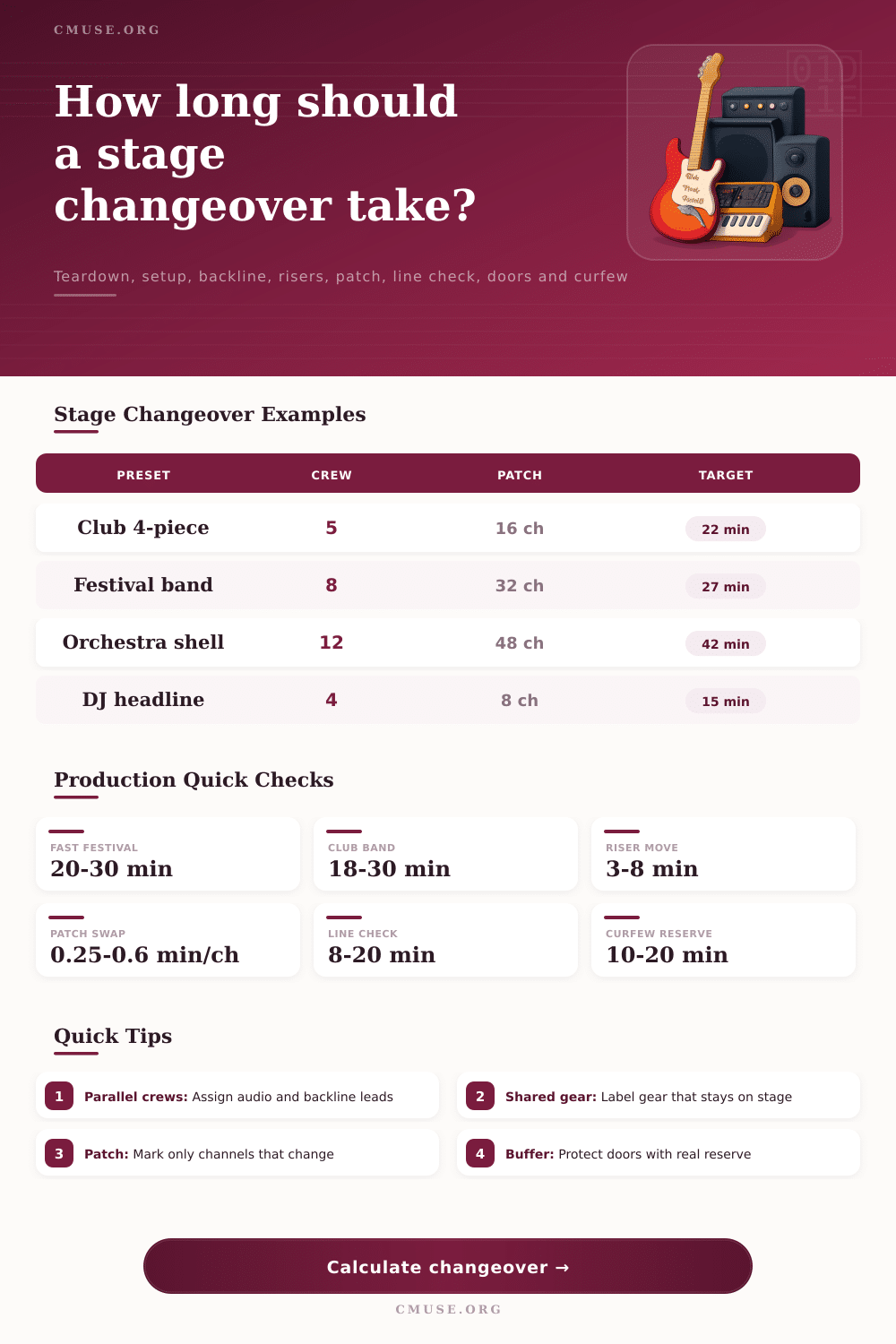
Estimate stage changeover time from teardown, setup, shared backline, patch changes, riser moves, line check, crew size, and the doors or curfew buffer.
Changeover breakdown
| Department | Work included | Estimated minutes | Read |
|---|
| Audio item | Count | Minutes | Crew note |
|---|
| Move type | Units | Minutes | Risk control |
|---|
| Checkpoint | Time | Status | Decision |
|---|
There are times when clock reads twenty minutes, but your plan says forty. Usually this means running around in the dark looking for cables and trying to yell over a song. You might also see that the drummer’s kit hasn’t been cleared from riser yet because the new band’s bass player has started tuning up. The changeover time calculator eliminates all that angst and makes chaos into easy math, it makes you face reality of the physical task before it happens. This prevents you from hoping everyone moves faster once lights go out.
Workload vs. Crew Size: This is most critical input. Sure, maybe you’ve got a small band so there are just a couple of instrument, but now you only have two hands to reset all those monitors and strip the stage? That’s some different math based off your crew size. This idea of parallel work is what help the tool break down setup and teardown time into crew-minutes. Ten people working means number of total minutes gets divided by ten. But there will always be some coordination friction that eats into that efficiency.
How to Plan Your Time Better
That’s where the calculator adjust for how well the crew knows the venue. Is it a rehearsed tour crew or a bunch of locals thrown together for this single gig at new club? You’ll see that uncertainty in added minutes, and you’re paying for it.
Another important variable is shared backline. Putting the guitar amps or drum shell up onstage seems like such a timesaver … and it is, as long as there’s agreement about what’s staying. More than any amount of work itself, miscommunicating here create delays. Your tech believes he has to strike everything. The departing artist believes his monitor world is included in the deal. Now you’re negotiating while in blackout. Use the calculator to determine just what percent of gear they’re leaving behind and plan accordingly for the rest.
Also, separate your riser moves from general setup, since moving those big platform requires specific effort. To non-sound engineer, patch changes gets underappreciated. Flipping a few switches is not simply unplugging forty channel. It involves locating proper inputs, checking gain levels, and labeling everything so the next engineer won’t waste ten minutes looking for phantom power problem. With all that potential for spiraling out of control when dealing with interference in a crowded venue, the tool factors in this hard work along with wireless frequency checks. All those tech steps, the unseen time sinkers; makes or break a tight schedule.
You get not only the overall result but also what department is holding everything back. “There’s audio and it’s done in fifteen minutes, but there’s lighting and it needs twenty-five minutes cause all these cues are resetting.” Adding more people to shorter lanes won’t speed up longest one. This is your bottleneck, so knowing what it is helps you use your resources better. Maybe you’ll put somebody else on patching the bays instead of packing cases you know don’t have to go out right away.
Non-negotiable constraints are curfew buffers. For example, your show has to be over by 11:45 PM so you can safely tear down in time for their midnight power cut-off. The calculator will test your estimated changeover vs. This is a hard constraint. It flags danger zones where you’re eating into the “safety margin” that should of never get touched. No more panic three minutes before doors when you realize you still have no idea what’s on the line check.
A changeover plan isn’t an exercise in stuffing as much as we can into time frame. It’s about respecting physics of moving gear around and psychology of tired crew members. Knowing precisely how long everything will take eliminates guesswork, we no longer hope for the best; we build a real-time buffer. The result? Lights go up on a stage that not only sounds right but looks ready and even feels calm. And nothing feels better than that peace of mind, the kind that only comes by doing the math before the music begins.