Capo Transpose Calculator
Convert concert keys into playable guitar chord shapes, compare capo positions, and include down-tuned instruments in the same calculation.
🎸 Quick Capo Presets
🎼 Transposition Inputs
⚙ Guitar Shape Comparison Grid
📊 Capo Transposition Reference
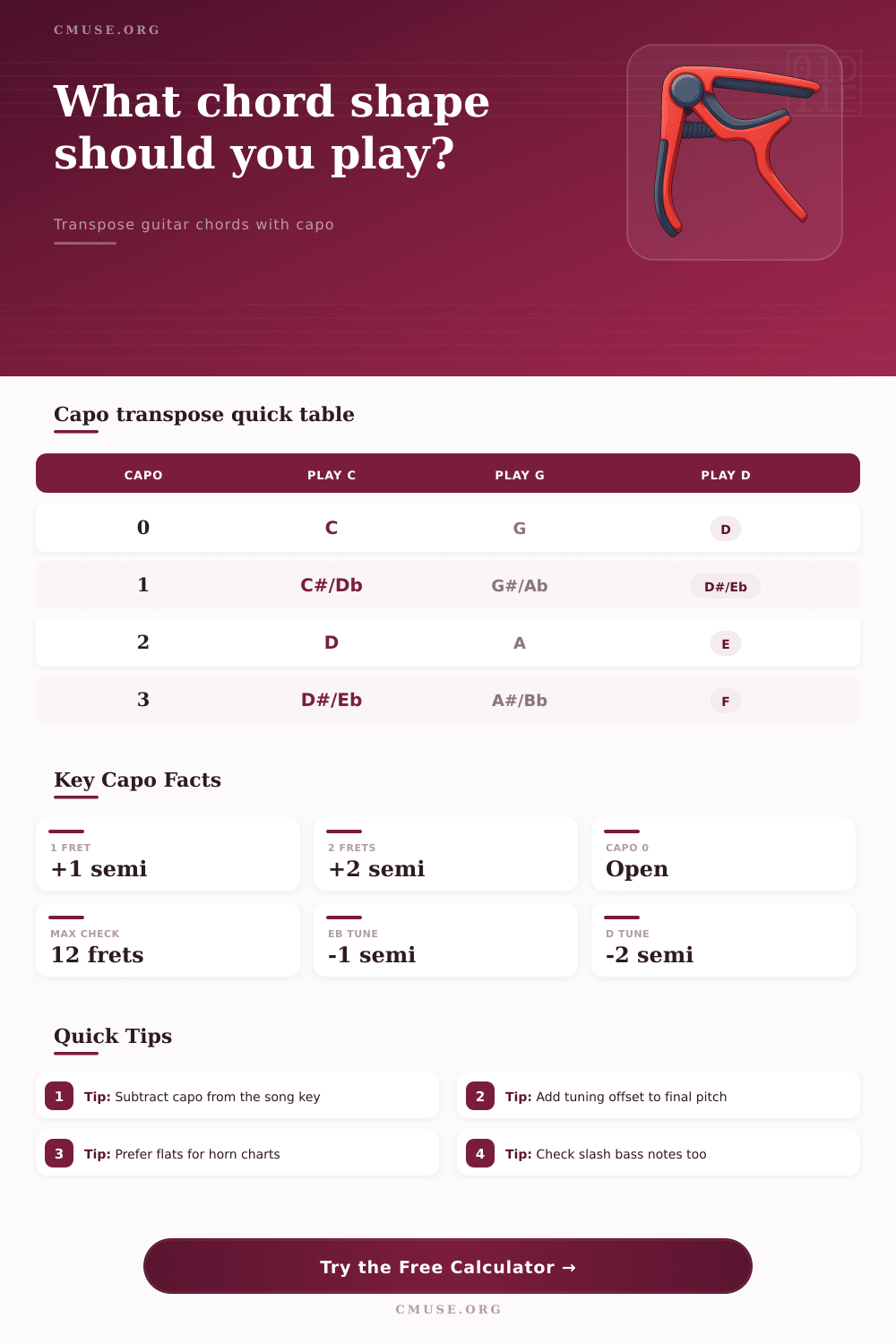
| Capo Fret | Play C | Play G | Play D | Play A | Play E |
|---|---|---|---|---|---|
| 0 | C | G | D | A | E |
| 1 | C#/Db | G#/Ab | D#/Eb | A#/Bb | F |
| 2 | D | A | E | B | F#/Gb |
| 3 | D#/Eb | A#/Bb | F | C | G |
| 4 | E | B | F#/Gb | C#/Db | G#/Ab |
| 5 | F | C | G | D | A |
| 6 | F#/Gb | C#/Db | G#/Ab | D#/Eb | A#/Bb |
| 7 | G | D | A | E | B |
🔢 Interval And Semitone Table
| Semitones | Interval Name | Example From C | Guitar Meaning |
|---|---|---|---|
| 0 | Unison | C | No transposition |
| 1 | Minor 2nd | C#/Db | Capo 1 raises one fret |
| 2 | Major 2nd | D | Capo 2 raises whole step |
| 3 | Minor 3rd | D#/Eb | Common capo 3 vocal lift |
| 4 | Major 3rd | E | C shapes sound as E at fret 4 |
| 5 | Perfect 4th | F | G shapes sound as C at fret 5 |
| 7 | Perfect 5th | G | C shapes sound as G at fret 7 |
| 12 | Octave | C | Same letter name one octave up |
🎵 Tuning Offset Reference
| Tuning | Offset | Capo 2 With D Shape | Use Case |
|---|---|---|---|
| Standard EADGBE | 0 | Sounds E | Normal chord charts |
| Eb Standard | -1 | Sounds D#/Eb | Half-step-down guitar |
| D Standard | -2 | Sounds D | Whole-step-down guitar |
| C# Standard | -3 | Sounds C#/Db | Lower rock tuning |
| C Standard | -4 | Sounds C | Very low full tuning |
| F Standard | +1 | Sounds F | Raised full guitar tuning |
🎯 Common Capo Strategy Comparison
| Goal | Capo Choice | Likely Shapes | Best When |
|---|---|---|---|
| Keep open sound | 0 to 4 | C, G, D, A, E | Rhythm guitar needs ringing strings |
| Avoid barre chords | 1 to 5 | Match target to open key | Singer changes key quickly |
| Bright texture | 5 to 7 | C, G, D | Second guitar needs separation |
| Lower hand position | 0 to 2 | A, E, D, G | Fuller low voicings matter |
| Chart accuracy | Any fret | Computed chord shapes | Slash chords and bass notes matter |
🧭 Popular Target Keys And Shape Options
| Target Key | Capo 1 | Capo 2 | Capo 3 | Capo 4 | Capo 5 |
|---|---|---|---|---|---|
| F | E shapes | D#/Eb shapes | D shapes | C#/Db shapes | C shapes |
| G | F#/Gb shapes | F shapes | E shapes | D#/Eb shapes | D shapes |
| A | G#/Ab shapes | G shapes | F#/Gb shapes | F shapes | E shapes |
| Bb | A shapes | G#/Ab shapes | G shapes | F#/Gb shapes | F shapes |
| C | B shapes | A#/Bb shapes | A shapes | G#/Ab shapes | G shapes |
| E | D#/Eb shapes | D shapes | C#/Db shapes | C shapes | B shapes |
A capo is an tool that a guitarist uses to change the pitch of the guitar. Guitarists use a capo to change the keys of the song to match the singer’s vocal range. Additionally, using a capo allows guitarists to use different chord shape.
When a guitarist add a capo to a specific fret of the guitar, the pitch of the guitar string increase by one semitone for every fret that the guitarist adds the capo to. To play chords with the guitar with the capo, the guitarist must calculate the shape of the chords that will produce the correct concert key for the song. If the guitarist dont calculate the proper chord shapes for the song that will be played, the guitar may sound out of tune or thin when playing the song.
How to Use a Capo and a Capo Calculator
The capo calculator will prevent the guitarist from making mistakes with the song by calculating the mathematical component of the song with the capo. To use the calculator, the guitarist must input the concert key of the song, the target concert key for the song, the position of the capo, and the tuning of the guitar. With these four components inputted into the calculator, the calculator will output the shape key that the guitarist should play, the converted chord that will sound when the guitarist plays the song, and the total semitone change between the original and target concert keys.
Additionally, the calculator will scan the frets from zero to seven to show the guitarist alternative position for the capo. The different positions of the capo can provide friendlier open-string voicings for the guitarist. The position of the guitarist’s capo will change the sound of the guitar.
The open chord shapes for example, the C chord, the G chord, and the D chord produces overtones that barre chords do not produce. The guitarist may wish to use these open chord shapes. However, they must ensure that the position of the capo places the song into the correct key for the singer.
For example, if the capo calculator show that the capo should be placed at fret two to produce a D chord but the D chord moves to an F chord at fret four, then the guitarist must decide whether the F chord is the chord that should be used in the song. The capo calculator will also transpose the bass note of slash chord so that the slash chord remains an inversion chord rather than becoming a root-position chord. The capo can change the frequency and the tone of the guitar.
For example, if the guitarist places a capo at the fifth fret of the guitar, the length of the guitar strings is shorten. Additionally, the fifth fret capo can remove the low frequency of the guitar. For example, if the guitarist places the capo at the second fret the body of the guitar will retain more of its characteristic.
At high frets of the guitar, the capo can allow the guitarist to separate the guitar from another guitarist playing the same song. However, the guitarist has to make these decision for the song. The capo calculator will calculate the frets of the guitar that will produce the target concert key for the song.
Another factor that the guitarist must consider when using a capo is the tuning of the guitar. Many guitarists will tune the guitar to a half step or a whole step down from the standard tuning to accommodate the singer’s vocal range. If the guitarist use a tuning offset with the song, the capo calculator will include this value in the total number of semitones that are changed with the use of the capo.
If the guitarist does not use the tuning offset in the calculation, the guitarist may find themselves fingering a D chord but sounding a semitone flat relative to the rest of the band. Including the tuning offset in the calculation with the capo calculator ensures that there is no error in the pitch of the guitar. The singer may have to change the key of the song that is being performed in front of the audience.
This can be for a variety of reason, one of which is that the singer is becoming fatigue. By changing the concert key of the song that the singer performs, the guitarist can use the capo calculator to calculate the new target key for that performance. By placing the target key into the calculator, the guitarist will know the shape shift that the guitarist must make to the guitar to perform the song with the new singer.
The reference tables available on this page list each of the concert keys that are available in the open chords for each fret. These tables will help the guitarist when the exact shape of the chord that is required for the song is difficult to play. Guitarists make many mistakes when they use a capo.
One of the most common is when the guitarist incorrectly adds the fret position of the capo to the concert key of the song but should be subtracting the capo fret from the target concert key. This mistake will make the guitar sound a fourth or a fifth too high. The table listed on this page display the number of frets that make a whole step and the number of frets that make a fifth.
By using the capo calculator, guitarist can ensure that they are not making such mistake. A capo is a tool that can provide a guitarist with flexibility in there playing. If a guitarist understands the proper chords that must be played, the proper fret that the guitarist should use, and the proper tuning of the guitar, the guitarist will be able to achieve the desired concert key for the song.
Additionally, the guitarist does not have to perform the mathematical calculation of the capo themselves because the capo calculator will do this for them.