Bend Target Pitch Calculator
Choose a guitar string, fret, tuning reference, and bend interval to calculate the starting note, target note, cents rise, target frequency, and practice tolerance.
🎯 Guitar Bend Presets
🎸 Bend And String Inputs
Calculation Breakdown
📌 Bend Summary Cards
🎼 Technique Comparison Grid
📊 Bend Interval Pitch Table
| Interval | Cents | Semitones | Target Note | Target Hz |
|---|
🎸 String And Fret Target Table
| String | Start Fret | Start Note | Same Bend Target | Target Hz |
|---|
🎯 Cents Accuracy Table
| Accuracy Band | Cents Error | Low Hz | High Hz | Practice Reading |
|---|
📋 Bend Technique Reference Table
| Technique | Best Bend Size | Pitch Check | Risk Point | Use Case |
|---|
Then there’s the bending. You chase a feel somewhere between a whole step and a quarter step, learning how to bend by ear.
This changes when you get into a band where everyone tunes to a strict standard, or perhaps when you record a solo and the vague idea of bending up now sounds muddy, flat or sharp. In many ways the cent measures the difference between a tight blues phrase and a messy one. Cents are small divisions of a semitone that you may not feel with your fingers but your ears pick up on.
How to Use the Bend Calculator
How does this translate into your playing? Knowing the mechanics of the bend alters your perspective on the neck. You’re not simply applying more tension when you press a string. You’re simultaneously forcing the string against bridge and increasing its length by a fraction.
This is where the calculator comes in (above). Once you enter your scale length, your string gauge, and the desired interval, the rest of math is done for you. No need to waste time converting or guessing at coefficients. With great accuracy, the calculator converts your hands work to a specific set of frequencies.
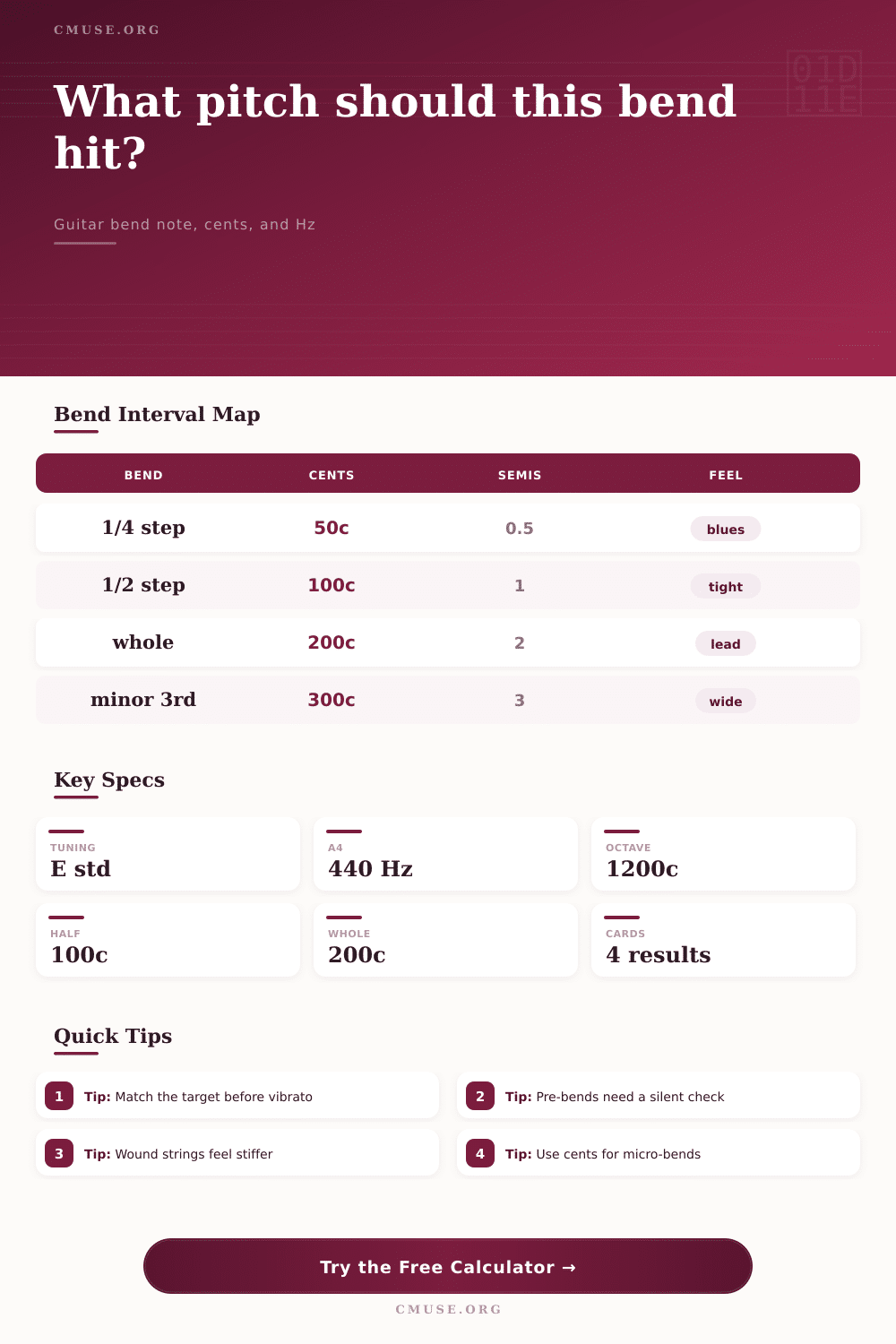
Two hundred cents equals a whole step bend, which is an interval most players will comfortabley nail with consistency. Fifty cents is a quarter tone bend, and this mean something else entirely. You’re asking the string to move less than half the distance of a typical semitone. That’s a subtlety many folks overlook. They assume all bends should be approached equally hard. But resistance depends on string thickness and also on the starting note.
That reflects the nature of the instrument. This tool has inputs for it. Which string are you working on? Is the instrument in standard E or a half-step down for easier bending? Then the calculator have the parameters for what it needs to do. The weight of the string, the responsiveness. The low E string is a heavy unwieldy beast. The high E string is light and responsive. Based off those factors the calculator will determine the desired frequency and tell you exactly what Hz to aim for. It will tell you what the tolerance window is as well.
If you want to practice with a five-cent tolerance then you know you’re OK as long as you land in that narrow band. That takes the guess work out of practicing. It is a pass or a fail, you don’t wonder did I get close enough?
Musicians often don’t realize that the gauge of strings makes a difference. The heavier they are the harder it will be to play them to the same pitch. The tool also allows you to enter the thickness in thousands of an inch for your string. If you move from a ten to a forty-six set to a lighter nine to forty-two set, the effort needed to perform a whole step bend decreases greatly. You input your string gauge in thousandths of an inch and while you’re still hitting the same target frequency, your muscle memory shifts.
You can also load common scenarios like a lead whole step on the B string or even a blues quarter bend on the G string with the preset buttons. These are just shortcuts for common licks. They also aid in visualizing the math behind the emotion.
This is especially true when pre-bending as you don’t get to hear what the note starts on. Estimate the amount of tension, push down and then release to determine if you’re at the right pitch. That’s where the calculator shines as it displays the exact Hz of the intended note before playing. At that point, you know what number to tune to (either remember it or use a tuner to confirm youve arrived).
On the page is the technique comparison grid which outlines this approach. It shows how various bend sizes work in relation to technique. For example, a minor third bend is powerful and wide. It is sometimes used dramatically towards the end of a phrase but it needs great control over finger placement and hand strength so it does not buzz.
This is where this tool excels when performing microtonal bends. Bends include more than just semitone bends; they can be any bend within a microtone. Entering the custom number of cents allows you to target the interval used by other cultures around the world. You can also uniquely make your own textural elements.
The interesting thing about the cents accuracy reference table is that it shows you how an error of, say, 10 cents sounds. It is not much but it is enough for a trained ear to hear. A tolerance of five cents means you have to train yourself to become used to the sound of a beat frequency between your bent note and one that you might use as a reference.
The calculator is a bridge between what your fingers feel like bending and what your ear thinks should happen. And the calculator provides a translation dictionary that turns those feelings from vague to concrete. You can play around with it to figure out why a bend might not sound right or feel comfortabley. Is it because the scale length is longer than what you are used to playing? Is it because your tuner isn’t set to A4, which is the proper pitch reference?
But once you learn how it works, you can use those numbers to build an internal map and trust your hands more. That’s not the point. The point is to create an internal map of the fretboard using the calculator. When you hit one of those tricky quarter-tone bends just right without even looking at the screen, you’ll know the calculator has served its purpose. It connected the dots between what our ears hear and what our fingers feel.