Beatmatch Tempo Calculator
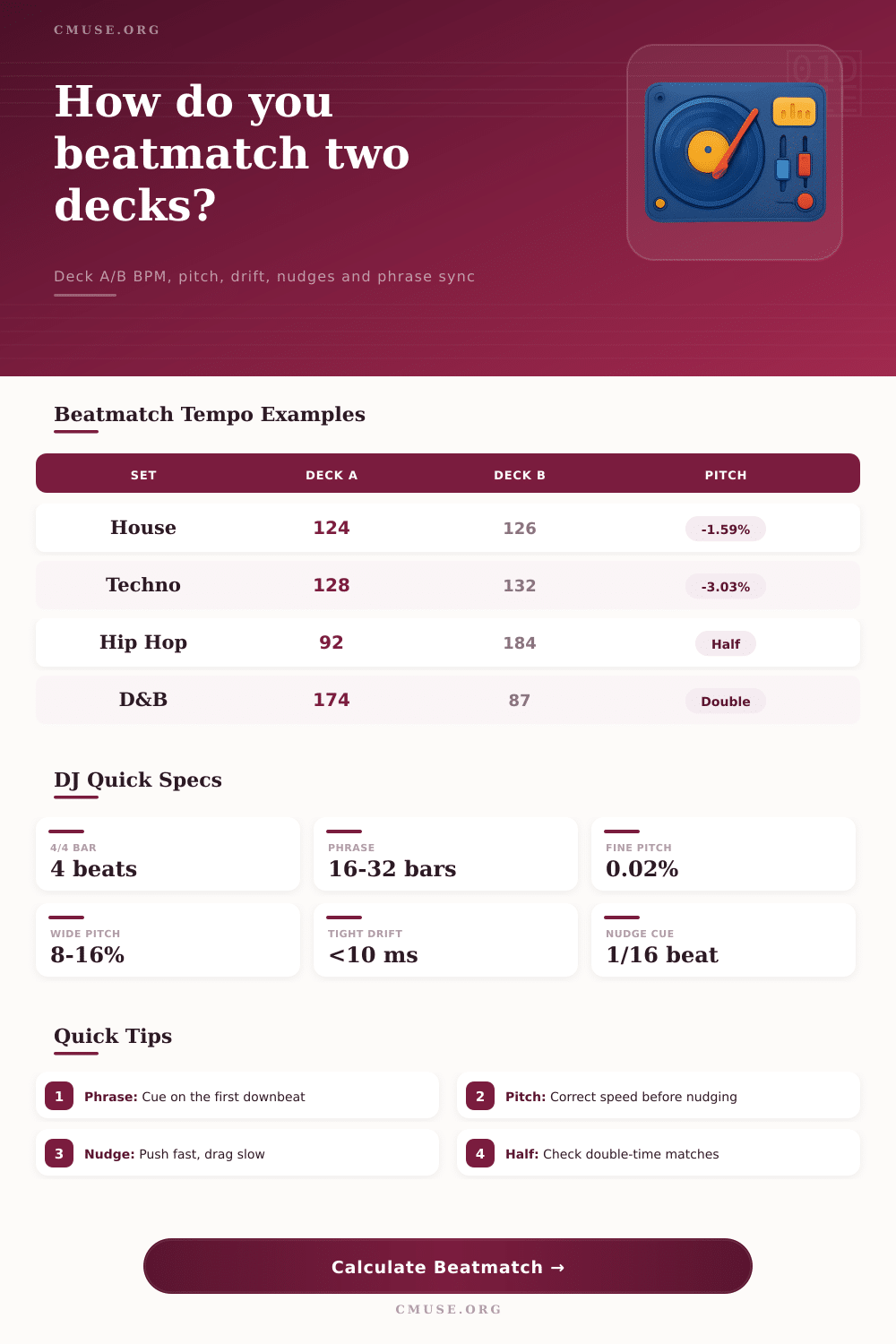
Compare deck A and deck B tempo, pitch control percent, target BPM, drift per bar, nudge timing, phrase sync and half-time or double-time matches for DJ transitions.
Beatmatch Breakdown
Deck A Master
Deck B Incoming
| Deck | Original BPM | Current Pitch | Effective BPM | Bar Length | Action |
|---|---|---|---|---|---|
| Deck A | 124.00 | 0.00% | 124.00 | 1.935 sec | Master |
| Deck B | 126.00 | 0.00% | 126.00 | 1.905 sec | Pitch to -1.59% |
| Interpretation | Deck B Feel | Pitch Needed | Effective Match | Use Case |
|---|---|---|---|---|
| Normal | 126 BPM | -1.59% | 124 BPM | Standard blend |
| Half-time | 63 BPM | 96.83% | 124 BPM | Not practical |
| Double-time | 252 BPM | -50.79% | 124 BPM | Check phrasing |
| Checkpoint | Bars | Target Time | Current Deck B Time | Expected Drift |
|---|---|---|---|---|
| Mini phrase | 4 | 7.74 sec | 7.62 sec | 124 ms |
| Phrase | 16 | 30.97 sec | 30.48 sec | 496 ms |
| Double phrase | 32 | 61.94 sec | 60.95 sec | 992 ms |
| Pitch Range | Best For | Fine Control | Tempo Reach | DJ Note |
|---|---|---|---|---|
| +/- 6% | Vinyl feel | Very fine | Small gaps | Best for close BPM tracks |
| +/- 8% | Club standard | Fine | Moderate gaps | Common CDJ/default range |
| +/- 10% | Open format | Balanced | Wider gaps | Good for mixed genres |
| +/- 16% | Fast blends | Coarser | Large gaps | Watch musical pitch if key lock is off |
| Wide digital | Special edits | Coarse | Extreme gaps | Use for half/double-time checks |
To beatmatch means it’s not only about hearing the pitch; it’s about managing time. It’s about lining up two different timelines and making them moves together at the exact same speed. The idea behind this is easy. But, on physical level, vinyl warps and digital clocks drift. So, it falls to human fingers to smooth over these flaws.
Rhythms that clash become apparent, though the crowd may have no interest in your angst. And so it becomes necessary to force two different worlds of music to act like one without allowing groove to unravel into a wobble of chaos. The reality of playback are expressed in milliseconds while tempo is an average expressed in beats per minute.
The Secrets of Beatmatching
If you have loaded two tracks whose tempos differs by some amount, then each bar represent a rate difference that accumulates every bar. You can see how the calculator above take the maths and shows you exactly how much time drifts out from incoming track when compared to your master deck. So it may say there’s a difference of thirty milliseconds between bars of one track compared too another.
Thirty milliseconds sounds insignificant until you know that if you accumulate that across a sixteen-bar phrase it amounts to half a second total misalignment. Half a second is enough to completely mess up a transition so it is important to understand this accumulation. Nudging is for phase correction, not speed adjustment. Speed: Most newbies uses nudging rather than pitch control to fix tempo issues that need speed adjustment.
A nudge is a phase correction, not a speed adjustment. Your pitch fader are incorrect if you find yourself dragging the jog wheel every couple of bars to maintain beat alignment. Adjust track speed instead so everything aligns naturaly. Only use nudges to cover up tiny timing errors that otherwise would of slip past due to their rare but small nature.
The table on the page shows how this drift builds up over different phrase lengths. It explains why even a small change in pitch lead to a huge time gap later on. Your choice in pitch range determine how you mix. If you use a narrow range of +/- 6%, you’re emulating the feeling of vinyl.
That means being forced to select songs closer together in BPM and having more precise motor skills. It’s less convenient yet it retains that musicality as you don’t stretch audio files too far from their original state. The wider your pitch range the easier it is for you during an open format set when you switch genres often. But the tradeoff include less pitch stability and possible key clashing unless you’re using master tempo mode correctly.
Do you prefer the functional flexibility of digital or do you want the tactile challenge of emulating vinyl? Another dimension not captured in raw BPM numbers are phrase matching. Even if two tracks is exactly beatmatched, they may still clash if their musical phrases do not begin at the same point on the downbeat. In electronic music, the sixteen-bar phrase is a standard building block.
If it’s not aligned, the mix will sound disjointed despite being technicaly locked together. To check that both tracks comes into new sections together, listen out for drop points or harmonic changes. To help see this, the tool estimates the amount of drift across certain bar counts and provides you with a target window to make your last-minute adjustments to keep structure coherent.
Where standard blending is impossible there are creative escape routes such as half-time and double-time matching. For example, if the pitch range of your song does not allow for slow enough or fast enough music to blend then slowing one song down so that it feels like half its tempo will make a seamless blend. Similarly, speeding up another to make it feel double in some situations works too.
These ways of blending ignore original BPMs and thus offer other options different than a simple linear transition. You must listen carefully to make sure the rhythms and percussion element still lock in despite the change. It gives you a way into linking songs that would not ordinarily work.
The bottom line: Beatmatching is as much an art form as it is science, and that means knowing what’s happening behind the scenes while relying on your own ears rather than your eyes. It’s all about understanding the numbers but never letting ‘em see ‘em. It’s all about controlling time and adjusting for drift in order to make the music flow uninterrupted.
Get your head around how those milliseconds add up (and then fade away) and before long you’ll find yourself nudging the decks instead of battling with them. When two different timelines becomes one cohesive pulse, it’s not just worth all the math. It becomes a unified experience.