Bars Beats Ticks Calculator
Convert any Bar|Beat|Tick position into total ticks, milliseconds and seconds at any PPQN, tempo and time signature – or reverse total ticks back into BBT
Full Calculation Breakdown
| PPQN | Used By | Ticks / Bar (4/4) | Resolution |
|---|---|---|---|
| 24 | MIDI clock (sync) | 96 | Coarse |
| 96 | Classic MIDI files | 384 | Standard |
| 480 | Cubase, Studio One | 1920 | High |
| 960 | Pro Tools, FL Studio | 3840 | Very High |
| 1920 | Modern high-res | 7680 | Ultra |
| Denominator | Beat Value | Factor 4/den | Ticks / Beat |
|---|---|---|---|
| 1 | Whole note | 4.0 | 1920 |
| 2 | Half note | 2.0 | 960 |
| 4 | Quarter note | 1.0 | 480 |
| 8 | Eighth note | 0.5 | 240 |
| 16 | Sixteenth note | 0.25 | 120 |
| BPM | 96 PPQN | 480 PPQN | 960 PPQN |
|---|---|---|---|
| 60 | 10.417 ms | 2.083 ms | 1.042 ms |
| 90 | 6.944 ms | 1.389 ms | 0.694 ms |
| 120 | 5.208 ms | 1.042 ms | 0.521 ms |
| 140 | 4.464 ms | 0.893 ms | 0.446 ms |
| 174 | 3.591 ms | 0.718 ms | 0.359 ms |
| Time Sig | Ticks / Beat | Beats / Bar | Ticks / Bar |
|---|---|---|---|
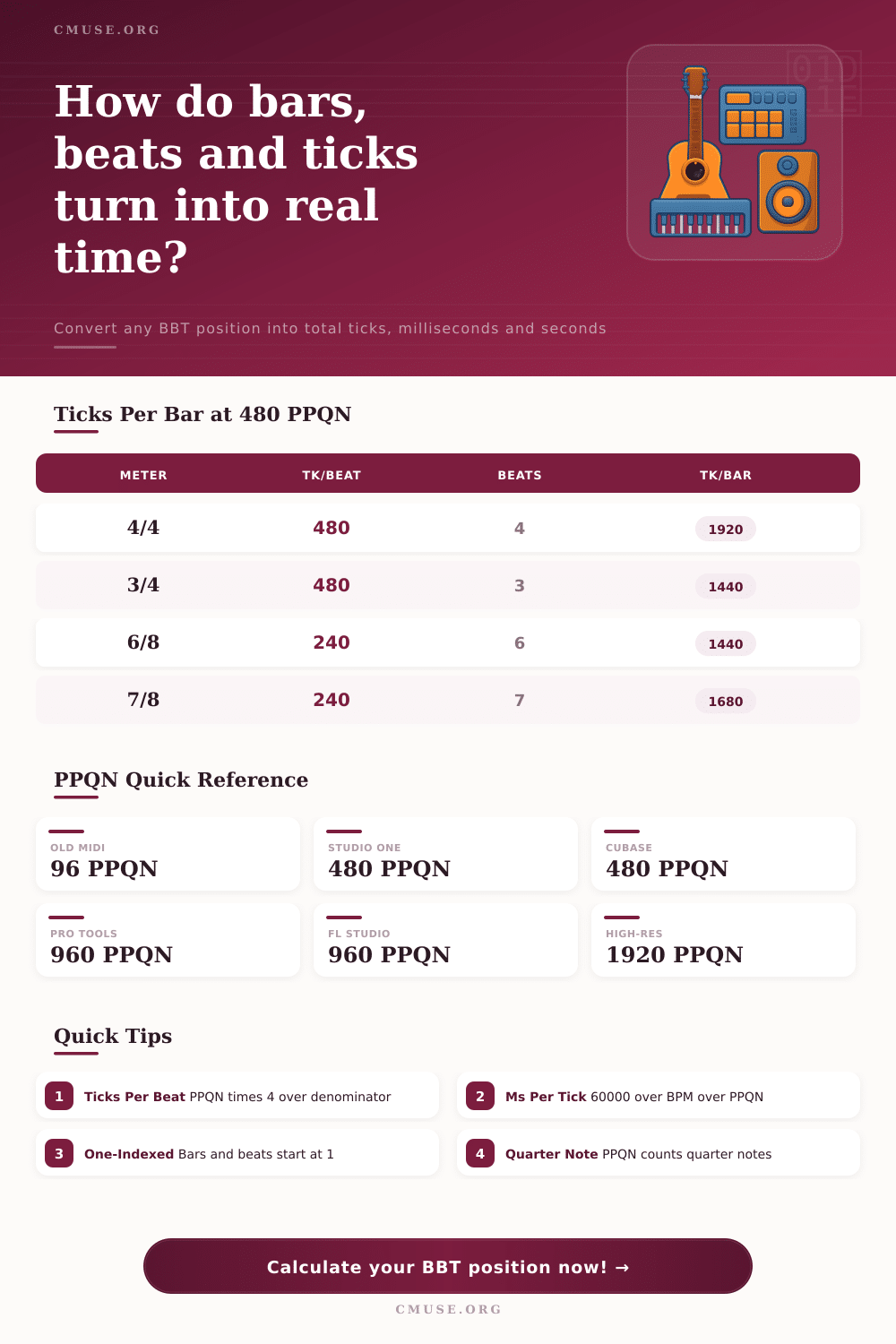
| 4/4 | 480 | 4 | 1920 |
| 3/4 | 480 | 3 | 1440 |
| 6/8 | 240 | 6 | 1440 |
| 7/8 | 240 | 7 | 1680 |
| 5/4 | 480 | 5 | 2400 |
When you’re editing a vocal take and the snare hit lands just a hair behind the grid, this present an issue. It’s not loud enough to easy spot the error, but it kills the groove completely. So, you try to move it back on-beat, and your brain tries to think off the rhythm while your eyes follow the waveform. This is where many producers hang themselves.
We see milliseconds, but we feel beats. These are ticks, beats, and bars. That’s what help us translate music’s time to digital space. That’s how you bridge the gap from our rhythmic intuition to its visual representation.
Understanding Music Timing and Grid Resolution
Pulses Per Quarter Note (PPQN) is the measurement at the heart of MIDI clock and this translation. Imagine it like the ruler inside your projects. PPQN represent the resolution of that ruler. A typical MIDI file may have ninety-six ticks per beat. That’s great if you’re playing some simple chords, not so much when you want to program drums with tight timing. These days our digital audio workstation will go to four hundred eighty or even nine hundred sixty ticks. This give you more control.
Plug in your set-up into the calculator above, and it’ll do the math for you so you don’t need to divide things yourself. Mess up and you could throw off a whole session. It also translates those random bars back into solid milliseconds so instead of only knowing something is on a grid line, you know exactly where it is in real-time.
The other thing that catches folks out is assuming ticks remain constant in length. They do not. This is where tempo comes in. If you set your metronome to 60 beats per min, each quarter note will represent a whole second. Each individual tick or division of that beat are then proportionately longer than it was when set to 120 beats per minute. The relationship between these two speeds is linear. However, if you’re thinking about it musically, there is a counter-intuitive twist: the faster you want a song to be played, the shorter the time for each tick. This require greater resolution if you want to keep precise control over what you edit.
If you speed up the song and reduce from four hundred eighty PPQN down to ninety-six, you’ve made your timing grid rough enough that human timing errors may appear as intended swing. The other wrinkle here is time signatures which indicate the number of ticks per bar. So given four quarter notes in a measure and four hundred eighty pulses within each quarter note, we have nineteen hundred twenty ticks per bar. If you change the time signature to six-eight, where it’s a beat on every eighth note, then all of a sudden your underlying pulse is half as long so you have fewer ticks per beat. And the calculator multiplies the numerator by the ticks per beat, and you get back the tick count for the whole measure. This is useful if you are trying to line up loops that cross bars or compute offsets for complex polyrhythms.
Unless you’re trying to sync your video to your audio or fix a glitchy automation curve, most producers don’t even think of this number. But if you pay attention, you’ll find that high resolution isn’t some attempt at showing off; it’s about giving yourself space to tweak things in small ways without snapping them into an unnatural grid.
If you’ve got ninety hundred ticks to the beat, then you have enough detail to nudge a snare hit forward by two milliseconds to achieve feel without it leaping to the next visible grid line. That tiny bit of lag can be the difference between breathing and robotic.
These are laid out simply in the reference table on the page and they make it easy for you to see what your DAW defaults are compared to industry standard. It’s an interesting way to see how much we’ve progressed as sequencers has gone from 96 to 960, or maybe you’re still using an old machine that only goes up to 96.
There isn’t any reason to remember all of the conversion factors. However, they do give you somewhere to turn when things start to feel odd. They turn a feeling of vague frustration into a solvable equation. The takeaway from all of this, then, isn’t so much that it’s mathematical, but rather that it trains your ear to think in a different kind of time.
From there, you begin working with the software instead of against it. Wherever you’re locking together something visual to something audio (or even just drumming out a rhythm), you’ll know at any given moment precisely how many ticks you have available within a bar. Then you can drop things into place with precision of a surgeon.
Next time your mix sounds a little wobbly (even though everything is on the grid)… Be sure to check your resolution. Changing the ruler on which you’re measuring might be the solution rather then shuffling around the notes themselves.