Audio Compressor Calculator
Estimate gain reduction, output level, and makeup gain for vocals, drums, bass, and mix bus compression.
VCA
Fast clamp
Clean control for drums, bass, and mix glue
FET
Punchy
Very fast attack and character-rich squeeze
Opto
Smooth
Program-dependent release for vocals
Vari-mu
Rounded
Program material stays musical and thick
| Over threshold | 2:1 | 4:1 | 8:1 |
|---|---|---|---|
| +2 dB | +1.0 dB | +0.5 dB | +0.25 dB |
| +4 dB | +2.0 dB | +1.0 dB | +0.50 dB |
| +6 dB | +3.0 dB | +1.5 dB | +0.75 dB |
| +10 dB | +5.0 dB | +2.5 dB | +1.25 dB |
| Use case | Threshold | Ratio | Target GR |
|---|---|---|---|
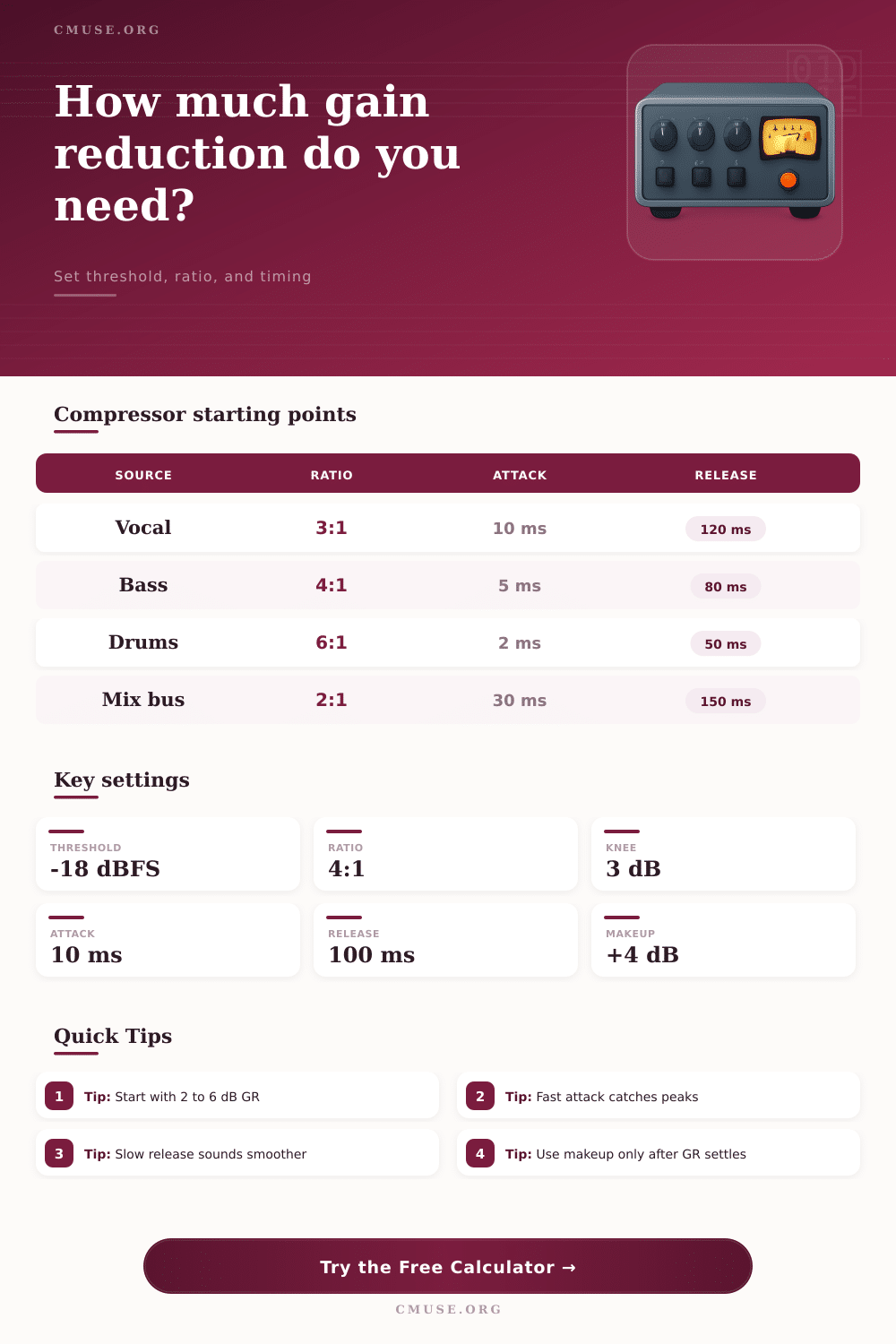
| Lead vocal | -18 dBFS | 3:1 | 3-6 dB |
| Bass guitar | -22 dBFS | 4:1 | 4-8 dB |
| Drum bus | -12 dBFS | 6:1 | 2-5 dB |
| Mix bus | -14 dBFS | 2:1 | 1-3 dB |
| Parallel drums | -20 dBFS | 8:1 | 8-12 dB |
| Profile | Crest | Transient | Sustain |
|---|---|---|---|
| Lead vocal | 12 dB | 18 ms | 220 ms |
| Spoken word | 11 dB | 20 ms | 260 ms |
| Bass guitar | 8 dB | 28 ms | 260 ms |
| Snare hit | 16 dB | 8 ms | 120 ms |
| Mix bus | 14 dB | 35 ms | 300 ms |
Compression is a tool that help to even out the dynamics of an audio signal. Compression work by automatically reducing the volume of an audio signal when that signal is above a certain threshold. A person use compression to make sure that loud sounds dont overpowering quiet sounds within a mix, and to allow for more consistent volume level of a mix.
When the audio signal is above the threshold level of the compressor, the compressor reduces the volume of the signal. The ratio of the compressor determine the amount of volume that is reduced. For instance, a low ratio of 2:1 indicate a form of subtle volume control, whereas a high ratio of 8:1 will allow for more aggressive volume control.
What Audio Compression Does and How to Use It
Compressors has different settings that allow for more control over the dynamics of an audio signal. For instance, the threshold control at what volume level the compression should begin, as well as the ratio of the signal that is compress. The attack time allow the compressor to control how long it takes for the signal to begin to reduce the volume of audio signals that are above the threshold.
If the attack time is short, the compressor will catch loud peaks in the audio signal, but may also remove the initial impact of the sound. Conversely, if the attack time is longer, the compressor will allow the initial impact of the sound to pass by prior to the signal beginning to reduce the volume of loud sound. The type of source material for an audio signal can impact how a person set the compressor settings.
For instance, sounds like snare drums have a high crest factor (meaning there are loud peaks in the signal), so a person may utilize a fast attack time to control that loud signal. A vocal has a lower crest factor than a snare drum, so it may have a slower attack time. Furthermore, the same considerations can be made for a sound like a bass-guitar, which also has its own specific dynamic requirements for a mix.
There are different type of compressors that have certain tonal characteristics to them. For instance, people usually use VCA compressors for very clean and surgical tasks, such as ensuring that all elements of a mix are even within the master bus. FET compressors tend to add “punch” to sounds like snare drums, as they react very quick to loud transients.
Opto compressors are usually used to smooth out vocals, as their release time can match the natural phrasing of vocals. In addition to these different type, compressors can also be used in a form known as parallel compression to achieve a certain sound. This technique involve taking a signal that has been heavily compressed, as well as the original signal, and blurring the two signals together.
This helps to add thickness to a sound. Additionally, makeup gain can be used to restore the volume to the signal that was lost during the compression process. Makeup gain should be applied after the signal is compressed, as applying the gain too early can cause that signal to clip.
Finally, when applying a compressor to the mix bus of a song, a low ratio and minimal gain reduction should be applied to the mix, as applying too much compression to the mix bus can make the song sound sterile. For instance, a ratio of 2:1 can be used on the mix bus, as well as 1 to 3 dB of gain reduction. When compressing drums, however, a producer may use a higher ratio, such as a ratio of 6:1.
Additionally, an attack time that is too fast for all sounds may be avoided, as that may lead to the mix sounding thin. Long release times can also be avoided, as they may cause the signal to “duck” unnaturally from one beat to the next. Finally, a person should of use there ears to determine the best settings for a mix, as mathematical calculation of the signal may not accurately reflect how the signal will sound in a room.