Album Runtime Calculator
Total an album, EP, deluxe edition, or streaming edit from exact track lengths, estimated tracks, inter-track gaps, bonus songs, side split, and release target.
Preset use: Load a release shape, then replace the track list with master durations. Exact entries override the average length for the counted main sequence.
Runtime Breakdown
| # | Track | Source | Duration | Runtime Note |
|---|
| Side | Tracks | Music | Gaps | Total | Balance |
|---|
| Release Type | Common Track Count | Typical Runtime | Planning Watchpoint |
|---|---|---|---|
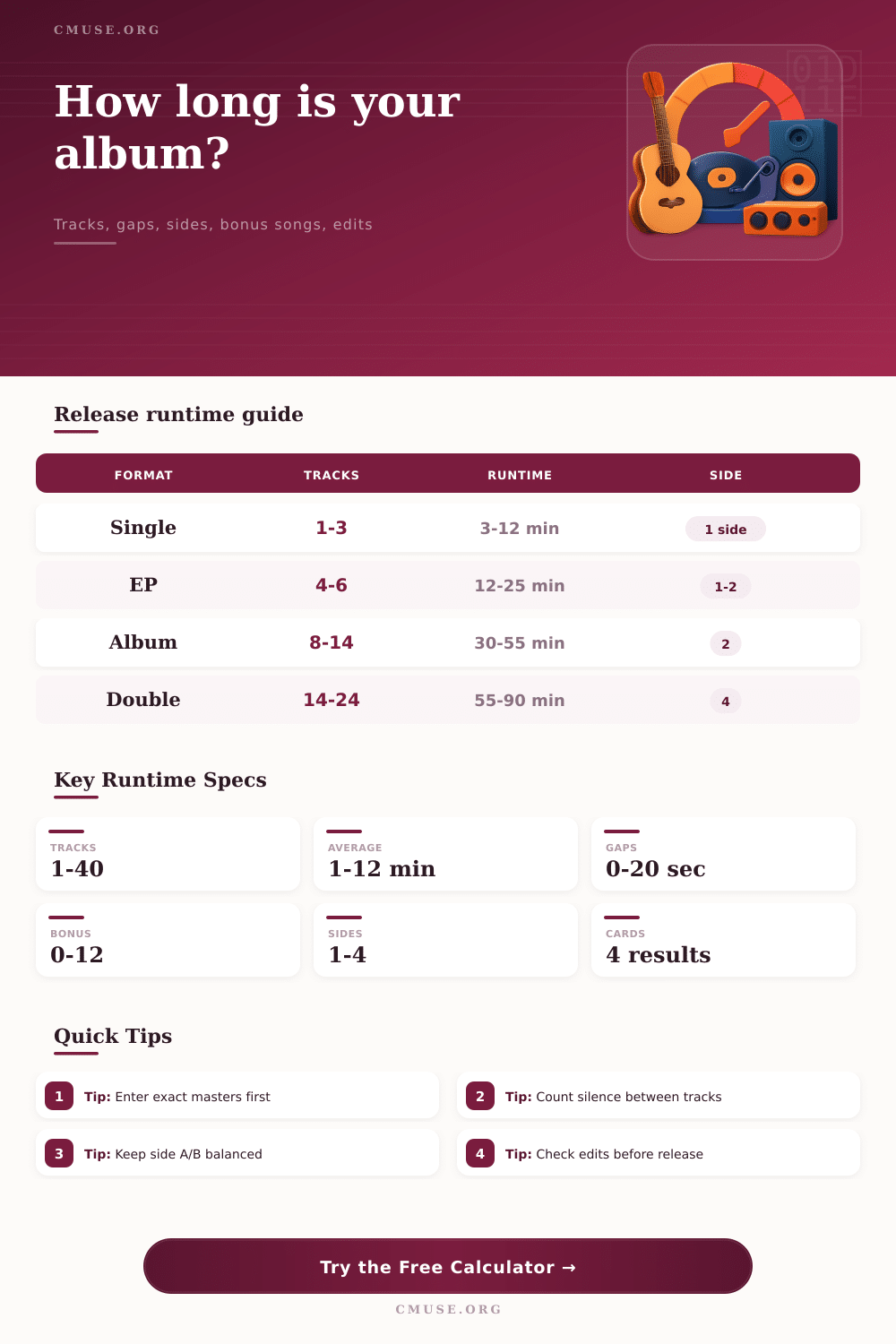
| Single or maxi single | 1 to 3 tracks | 3 to 12 minutes | Alternate versions can make a short release feel like an EP. |
| EP | 4 to 6 tracks | 12 to 25 minutes | Long intros and interludes can push the release toward mini-album length. |
| Standard album | 8 to 14 tracks | 30 to 55 minutes | Track order and side balance matter once runtime passes the mid-40s. |
| Deluxe edition | 12 to 20 tracks | 45 to 75 minutes | Separate the core album from bonus material for clean metadata. |
| Double album | 14 to 24 tracks | 55 to 90 minutes | Four-side or two-disc splits need their own pacing checks. |
| Edit Strategy | What Changes | Best Use | Risk Signal |
|---|---|---|---|
| Trim gaps first | Reduces silence and spacing | Albums with standard two to five second gaps | Continuous transitions can feel abrupt if trimmed too far. |
| Remove bonus tracks first | Keeps the core sequence intact | Deluxe releases and expanded reissues | Fans may expect bonuses on the primary digital version. |
| Shorten long tracks | Applies radio-style reductions to longer songs | Streaming-first highlights or promo edits | Bridges, outros, and solos may lose musical payoff. |
| Target by trimming tail | Cuts time after the target point | Rough planning for a shorter edition | Must be resequenced musically before release. |
| Preset | Release Shape | Main Runtime | Bonus Plan | Side Plan |
|---|
Album runtime are important in the creation of a musical album. The runtime of a musical album can impact the experience that the listener has of that musical album. For instance, if the album runtime is too long for a musical album, it is possible that the listener will lose interest in the musical album before it is finished.
However, if the runtime is too short for the musical album, the listener may feel that the album are too brief. A variety of factors determine the album runtime, including the lengths of the individual track in the album, the length of any silence or crossfades between tracks, and the inclusion of any bonus tracks. The length of each individual track for the album contribute to the album runtime.
Things That Affect Album Length
However, the length of any silence or crossfades between tracks can also contribute to the total runtime of the album. Any such gap in the album must be accounted for in the calculation of the album runtime. In addition to calculating the length of each track in the album, the length of any hidden intros or outros for the album must also be accounted for.
These intros and outros may not be reflected on the albums track listing for the musical album, but they still contribute to the total length of the album. The calculator allow for the input of the length of the master tracks and the selection of the type of gaps between tracks. Based on these inputs, the calculator can determine the total length of the musical album.
Finally, another factor that can influence the runtime of the album is how the album is divided into its sides. A person may find that the second side of a vinyl record contain too much music for that side of the album. The calculator also allows for the modeling of splits of the album into its sides.
These sides can be modeled to determine how moving an interlude to a different side of the album can balance the runtime of each side of the album. Another factor in the determination of the runtime of the album is the possible inclusion of bonus tracks. Some musical albums includes bonus tracks within the main track listing for the album.
Other musical albums treat bonus tracks as a separate album with additional music to that included in the main track listing. Each of these options can be modeled in the calculator. By selecting each of these options, the musical album creator can determine whether the bonus tracks add any value to the musical album or whether they extend the length of the musical album beyond the preference of the listener.
Finally, another consideration regarding the length of the musical album is the length of the musical album on the various streaming platforms. Most streaming platforms features shorter versions of musical albums. Most creators of musical albums decide to create a shorter digital version of the musical album by either removing some of the tracks from the main track listing or by removing silence between tracks.
The edit models in the musical album editor will allow for the testing of each of these versions of the musical album without altering the original masters for the musical album. This edit function will allow the musical album creator to determine whether they save more time with the removal of silence between tracks or with shortening the length of the longest tracks within the musical album. Tables are provided on the calculators webpage to provide context for the calculated length of the musical album.
For instance, a musical album that has eight tracks and a length of forty-two minutes is considered to be of a standard length for musical albums. A musical album that has a twelve-track deluxe edition that lasts for more than seventy-five minutes is of a different category of musical album than standard musical albums. These tables are not strict rules for the length of musical albums.
However, they do help to provide context to the calculated length of the musical album and to allow the musical album creator to understand whether their musical album is of a common length for musical albums of that type. Calculating the length of an album prior to finalizing the track order for the album allows for the musical album creator to discover potential issue with the length of the music that will play on each side of the album or how the streaming edit may require the removal of additional tracks from the album. By catching these issues early in the creating of the musical album, the musical album creators will save themselves the time and effort of having to make these adjustments later in the process.
Common mistake made by individuals calculating the length of a musical album include forgetting to include the length of the silence between tracks, or assuming that all bonus tracks will be included in the total length of the album. Additionally, another common mistake is to assume that the average length of each track will be maintained for each track in the album when the masters for the tracks are mastered and finished. However, by using this album length calculator, these assumptions will be avoided.
You should of used it earlier. Overall, the length of an album has a variety of impacts upon the listener of that music. For instance, the length of a musical album that features no gaps between tracks will have a different listening experience from a musical album that features gaps between tracks.
Additionally, a musical album that has four side to the album will have a different length for each side than a musical album that is to be released as a single program on streaming music platforms. By understanding the impact of each of these factors upon each listener, the musical album creators can make informed decisions regarding the structure of the musical album. Furthermore, the musical album length calculator allows creators to test these various decisions to ensure that the length of the musical album will meet the intentions of its creators.
It is actualy a very useful tool.