Metronome Ramp Step Calculator
Plan a tempo climb from starting BPM to target BPM with realistic step count, BPM increment, time per step, bar repeats, recovery rests, and a final confidence buffer for focused practice sessions.
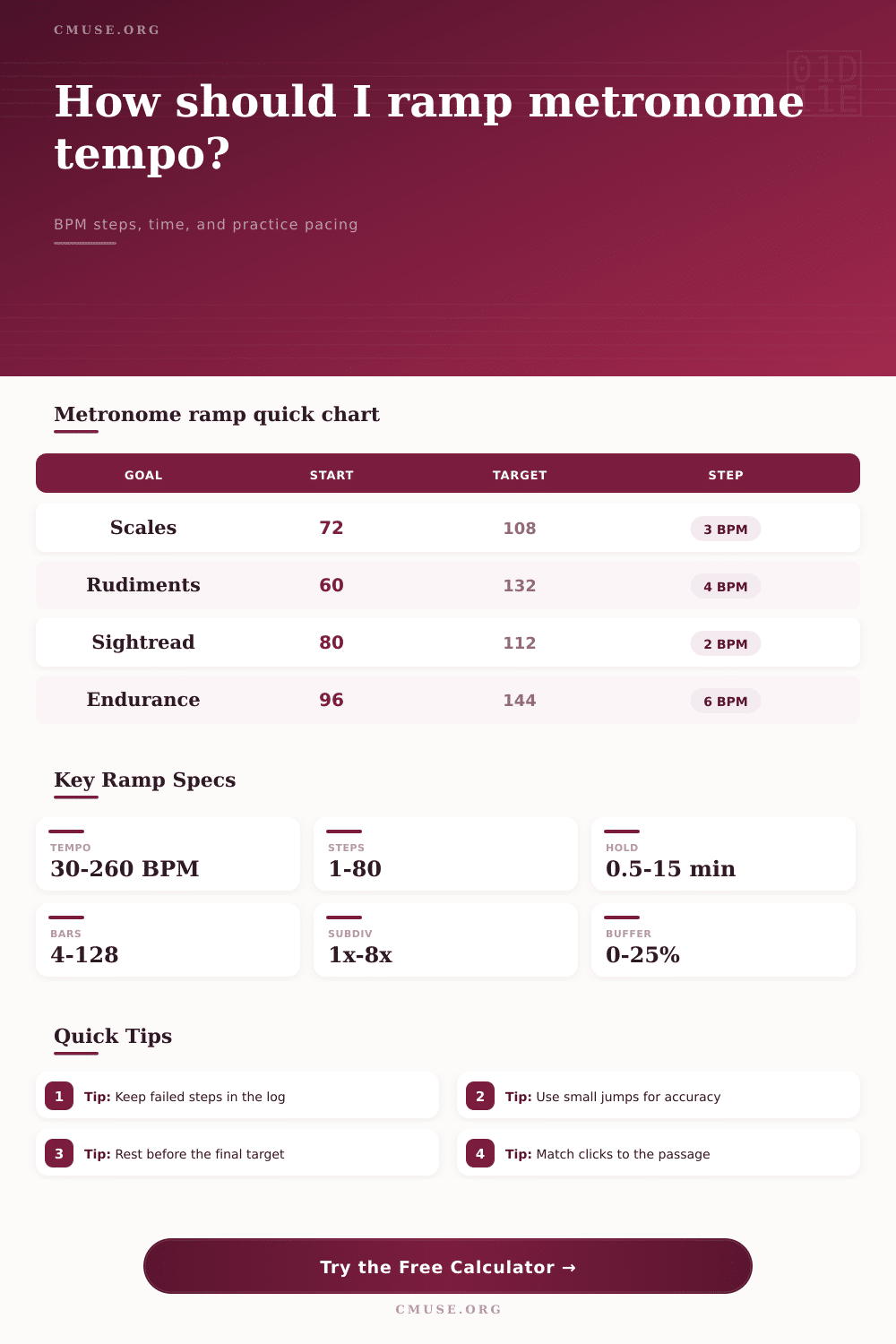
Ramp model: The calculator divides the tempo gap into metronome steps, then estimates how long each step lasts from either minutes, bars, or a fixed step target. Rest time, warmup, cooldown, and confidence buffer are added to the full session length.
Ramp Formula Breakdown
Target BPM minus starting BPM, before any confidence buffer.
Practice ceiling used to make the written target feel steadier.
Total bars covered across all tempo steps.
Estimated audible clicks from subdivision and tempo duration.
| Formula | Use It When | Calculation | Practice Meaning |
|---|---|---|---|
| BPM increment | You choose a step count | (target BPM - start BPM) / steps | How far the metronome moves after each successful step. |
| Ramp steps | You choose a BPM jump | ceiling(BPM range / preferred increment) | How many tempo stations are needed before the target. |
| Time per step | You choose a total ramp time | available ramp minutes / steps | How long to stay at each metronome mark. |
| Session length | You include rests and holds | warmup + ramp + rests + cooldown | The full clock time to reserve for this practice block. |
| Practice Task | Typical Start | Step Size | Hold Time | Best Check |
|---|---|---|---|---|
| Scale clarity | 60-84 BPM | 2-4 BPM | 1-3 min | Even tone and clean fingering |
| Drum rudiments | 50-80 BPM | 4-6 BPM | 2-4 min | Stick height and relaxed rebound |
| Fast picking | 70-110 BPM | 2-5 BPM | 1-2 min | No extra string noise |
| Vocal diction | 60-96 BPM | 2-3 BPM | 1-3 min | Clear consonants at tempo |
| Endurance pattern | 90-130 BPM | 4-8 BPM | 3-8 min | Stable sound after fatigue |
| Click Setting | Multiplier | Useful For | Ramp Caution |
|---|---|---|---|
| Half-note click | 0.5x | Long-line phrasing, pulse independence | Use only after the rhythm is secure. |
| Quarter-note click | 1x | General tempo ramps and ensemble parts | Most useful default for mixed material. |
| Eighth-note click | 2x | Early accuracy work and slow coordination | Can hide weak internal subdivision. |
| Triplet click | 3x | Swing, shuffle, compound feel | Check that accents stay musical. |
| Sixteenth-note click | 4x | Detail repair, hand synchronization | Reduce clicks later to test control. |
| Tempo Zone | BPM Range | Recommended Jump | Recommended Hold | Before Moving On |
|---|---|---|---|---|
| Slow repair | 40-72 BPM | 2 BPM | 2-5 min | Eliminate repeated mechanical errors. |
| Working tempo | 72-112 BPM | 3-4 BPM | 1-3 min | Keep articulation and rhythm consistent. |
| Performance approach | 112-168 BPM | 2-5 BPM | 2-4 min | Confirm relaxed motion under pressure. |
| Speed ceiling | 168+ BPM | 1-3 BPM | short bursts | Stop before tension rewrites the motion. |
Have you ever been playing along with a piece at a comfortable speed of 60 beats per minute only to find that as soon as you perform it at speed it turns to mush? It’s happened to me and most musician, from beginners to pros. What we usually do is turn up the metronome and see what happens. Not much I can tell you! It doesn’t take into account muscle memory.
All you have to do is enter in your own level of experience and the tempo that you want to reach and this calculator does the rest for you. No more guesswork about how many steps you has to make to get there.
How to Use the Tempo Calculator
Tempo is treated as a light switch by most players. Fast! Slow! They give no thought to levels in between. Repetition on any motor task have to be within certain thresholds for it to become motor learned. Jumping up too far reinforces sloppiness. Jumping up too slow wastes time on things you’ve already got down pat. It’s the rhythm with which you want to climb.
Decide how many times to repeat X number of bars? You can also hold each step for so many minutes. Why does this matter? Some passages require sheer volume of repetition. Others require time to settle. Choose to match the length of your available session, not according to whimsical preference. This is the trick to making it efficient.
Think about the rest in between steps. You might overlook this as unimportant, but every fifteen second break provide a silent opportunity for your nervous system to reset. It doesn’t matter whether you’re aware of being fatigued; your timing slip. The calculator accounts for these breaks seamlessy. It adds in cool-down and warm-up times so it can provides you with a realistic estimate of the duration of your entire session.
Musicians tend to greatly overestimate how much time a ramp should of take when organized. For instance, you may assume you’ll be able to achieve a twenty beats per minute rise within a ten-minute practice period, but the tool will demonstrate you require either a smaller step or longer period of time. That knowledge helps avoid getting frustrated when you reach the end of the session and realize you have nothing to show for it.
There’s one more layer that most people forget about till it’s too late: the subdivision setting. This controls how much detail there is in the timing feedback. Can you change from a quarter note click to an eighth note (or even sixteenth) pulse? That will provide less information as to where you are in relation to the beat. If I use a coarse click such as half-notes, then I have to internalize the beat. I’m no longer checking constantly against something outside of me.
This is all laid out in the table on the page. It shows what kinds of clicks works for what kind of technical goal. So maybe you’ve got a syncopation error and want to fix it. Start with many clicks and see if that helps. Now drop back to a sparse pulse to check your ability to be independent. Just make sure the speed isn’t an illusion, make sure it’s real.
Lastly comes confidence buffers. This extra couple of percent added on top of the desired tempo is so you feel like you could play the music comfortabley at this speed. Your inner metronome often speeds up when you get nervous. In real-time performance, what felt like the right speed in practice can be too quick and vice versa in rehearsal. That’s where a five percent buffer comes in. It makes your working tempo more comfortable different than a theoretical max. Instead of being afraid of playing faster then the tempo, you know youve done it and can do more.
The maths is straightforward (divide by one point two), but the psychology is huge. It takes the chaos and turns it into structure. The structure helps you break down that big tempo gap into bite sized chunks that are more manageable. Every chunk is its own little win. Those wins add up to create the stamina needed to perform the entire piece.
This isn’t some magic tool that plays your music for you. It’s an instrument that creates the roadmap you follow to arrive at your destination. You still have to walk the road, but you now know just how far you’ve got left to go.