Pitch Percent Sharp Flat Calculator
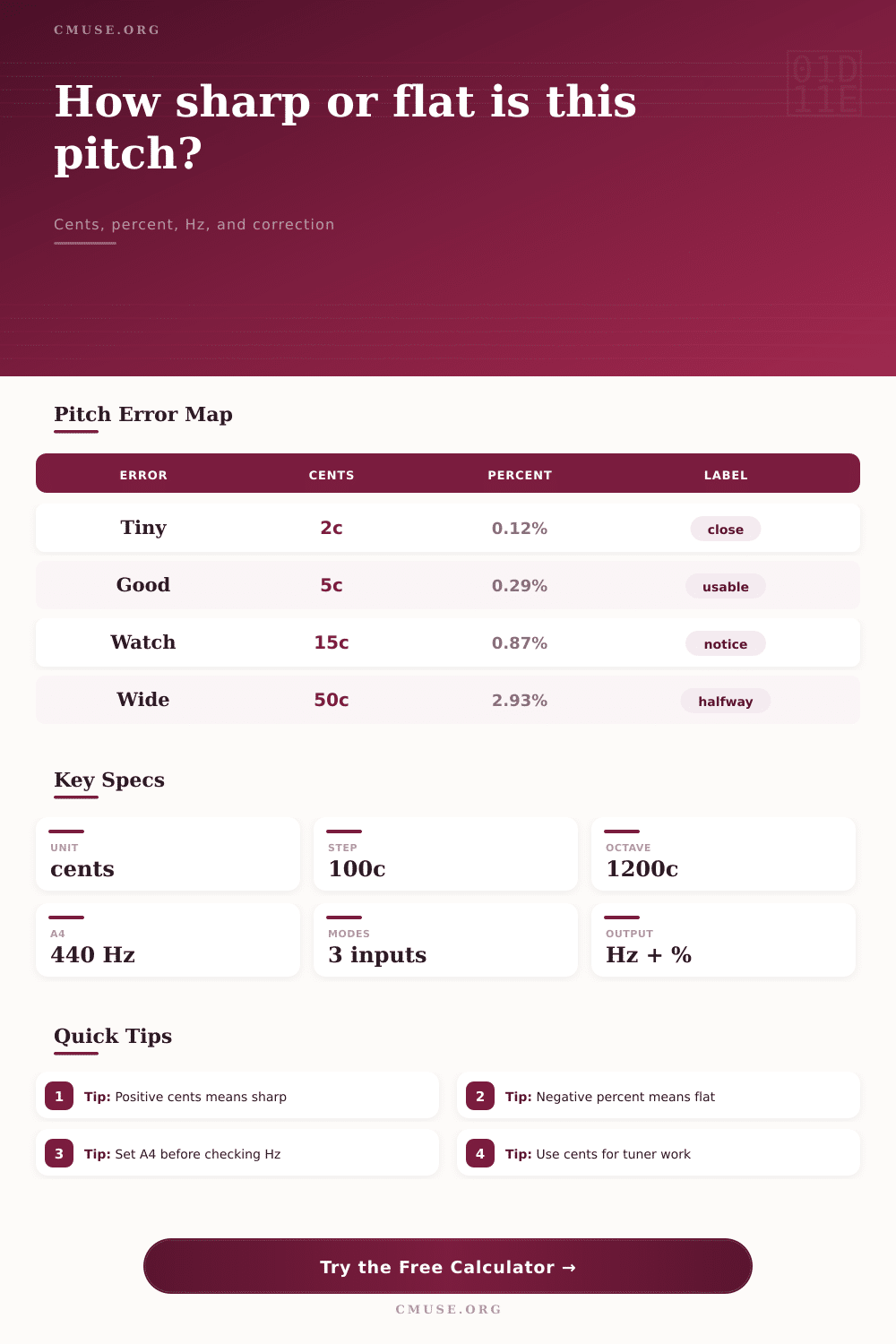
Convert a measured pitch into cents, percent sharp or flat, Hz difference, and correction targets using equal-tempered pitch math from a note, octave, or custom reference frequency.
🎯 Pitch Error Presets
⚙ Target And Measured Pitch Inputs
Calculation Breakdown
📌 Current Pitch Cards
The selected note, octave, or custom target.
Equal-tempered reference frequency.
Positive cents and percent are sharp.
Chosen in-tune decision band.
🎚 Pitch Correction Comparison Grid
📊 Cents To Percent And Frequency Table
| Cents Offset | Direction | Percent Error | Measured Frequency | Hz Gap |
|---|
📈 Percent To Cents Table
| Percent Offset | Direction | Cents | Frequency At Target | Practical Reading |
|---|
🎼 Sharp Flat Frequency Table
| Pitch Point | Cents | Percent | Frequency | Nearest Use |
|---|
🎯 Tolerance And Correction Table
| Band | Cents | Percent Window | Hz Window | Use Case |
|---|
📋 Correction Strength Detail
| Correction Style | Strength | Corrected Frequency | Residual Cents | Result |
|---|
If you’ve ever been stuck in a recording booth waiting on producer to sign off on take, you know that feeling when they say go again because something sounds slightly off but you can’t place it, then you hear it: a faint wobble that fouls up the vocal. It’s not usually a wrong note, but nearly always one of those elusive pitch drifts that’s sharp or flat a few cents. And it could be the difference between a good recording and a sloppy-sounding home demo.
With our calculator above, you enter frequency that you’ve measured and it’ll do the maths for you. It outputs the same number as cents, percent error and Hz gaps. This lets you find exactly how far out of tune it is. But you’re only halfway through process; the key to all this is being able to understand what these numbers mean to you and your instrument.
How to Read the Numbers
Human hearing is logarithmic, which is why most musicians thinks in terms of cents. Whether they’re whistling a high flute melody or humming a low bass note, a half step are always 100 cents. On the other hand, percent error is a different kind of measurement. It’s not the linear difference between two frequencies but rather their relative amount of change. At 100 Hz, a one percent shift sounds different then a one percent shift at 4000 Hz. While percent makes sense for DSP algorithms, it breaks down if you try to relate it to musical intervals. For that reason, audio engineers and tuners prefers cents for making music decisions, although the percent readout is still fine for setting software, while the cent readout is what you want to trust your ear with.
The initial stumbling block for most people is setting their reference pitch. What happens if your recording/session is set to A442 and you’re referencing strictly to 440 Hz? Everything will read flat. This may seem like a minor detail, but it do matter. You need to change the A4 reference on the calculator to match standard used by your recording or ensemble. You’re otherwise correcting errors that don’t exist. Historical performance follows a similar logic, and in case of Baroque tuners, it’s often A415. Plugging in 440 Hz here as the target means your whole analysis will be skewed by a whole step. By shifting baseline on the calculator, you save yourself from chasing ghosts in your waveform.
Finally, there’s tolerance bands. Most digital tuner use a window of 3-5 cents to declare a note in tune, and you can define this threshold explicitly on the calculator. If you’re thinking of a choir, they may have to allow up to ten cents because of natural drift and vibrato in their breath. For a synthesized lead, you may need as little as one cent. All depends on the context of the sound and there is no right or wrong answer. It just means you’re defining how imperfect you want your sound to be.
The correction preview gives you an idea of where you’ll end up by applying some correction, rather than just having it snap into place at target. That way you get a feel for how a pitch correction algorithm like Auto-Tune interact with the source material.
The thing we tend to overlook is that pitch isn’t fixed. Wood and metal change with temperature; humidity alters tension on strings. A guitar tuned in a warm studio may sound sharp when played under hot stage lights. The calculator presents you with still image of one point in time. It can’t anticipate how the pitch is going to slide for next twenty minutes. But what it can do is tell you whether you were correct when you initialy tuned. Are all your readings coming up five cents sharp on several strings? Then perhaps your nut slots is cut out too deeply or maybe your bridge is misaligned.
More than anything, this tool helps train your ear to listen for what pitch deviation realy sounds like, rather than just correcting poor pitch itself. Once you can look at the calculator and distinguish between “oh, that’s only five cents” (a barely noticeable shimmer) and “that’s fifty cents” (a clear wrong note), you’ll be able to hear those values intuitiveley yourself. You will no longer depend entirely on flashing light of a tuner. Instead, you are going to trust what you hear, supported by some serious math. And that’s realy what you want the calculator for: you want it to teach your ear, not replace it.
One day when you’re listening to that vocal track, you’ll hear that wobble. You will know how much it is out of tune. You will also know if it should of been corrected or if it adds something interesting. Numbers are just the map, but your ear is the terrain.