Rhythmic Subdivision Count Calculator
Count rhythmic grid steps, DAW ticks, note values, active attacks, and density across bars for straight, triplet, compound, swing, and high-resolution production grids.
🎹 Subdivision count presets
Counting model: the calculator measures grid positions per bar first, then scales the same grid by bar count, active voices, fill percentage, PPQ, accents, and swing timing.
🎚 Rhythm grid inputs
Subdivision breakdown
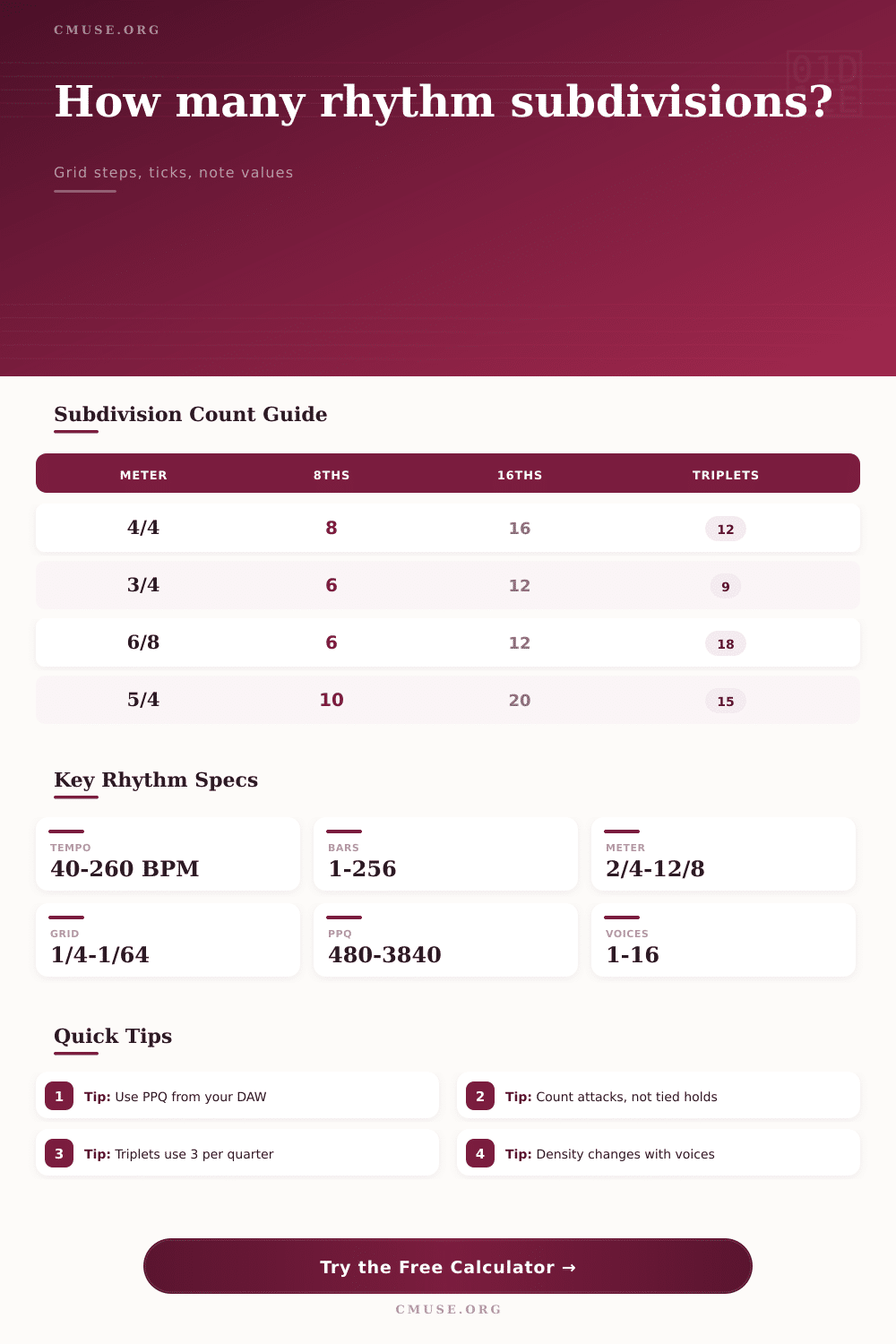
📊 Subdivision totals by time signature
| Time signature | Quarter length | Eighth count | Sixteenth count | Triplet count |
|---|---|---|---|---|
| 2/4 | 2 quarter notes | 4 per bar | 8 per bar | 6 per bar |
| 3/4 | 3 quarter notes | 6 per bar | 12 per bar | 9 per bar |
| 4/4 | 4 quarter notes | 8 per bar | 16 per bar | 12 per bar |
| 5/4 | 5 quarter notes | 10 per bar | 20 per bar | 15 per bar |
| 7/4 | 7 quarter notes | 14 per bar | 28 per bar | 21 per bar |
🎼 Compound meter subdivision table
| Compound meter | Quarter length | Eighth count | Sixteenth count | Triplet grid note |
|---|---|---|---|---|
| 6/8 | 3 quarter notes | 6 eighths | 12 sixteenths | 18 triplet steps |
| 7/8 | 3.5 quarter notes | 7 eighths | 14 sixteenths | 10.5 triplet units |
| 9/8 | 4.5 quarter notes | 9 eighths | 18 sixteenths | 27 triplet steps |
| 12/8 | 6 quarter notes | 12 eighths | 24 sixteenths | 36 triplet steps |
🕒 Note value and tick reference
| Grid | Per quarter | Ticks at 960 PPQ | Duration at 120 BPM | Common use |
|---|---|---|---|---|
| Quarter note | 1 | 960 ticks | 500 ms | Pulse and downbeats |
| Eighth note | 2 | 480 ticks | 250 ms | Basic groove grid |
| Eighth triplet | 3 | 320 ticks | 166.7 ms | Shuffle and triplet feel |
| Sixteenth note | 4 | 240 ticks | 125 ms | Hi-hats, riffs, and edits |
| Thirty-second note | 8 | 120 ticks | 62.5 ms | Fast fills and rolls |
| Sixty-fourth note | 16 | 60 ticks | 31.3 ms | Detailed runs and glitches |
🔀 Grid comparison table
| Grid type | Count behavior | Timing behavior | Density read | Best calculation use |
|---|---|---|---|---|
| Straight 16ths | 4 per quarter | Even spacing | Medium detail | Most drum and bass patterns |
| Triplet grid | 3 or 6 per quarter | Three-part pulse | High if filled | Shuffle, swing, and rolls |
| 32nd grid | 8 per quarter | Very tight spacing | High detail | Fills, edits, and ornament runs |
| Swung grid | Same as straight | Offbeat delayed | Count unchanged | Groove placement checks |
| Compound meter | Based on eighths | Grouped pulse | Phrase dependent | 6/8, 9/8, and 12/8 patterns |
There’s likely been times where you’ve heard a drum loop with all of its notes aligned yet it still sounds just not quite right. More often than not it boils down to how you’re hearing the gap between each hit.
According to music theory, a bar have a set number of beats in it. In the world of production however, it’s what lives in gaps between beats that matters.
How to Count Rhythm for Better Beats
Use the rhythmic subdivision count calculator above. It does away with having to count out manual figures for sixteen or thirty-second notes in complex arrangements. Simply enter your preferred tempo and grid settings and let the math do the work. This converts vague musical ideas into real data that you can use towards building up your track.
Grid resolution is the most significant input based off this scenario. For popular groove-based genres such as pop and rock, it makes sense that most producers will start with a sixteenth note resolution. But if you’re creating trap or hi-hat rolls in drum and bass, then sixteenths are far too sparsely populated. To get the nuances of rapid-fire accents and flams into the pattern require a finer subdivision such as thirty-seconds or even sixty-fourths.
With this tool you can change resolutions on the fly. So if your pattern was based around sixteenths but you swap up to thirty-seconds, you double the number of possible grid positions. This in turn doubles your capacity for rhythmic complexity. It also explains why your computer may struggle if you are piling on too many high resolution MIDI part.
The other factor is time signature. There are sixteen slots for sixteenth-notes in a typical 4/4 measure. But in a compound meter like 6/8, it’s all turned upside down and the pulse are grouped in threes instead of twos.
As the table on the page shows, the grid works different for triplets versus straight up grid lines. That can be important if you’re attempting to add a shuffle feel. If you think about it, a triplet grid gives you an uneven lope. A straight grid divides the beat evenly. That’s why it’s possible to get muddied mixes where someone attempts to force a shuffle into a straight quantized grid.
The final touch is how many voices are active. Rather than just a kick drum patter, consider the rhythmically dense full kit including snare, hi-hats, and even ghost notes. How does it work? It multiplies the number of active voices by the fill percentage you select. That result in an accurate estimate of how many attacks occur within a phrase.
For example, if you’re creating a minimalist techno piece, perhaps twenty percent will be filled. On the other hand, a chaotic metal riff could push that number up towards eighty percent.
Having this figure lets you know how you want the frequency spectrum balanced out. Too much going on at once and your mix risks getting muddy in the low end. If there is not enough, your song could sound hollow and without direction.
Another variable is swing and humanization which you will never be able to capture in static notation. The digital sequencer is incredibly precise and at times sounds robotic. Adding a small amount of swing pushes the off-grid notes slightly, delaying them and giving the groove a relaxed feel. With a humanization tolerance you get very slight changes in timing that immitate the imperfect nature of a human drummer. It doesn’t increase or decrease the overall number of subdivisions; it just changes the perceived energy of the rhythm. A subtle delay can make a snare hit sound more laid back or even more urgent different than the tempo.
Last but not least is the PPQ or DAW resolution. This refers to the number of ticks in each quarter note that your computer knows to base all its calculations on. And here’s the kicker, most new digital audio workstations bases their internal clock at nine hundred sixty ticks per quarter note. If you have some old hardware synth or a certain midi controller, then maybe you need something different. Just be sure they’re synced up so you don’t get any timing issues exporting your project.
It’s all about clarity. Knowing exactly how many rhythmic events you can stack into a bar makes for better decisions regarding what gets detailed and where you let things breathe. It is simple math, but the outcome is a much tighter, more intentional mix.
No more guesswork as to where the groove is coming from, just design it.
You should of used this sooner.