Beat Drop Alignment Calculator
Align a drop hit, sample, or arrangement marker to the nearest DAW grid, bar line, or phrase boundary using BPM, meter, snap value, audio lead-in, and tolerance.
🎚 Drop alignment presets
🎼 Timing inputs
Calculation breakdown
📊 Beat, grid, and phrase references
| Grid value | Beat fraction | Use case | Formula |
|---|---|---|---|
| 1/16 beat | 0.0625 | Micro transient edits | round(beats / .0625) x .0625 |
| 1/8 beat | 0.125 | Fast FX and fills | round(beats / .125) x .125 |
| 1/4 beat | 0.25 | Drum fills and stutters | round(beats / .25) x .25 |
| 1/2 beat | 0.5 | Fakeouts and pickups | round(beats / .5) x .5 |
| 1 beat | 1.0 | Main drop downbeats | round(beats / 1) x 1 |
| 1 bar | meter | Arrangement moves | round(beats / meter) x meter |
| Tempo | 1 beat | 1 bar 4/4 | 16 bars |
|---|---|---|---|
| 90 BPM | 666.7 ms | 2.667 sec | 42.67 sec |
| 100 BPM | 600.0 ms | 2.400 sec | 38.40 sec |
| 124 BPM | 483.9 ms | 1.935 sec | 30.97 sec |
| 140 BPM | 428.6 ms | 1.714 sec | 27.43 sec |
| 150 BPM | 400.0 ms | 1.600 sec | 25.60 sec |
| 174 BPM | 344.8 ms | 1.379 sec | 22.07 sec |
🎛 DAW and grid comparison
| DAW or workflow | Best reference | Nudge style | Alignment note |
|---|---|---|---|
| Ableton Live | Warp marker on transient | Grid or ms nudge | Set the first marker on the real impact, not the silence before it. |
| FL Studio | Playlist bar line | Snap selector plus shift | Check slip edits after stretching samples to tempo. |
| Logic Pro | Region anchor | Ticks or samples | Move the anchor if the audio file has a lead-in ramp. |
| Pro Tools | Tab-to-transient point | Samples or grid | Use samples for phase-locked impacts and grid for arrangement drops. |
| Studio One | Audio bend marker | Quantize grid | Keep event start and transient marker decisions separate. |
| Reaper | Item snap offset | Grid, ms, samples | Set snap offset to the transient for reusable drop samples. |
| Drop pattern | Phrase target | Common offset | Correction approach |
|---|---|---|---|
| Straight EDM drop | 16 bars | 0 beats | Align transient to bar 1 of the next phrase. |
| Half-bar fakeout | 8 bars | +2 beats | Keep fakeout on grid, then verify the true impact boundary. |
| Pickup vocal hit | 4 or 8 bars | -0.5 beat | Measure vocal pickup separately from the drum impact. |
| Cinematic impact | Free or 8 bars | Lead-in ms | Use transient correction after measuring the swell tail. |
| Jungle or DNB switch | 16 bars | 1/4 beat | Snap break chops first, then align the bass entrance. |
| Swing garage drop | 8 bars | Swing delay | Confirm whether the drop is intentionally behind the grid. |
When you finally drop the bass and it doesn’t feel quite right, that’s when the panic sets in. You hear that snare crack and that kick hit, but something are wrong. It isn’t enough to make you say “oh man,” but it is enough to kill the vibe. I spent twenty minutes adjusting pixels at the start of the clip, hunting for a feeling more than a digit.
And it’s never the sound. It’s never just the sound. Rather, it’s the sound paired with the beat, how the sound relates to the grid. Producers use the timeline like a straight-up ruler. It is time to stop that. Instead, think of the timeline as a coordinate system for feelings.
How to Align Your Beats Correctly
While the mix might be a matter of taste, the math isn’t complicated at all. It’s just fractions of a second, which means fractions of a beat, which means bar counts. And we have a calculator for you, above, to do the math. But what really matters are the numbers going into it.
By choosing the tempo of your project, you’re setting the size of the time unit in use. If it’s 124 BPM, then one quarter note is around 484 milliseconds long. At 174 BPM (which is not uncommon in drum and bass), that same beat reduce down to something like 345 milliseconds. In a slow ballad song, an error of ten milliseconds seems inconsequential, but in high-speed electronic music it feel like a glaring drift away from where it ought to be.
The surrounding context shapes your idea of tolerance. Tolerance is where theory meets humanity’s ears. Here’s how it works: you can align precisely if you like but no two people play exactly the same way. This allows you to establish a window of acceptable performance, which is normaly anywhere from one to fifty milliseconds. Anything beyond that window the drop feels either too early or too late. When it’s in the window then our brain hears it as being on purpose.
That’s the purpose of the lead-in field. In very few cases does a piece of audio start with a transient at sample zero. It often has some kind of noise floor or ramp up or even is preceded by silence. If you do not take into account this blank leading room and just snap the audio file to the grid, your kick will arrive too late. Entering the number of milliseconds of silence before actual impact repositions the target point to when the energy really starts.
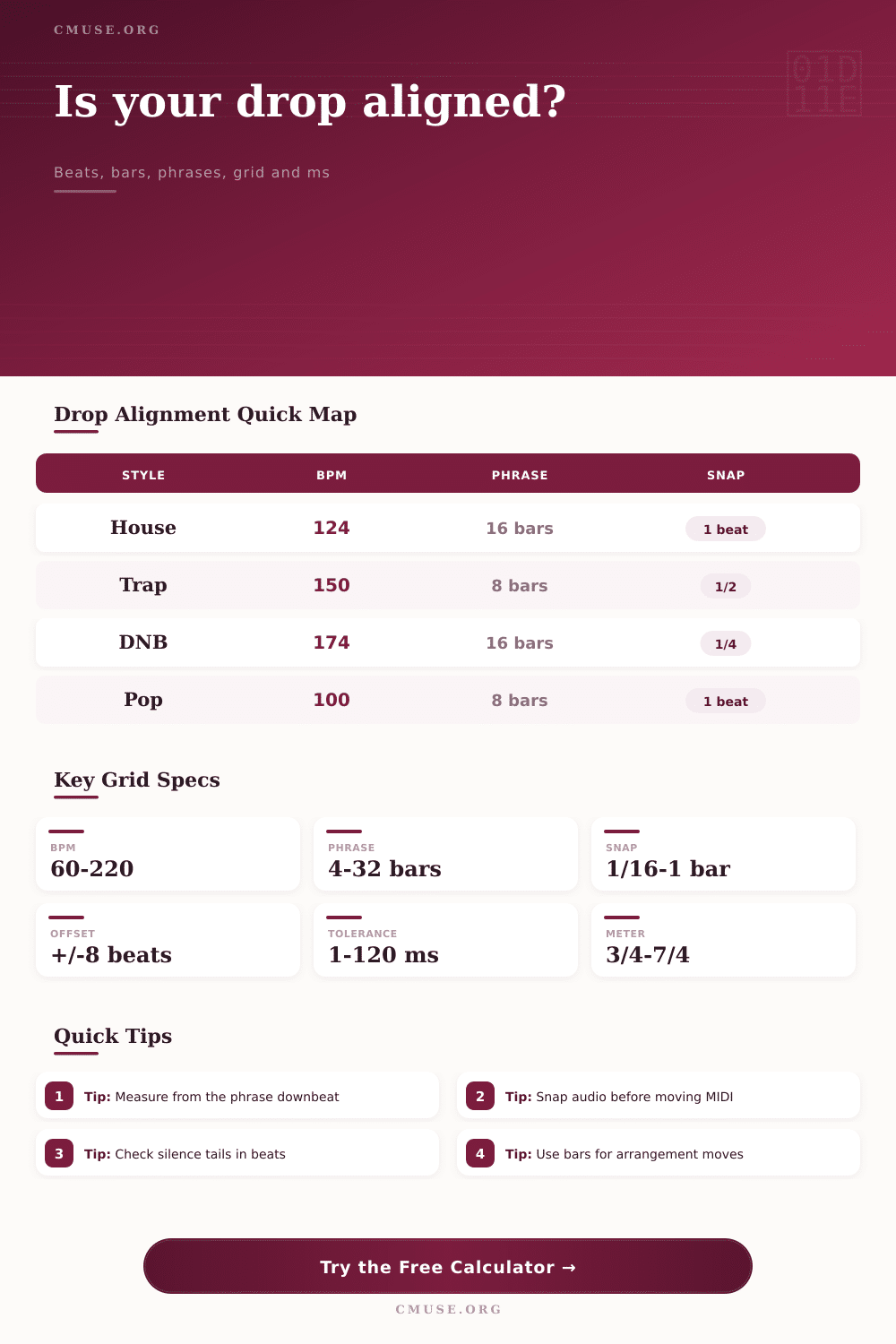
So then we have the roadmap to where those drops should sit; and that’s called phrase structure. Traditionally, house music would breathe in a sixteen bar phrase, while trap build tension across eight bars. DNB might reset every sixteen bars but change the energy at every four bars. These are the structures that reference the calculator to help you locate the nearest downbeat. So instead of a messy position in your mix, it changes this to a clean location in beats and bars.
Why? Because humans think in bars and beats whereas our DAWs thinks in samples and ticks. Instead of knowing your drop is now on beat 1.032 of bar 65, you know you want to move it back two milliseconds so it hits the next phrase boundary.
Each workload has its own way of working with digital audio. Some like it by millisecond nudge commands; some like it by samples at 48 kHz. They provides several output units for corrections to fit into your workflow. For example, in Ableton you may want to warp a marker, or in Pro Tools you may want sample precision correction. It is the same thing but with different units.
It’s about aligning the phase of the grid with the transient. When the pressure waves line up that’s why a mix sounds really tight, powerful. And when it’s not, it’s kind of like a group of people are all walking around in slightly different directions.
The other wrinkle is swing. Hip hop or garage music may be built around purposefully delayed off-beat hits. This swing percentage is also included in the calculator and gives your late feel an intentional mathematical consistency instead of an accidentally sloppy one. A little thing, yes, but it makes a difference. On purpose feels human, off by accident feels like an amateur.
On the page are the reference tables with the standard grid values laid out so you can check them quickly. You can see how a 1/16 beat snap differs from a whole bar snap. A fine snap sounds too much like overkill on a bass impact. But a coarse snap on a rapid hi-hat pattern will sound muddy. Pick the resolution that matches the element. That fill needs to dance around the beat and the drop needs to hit hard and clear.
When you align your audio to the math of your track you remove the guesswork. Stop chasing the feeling and start engineering a hit. Bass drops, the grid holds and the room moves together.