Rehearsal Mark Spacing Calculator
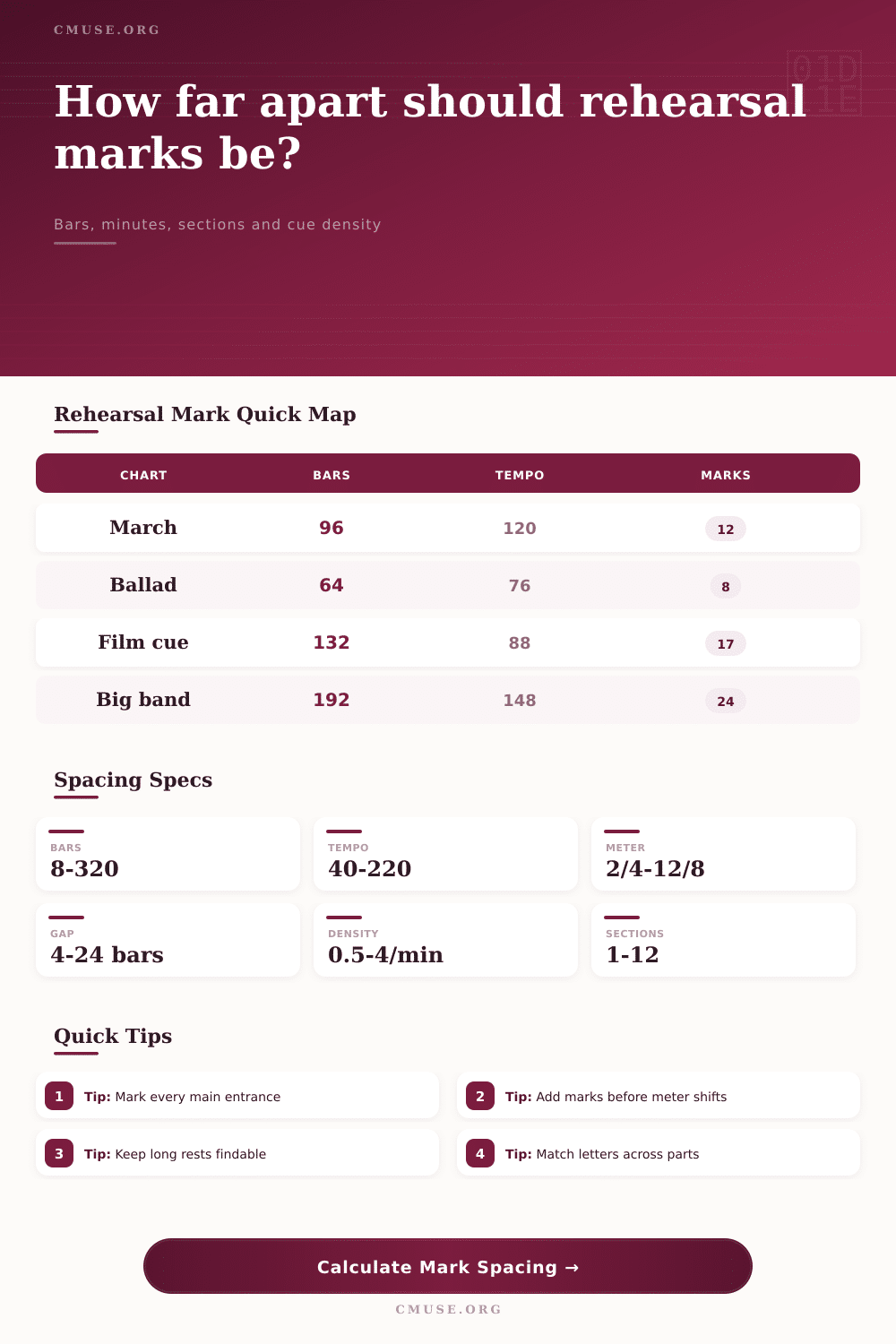
Plan rehearsal letters, numbers or boxed cues by bars, minutes, tempo, time signature, section count and ensemble reading load.
Preset use: Load a realistic chart type, then adjust total bars, tempo, meter, section count, starting label and desired spacing for your score.
Spacing Breakdown
Recommended mark plan: The table distributes labels from the first marked bar through the chart, then tags structural cue marks as needed.
| Mark | Bar | Elapsed Time | Bars Since Prior | Use |
|---|
| Section | Bar Range | Suggested Marks | Density |
|---|
| Spacing Style | Bars | Minutes | Best For |
|---|
| Risk Check | Value | Reading Impact | Adjustment |
|---|
| Ensemble | Typical Span | Common Trigger | Label Style |
|---|---|---|---|
| Concert band | 8-16 bars | Phrase or texture change | Letters or numbers |
| Symphony orchestra | 8-20 bars | Tempo, rehearsal block, cue | Boxed letters |
| Big band | 8-16 bars | Solos, shout chorus, sax soli | Letters with bar cues |
| Studio session | 4-12 bars | Hit points, punches, dialog | Numbers or bar marks |
| Score Feature | Locator Need | Typical Add | Reason |
|---|---|---|---|
| Long tacet | High | 1 mark before entry | Players can find re-entry quickly |
| Meter change | High | 1 mark at change | Conductor can restart cleanly |
| Solo section | Medium | 1 mark at chorus | Useful for trading and cuts |
| Page turn | Medium | 1 mark nearby | Reduces part-navigation delay |
When you rehearse, you are dealing with an orchestra full of unique instrument that each have a page of music. Your task is to bring them together in sync, including challenging entries and unexpected stopping points. This would of been impossible without the help of rehearsal marks that guide the way. These provide essential tools to allow a conductor to quickly and easy leap to the correct measure.
What follows is what happens when there aren’t enough rehearsal markings on page. If there are not sufficient indications, then players will waste precious time trying to locate their cue, making it harder for the conductor to jump to specific points during rehearse. If there are too many, then score becomes cluttered and eye can become distracted. It’s about finding right balance between need for clarity and the risk of clutter.
How to Use Rehearsal Marks Well
You must grasp how structural form, tempo, and bar count works together to produce a legible chart. Counting bars is typically the first step for most arrangers. After all, it makes some sense: why not have each new letter represent eight or twelve measures? However, bar counts is blind to time. A slow-moving adagio may travel same length of music (measures) in a whole minute, but an upbeat march flies past a dozen in mere seconds. Marking out a symphony movement with a generous range will leave massive spaces for you to navigate without any points of reference.
To fix this, the above calculator allows you to choose between raw measure numbers and real world time as your measuring rod. By choosing minutes instead of measures, the calculator determines how many minutes per beat (tempo) and how many beats per measure (time signature). This means that regardless of whether composition sits at 60 or 120 BPM, actual space between the marks you place on paper can be easily seen by human eye.
The math isn’t everything; the type of ensemble also play into it. Solo trades and shout choruses are commonplace on a big band chart and require regular check points so the rhythm section can stays locked in. By comparison, a piece scored for a string quartet playing all together throughout can go longer between marks and still not lose its way. These are facts built into the calculator’s presets.
If you pull up a studio session preset, it tightens things a bit because cut-and-paste editing is a given there. You need exact hit points for every section break. On the other hand, a concert band preset may space marks farther apart based off the assumption that the band will be able to read through longer sections without stopping. Knowing how these default settings vary helps you make changes for a good reason if your score falls outside the norm.
Another factor is complexity. A piece of music with lots of meter changes, sudden tempo fluctuations or exposed entries following extended silence demand greater notational support than a steady march in four-four time. It’s all too simple to overlook just how confusing a busy section of music might be to performer who is only carrying one part. They are not aware of the whole picture but simply has to work out how to play their own line as well as wait their turn. Adding extra cues helps prevent frustration in these sections.
This has been shown on the page with the reference table which underlines the point that various aspects of scores dictates particular locator requirements. For example, the change of meter nearly always deserves a mark since it’s there that rehearsal will likely halt and errors occurs.
Finally, you might think about cuts and page turns. For example, a key turn in the middle of a section will often have a rehearsal mark close by acting as a visual marker. This helps performer find their way before turning the page, so they are less likely to get lost on the next sheet. Conversely, when you edit out sections from a score for performance purposes, it’s essential to know exactly where you’ve made those cuts. This way you can spread them evenly through the rest of the score without ruining the structure of the work. It’s not all about appearances, it’s about working efficienty.
In conclusion, a well-marked copy of a piece is one where we don’t see the markings at all. Instead, musicians are able to quickly locate their place, and the conductor feels assured they can jump around easily at any time during the rehearsal. There is no delay between pages, meaning more rehearsals gets through. It sounds like a minor aspect of the copy process but it really sets the tone for the rest of the performance.
If you treat your marks as tools for navigation rather than just decoration, you have created a score that serves everyone’s needs. Always remember, make the music easy to find so hard to play!