Fade In Duration Calculator
Calculate a mix or mastering fade-in from BPM, bars, beats, manual seconds, start level, target level, curve shape, sample rate, automation spacing, and ramp style.
Preset use: Load a realistic mix or mastering fade-in, then adjust tempo, depth, curve, and resolution for the exact printed section.
Fade In Timing Result
Your fade-in duration, slope, sample count, and musical span will appear here.
| Curve | Midpoint behavior | Best use | Watch point |
|---|---|---|---|
| Linear dB | Half the dB rise at half time | Mastering fades, printed stems, predictable automation. | Can feel late if the intro has a strong first word. |
| Linear amp | Amplitude rises evenly, dB rises quickly | Short clip fades that need an immediate entrance. | May expose noise or room tone too early. |
| Equal power | Holds energy through the upper half | Dense band intros, returns, and full-range stems. | Can feel louder than expected near the top. |
| Slow start | Quiet for longer, then lifts late | Pad swells, reverse cymbals, cinematic entrances. | Needs enough duration before the first transient. |
| Fast start | Gets audible early, then eases into target | Voice beds, podcasts, short cold opens. | Can reveal edits before the downbeat. |
| S-curve | Gentle start and smooth arrival | Vocals, strings, piano, and mix bus automation. | Use finer points so the middle does not kink. |
| Exponential | Long quiet approach into a steep swell | Ambient rises and dramatic build-ins. | Watch crest buildup in the final seconds. |
| Musical span | Current BPM | 80 BPM | 120 BPM | 128 BPM | 160 BPM |
|---|---|---|---|---|---|
| 1 bar | 2.00 sec | 3.00 sec | 2.00 sec | 1.88 sec | 1.50 sec |
| 2 bars | 4.00 sec | 6.00 sec | 4.00 sec | 3.75 sec | 3.00 sec |
| 4 bars | 8.00 sec | 12.00 sec | 8.00 sec | 7.50 sec | 6.00 sec |
| 8 bars | 16.00 sec | 24.00 sec | 16.00 sec | 15.00 sec | 12.00 sec |
| 16 bars | 32.00 sec | 48.00 sec | 32.00 sec | 30.00 sec | 24.00 sec |
| Fade duration | 44.1 kHz | 48 kHz | 96 kHz | 192 kHz |
|---|---|---|---|---|
| 1 sec | 44,100 | 48,000 | 96,000 | 192,000 |
| 2 sec | 88,200 | 96,000 | 192,000 | 384,000 |
| 4 sec | 176,400 | 192,000 | 384,000 | 768,000 |
| 8 sec | 352,800 | 384,000 | 768,000 | 1,536,000 |
| 16 sec | 705,600 | 768,000 | 1,536,000 | 3,072,000 |
| Point spacing | Current fade | 8 sec fade | 16 sec fade | Typical use |
|---|---|---|---|---|
| 5 ms | 1601 | 1601 | 3201 | Very fine rendered fade or detailed clip gain. |
| 10 ms | 801 | 801 | 1601 | Clean mix automation for S-curves and masters. |
| 25 ms | 321 | 321 | 641 | General production fades with lighter point density. |
| 50 ms | 161 | 161 | 321 | Broad level rides that do not need tight shaping. |
| 100 ms | 81 | 81 | 161 | Planning fade length before writing final automation. |
| Preset | Starting fade | Level range | Curve reason |
|---|---|---|---|
| Vocal Pickup Rise | 1 bar at 96 BPM | -54 to 0 dB | S-curve keeps the breath and first consonant controlled. |
| Guitar Intro Bed | 2 bars at 112 BPM | -60 to -1 dB | Linear dB keeps the strum entrance predictable. |
| Ambient Pad Swell | 8 bars at 72 BPM | -84 to 0 dB | Slow start hides texture until the harmony blooms. |
| Master Cold Open | 2 seconds manual | -80 to 0 dB | Fast start prevents a master from feeling clipped. |
| Film Stem Entry | 6 bars at 90 BPM | -72 to -3 dB | Equal-power lift preserves musical density under picture. |
| Podcast Bed Under | 3 seconds manual | -90 to -18 dB | Fast start reaches support level without fighting speech. |
| EDM Build Intro | 16 bars at 128 BPM | -96 to 0 dB | Exponential swell creates a dramatic final lift. |
| Orchestral Cue In | 4 bars at 76 BPM | -86 to -2 dB | S-curve feels natural for strings and room tone. |
| Vinyl Noise Mask | 1.5 seconds manual | -72 to 0 dB | Linear amplitude masks lead-in noise quickly. |
| Broadcast Sting | 0.5 bar at 140 BPM | -48 to 0 dB | Fast start fits a tight bumper or ident. |
But the volume keeps rising. You hear that snare hit … and then you realize the track are a half-beat behind the groove, not quite locking into beat. Or maybe fade is too heavy. By the time the first chord finally resolve, it feels like someone just slapped you out of your mood, jumping ahead and jarring your ears.
A fade-in, therefore, isn’t something you pick out off a hat. It’s about knowing how to make human senses play along with digital precision. And although it’s a small thing, it’s very important when it comes to making your work sound like that of a pro.
How to Make Good Audio Fades
Sample-accurate automation data can be generate from musical time. That is what the calculator above does for you. However, understanding how the inputs relates to each other helps you make smarter decisions without touching mouse.
Tempo is typicaly where most engineer begin. In four-four time and at 120 beats per minute, every bar last precisely two seconds. That provides a solid foundation for a typical intro. Yet remember: Music isn’t simply math; it’s part physics, part psychology.
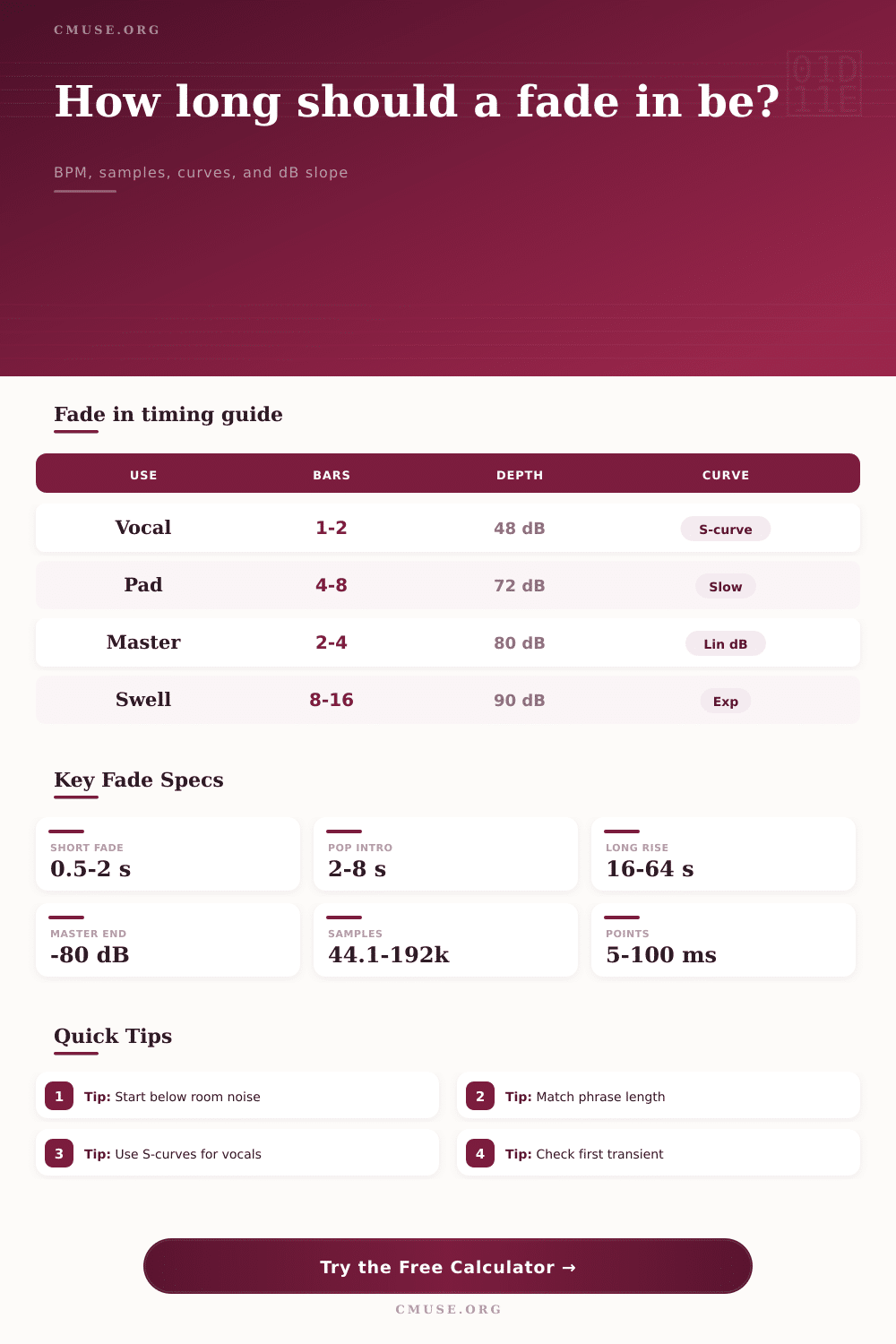
For example, a vocal entry should sound naturaly, often beginning beneath the rooms noise floor so that you’re not hearing a hum from pre-amps when the singer begin to breathe. Minus eighty decibels is pretty common here as it’s effective enough to silence the track yet leaves ample headroom to smoothly rise.
Most folks gets hung up on curve shape. For simple edits or stems, a linear dB ramp is pretty mechanical and predictable, nothing wrong with that. But for many vocals, an S-curve shape will be better. It resembles our natural speech patterns by gently beginning, picking up speed during the mid-point, and easing off at the end. It avoids that harsh “on/off” switch common to amateur mix.
An exponential swell can builds tension instead, keeping it all pent-up until very last second before letting it all rip. This is great for ambient pads, cinematic scores or anything else where you want that element of arrival more then just presence.
Then again, there’s the tech aspect of your session as well. What is the sample rate? It is the number of digital samples in each second of audio. Forty-four thousand one hundred samples per second is the rate at 44.1 kilohertz. So if you’re setting your automation points with a gap between them large enough to be once every hundred milliseconds for example, it’ll appear that your fade is more like a jagged staircase than a smooth line. This is particularly true on longer fades when you may have thousands of samples to cover.
It’s all laid out nicely in the reference table on the page. More points makes a smoother curve, but do not use so many that they tax your CPU unnecessarly.
Another key element that most people overlook is transient timing. Is the first vital note (a consonant in lyrics; a kick drum) happening at the two-second mark? Then you want the fade to be at an acceptable level by that time point. Otherwise, it’s going to sound feeble or off-rhythm. Try reducing the length, and/or select a fast start curve so it becomes audible sooner. Remember: It’s all about helping the performance, not hindering it.
The point is: a good fade fades into oblivion. It doesn’t make its presence known… It just feels like song starts up. An S-curve or a linear rise can both quickly build an orchestral intro for sixteen bars…or cover over some crackling on a vinyl record. Regardless, the idea is always the same. The transition should be smooth enough to wrap the listener in the story.
Abrupt transitions tend to yank them out and make them think about the editing process. So take your time with those input levels, check your transient targets and allow the tool to do heavy lifting when converting to something else.
You should of checked that first. If you forget that a fade exists when listening back, then you’ve nailed it. It is a true sign of a pro’s job well done when technique support emotion instead of distracting from it.