Loop Desync Cycle Calculator
Compare loop A and loop B by BPM, bars, sample trims, drift, and the exact sample cycle where they meet again.
🎛DAW and Live Loop Presets
🎶Loop Inputs
📊Loop Timing Spec Grid
📋Common Desync Ratios
| Loop A | Loop B | Resync in A Loops | Musical Use |
|---|---|---|---|
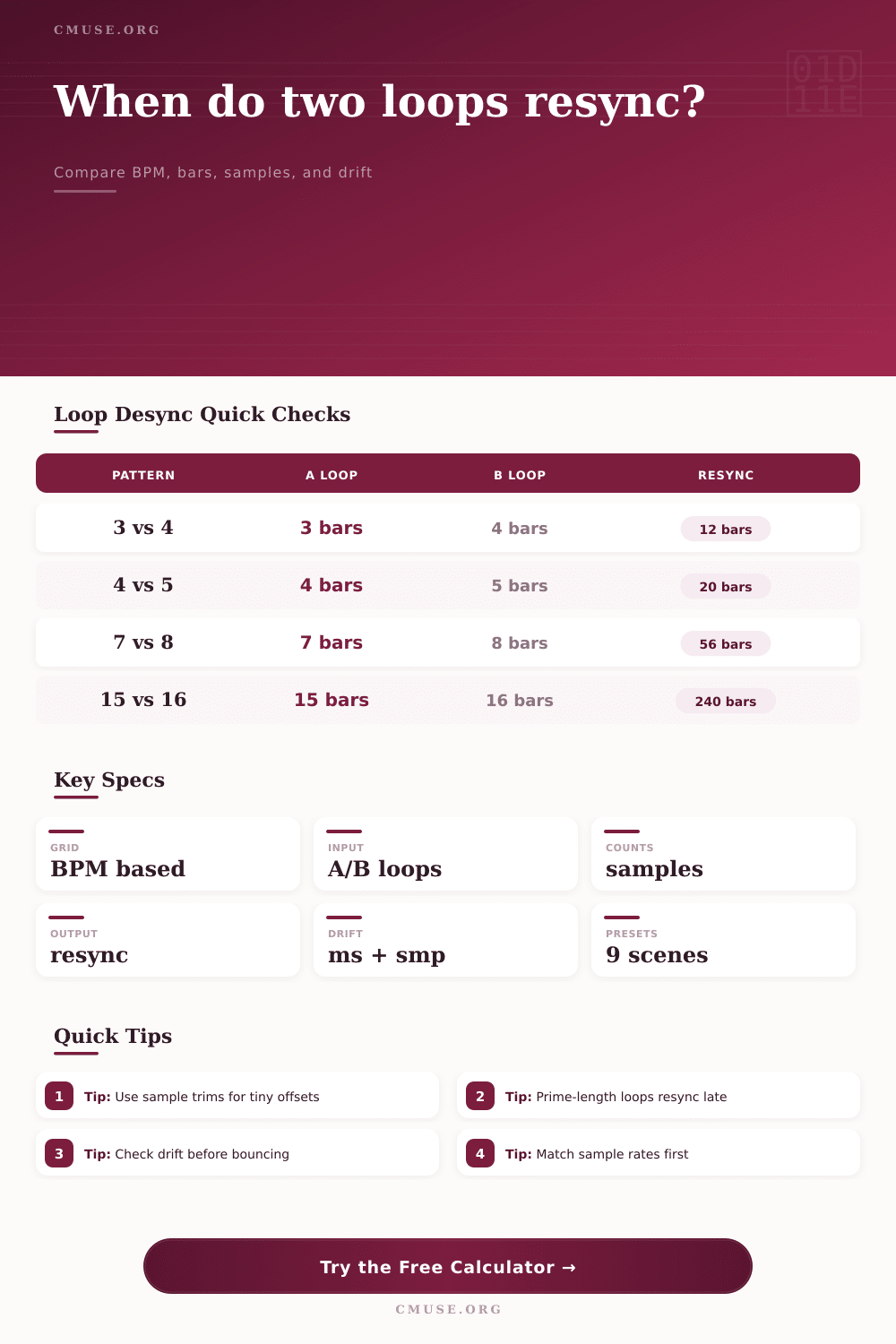
| 3 bars | 4 bars | 4 A loops | Breakbeat phrase against a 4-bar grid |
| 4 bars | 5 bars | 5 A loops | House or techno hat cycle that rotates slowly |
| 7 bars | 8 bars | 8 A loops | Odd percussion phrase over a regular section |
| 15 bars | 16 bars | 16 A loops | Long arrangement loop that resolves at the next pass |
⏱Sample Drift Reference
| Offset | 44.1 kHz | 48 kHz | 96 kHz |
|---|---|---|---|
| 1 sample | 0.0227 ms | 0.0208 ms | 0.0104 ms |
| 64 samples | 1.451 ms | 1.333 ms | 0.667 ms |
| 512 samples | 11.61 ms | 10.67 ms | 5.333 ms |
| 2048 samples | 46.44 ms | 42.67 ms | 21.33 ms |
🎚DAW and Live Loop Contexts
| Context | Typical Input | Useful Output | Watch Point |
|---|---|---|---|
| Warped DAW clip | Bars plus BPM | Resync bars | Rounded sample count can add a tiny drift |
| Unwarped sample loop | Exact sample count | Sample nudge | Sample-rate mismatch changes the timing |
| Live looper | Captured bars plus tail | Threshold lap | Footswitch tails often add tens of samples |
| DJ loop layer | Fractional bars | A/B lap ratio | Half-bar loops resolve quickly but feel busy |
🧮Result Reading Guide
| Metric | Low Value Means | High Value Means | Best For |
|---|---|---|---|
| Resync time | Loops meet quickly | Long evolving phase pattern | Arrangement planning |
| Drift per A lap | Nearly locked | Audible shift between passes | Clip edit checking |
| Nudge to match A | Small trim can lock B | Musical ratio may be intentional | Sampler cleanup |
| Threshold lap | Drift appears early | Offset stays hidden longer | Live looping risk checks |
💡Calculation Tips
What you might find is that this seems ideal on its own but then, after an hour of twiddling about with some other piece, you hear it begin to wobble. Don’t blame your ears. Math’s caught up with music.
When two repeating sections of one or more loop are different durations, they will slowly become out of sync as they repeat over and over again, only coming back into step sometime further along. The challenge is to know precisely when that is so you can work around it instead of trying to fight it.
Why Your Loops Go Out of Sync
It all makes sense when we’re talking about straightforward tracks. Beats and bars is how most producers brains work. But audio exists in samples: it’s made up of discrete chunks of time, each captured at some sampling rate (say forty-eight kilohertz) and called a sample. Ideally, a four-bar loop at 120 bpm would consist of just 2000 milliseconds. Real life isn’t always so tidy because fade-outs, processing tails, and exported clips may include a few extra samples. Though they can’t be seen on the timeline, they adds up and become audible over time.
The calculator above does the math. Input your trim lengths and loops, and watch what amounts to vague drift become real numbers of lost samples. This depends on finding the lowest common multiple between your loop lengths. For example, let’s say there’s a 3 bar-long loop and a 4 bar-long loop. They’ll meet again once twelve bars have passed. That’s relatively quick, it’ll fit into a verse or chorus niceley. But what about when you place an eight-bar chord progression beneath a seven-bar percussion phrase? You’re looking at a wait time of fifty-six bars before the downbeats align again. This creates a broad, developing groove that sounds alive but demands something of the audience patience.
Digital audio is rigid. There are no half-sample values in any file buffer. The audio editor will round to the nearest sample when slicing audio. If you want to extend a bit of audio just a little bit beyond where you think it ends, make sure your trim input is a positive value. Make it negative and it will be chopped off just that much shorter. Ten samples may not sound like much of a difference but remember that we’re talking about 20 microseconds per sample at a rate of forty-eight kilohertz. Multiply that by hundreds of cycles and what starts as microseconds becomes milliseconds of drift that, over time, can push your snare hit completely out of phase with your kick drum.
Recording in the studio is one thing, but looping live adds another level of difficulty. Latency become an issue with footswitches that can tack on tens of samples to every loop. And when performing a live show and building a track from scratch, there’s no going back to try again if it doesn’t work. Knowing your drift threshold enables you to determine when that small offset makes for a ruined mix or instead adds a cool textural element. Artists sometimes purposely desynchronize their loops so they become polyrhythmic in complexity and let the tension build before the naturaly syncing up gives the audience a satisfying release.
When you use the tool it comes with some reference tables that identify popular ratios such as sixteen vs fifteen, three vs four etc. But these aren’t random numbers at all; they’re usable reference points for Ambient, Techno and House music. For example, if you’re working on a fifteen bar loop over a sixteen bar grid then you know this will resolve every two hundred and forty bars into a new sync point. It may be that you decide to end the track before it reaches that last resync point, leaving the audience with a feeling of unfinished movement.
Consider loops like a set of gears spinning in sync or out-of-sync. Sometimes they click right away; sometimes they grind along until one finally clicks into another gear. Perfectly synchronized throughout is not always the point. There must be some motion to music and shifting phase delivers motion with no shift in tempo. Knowing the length of the cycle allows you to control how fast the tension comes and goes.
The bottom line is that precision give power to creativity in this situation. Knowing where one loop meets another gives you control over the timeline, whether you’re creating intricate rhythmic structures or mending a bumpy clip. The math no longer works against your musical vision; now it works for it, allowing you to decide when the wobble occurs rather than guess when it might. Accidental drift becomes intentional design.