Stretto Overlap Calculator
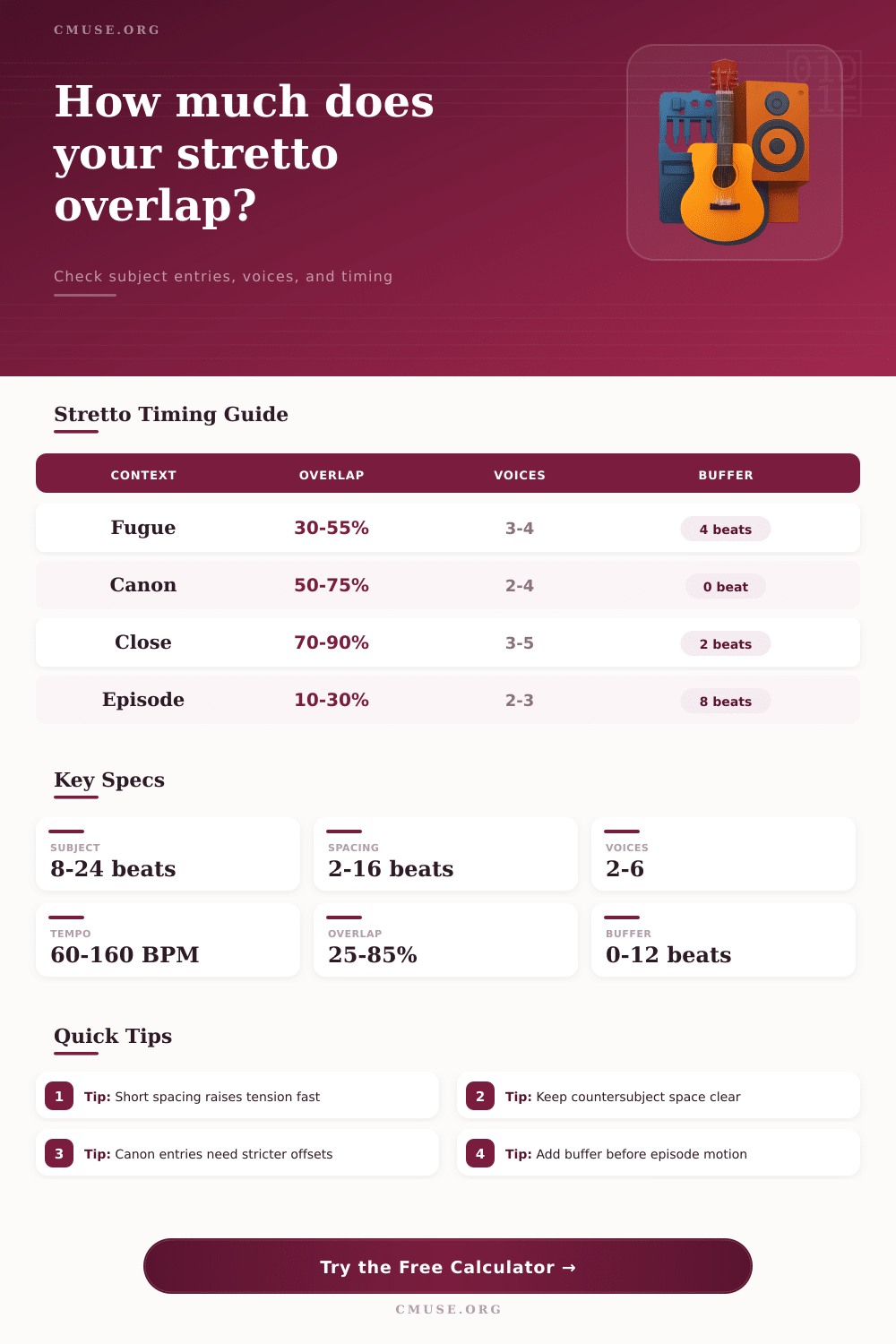
Measure how tightly a subject overlaps across fugue or canon entries using subject length, spacing, voices, tempo, target overlap, and episode buffer.
Stretto Results
The grid updates after calculation and gives a compact check on subject length, ideal target spacing, contrapuntal density, and the last entrance point.
| Context | Typical Overlap | Entry Aim | Watch Point |
|---|---|---|---|
| Fugue exposition check | 10–35% | Clarity before density | Do not hide the answer shape |
| Fugue stretto | 35–70% | Increase pursuit between voices | Keep cadential bass readable |
| Strict canon | 40–80% | Exact offset by rule | Spacing must match interval plan |
| Double fugue | 20–55% | Leave room for paired material | Check subject collision points |
| Final climactic stretto | 65–90% | Maximum compression | Thin texture if rhythm is dense |
| Subject Length | Light Stretto | Medium Stretto | Close Stretto |
|---|---|---|---|
| 8 beats | 6 beats = 25% | 4 beats = 50% | 2 beats = 75% |
| 12 beats | 9 beats = 25% | 6 beats = 50% | 3 beats = 75% |
| 16 beats | 12 beats = 25% | 8 beats = 50% | 4 beats = 75% |
| 24 beats | 18 beats = 25% | 12 beats = 50% | 6 beats = 75% |
| Preset | Subject | Spacing | Best Use |
|---|---|---|---|
| Bach-style 4-voice stretto | 16 beats | 5 beats | Tight fugue climax |
| Two-voice canon at the fifth | 8 beats | 4 beats | Strict imitation |
| Conservatory fugue exposition | 12 beats | 8 beats | Readable first entries |
| Diminution stretto study | 10 beats | 2.5 beats | Compressed counterpoint |
| Voices | Texture Load | Good Overlap | Practical Note |
|---|---|---|---|
| 2 voices | Transparent | 40–80% | Canon and teaching sketches |
| 3 voices | Moderate | 35–70% | Enough room for countersubject |
| 4 voices | Dense | 30–65% | Balance bass and inner entries |
| 5+ voices | Very dense | 20–55% | Use rests, augmentation, or thinning |
Consider then the point in a fugue where you can’t bear the tension and all the voices appear to scream at each other. Even though it may feel chaotic, it’s not. It is a purposeful collision. Moments like this has been anticipated by composers for centuries. They stack entries so that subject overlaps itself just enough to create drive without creating mud. The result is drive but not mud.
The mathematics involved are simple arithmetic. Intuitively feeling right are more difficult to explain. What happens is that you know you’re pushing the texture too far when the listener loses thread of the head motive. That is the tipping point from structure to noise.
How to Plan Stretto Overlaps
You enter the subject length and the desired spacing between entries. Before writing down one note, it shows you exactly where that line fall. You enter what kind of overlap you want. It reveals how much overlap there actualy will be. And why does it matter? Because it’s not only about time but also about density. A longer subject sound tighter when its parts are close together, while a shorter subject can sound loose if its parts is spread out. That all depends on the rhythmic activity. The tool lets you account for that using voice count and tempo. You will no longer have to guess about bar lines. Just focus on musical result instead.
The number of voices is stacking up fast. On a subject that’s sixteen beats long and has four voices coming in every six, there’s quite a lot going on simultaniously. The max number of stackable voices is what the calculator will show you. It will let you plan your accompaniment. Throwing some hefty harmonies beneath a crowded stretto passage isn’t going to work if you’ve got three or four lines battling for airspace already.
To help you visualize this, the page contain reference tables that show the usual range for different scenarios. These include fugue, canon, and their context. A free fugue may be timed with greater freedom then a strict canon that tends to adhere more strictly to interval rules. Knowing where your box is can make a difference in just how much you can pack into the entries.
The key is spacing. The closer together you place the entries, the quicker things get intense. It feels like a pursuit. It is like one voice chasing another along the line. On the other hand, make that spacing too narrow and you destroy clarity. The previous entry covers the next one. If your subject begins with some small-note values or otherwise has a busy rhythm, this effect are amplified. You need to breathe in those places. Let the ear know where the start of each new statement lie.
With the calculator, you can play around with these controls on the fly. You’ll hear the distinction between intelligible tension and jumbled mess. People don’t really notice the episode buffer unless it becomes a problem when performance doesn’t match what was heard. When the last entry has run its course, you want a clean break. If it isn’t there then the following section sounds as if it accidentalaly continues rather than deliberately changes structure. This is something the tool considers. How many beats should of been added to create a clean air between cadential closure or sequential material? Your climax will land and not trail away into ambiguity.
Stretto is where the composer proves their worth by managing many self-contained lines heading towards one central focal point. Planning the overlap eliminates any chance of clashing sounds whether composing a difficult choral piece or simply setting some homework at the conservatoire. It allows each voice to remain distinct. You don’t want audience to struggle to understand what’s happening. You want them to be aware of the growing tension. You want them to hear how everything fits together.
The calculator is your safety net allowing you to take chances; once you hear the numbers align, you know the structure will withstand the weight. That fine line between clarity and density distinguishes between a good imitation and a convincing fugue. Begin with space. Consider the pile. Allow tension to make the job for you.